Winterize your RV before the first night at or below 32°F, the temperature NOAA’s National Centers for Environmental Information (NCEI) uses to define a freeze. Camping World warns that one freezing night is enough to damage RV plumbing. You can protect the system with RV antifreeze alone, or blow the lines out with compressed air and then add antifreeze to the drains. Airstream calls some combination of an air compressor blow-out and a non-toxic RV antifreeze flush essential.
Last updated: September 26, 2026
Chuck Price has 35+ years of RV camping experience and owns a 2018 Hymer Aktiv Class B.
Where manufacturers disagree on a number, this guide gives each figure and names who publishes it. Follow your RV’s owner’s manual wherever it differs from the steps below. For year-round upkeep, see our RV maintenance and repair guide.
When to winterize your RV
Water left in RV plumbing freezes at 32°F, and one freezing night is all it takes to cause damage (Camping World). When water freezes and expands inside a fitting, the fitting often develops a hairline crack, per Camping World. NCEI describes a freeze as a time when “surface air temperature is expected to be 32°F or below over a widespread area for a climatologically significant period of time”. Your first-freeze date depends on where you store the rig, so check it for your own area.
NCEI publishes first-fall-freeze maps based on the 1991-2020 Climate Normals. The median map shows the date by which a freeze arrives in 5 of 10 years. The earliest map shows a date so early that a freeze arrives by then in only 1 of 10 years.
If you want a dealer to do the work, Camping World advises booking 3 to 4 weeks before temperatures dip into the 40s. If you plan to camp through the cold instead of storing the rig, read our tips on staying warm while boondocking in winter.
RV antifreeze: which type and how much
Use propylene glycol RV antifreeze. Never put ethylene glycol automotive antifreeze in RV plumbing. Camco’s winterization brochure, in a dealer-hosted copy, states, “Most automotive antifreezes are made from ethylene glycol, which is highly toxic.” Keystone RV says automotive antifreeze is poisonous and not suitable for potable water systems. Poison Control says it is dangerous to swallow antifreeze, even in small amounts. If someone swallows antifreeze, call Poison Control at 1-800-222-1222.
RV antifreeze is made from propylene glycol, which Camco says the U.S. government considers “GRAS (Generally Regarded As Safe)” (Camco brochure).
Federal rule 21 CFR 184.1666 lists propylene glycol as a direct food substance affirmed as GRAS, with use limits by food category (eCFR).
That GRAS listing does not make RV antifreeze something to drink. Camping World says RV antifreeze is not meant for consumption by humans or animals. Camping World says your first step should always be reading the product label.
Stores sell propylene glycol blends that contain ethanol and ethanol-free propylene glycol formulas (Camping World).
Camco says a system winterized properly with -50 RV antifreeze should show a freeze point around +10°F, which indicates burst protection to -50°F.
Plan on 2 to 6 gallons of RV antifreeze, depending on the rig. Camping World says most RVs use 2 to 4 gallons, Camco’s checklist lists 2 to 4 gallons, and Keystone RV lists 4 to 6 gallons. Bypassing the water heater saves as much as 6 to 8 gallons, per Camco. Camco also notes that RV water heaters hold 6 to 10 gallons.
RV antifreeze quantity by source (sources linked in each row)
How to winterize an RV with antifreeze, step by step
The antifreeze method drains the system, bypasses the water heater and pumps RV antifreeze through every line until it reaches each fixture. Keystone RV estimates the job at approximately two hours. Steps and valve layouts differ by model, so check each step against your owner’s manual. The sequence below draws on Winnebago, Keystone RV, Airstream, Dometic and Camco instructions.
Empty the fresh, gray and black tanks, and drain the water heater (Winnebago).
Turn the water heater off for both gas and electric modes (Keystone RV). Let the water cool before you remove the drain plug (Dometic manual).
Turn the water heater bypass valve to the bypass position (Airstream).
Bypass any in-line or undersink water filtration systems (Camco brochure). Keystone RV removes and discards the filter cartridge, drains the base and reinstalls it.
Remove the low point drain caps for the water lines and open all faucets and the outside shower, if equipped (Keystone RV). After the fresh water tank drains, reinstall the low point drain caps and close any open faucets and valves before you pump (Keystone RV).
Pump antifreeze in from inside with a water pump conversion kit or from outside with a hand pump (Camco brochure). Keystone RV installs a bypass hose on the suction side of the water pump and connects it directly to the antifreeze container.
Open the cold-water side of each faucet one at a time until antifreeze comes out, then repeat on the hot side (Keystone RV).
Flush the toilet until antifreeze flows into the bowl (Keystone RV).
Pour RV antifreeze down each drain and into the toilet bowl to protect the P-traps (Winnebago).
Leave the antifreeze in the lines until spring and do not drain it (Camco brochure).
Sources disagree on how much antifreeze each drain needs. Airstream says a cup, and Camco’s blog says about a cup. Camco’s brochure says at least 2 pints. Keystone RV says about one quart per drain, P-trap and toilet. For model-specific upkeep on a van-based rig, see our Class B RV maintenance guide.
Water heater bypass
Bypass the water heater before you add antifreeze (Winnebago). Turn the water heater off before you open the pressure-temperature relief valve to let air in (Dometic manual). Dometic says the approximately two quarts of water left in its tank after draining will not damage the tank if it freezes.
Manufacturers disagree on when to drain the heater. Winnebago, Keystone RV and Airstream drain it at the start. Camco’s brochure says “DO NOT DRAIN THE WATER HEATER until after you have filled your pipes with antifreeze” and opens the drain plug at the end. Follow the order in your owner’s manual.
Ice makers, washers and tankless heaters
If your RV has a residential refrigerator, do not add antifreeze to the ice maker water line. Drain the line along with the rest of the water lines instead (Keystone RV).
If you have an ice maker or washing machine, check its manual for specific winterization steps (Camco).
If your rig has a tankless water heater, Keystone RV refers you to the operator’s manual.
Holding tanks
Drain and flush the holding tanks thoroughly before storage. Airstream says frozen sewage in the tanks could seriously damage them. The CDC lists protective gear for workers who handle human waste or sewage. That guidance is general, not RV-specific (CDC). The list covers goggles, a face mask or splash-proof face shield, liquid-repellent coveralls, waterproof gloves and rubber boots. Wash your hands with soap and water immediately after you handle human waste or sewage (CDC).
How to blow out RV water lines with compressed air
A blow-out pushes water out of the lines with compressed air instead of filling them with antifreeze. Camco attaches a blow-out plug to the water intake fitting and applies air pressure from an oilless air compressor. Keystone RV and Winnebago both finish a blow-out by adding RV antifreeze to the drains. Winnebago says this protects the traps.
Manufacturer air pressure limits range from 30 to 50 pounds per square inch (psi). Keystone RV says to set the air pressure to “no more than 30 PSI”. Winnebago says around 40 to 50 psi max and warns that higher pressure can damage your lines. Use the figure in your owner’s manual. If you have no figure, the lowest limit here, 30 psi, is the cautious choice.
Maximum blow-out air pressure by manufacturer (sources linked in each row)
Apply 50 lb of air pressure at the city water inlet
Remove the low point drain caps and open all faucets and the outside shower, if equipped (Keystone RV).
Drain the fresh water tank. Turn the water heater off, remove its drain plug and open the pressure relief valve. Empty the holding tanks and set the water heater bypass valves to bypass (Keystone RV).
Attach the blow-out plug at the city water inlet and apply air from an oilless compressor (Camco brochure).
Hold the toilet valve open until the water clears from the toilet supply line (Keystone RV).
Run a washer fill cycle on warm to open both hot and cold valves, and let air blow through until no more water comes out (Keystone RV).
Pour RV antifreeze into each drain, P-trap and toilet. Keystone RV uses about one quart for each.
Reinstall the drain caps and plugs, and close any valves to keep critters out of the fresh water system (Keystone RV).
RV battery storage in cold weather
Charge RV batteries fully and disconnect them before winter storage. Battle Born says to bring batteries to a full charge, then disconnect them with the disconnect switch or by removing the positive main battery cable. Camco says to remove batteries for storage on a tender or turn off the RV’s battery disconnect switch. Airstream says to store removed batteries in a cool, dry place and keep them fully charged. Lead-acid and lithium batteries handle cold differently, so check which type you have.
Lead-acid batteries
A fully charged lead-acid starter battery (specific gravity 1.265) freezes at -67°F, per Battery Council International figures cited by Battery University.
A discharged lead-acid battery (specific gravity 1.15) freezes at 5°F, per the same figures (Battery University).
Battery University says flooded lead-acid batteries tend to crack the case and leak if frozen.
Battle Born warns that a discharged lead-acid battery in the cold can freeze solid and even explode.
Battery University gives a lead-acid charge window of -4°F to 122°F (-20°C to 50°C).
Rolls Battery rates flooded lead-acid capacity at 77°F. Its bank-sizing multiplier rises as temperature drops, to 1.37 at 30°F and 2.17 at 0°F (Rolls Battery).
Lithium (LiFePO4) batteries
Lithium charging limits vary by battery and by its battery management system (BMS). Battle Born says its batteries will not accept a charge when their internal temperature is below 24°F. A separate Battle Born article says charging a lithium-ion battery when its internal temperature is below 25°F can cause long-term and permanent damage. Battery University says consumer lithium-ion batteries cannot be charged below 32°F (0°C). Check your battery maker’s spec before you charge in the cold. Battle Born lists a storage range of -15°F to 140°F for its LiFePO4 batteries. Battle Born puts their self-discharge rate at 2-3% a month on average.
Propane, tires, pests and moisture
Plumbing is only part of winter storage. Propane, tires, rodents and condensation each need a step before you walk away from the rig. If you are heading out instead, our list of winter boondocking essentials covers gear for cold-weather camping.
Propane
Shut off the propane tanks, as Airstream‘s winter storage checklist directs.
Tires
Michelin’s RV tire brochure (2017, a dealer-hosted copy) gives these storage steps.
Place a barrier such as plastic, plywood, cardboard or rubber mats between the tire and the storage surface.
If the rig sits outdoors, cover the tires to block direct sunlight and ultraviolet (UV) rays.
Inflate tires to the maximum inflation pressure shown on the sidewall.
Store the rig away from electric generators or transformers.
For storage longer than 3 months, consider a monthly highway drive of about one hour.
Mice and other rodents
Mice can fit through a hole the width of a pencil, 1/4 inch or 6 millimeters across (CDC).
Fill small holes with steel wool, then hold it in place with caulk or use spray foam (CDC).
Keep food sealed in thick plastic, metal or glass containers with tight lids (CDC).
Moisture and condensation
Jayco’s owner’s manual says proper ventilation or a dehumidifier will help control condensation. Winnebago says to flip up mattresses and cushions to keep condensation from building up.
What RV winterization costs
As of September 2026, Camping World puts a dealer blow-out at $75 to $100 and a complete antifreeze package at $125 to $150. Doing it yourself runs roughly $30 to $80 the first year, per the same source. These are one retailer’s ranges, so ask your local shop for a quote.
RV winterization costs as of September 2026, per Camping World
Item
Price range
Who it applies to
Basic blow-out service
$75 to $100
Owners using a dealer or service center
Complete antifreeze package
$125 to $150
Owners using a dealer or service center
DIY, first year
$30 to $80
Owners who winterize themselves
DIY antifreeze, later years
$20 to $30
Owners who winterize themselves after the first year
RV antifreeze
$4 to $8 per gallon
Anyone buying antifreeze
Professional de-winterization
$50 to $100
Spring startup at a dealer
Camping World lists repair ranges for skipped winterization. Burst water lines run $200 to $1,500+, a water heater tank $600 to $1,200+, and extensive water damage $5,000 to $15,000+.
De-winterizing your RV in spring
Flush the antifreeze out of the fresh water system before you use it again. Camping World says to repeat the flush at least 2-3 times and let the system sit and soak between each. For refilling and tank care afterward, see our guide to managing your fresh water system.
If mice got in over the winter, follow the CDC cleanup steps.
Open all doors and windows for 30 minutes before cleaning.
Do not vacuum or sweep droppings.
Wear rubber or plastic gloves.
Mix 1.5 cups of bleach per gallon of water, a 1:9 ratio, and let it soak 5 minutes.
Frequently asked questions
How much antifreeze do I need to winterize an RV?
Camping World says most RVs use 2 to 4 gallons of RV antifreeze, and Camco’s checklist lists 2 to 4 gallons. Keystone RV lists 4 to 6 gallons. Bypassing the water heater saves as much as 6 to 8 gallons, per Camco. Plan on 2 to 6 gallons depending on your rig.
Can I use car antifreeze in my RV?
No. Automotive antifreeze is usually ethylene glycol, which Camco calls highly toxic and Keystone RV calls poisonous and unsuitable for potable water systems. Use propylene glycol RV antifreeze. If someone swallows antifreeze, call Poison Control at 1-800-222-1222.
Is RV antifreeze safe?
RV antifreeze is propylene glycol. Federal rule 21 CFR 184.1666 lists propylene glycol as generally recognized as safe (GRAS) as a direct food substance, within set limits. It is still not meant to drink. Read the product label, and flush the lines at least 2 to 3 times in spring.
What psi should I use to blow out RV water lines?
Manufacturer limits range from 30 psi (Keystone RV) to around 40 to 50 psi (Winnebago) and 50 psi (Camco). Airstream’s guide applies 50 lb of air pressure at the city water inlet. Use the figure in your owner’s manual. If you have none, the lowest limit, 30 psi, is the cautious choice.
When should I winterize my RV?
Winterize before the first night at or below 32°F. NCEI first-freeze maps show typical first-freeze dates for your area. Camping World suggests booking a service 3 to 4 weeks before temperatures dip into the 40s.
How much does RV winterization cost?
As of September 2026, Camping World lists $75 to $100 for a dealer blow-out and $125 to $150 for a complete antifreeze package. Doing it yourself costs roughly $30 to $80 the first year and about $20 to $30 in later years.
Do I still need antifreeze if I blow out the lines?
Yes, for the drains. Keystone RV and Winnebago both add RV antifreeze to the drains and P-traps after the blow-out. Keystone RV uses about one quart per drain, P-trap and toilet.
Should I disconnect my RV battery for winter?
Yes. Charge the batteries fully first. Camco says to remove them for storage on a tender or turn off the disconnect switch. Battle Born says to use the disconnect switch or remove the positive main battery cable. A discharged lead-acid battery freezes at 5°F, per Battery University.
When Starlink Roam data runs out early, the usual cause is that your phones, laptops and TVs treat Starlink Wi-Fi like unlimited home internet. Streaming on Auto, high-definition (HD) video calls and automatic updates are the usual drains. Mark your Starlink network as low-data or metered on every device, then lower streaming quality.
Last updated: September 25, 2026
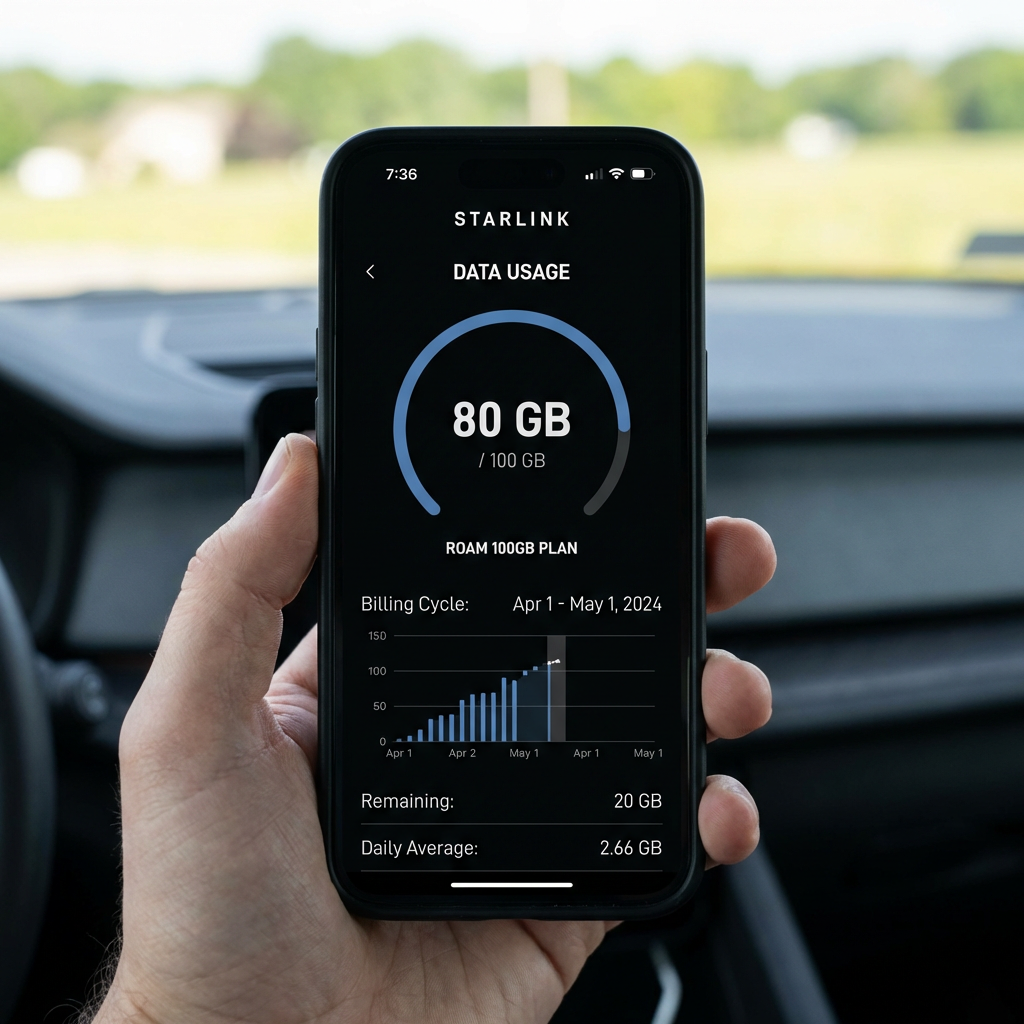
As of September 2026, Roam 100GB starts at $55 a month, and Starlink describes 100GB as about one week of typical use, per Starlink’s Roam page. This guide covers where Roam data goes and which settings slow the drain. If you are still choosing a connection, start with our RV internet guide comparing Starlink and 5G.
At a glance
Must-Know: After 100GB or 300GB, Roam drops to low-speed data until your billing cycle resets.
Trip Killers: Streaming on Auto and HD video calls. Netflix HD uses up to 3 GB per hour, per Netflix Help. A group Zoom call at 720p uses about 2 GB per hour, calculated from Zoom’s bandwidth figures.
Best For: Roam 100GB and 300GB users whose phones, laptops and TVs connect through Starlink Wi-Fi.
Confirm Before You Go: Mark your Starlink Wi-Fi as Low Data Mode or metered on every device, and check current plan prices on Starlink’s Roam page.
How Starlink Roam Data Caps Work in 2026
After 100GB or 300GB, Starlink Roam drops to low-speed data until your cycle resets. The capped plans then give you unlimited low-speed data for the rest of the billing cycle, per Starlink’s Service Plan Descriptions. Starlink says Roam is designed for low-demand, land-based use such as travel and camping. These rules cover US Roam 100GB and Roam 300GB plans as of September 2026. Roam Unlimited has no data cap.
Starlink’s Service Plan Descriptions state, “Low-speed data is not suitable for bandwidth-intensive applications like streaming, video calls, gaming”.
Roam 100GB starts at $55 a month as of September 2026, per Starlink’s Roam page.
Roam 300GB costs $80 a month, and Roam Unlimited costs $175 a month, on the same page.
Starlink describes 100GB as about one week of typical use.
Unused 100GB or 300GB data does not roll over to the next cycle, per the plan terms.
Capped plans work in your home country. Starlink’s Roam page lists the US and Canada for US customers.
Starlink removed its per-GB data add-on in January 2026, according to RV Mobile Internet.
Speeds on every Roam plan are not guaranteed and slow down during congestion, per Starlink. Starlink may also reduce speeds for users whose bandwidth consistently exceeds a typical Roam user, per the Service Plan Descriptions. Those terms apply to Roam Unlimited too. Check your data usage in the Starlink app to see where your cycle stands.
The 5 Data Drains Behind Most Roam Overages
Your devices treat Starlink Wi-Fi like unlimited home internet unless you tell them otherwise. Many phone and app data limits apply only to mobile data, so backups, updates and high-quality video run on Wi-Fi without a limit. Google Photos, for example, applies its backup data limits to mobile data only, per Google Photos Help. The five drains below apply to any Roam 100GB or 300GB plan, on any device connected to your Starlink Wi-Fi.
Drain 1: Streaming on Auto or high quality
Netflix’s Auto setting picks the highest quality your connection allows, per Netflix Help. High quality in HD uses up to 3 GB per hour, and Ultra HD uses up to 7 GB per hour. Netflix publishes these figures per device for web playback. YouTube offers a Data saver option but does not publish per-hour data figures.
Drain 2: Video calls
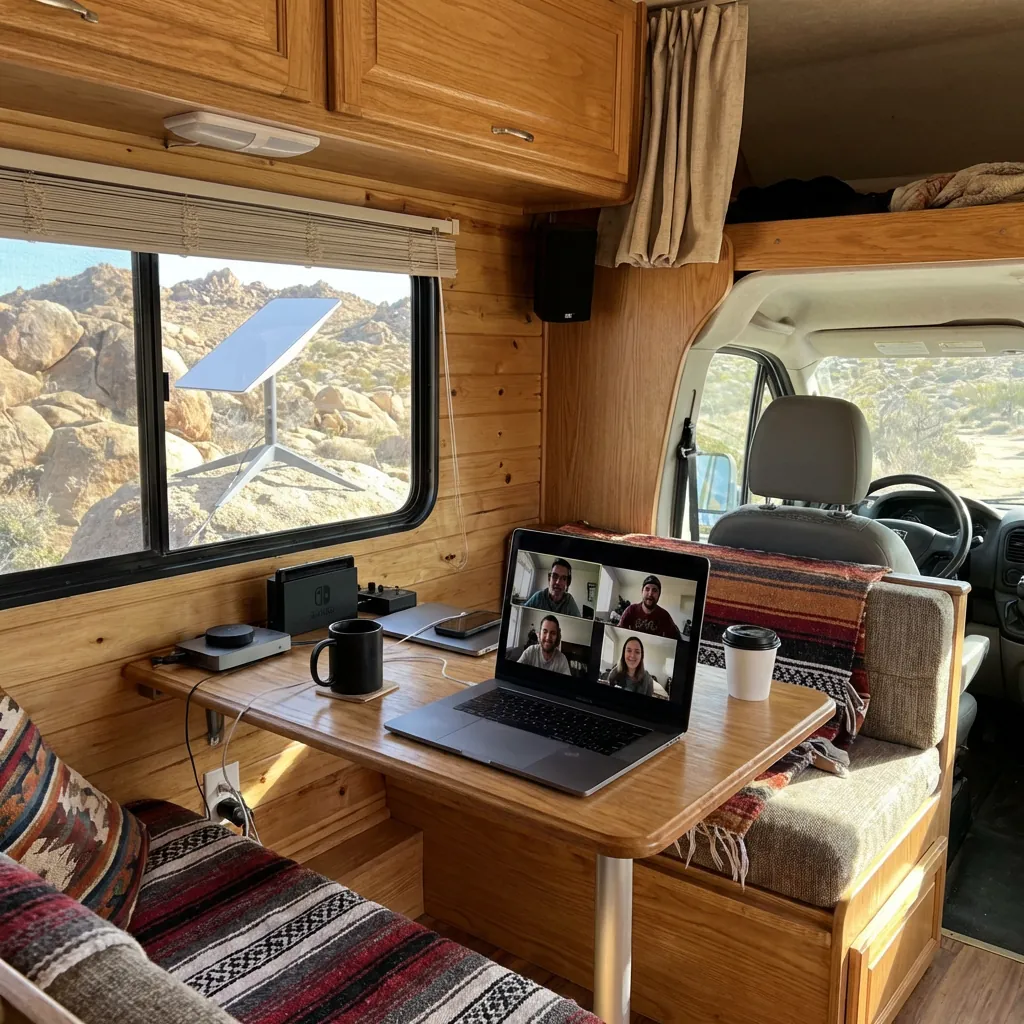
A one-on-one Zoom call at 720p uses about 1.1 GB per hour. That figure is calculated from Zoom’s published bandwidth for one device, and real use is often lower. A group Zoom call at 720p uses about 2 GB per hour by the same math. Microsoft Teams and Google Meet figures, calculated the same way, appear in the table in the streaming section.
Drain 3: System, app and console updates
iPhones, Macs, Windows PCs and game consoles can download system and app updates automatically. A PlayStation 5 (PS5) can also download updates in rest mode when “stay connected to the internet” is on in Power Saving, per PlayStation Support. Starlink has not published whether its own dish and router software updates count toward your plan data. Updates to your phones, laptops and consoles do count, because they are ordinary downloads over your connection.
Drain 4: Photo and file backup
Apple Support lists what Low Data Mode changes, including that it “Pauses updates for services such as iCloud Photos”. Google Photos has no Wi-Fi data limit setting, but you can turn backup off, per Google Photos Help. OneDrive pauses sync on its own when your PC is on a metered network, per Microsoft Support. You can also pause OneDrive by hand for 2, 8 or 24 hours.
Drain 5: Background app activity
Apps can sync and refresh content in the background while your phone sits unused. On iPhone, Low Data Mode turns off Background App Refresh, per Apple Support. No vendor publishes a verified figure for background use, so watch your totals in the Starlink app.
One more habit to watch. A speed test measures speed by moving data, so run one when troubleshooting, not as a routine.
Mark Your Starlink Wi-Fi as Low-Data or Metered on Every Device
Phones and laptops only save data on Wi-Fi when you mark that network as metered. A metered or Low Data Mode flag tells the operating system to hold back updates, backups and background activity. Each setting applies per network and per device, and menu names vary by operating system version and phone maker. According to Microsoft Support, on a metered connection “Windows Update will only download priority updates.”
Starlink also publishes a Data Usage Best Practices help article. Repeat the steps below on every phone, tablet and computer that joins your Starlink Wi-Fi.
iPhone and iPad
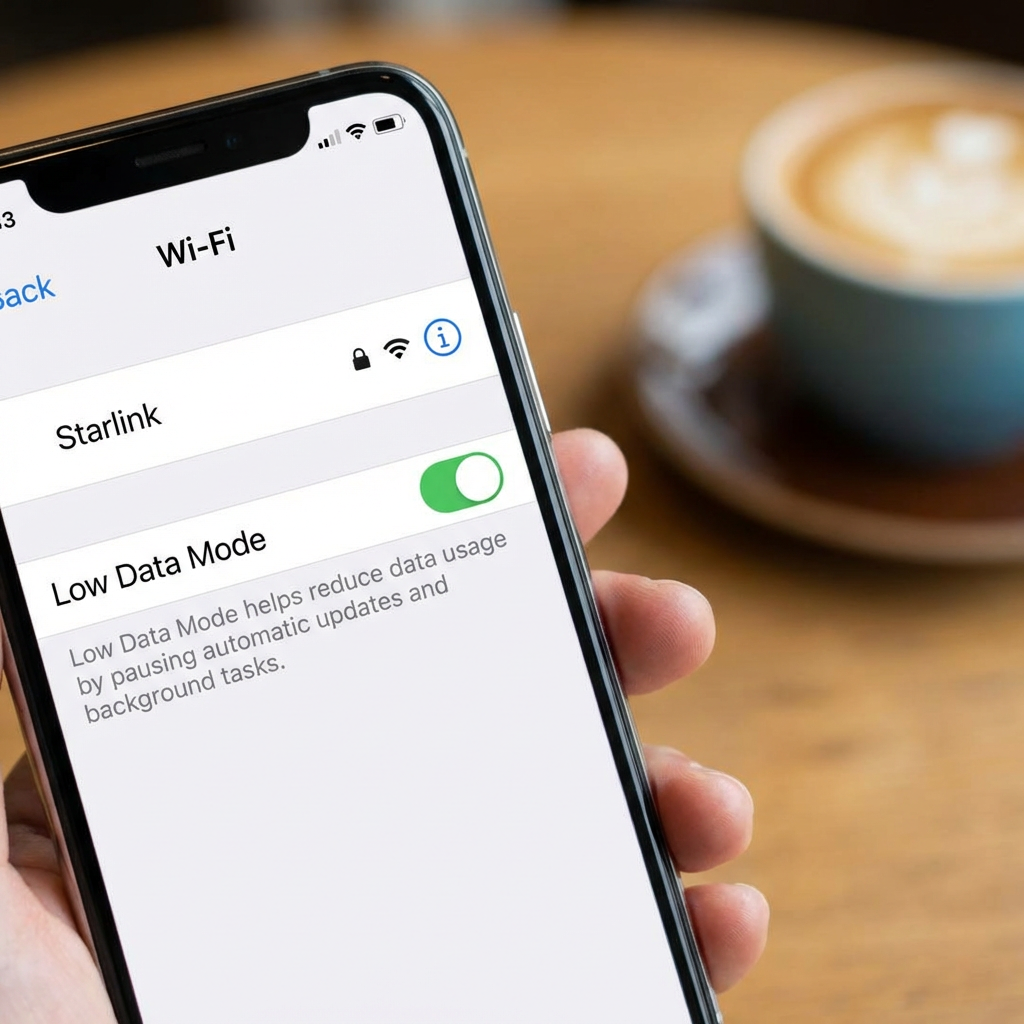
Open Settings and tap Wi-Fi.
Tap the Info button next to your Starlink network.
Turn on Low Data Mode.
The setting is saved for that network and syncs to your other Apple devices through iCloud, per Apple Support. Low Data Mode turns off automatic downloads and backups, pauses iCloud Photos updates, and turns off Background App Refresh.
Mac
Open System Settings, click Wi-Fi, click Details next to your Starlink network, and turn on Low Data Mode. Apple says the setting reduces data usage over that Wi-Fi network, per the Mac User Guide.
Windows 11
Open Settings, then Network & internet, then Wi-Fi. Select your connected Starlink network and turn on Metered connection, per Microsoft Support. The setting applies to that network only. On a metered network, Microsoft Store app downloads might pause and offline files might not sync. OneDrive also pauses sync on a metered network.
Android
Some Starlink data guides tell Android users to turn on Data Saver. That advice does not help on Starlink Wi-Fi. Google Pixel Help describes Data Saver this way: “This mode lets most apps and services get background data only via Wi-Fi.” Data Saver limits mobile data, so it leaves your Starlink Wi-Fi alone. Mark the Wi-Fi network as metered instead.
Open Settings, then Network & internet, then Internet.
Tap your connected Starlink Wi-Fi network.
Tap Network usage and choose Treat as metered.
Menu names vary by phone and Android version, per Android Help.
Streaming and Video Call Settings That Cut the Most Data
Netflix Medium quality uses up to 0.7 GB per hour, compared with up to 3 GB per hour for High quality in HD. Streaming apps on Auto pick the highest quality your connection allows, per Netflix Help, so a manual setting caps the drain. The figures below are per stream or per device. Video call rows are calculated upper bounds from vendor bandwidth specs, not measured use. This guide uses 1 GB = 1,000 MB, and Mbps means megabits per second.
Data per hour by activity and setting. Sources: Netflix Help, Zoom Support, Microsoft Learn, Google Workspace, YouTube Help, checked September 25, 2026. Calculated rows multiply vendor bandwidth (upload plus download) by one hour and are upper bounds.
Netflix, any device: Sign in on the Netflix website, go to Account, select your profile, then Playback settings, and choose Low or Medium, per Netflix Help. Netflix saves the setting per profile.
Netflix app on a phone: The Save Data option sits under App Settings, Video Playback, Cellular Data Usage, and Netflix lists it as a mobile data setting. Netflix does not say it limits streaming over Wi-Fi, so set the profile Playback setting above for Starlink Wi-Fi. Save Data runs about 6 hours per GB on cellular. Avoid Maximum Data, which can use 1 GB per 20 minutes or more.
YouTube: Video quality has separate settings for mobile networks and Wi-Fi, per YouTube Help. Set the Wi-Fi option to Data saver, which gives lower picture quality.
Zoom, Teams and Meet: Turn off your camera or join by audio when video is not needed. Meet audio uses 100 Kbps (kilobits per second) each way, per Google Workspace.
Meet also adjusts on its own. Google Workspace states, “If your network doesn’t have enough bandwidth, Meet lowers the video definition.” For choosing a streaming service on the road, see streaming options for RVers.
Stop Big Automatic Downloads Before You Boondock
Turning off automatic updates stops large downloads from landing mid-cycle on your Starlink plan. System updates for phones, computers and consoles are ordinary downloads that count toward your Roam data. The menu paths below are current for iOS, Windows 11 and PS5 as of September 2026 and can change with software versions. Apple, Microsoft and Sony each document the setting, starting with Apple Support for iPhone.
iPhone system updates: Settings, General, Software Update, Automatic Updates. Turn off Automatically Install. Automatically Download appears after that, and you can turn it off too.
iPhone app updates: Settings, Apps, App Store, then turn off App Updates, per Apple Support. On a Mac, open App Store, Settings, and turn off Automatic Updates.
Windows: A metered connection limits Windows Update to priority updates, per Microsoft Support. Use the Windows 11 steps in the device settings section above.
PS5 system software: Settings, System, System Software, System Software Update and Settings. Turn off Download Update Files Automatically and Install Update Files Automatically, per PlayStation Support.
PS5 games: Settings, Saved Data and Game/App Settings, Automatic Updates, then turn off Auto-Download.
Xbox: Check your console’s update settings before you rely on Starlink data.
Install updates on campground or home Wi-Fi before a Starlink-only stretch of boondocking (camping without hookups).
Data Budget Math: A Worked 30-Day Example
Two hours of HD Netflix a day can use up to 180 GB in a 30-day cycle. That total multiplies the up to 3 GB per hour HD figure from Netflix Help by 60 hours. This is a hypothetical worked example, not the authors’ own usage, and it covers one stream on one device. Swap in your own hours to see how your plan holds up.
Netflix High quality in HD, 2 hours a day for 30 days: up to 180 GB.
Netflix Medium, same 60 hours: up to 42 GB.
Zoom group calls at 720p, 20 hours in the cycle: about 40 GB, calculated from Zoom’s bandwidth figures. Real use is often lower.
The HD mix totals up to about 220 GB, which passes 100GB before any background use. The Medium mix totals about 82 GB, which leaves about 18 GB of a 100GB plan for everything else. Add background use you can measure in the Starlink app. The same viewing hours fit a 100GB plan at Medium quality and call for Roam 300GB or more at HD.
Is It Time to Change Plans? 100GB vs 300GB vs Unlimited
A bigger Roam plan helps only when your usage still reaches the cap after device fixes. Device settings cost nothing, and moving from Roam 100GB to Roam 300GB adds $25 a month at current prices. The prices below are US Roam prices as of September 2026, per Starlink’s Roam page, and they can change. Check your data usage in the Starlink app for a full cycle after the fixes, then decide.
Roam plan comparison. Sources: Starlink Roam page and Starlink Service Plan Descriptions, checked September 25, 2026. Confirm current details at starlink.com.
Plan
Price as of Sept. 2026
After the cap
Travel scope
Choose when
Roam 100GB
From $55/mo
Unlimited low-speed data for the rest of the cycle
Home country. US and Canada listed for US customers
The Starlink app shows you finish the cycle under 100GB after device fixes
Roam 300GB
$80/mo
Unlimited low-speed data for the rest of the cycle
Home country. US and Canada listed for US customers
You still reach 100GB before the cycle ends after device fixes
Roam Unlimited
$175/mo
No cap. Speeds not guaranteed, and network management applies
160+ countries and territories
Your budget runs past 300GB, or you travel outside the US and Canada
Choose Roam 300GB when the Starlink app shows you reaching 100GB before the cycle ends, even after device fixes, and your worked budget lands under 300GB.
Choose Roam Unlimited when your worked budget runs past 300GB in a cycle, or you travel outside the US and Canada.
Choose cellular or campground Wi-Fi when you have a heavy streaming day and a usable signal. A cellular plan or campground Wi-Fi may carry the load and save Starlink data.
If you park for the off-season, Standby Mode pauses Roam for a small monthly fee, per Starlink’s Roam page. RV Mobile Internet reports the fee is $10 a month for existing customers, starting with the first bill on or after June 18, 2026. Standby keeps low-speed data only and is not intended for in-motion use, a change RV Mobile Internet reported in March 2026, per RV Mobile Internet.
Starlink’s Service Plan Descriptions say Roam plans are not permitted for business or enterprise use. Roam plans are for personal use per Starlink’s terms. Check the plan terms if you work on the road, and see our notes on working remotely while boondocking.
Existing customers change plans in their Starlink account. Current plan prices are on Starlink’s Roam page.
If you are not a Starlink customer yet and a capped Roam plan fits your travel after running these numbers, check current Starlink Roam availability and the referral offer. New Starlink customers who sign up for a Roam plan on starlink.com through a referral link get one month of free service, credited to the second month’s bill, if they stay subscribed for at least two months. Starlink sets the eligibility rules and can change them. Existing and returning Starlink customers are not eligible.
Referral disclosure: If you sign up for Starlink through our referral link, you may receive Starlink’s current referral benefit, and Boondock or Bust may receive a referral reward from Starlink. We are not affiliated with Starlink. Eligibility and terms are set by Starlink and can change.
Starlink Roam Data Usage FAQ
Why is my Starlink data going so fast?
The usual causes are streaming on Auto or high quality, high-definition video calls, automatic updates and photo backup. Your devices treat Starlink Wi-Fi like unlimited home internet unless you mark the network as metered or turn on Low Data Mode. Starlink also covers the topic in its Data Usage Best Practices help article.
What happens when I use up my Starlink Roam 100GB data?
Roam 100GB switches to unlimited low-speed data for the rest of your billing cycle, per Starlink’s Service Plan Descriptions. Starlink says low-speed data is not suitable for streaming, video calls or gaming. Unused data does not roll over. Starlink removed its per-GB add-on in January 2026, per RV Mobile Internet.
Do Starlink software updates count against my data?
Starlink has not published an answer we could verify as of September 2026. Updates for your phones, laptops and consoles do count, because they are ordinary downloads over your Starlink connection. Check your data usage in the Starlink app after a big device update to see how your cycle total moved.
How do I turn on Low Data Mode for Starlink on iPhone?
Open Settings, tap Wi-Fi, tap the Info button next to your Starlink network, and turn on Low Data Mode. The setting applies to that network only. Apple Support says Low Data Mode pauses iCloud Photos updates, turns off Background App Refresh, and turns off automatic downloads and backups.
Does Android Data Saver work on Starlink Wi-Fi?
No. Google Pixel Help says Data Saver lets most apps get background data only via Wi-Fi, so it limits mobile data, not your Starlink Wi-Fi. Instead, open Settings, then Network & internet, Internet, your Starlink network, Network usage, and choose Treat as metered. Menu names vary by phone maker.
How much data does a Zoom call use per hour?
A one-on-one Zoom call at 720p uses about 1.1 GB per hour, and a group call at 720p uses about 2 GB. Both figures are calculated from Zoom’s published bandwidth, so real use is often lower. An audio-only Google Meet call uses about 0.09 GB per hour by the same math.
Do speed tests use Starlink data?
A speed test works by moving data over your connection, so run tests only when you troubleshoot a problem. Starlink has not published how much data a test uses or whether tests started in the Starlink app count toward your plan. Watch your usage in the Starlink app instead of testing daily.
Should I switch from Roam 100GB to 300GB or Unlimited?
Switch only if the Starlink app still shows you reaching 100GB before your cycle ends after device fixes. As of September 2026, Roam 300GB costs $80 a month and Roam Unlimited costs $175, per Starlink’s Roam page. Unlimited has no cap, but speeds are not guaranteed. Change plans in your Starlink account.
Can I pause Starlink Roam when I’m not traveling?
Yes. Standby Mode pauses Roam for a small monthly fee, per Starlink’s Roam page. RV Mobile Internet reports the fee as $10 a month as of September 2026. Standby keeps low-speed data only and is not intended for in-motion use, per the same outlet. Confirm the current fee in your Starlink account.
About the Authors
Chuck and Cindy Price travel in a 2018 Hymer Aktiv Class B and use a Starlink Mini on the Starlink Roam plan. Chuck has more than 35 years of RV camping experience.
Starlink plans, prices and device menus change. Confirm current plan details at starlink.com and your device maker’s support site before you change settings or plans.
Owners in public RV forum threads from 2019 to 2025 most often name four comfort upgrades. They are a better mattress or topper, a 12V roof fan, lithium batteries with solar, and A/C soft starts. This guide links each thread and checks the claims against maker specs.
Last updated: September 25, 2026
Quick answer
Must-know: Owners in public forums most often name a mattress or topper, a 12V roof fan, lithium power and A/C soft starts.
Trip killers: Charging lithium batteries below about 25°F without internal heating. A residential queen mattress in a 60 by 75 inch short-queen frame. A cell booster where there is zero signal.
Best for: Boondockers should start with a 12V fan and lithium power. Remote workers should set up cellular first, then add Starlink where coverage runs out.
Confirm before you go: Measure your bed platform, check your battery and amp capacity, and read the current internet plan terms.
What RV owners name when asked what improved comfort
Public RV forum threads from 2019 to 2025 most often name sleep, airflow, battery power and water fixes. These are forum posts from travel trailer, fifth wheel and Class B owners, not a survey. We found no published owner survey on RV comfort upgrades, so this page gives no counts. Posters in a Forest River Forums thread on upgrades that improved camping comfort, started November 30, 2025, named lithium batteries, solar, soft starts, blackout shades, mattresses and shower heads.
In a November 30, 2025 post in that thread, user kevinB24 listed “Lithium batteries (200 AH lifepo batteries)” as one upgrade. Other posters in the same thread added a keypad lock, ceramic window tint, stabilizers, a tire pressure monitor and a composting toilet.
Comfort upgrades named in linked public forum threads, checked September 25, 2026. Forum anecdotes, not a survey.
Upgrade
Where owners mention it
Who it fits
Mattress or foam topper
Forest River Forums (2025), Class B Forums (2019)
Every rig. Measure the bed first.
12V roof vent fan
Airstream Forums (2023)
Warm-weather campers and boondockers
A/C soft start
Forest River Forums (2025)
Owners running A/C on a generator or inverter
Lithium batteries and solar
Forest River Forums (2025)
Boondockers and long off-grid stays
Shower head and blackout shades
Forest River Forums (2025)
Anyone who showers or sleeps late on board
If you camp off-grid, our boondocking guide covers the basics before you spend on gear.
Sleep first: topper or new mattress
An RV short queen measures 60 by 75 inches, five inches shorter than a residential queen. Size matters because a mattress that is too long will not fit the platform. Sizes vary by maker, and some RV beds have cut corners, so measure the platform before you buy. The Sleep Foundation lists the short queen at 60 by 74 to 75 inches, and Lippert lists it at 60 by 75.
The Sleep Foundation also notes that “RVs generally come with a firm, thin mattress already in the bed area that can be uncomfortable,” so many owners upgrade. In a December 9, 2025 Forest River Forums post, user idaho2some wrote, “Of course we added a 3″ foam pad to the concrete 100 year RV mattress.” In the same thread, user RubenZ wrote on December 1, 2025, “Replaced mattress with residential queen mattress,” so some rigs do take a full-length queen. A Class B owner, rvsprinterguy, wrote in a June 14, 2019 Class B Forums post, “I use a 4″ memory-foam topper and a padded mattress cover over that.”
An RV short queen is 60 by 75 inches, five inches shorter than a 60 by 80 inch residential queen.
Topper or replacement
Choose a topper when the base mattress is flat and undamaged. Choose a new mattress when the base sags or shows damage. A topper on a sagging base still leaves you on an unsupportive surface.
Foam type matters in cold rigs. Beloit Mattress warns, “When most memory foam is exposed to temperatures under 60 degrees, it gets really hard.” Beloit recommends innerspring with foam or latex padding for better breathability and less condensation mold.
Check foam certification before you buy. CertiPUR-US certified foams test below 0.5 parts per million for volatile organic compound (VOC) emissions. Formaldehyde must test below 0.1 parts per million. Certified foams are made without mercury, lead and other heavy metals, and without prohibited phthalates. Independent accredited labs test them, and certification renews annually.
RV mattress sizes
RV mattress sizes in inches. Sources: Sleep Foundation (updated July 16, 2025) and Lippert (May 21, 2026).
Size name
Sleep Foundation
Lippert
Buying note
Bunk
28 to 35 x 75 to 80
Not listed
Measure both width and length
RV Full
53 to 55 x 75
Not listed
Width varies by maker
Short Queen
60 x 74 to 75
60 x 75
Five inches shorter than a residential queen
RV Queen
60 x 80
60 x 80
Residential queen length
RV Short King
72 x 75
Not listed
Check length before ordering
RV King or Narrow King
72 x 80
72 x 80 (Narrow King)
“RV king” can mean 72 or 76 inches wide
Eastern King or King
76 x 80
76 x 80 (King)
Confirm your platform width
RV California King
72 x 84
Not listed
Longest listed size
Airflow and cooling: 12V roof fan, soft start, and when you need A/C
A MaxxFan Deluxe has a built-in rain cover, so it can run while it rains. A roof fan helps because it pulls hot, moist air out of the rig. A fan cools by moving air, not by dropping the air below the outside temperature. Extreme heat still calls for A/C on shore power or a generator. MaxxAir tells owners to “Use the fan while it’s raining or when driving.”
The MaxxFan Deluxe 00-07500K has 10 speeds, runs in reverse, and fits a 14 by 14 inch roof opening. It runs on 12V, with a thermostat and remote. The MaxxFan installation manual calls for a 12V circuit that can supply at least 5 amps. The Dometic Fan-Tastic Vent 3350 is a 12V, 3-speed fan with a thermostat, a rain sensor and an automatic dome lift. The 7350 adds variable speed and a remote.
Choose a MaxxFan Deluxe when you want the vent open and running in rain or while driving. Choose a Dometic Fan-Tastic 3350 or 7350 when you want a rain sensor that works the dome for you. In an August 1, 2023 Airstream Forums post, user GlassNomad called MaxxFans “One of the best upgrades thus far. I wanted to be able to have them open in rain, and have yet to encounter a storm where I had to close them.”
A 12V roof fan with a rain cover replaces a standard 14 by 14 inch roof vent.
A/C soft start and 12V A/C
A soft start lowers the power surge when an A/C compressor starts. In a December 9, 2025 Forest River Forums post, user dave961 listed “Soft Starts on both AC units.” Micro-Air says its EasyStart Breeze gives a “reduction of up to 75% in starting current for ac units” and calls it “inverter generator friendly.” Micro-Air listed it at $345.00 as of September 25, 2026.
Van owners have a 12V roof A/C option. The Dometic CoolAir RTX 2000 12V is rated at up to 1,700 W of cooling power under ISO 5151. ISO is the International Organization for Standardization. Dometic builds it for panel vans and light trucks. Dometic’s page does not list current draw, so plan battery runtime with the maker before you buy.
Dehumidifier for humid regions
In humid regions, a dehumidifier is a separate upgrade from a fan. Lower indoor humidity helps protect upholstery and bedding from moisture. A roof fan running at night also helps move damp air out of the rig in most conditions.
Power: lithium batteries, solar and an inverter
Battle Born says LiFePO4 batteries should not charge below about 25°F without internal heating. LiFePO4 means lithium iron phosphate. Cold-climate campers need batteries with internal heating or a charging plan that respects the limit. Battle Born’s temperature guide says the batteries “should not be charged below approximately 25°F unless they are equipped with internal heating.” The same guide says they can discharge down to about -4°F, and the battery management system (BMS) “automatically blocks charging” in the cold.
Victron sets a different window. Its Smart LiFePO4 manual says charging is “only allowed in a temperature range of +5°C to +50°C.” That is 41°F to 122°F.
Cycle life depends on how deeply you drain the battery. Battle Born rates its 100Ah 12V battery at 3,000 to 5,000 cycles with a 10-year warranty. That product page does not state the depth of discharge behind the rating. Battle Born also claims up to 75% less weight than lead-acid. It listed the battery at $799.00 on sale, $949.00 regular, as of September 25, 2026.
The Victron Smart LiFePO4 manual gives 2,500 cycles at 80% depth of discharge (DoD). It gives 3,000 cycles at 70% DoD and 5,000 cycles at 50% DoD, each to at least 80% of rated capacity. Victron lists 92% round-trip efficiency and says the batteries “accept a much higher charging current” than lead-acid.
Owners in the Forest River Forums comfort thread describe systems of this kind. One poster lists 200Ah of LiFePO4 with 300W of solar. Another lists a 400W panel and a 2KW inverter.
Roof solar charges the house batteries when you camp away from hookups.
Solar and MPPT charge controllers
A maximum power point tracking (MPPT) controller harvests more from a panel than a pulse width modulation (PWM) controller in many conditions. Victron puts the MPPT advantage at “substantial (10% to 40%)” when cells run below 45°C or above 75°C, or when light is very low. Panel count, wiring and controller size belong in a full design, so use our RV solar planning guide before you buy panels.
Inverter and charger
An inverter turns battery power into 120V AC for outlets and appliances. We recommend a pure sine wave inverter for sensitive electronics. Size it to the loads you plan to run. Have a qualified installer wire lithium batteries and inverters. Your charger, solar controller and alternator charging settings must match lithium.
Internet: cellular first, Starlink when coverage runs out
A cell booster needs some existing signal and cannot create signal in dead zones. Coverage is the first question for any RV internet setup. This section covers US plans at September 2026 pricing. weBoost says its boosters “cannot create signal in complete dead zones” and work best with a “weak but detectable signal (1-2 bars or SOS mode).” For the full comparison, read our RV internet guide comparing Starlink and 5G.
Before you add Starlink, check three things:
Open sky. The Starlink Mini has a 110° field of view, and trees or canyon walls block it.
Power budget. The Mini averages 25 to 40 W. The Standard kit averages 75 to 100 W.
Monthly budget. Roam plans start at $55 a month as of September 25, 2026.
Starlink is not ideal for:
Heavily wooded or deep canyon campsites.
Business or enterprise use, which Roam plan terms do not permit.
Cellular options
If your phone shows usable LTE (4G) or 5G where you camp, start with cellular. A phone hotspot or a 5G router is the simplest starting point. weBoost’s Drive Reach RV kit lists up to 50 dB of gain, works with all US carriers, and runs parked or driving. weBoost listed it at $549.99 as of September 25, 2026. Devices work best within 1 to 2 feet of the inside antenna.
Roam 100GB is “starting at $55/mo.” Roam 300GB is $80/mo. Roam Unlimited is $175/mo.
Starlink describes Roam 100GB as “approximately 1 week of typical use.”
After the 100GB or 300GB cap, you get “unlimited low speed data.” Starlink says it is “not suitable for bandwidth-intensive applications like streaming, video calls, gaming.”
Unused data on the 100GB and 300GB plans does not roll over.
Speeds are “not guaranteed, and will be slower during times of congestion.” Heavy rain or snow can also affect service.
“In-motion use is supported with Roam service plans in select areas.” Check the in-motion rules for your plan before you drive with the dish on.
Roam 100GB and 300GB work in your home country. Starlink’s Roam page lists the US and Canada for US customers.
Roam plans are “not permitted for business or enterprise uses.” Remote workers should read the plan terms.
Starlink offers a 30-day trial with a full refund.
Hardware sets your power draw. The Starlink Mini spec sheet lists “Average: 25-40W,” a built-in WiFi 5 router, an IP67 rating, and an operating range of -22°F to 122°F. The Standard kit spec sheet lists “Average: 75 – 100 W.” Starlink does not show the kit price before checkout, so check the current kit price at checkout. Chuck and Cindy use a Starlink Mini on the Roam plan in their 2018 Hymer Aktiv. To see what eats a 100GB Starlink plan, read our data guide before you pick a tier.
When Starlink is unnecessary
Skip Starlink if campground Wi-Fi or cellular already covers your stops. That fits travelers who stay mostly in or near towns. It also fits light users who only need email, maps and messages, and campers who rarely stream. Heavily tree-covered sites block the dish, so a cellular setup may serve those campers better.
Is Starlink worth adding?
Choose cellular first when your phone shows usable LTE or 5G where you camp. Choose Starlink when you camp beyond cell coverage, have open sky, and can budget $55 a month or more. If Starlink fits your travel pattern, check availability for your setup.
New Starlink customers who sign up for a Roam plan on starlink.com through a referral link get one month of free service, credited to the second month’s bill, if they stay subscribed for at least two months. Starlink sets the eligibility rules and can change them.
Referral disclosure: If you sign up for Starlink through our referral link, you may receive Starlink’s current referral benefit, and Boondock or Bust may receive a referral reward from Starlink. We are not affiliated with Starlink. Eligibility and terms are set by Starlink and can change.
Setup and plumbing: leveling, water pressure and shower head
Lippert says automatic leveling often finishes in under two minutes versus 10 to 20 manually. The time saving matters most if you move often. Most automatic kits are built for towables or large motorhomes, and Class B vans generally use blocks or ramps. Lippert’s leveling guide covers electric and hydraulic systems, says larger fifth wheels and motorhomes need higher lift capacity, and its rule is “Level Before You Stabilize.”
Before you buy automatic leveling, check three things:
A kit made for your rig type. The Lippert Ground Control 5th-wheel system is electric, comes in 4-point or 6-point, and lists 15,500 lb total lift capacity.
Budget. Lippert listed the 4-point kit at $5,748.95 and the 6-point kit at $6,098.95 as of September 25, 2026.
Setup frequency. The time saved adds up only if you set up often.
Automatic leveling is not ideal for:
Class B vans, which generally level with blocks or ramps.
Owners who set up rarely and are comfortable with a bubble level.
Owners split on value. In a May 2, 2016 Forest River Forums thread on auto-leveling, user BamaBob wrote, “I do not know of one single person that regrets getting a camper with a auto-leveling system.” In the same thread that day, user ScottBrownstein replied, “It certainly ain’t worth 5 grand! If you can figure out how a bubble level works…don’t even sweat it.”
Choose automatic leveling when you move often, set up alone, and own a towable or large motorhome with a compatible kit. Choose blocks and a bubble level when you set up rarely or drive a Class B van.
Water pressure regulator
A regulator protects your plumbing from high campground water pressure. Winnebago’s 2016 guidance recommends “regulators that control water pressure to 50 psi. max.” Winnebago says this helps “prevent damage to any components, connections, and seals in your fresh water system.”
Shower head
Two posters in the Forest River Forums comfort thread named an Oxygenics shower head as an upgrade. The thread gives no flow or water-use figures, so compare specs with the maker before you buy.
Daily convenience: ice, coffee and small appliances
GE rates the Opal nugget ice maker at 24 pounds a day and 2.5 amps at 120 volts. A 120V appliance needs shore power, a generator, or an inverter sized for it, plus the battery capacity to run it. Off-grid campers should size power before buying one. GE Appliances lists “24 pounds per day,” “120V AC / 60 Hz / 2.5 A,” and a 3 lb ice bin.
A coffee maker is another common 120V convenience item. The same power check applies. On shore power, these appliances are easy to run. Off-grid, every amp comes from your batteries.
Match upgrades to your travel style, and what to skip
Boondockers gain most from a 12V fan and lithium power, not 120V appliances. Power source drives the choice, because off-grid every watt comes from batteries or solar. This matching is editorial, based on power source and stay length. For example, the GE Opal’s 2.5 amp draw at 120 volts is simple on shore power but needs an inverter and battery capacity off-grid.
Which upgrades to start with by travel style. Editorial guidance based on power source and stay length.
Travel type
Start with
Skip or wait
Why
Boondocker
12V roof fan, lithium batteries with solar
Nugget ice maker, washer-dryer
Every load runs on batteries or solar
Remote worker
Cellular setup, then Starlink where coverage runs out
Starlink if cellular covers your stops
Coverage decides the setup
Weekend camper
Mattress topper, roof fan
Automatic leveling, large solar builds
Short trips favor low-cost, high-use fixes
Snowbird or full-timer
New mattress, A/C soft start, water pressure regulator
Half-bath retrofit
Long stays justify bigger spending
Class B owner
Topper cut to size, 12V roof fan
Washer-dryer, automatic leveling
Space, weight and power limits
Pet owner
Roof vent fan, climate monitor
Nothing specific
Pet safety in temperature extremes
What the upgrades cost
Listed prices checked September 25, 2026 on each maker’s or provider’s site. Prices change. “Varies” means no verified price.
For Class B owners: Space, weight and power limits change the math. A washer-dryer is rarely practical in a van. Start with a topper cut to the van’s bed, a 12V roof fan and careful power sizing. Chuck and Cindy travel in a 2018 Hymer Aktiv, and our Class B RV section covers more van-specific topics.
Upgrades that are not universal
Washer-dryer combo: Needs a steady water hookup, dedicated power and floor space. It suits long stays in full-hookup parks, not boondocking or most Class B vans.
Countertop dishwasher: Needs hookup access and counter space. It suits full-hookup campers and fits poorly with boondocking.
Residential refrigerator: Usually found in large Class A rigs with residential power. Weight, space and electrical load rule it out for most rigs.
Half-bath addition: A wish-list item, not a practical retrofit in most rigs. Floor plans that include one from the factory are the realistic path.
Where to start
Measure your bed platform and check the base mattress for sag or damage.
Fix airflow with a 12V roof fan, and add a soft start if you run A/C on a generator or inverter.
Size your battery, solar and inverter for the loads you plan to run.
Set up cellular, then decide whether your campsites need Starlink.
Your next step: measure your bed platform, then confirm current specs, prices and plan terms on the maker’s or provider’s site before you buy.
RV comfort upgrade FAQ
What RV upgrade makes the biggest difference in comfort?
Sleep and airflow come up first in public owner threads on Forest River Forums, Class B Forums and Airstream Forums. Owners name a mattress topper or new mattress, then a 12V roof fan. Measure the bed before you buy, since Lippert lists an RV short queen at 60 by 75 inches.
Should I get a mattress topper or a new RV mattress?
Choose a topper if the base mattress is flat and undamaged. Replace the mattress if it sags or is damaged. In cold rigs, Beloit Mattress warns that most memory foam gets really hard below 60 degrees. CertiPUR-US certified foam tests below 0.5 parts per million for volatile organic compound emissions.
Can you run an RV roof fan in the rain?
Yes, with a MaxxFan Deluxe. MaxxAir says its built-in rain cover lets you use the fan while it is raining or when driving. The Dometic Fan-Tastic Vent 3350 and 7350 work differently. They use a rain sensor with an automatic dome lift, so decide which behavior you want before you buy.
Are lithium RV batteries worth it?
They cost more up front. Battle Born rates its 100Ah battery at 3,000 to 5,000 cycles with a 10-year warranty, and listed it at $799.00 on sale on September 25, 2026. Victron lists 2,500 cycles at 80% depth of discharge. Battle Born says not to charge below about 25°F without internal heating.
Do I need Starlink in my RV?
Not if LTE, 5G or campground Wi-Fi works where you stay. As of September 25, 2026, Starlink Roam starts at $55 a month for 100GB, which Starlink calls approximately 1 week of typical use. weBoost says a cell booster needs some existing signal. Verify current plan terms before you buy.
Is automatic leveling worth it?
It depends on how often you set up. Lippert says automatic systems often level in under two minutes, versus 10 to 20 minutes manually. Lippert listed its 4-point Ground Control 5th-wheel kit at $5,748.95 on September 25, 2026. Owners on Forest River Forums disagree on whether the time saved justifies the cost.
What water pressure is safe for an RV?
Use a water pressure regulator when you connect to campground water. Winnebago recommends regulators that limit water pressure to 50 psi maximum. Winnebago says this helps prevent damage to components, connections and seals in the fresh water system. Check your own RV maker’s manual for its limit.
Do RV upgrades increase resale value?
We found no source that measures resale value gains from RV comfort upgrades. Treat upgrades as comfort spending, not an investment. In a December 2025 Forest River Forums post, one owner doubted any of the time and material cost would come back at sale. Buy upgrades for how you camp now.
Chuck Price has 35+ years of RV camping experience. He travels in a 2018 Hymer Aktiv Class B with Cindy Price, and they use a Starlink Mini on the Starlink Roam plan.
Product specs, prices and plan terms change. Verify current details with the maker or provider before you buy. Have a qualified installer handle battery, inverter and other electrical work. This guide does not cover propane or carbon monoxide systems.
Chuck Price has 35+ years of RV camping experience. He and Cindy Price publish Boondock or Bust and checked the plan prices, hotspot allowances and hardware specs in this guide against carrier, Starlink and third-party sources in September 2026.
Quick answer
Must-know: Neither Starlink nor cellular covers every campsite. Pairing a 5G hotspot with Starlink Roam gives you a backup when one path fails.
Trip killers: Trees and canyon walls block Starlink. No nearby tower means no cellular. Hotspot caps and Roam data caps drop you to low speeds before the month ends.
Best for: Cellular fits campgrounds, towns and highway corridors. Starlink fits remote public land with open sky and no usable cell signal.
Confirm before you go: Your plan terms, your carrier’s coverage map, the Starlink app’s obstruction check and your daily watt-hour budget.
RV internet options at a glance, as of September 2026. Sources: Starlink Roam page and spec sheets, Verizon, AT&T and T-Mobile plan pages, T-Mobile AWAY page.
Option
Monthly cost (Sept 2026)
Power draw
Best for
Main limit
Starlink Roam 100GB
$55
Mini 25-40W, Standard 75-100W
Email, browsing and occasional calls from remote sites
Low-speed data after 100GB, no rollover
Starlink Roam 300GB
$80
Mini 25-40W, Standard 75-100W
Regular video calls from remote sites
Low-speed data after 300GB, no rollover
Starlink Roam Unlimited
$175
Mini 25-40W, Standard 75-100W
Heavy call schedules plus streaming off-grid
Speeds not guaranteed and may be managed under heavy use
Phone-plan hotspot
Part of your phone plan
Varies by device
Campgrounds and towns with a carrier signal
10GB to 250GB of high-speed hotspot on the plans listed in this guide, then slowed
Dedicated 5G hotspot or router
Separate carrier data plan
Varies by device
A second carrier and Wi-Fi for several devices
Needs a tower signal
T-Mobile AWAY
$160 with AutoPay
Varies by device
RVers who want unlimited cellular data
May run slower than other customers during congestion
Cell signal booster
Hardware purchase
Varies by device
A weak but usable signal at the edge of coverage
Amplifies an existing signal only, carrier registration required
Starlink vs cellular: the best internet for RV traveling depends on where you camp
Starlink needs open sky, cellular needs a nearby tower, and neither covers every campsite. A satellite dish loses service behind trees and canyon walls. A hotspot loses service where towers thin out. This comparison covers US travel on Starlink Roam plans and the three national carriers, as of September 2026. Starlink says Roam speeds are “not guaranteed, and will be slower during times of congestion,” on its Roam plan page.
Check three prerequisites before you pick a path:
A clear sky view. The Starlink Mini has a 110° field of view, per the Starlink Mini spec sheet. Trees or canyon walls inside that cone cause dropouts.
Enough battery. A Mini left on for 24 hours uses 600 to 960 watt-hours (Wh) a day at its 25-40W average draw.
A data plan bigger than your work. Your plan’s high-speed allowance must exceed your monthly call hours multiplied by the GB per hour in the Zoom data section of this guide.
Starlink is not ideal for:
Dense forest camping, where tree canopy blocks the sky.
Rigs with no battery bank, because the dish draws power the whole time it runs.
Power is the biggest hardware difference. The Starlink Mini averages 25-40W. The Standard kit averages 75-100W, per the Starlink Standard spec sheet. Starlink lists Roam speeds of up to 300+ Mbps and does not guarantee them. Cellular speed depends on your distance from a tower and how busy that tower is. For site selection, sky view and generator-free camping, start with our boondocking framework.
Choose cellular first when
You camp near towns, highways and campgrounds where your carrier shows coverage.
Your hotspot allowance covers your monthly call hours with room to spare.
Your battery bank can’t spare 600 Wh or more a day for a dish.
Choose Starlink first when
You camp on remote public land with no usable cell signal.
The obstruction check in the Starlink app shows open sky at your site.
Your power system can supply at least 600 to 960 Wh a day for a Mini.
If those conditions describe your trips:check Starlink availability and the new-customer referral offer. Choose On the Go / Roam on Starlink’s site, then confirm the plan, kit price, and eligibility for your location. Keep cellular as a backup if losing a connection would disrupt your work.
For eligible new customers who order directly through the referral link, Starlink offers one month of service credit on the second bill. You pay the first month and must remain subscribed for at least two months. Existing or returning customers, retail purchases, and transferred kits are not eligible. Confirm the offer before ordering. Starlink referral terms, checked September 29, 2026.
Referral disclosure: Boondock or Bust may receive a reward if you make an eligible purchase through our link. We are independent publishers, not Starlink representatives.
When you don’t need Starlink at all
Skip Starlink if most of your trips are weekend campground stays. Skip it if strong 5G covers your usual routes. Campground Wi-Fi can be enough for email and light browsing. A tight power budget or heavily treed sites also point toward cellular. In those cases, a phone-plan hotspot or a dedicated 5G device gives you more for less.
What changed for RV internet in 2026
Starlink Roam 100GB costs $55 a month and Roam Unlimited costs $175, as of September 2026. Starlink resized and repriced its Roam tiers this year, and the carriers rebuilt their hotspot plans. These figures apply to US customers on Roam and on US carrier plans, and they can change without notice. The Starlink Roam page lists all three tiers, including Roam 300GB at $80 a month.
Roam 50GB became Roam 100GB. Starlink’s support article “Roam 50GB is now Roam 100GB” confirms the change. The Mobile Internet Resource Center (MIRC) dates the announcement to January 13, 2026.
Starlink describes 100GB as about one week of typical use. That description appears on the Roam page.
Standby Mode costs $10 a month, per MIRC. Starlink’s own page describes it only as a small monthly fee.
Standby Mode is not intended for in-motion use. That change took effect in March 2026, per MIRC’s in-motion policy report.
In-motion use on Roam is limited to select areas. Starlink supports in-motion use with Roam plans in select areas. MIRC reports a 100 mph speed limit for Roam in motion since March 2026.
Roam 100GB and 300GB work in your home country. For US customers, Starlink lists the US and Canada. Roam Unlimited allows up to 30 consecutive days abroad, per Starlink’s Service Plan Descriptions. MIRC dates both changes to July 2026 in its report on the international roaming changes.
Roam is a personal plan. The same Service Plan Descriptions say Roam plans are “not permitted for business or enterprise uses.” The Roam section of this guide covers what that means for working from the road.
AT&T moved to 2.0 plans. AT&T launched Unlimited Elite 2.0 in April 2026, per MIRC’s Elite 2.0 report.
T-Mobile lists Experience More 2.0 and Experience Beyond 2.0. Both appear on the T-Mobile plans page.
Cellular hotspot plans for RVers: Verizon, AT&T and T-Mobile
Verizon Unlimited Plus includes 30GB of hotspot data, then slows hotspot speeds for the rest of the cycle. Your hotspot allowance sets how many work hours you get at full speed each month. The figures below cover the named plans on each carrier’s site, checked September 25, 2026. After 30GB, Verizon says hotspot speeds are “reduced to speeds up to 3 Mbps when on 5G Ultra Wideband and 600 Kbps when on 5G / 4G LTE,” per its Important Plan Information page.
Hotspot allowances by carrier
High-speed hotspot data by plan, checked September 25, 2026. Sources: Verizon Important Plan Information (dated August 27, 2026), AT&T unlimited plans page, T-Mobile plans page. Verizon prices per Droid Life, September 2026.
Carrier and plan
High-speed hotspot
After the allowance
Price as listed
Best for
Verizon Simplicity
10GB
1 Mbps
Check Verizon
Email and occasional backup use
Verizon Unlimited Plus
30GB
Up to 3 Mbps on 5G Ultra Wideband, 600 Kbps on 5G or 4G LTE
$80, 1 line
Light call schedules
Verizon Unlimited Ultimate
200GB
Up to 6 Mbps
$95, 1 line
Heavy call schedules on Verizon coverage
AT&T Unlimited Extra 2.0
50GB
Max 128 kbps
$40 per line at 4 lines with AutoPay
Light call schedules
AT&T Unlimited Premium 2.0
100GB
Max 128 kbps
$50 per line at 4 lines with AutoPay
Several call hours a week
AT&T Unlimited Elite 2.0
250GB
Max 128 kbps
$70 per line at 4 lines with AutoPay
Heavy call schedules on AT&T coverage
T-Mobile Experience More 2.0
60GB
Check plan fine print
$90, 1 line
Moderate call schedules
T-Mobile Experience Beyond 2.0
Listed as unlimited
Check plan fine print
$105, 1 line
Heavy use on T-Mobile coverage
AT&T lists its hotspot allowances and the 128 kbps post-cap speed on its unlimited plans page. AT&T’s per-line prices assume four lines with AutoPay. A single Elite 2.0 line costs $110, per MIRC’s April 16, 2026 report. Verizon’s prices come from Droid Life’s September 2026 plan review, and the discount basis is not stated. Confirm them on Verizon’s plan page. T-Mobile prices are single-line figures as listed on T-Mobile’s plan page. T-Mobile lists Beyond 2.0 hotspot as unlimited. Check the plan fine print for high-speed limits.
Deprioritization and congestion
Every carrier can slow you when a tower gets busy. For its smartphone plans, Verizon’s Important Plan Information page lists the hotspot speed caps shown in the table above. The same page applies its heavy-data-user deprioritization language to its Home Internet plans, not to smartphone plans. AT&T says it may temporarily slow data speeds if the network is busy.
T-Mobile sells AWAY, a home internet plan built for RVers. AWAY costs $160 a month with AutoPay and includes unlimited data, per the T-Mobile AWAY plan page. T-Mobile says AWAY customers may see lower speeds than other customers during congestion. Speeds may drop further above 1.2TB a month.
How much data remote work uses
Zoom recommends 1.2 Mbps up and down for a one-on-one 720p call, per Zoom’s bandwidth requirements. Group 720p calls need 2.6 Mbps up and 1.8 Mbps down. A 1080p call needs 3.8 Mbps up and 3.0 Mbps down.
You can turn those rates into data per hour with one formula: (upload Mbps + download Mbps) x 3,600 seconds / 8 / 1,000 = GB per hour.
One-on-one 720p call: about 1.1 GB per hour.
Group 720p call: about 2.0 GB per hour.
1080p call: about 3.1 GB per hour.
80 call hours a month (20 a week) of group 720p: about 158 GB.
80 call hours a month of one-on-one 720p: about 86 GB.
These numbers assume Zoom’s recommended rate for the whole call. Zoom publishes recommendations, not measured usage. Your actual use varies with video settings and layout. Add email, file syncs and browsing on top.
Phone hotspot vs dedicated hotspot vs router
A phone hotspot is the cheapest start because it uses a plan you already pay for. A dedicated hotspot on a second carrier adds redundancy. When one carrier has no signal at a site, a second carrier may. That setup reduces the single-point-of-failure risk of relying on one network.
The Inseego MiFi X PRO is a 5G hotspot with Wi-Fi 6, a 5,050 mAh battery and Gigabit Ethernet. Inseego sells carrier-certified versions.
Starlink internet for RVers: Roam plans, limits and terms
Starlink Roam is a personal travel plan with three data tiers and a business-use restriction. Your tier decides how many work hours you get before speeds fall to low-speed data. This section covers Roam plans for US customers, as of September 2026, for personal travel use. Starlink’s Service Plan Descriptions set the terms, including data caps, rollover and network management.
Roam 100GB vs 300GB vs Unlimited
Starlink Roam tiers for US customers, as of September 25, 2026. Sources: Starlink Roam page and Service Plan Descriptions.
Plan
Monthly price
High-speed data
After the cap
Who it fits
Roam 100GB
$55
100GB
Unlimited low-speed data for the rest of the cycle
About 86 GB of one-on-one 720p calls a month, with little room for anything else
Roam 300GB
$80
300GB
Unlimited low-speed data for the rest of the cycle
About 158 GB of group 720p calls a month, plus browsing and syncs
Roam Unlimited
$175
Unlimited
No cap, speeds may be managed under heavy use
Heavy call schedules plus streaming
On Roam 100GB and 300GB, you get unlimited low-speed data for the rest of your billing cycle after you pass the cap. Unused data does not roll over. Starlink says low-speed data is not suitable for streaming, video calls or gaming, per the Service Plan Descriptions. That makes the cap a hard stop for work calls. Starlink no longer sells per-GB top-ups on Roam, per MIRC’s report on the Roam 100GB change. Starlink may also reduce speeds if your use consistently exceeds that of a typical Roam user.
Use the Zoom math to pick a tier. At 86 GB of one-on-one calls, Roam 100GB is tight. At 158 GB of group calls, Roam 300GB fits. Roam Unlimited suits heavy calls plus streaming. Laptop and phone updates and cloud backups also eat into the cap, so read why Starlink Roam data runs out early. If you stream TV at camp, compare your RV streaming setup against your tier.
Roam and remote work: the business-use term
Starlink’s Service Plan Descriptions say Roam plans are “not permitted for business or enterprise uses,” per the Starlink legal document. Roam is built for personal travel. Starlink does not define, on the plan pages reviewed for this guide, whether an individual’s remote job counts as business use. Read the terms yourself before you rely on Roam for work. If the connection serves a business, compare Starlink’s business plans on the Starlink service plans page.
Standby Mode: when pausing pays
Standby Mode costs $10 a month, per MIRC. It keeps low-speed data only, and it is not intended for in-motion use. Against an active plan, Standby saves $45 a month versus Roam 100GB, $70 versus Roam 300GB and $165 versus Roam Unlimited. It fits months when the rig sits parked and you don’t need the dish.
Test your campsites with the 30-day trial
The Starlink Roam page offers a 30-day trial with a full refund, as of September 25, 2026. Use that window to test the dish at the kinds of sites you camp at most. Run the obstruction check, join a real work call and watch your data use.
Who should skip Starlink
Travelers who stay in campgrounds with good 5G coverage.
RVers whose routes run through forest, where the canopy blocks the sky.
Rigs with a small battery bank and no room to add 600 Wh a day.
Budgets that can’t absorb the Roam monthly price on top of a phone plan.
Anyone who needs a business-grade plan, since Roam terms exclude business use.
If Roam fits your campsites, your data needs and your budget, check current plan prices and availability for your address. See current Starlink Roam options.
New Starlink customers who sign up for a Roam plan on starlink.com through a referral link get one month of free service, credited to the second month’s bill, if they stay subscribed for at least two months. Starlink sets the eligibility rules and can change them.
Referral disclosure: If you sign up for Starlink through our referral link, you may receive Starlink’s current referral benefit, and Boondock or Bust may receive a referral reward from Starlink. We are independent publishers, not Starlink representatives. Eligibility and terms are set by Starlink and can change.
RV internet hardware: Starlink Mini vs Standard, hotspots, routers and boosters
The Starlink Mini averages 25-40W and the Standard kit averages 75-100W, per Starlink’s spec sheets. Power draw and size decide which dish fits a small rig. The specs below come from Starlink’s published sheets, checked September 25, 2026. Starlink does not show kit prices without starting checkout. We run a Starlink Mini on a Roam plan in our 2018 Hymer Aktiv, a Class B van. For more on small rigs, see our Class B RV guides.
Starlink Mini vs Standard for RVs
Starlink Mini and Standard specs, checked September 25, 2026. Sources: Starlink Mini and Standard specification sheets.
Spec
Starlink Mini
Starlink Standard
What it means for RVers
Average power draw
25-40W
75-100W
The Mini leaves more battery for everything else
Power input
12-48V DC, 60W
See spec sheet
The Mini can run from a 12V system
Weight
1.10 kg (2.43 lb)
2.9 kg (6.4 lb)
The Mini is easier to carry and mount
Size
298.5 x 259 x 38.5 mm
594 x 383 x 39.7 mm
The Mini takes less storage space
Weather rating
IP67
IP67
Both are rated for dust and water exposure
Operating temperature
-30°C to 50°C (-22°F to 122°F)
See spec sheet
Check it against your coldest and hottest sites
Snow melt
No figure published
Up to 40 mm (1.5 in) per hour
Only the Standard lists a snow-melt rate
Field of view
110°
See spec sheet
Plan for a clear cone of sky
Router
Built-in Wi-Fi 5, up to 128 devices
Separate Gen 3 router, up to 235 devices
The Mini needs one less box and one less power cable
Cable
15 m (49.2 ft)
See spec sheet
Room to move the dish away from trees
Full specs are on the Mini spec sheet and the Standard spec sheet. Kit prices run about $199 to $249 for the Mini and about $349 for the Standard, per third-party reviews in September 2026. Check the current price at checkout.
In a Class B, the Mini’s lower draw and built-in router make it the easier fit. That is our comparison of the published specs, not a Starlink recommendation. The Standard makes more sense if you camp in heavy snow and have the battery capacity for 75-100W.
Multi-WAN routers
A multi-WAN router combines two or more internet connections, such as Starlink and a cellular line. WAN stands for wide area network. If one connection drops, traffic moves to the other.
The Peplink Balance 20X has an embedded LTE modem, a FlexModule Mini slot, a 1 GbE WAN port, QoS, failover and Wi-Fi 5.
The GL.iNet Beryl AX (GL-MT3000) is a travel router with Wi-Fi 6, USB-C 5V/3A power, a 2.5G WAN port, repeater mode, USB tethering and WireGuard or OpenVPN support.
Router prices change often. Check each vendor’s site for current pricing.
Antennas and boosters
An external antenna or a booster can help when your signal is weak but present. The Waveform QuadPro is a directional 4×4 MIMO panel antenna covering 600-6000 MHz. It listed at $439.99 on Waveform’s site on September 25, 2026. You must aim it at a tower. The weBoost Drive Reach RV offers up to 50 dB of gain and works with all US carriers.
A booster amplifies an existing signal only. It cannot create coverage where no tower signal reaches you. Federal rules also require registration: “Prior to operation, the subscriber registers the Consumer Signal Booster with the licensee providing service to the subscriber,” per 47 CFR 20.21(a)(2). The Federal Communications Commission (FCC) explains the process on its signal booster page.
Power math for an always-on RV internet setup
A Starlink Mini left on for 24 hours uses 600 to 960 watt-hours a day. Internet runs through the workday and often overnight, so it is one of the steadiest loads in your rig. These figures use Starlink’s published average draw and assume a 12.8V lithium iron phosphate (LiFePO4) battery. They exclude hotspots and routers. For example, a Standard kit left on for 24 hours uses 1,800 to 2,400 watt-hours a day.
Daily Starlink energy use at average draw, 24 hours a day. Sources: Starlink Mini and Standard spec sheets, amp-hours calculated at 12.8V nominal.
Dish
Average draw
Watt-hours per day
Amp-hours per day at 12.8V
Use case
Starlink Mini
25-40W
600-960 Wh
46.9-75.0 Ah
Small battery banks and Class B rigs
Starlink Standard
75-100W
1,800-2,400 Wh
140.6-187.5 Ah
Larger battery banks and solar arrays
The math is watts x 24 hours = watt-hours per day. Watt-hours / 12.8V = amp-hours per day. Hotspot and router draw vary by device. Check the label or spec sheet on each device and add it to your total. Turning the dish off overnight cuts these numbers.
Earlier versions of this guide listed the Standard kit at 45-60W. That figure was wrong. Starlink’s spec sheet lists 75-100W average. Size your battery and solar for the published range.
The right RV internet setup depends on how far from towers you camp and how many hours you work online. A weekend camper and a remote worker on public land need different gear. These setups list components only for US travel, as of September 2026. Hardware and plan prices change, so check each source before you buy. Each setup pulls its power figures from the Starlink spec sheets and its plan figures from the Starlink Roam page and carrier pages.
Weekend campground travel
Components: Your phone-plan hotspot, plus campground Wi-Fi for light use.
Optional: A cell signal booster for sites at the edge of coverage.
Power: Your phone or hotspot only. No dish load.
Skip Starlink if: Your campgrounds have usable 5G. If you add it later, Roam 100GB at $55 a month is the entry tier.
Remote work, mixed campgrounds and boondocking
Components: A primary carrier hotspot or dedicated 5G device, a second carrier line, a multi-WAN router and a Starlink Mini on Roam 100GB or 300GB.
Power: 600-960 Wh a day for the Mini, plus your hotspot and router draw.
Skip Starlink if: Your hotspot allowances cover your call hours and you rarely camp beyond coverage.
Components: Starlink Roam Unlimited at $175 a month on a Mini or Standard, a cellular backup with a booster or directional antenna, and a multi-WAN router.
Power: 600-960 Wh a day for a Mini or 1,800-2,400 Wh a day for a Standard, plus device draw.
Skip Starlink if: You favor forested sites or your power system can’t carry the daily load.
Planning long-term BLM stays on Bureau of Land Management (BLM) land? Confirm sky view and cell signal at the area before you commit to a season.
Looking for a Starlink alternative for RV travel? Amazon Leo is not yet available to consumers, per MIRC’s alternatives guide updated September 15, 2026. The cellular options in this guide remain the main alternative.
Test before you depend on it
Do a dry run at home or a nearby campsite before a work trip.
Test failover. Unplug one connection and confirm your router switches to the other.
Use the Starlink app’s obstruction check before you level the rig.
Measure your own power draw with your battery monitor and compare it to the published figures.
Read your carrier’s coverage map and your plan terms for your route.
Verify plan terms, prices and coverage with Starlink and your carrier before departure. Then book your first site where both a tower signal and open sky are likely, so each path can back up the other.
Ready to choose after those checks? Compare current Starlink options through our referral link. Select Roam for RV travel. The new-customer eligibility and reward disclosure above apply; a referral benefit is not a reason to buy a plan that does not fit your route.
Frequently asked questions
Is Starlink better than cellular for RV internet?
Neither wins everywhere. Cellular usually costs less and draws less power when you camp near towers. Starlink works on remote land with open sky and no usable signal. The Starlink Mini averages 25-40W, per Starlink’s spec sheet. Pairing both lets one path cover the other’s gaps.
Which Starlink Roam plan do I need for remote work?
As of September 2026, Roam 100GB costs $55, Roam 300GB costs $80 and Roam Unlimited costs $175 a month. Twenty hours of group Zoom calls a week at Zoom’s recommended 720p bandwidth adds up to about 158 GB a month. Read Starlink’s business-use term before you rely on Roam for work.
Can I use Starlink Roam for work?
Starlink’s Service Plan Descriptions say Roam plans are “not permitted for business or enterprise uses.” Starlink’s plan pages do not define whether an individual’s remote job counts. Read the Service Plan Descriptions yourself. If the connection serves a business, compare Starlink’s business plans on starlink.com before you commit.
Can I use Starlink while driving?
Starlink says in-motion use is supported with Roam plans in select areas. The Mobile Internet Resource Center reports a 100 mph limit on Roam since March 2026. Standby Mode is not intended for in-motion use. Follow local laws and mounting rules, and never operate devices while driving.
How much hotspot data do Verizon, AT&T and T-Mobile include?
As of September 25, 2026, Verizon Unlimited Plus includes 30GB and Unlimited Ultimate 200GB. AT&T Premium 2.0 includes 100GB and Elite 2.0 250GB. T-Mobile Experience More 2.0 includes 60GB, and Beyond 2.0 is listed as unlimited. Speeds drop after each allowance. Check each carrier’s plan page before you switch.
How much data does a Zoom call use?
At Zoom’s recommended bandwidth, a one-on-one 720p call uses about 1.1 GB per hour and a group 720p call about 2.0 GB per hour. A 1080p call uses about 3.1 GB per hour. These figures assume the recommended rate for the whole call. Actual use varies with video settings and layout.
Should I pause Starlink with Standby Mode?
Standby Mode costs $10 a month, per the Mobile Internet Resource Center, and keeps low-speed data only. It is not intended for in-motion use. Standby saves $45 a month against Roam 100GB, $70 against Roam 300GB and $165 against Roam Unlimited. It fits months when the rig sits parked.
Can I use my home internet plan in my RV?
Many fixed home internet plans are tied to a service address, so check your plan terms first. T-Mobile sells AWAY, a plan built for RVers, at $160 a month with AutoPay as of September 2026. AWAY customers may see lower speeds during congestion. Verify current terms before departure.
Do I need to register a cell signal booster?
Yes. The FCC rule at 47 CFR 20.21 requires your carrier’s consent and registration of a consumer signal booster with your carrier before use. A booster only amplifies a signal that already reaches your rig. It cannot create coverage where no tower signal exists.
What happens to RV internet in bad weather?
Heavy rain, snow or wind can slow or interrupt Starlink service. The Standard dish can melt snow at up to 40 mm (1.5 in) per hour, per Starlink’s spec sheet. Starlink publishes no snow-melt figure for the Mini. Cellular can also slow during congestion. Two paths give you a fallback when one drops.
Plan prices, data allowances, coverage and terms change often. Verify current details with Starlink and your carrier before departure. Cell coverage and sky view at a given campsite also change with season and site conditions. Confirm both before you commit to a work week there.
Full-time RV living in 2026 has no single price. Your monthly RV living expenses depend on fuel, camping style, insurance, mail, health coverage and internet. Fuel moved most this year. U.S. diesel averaged $6.529 a gallon in the EIA week of September 21, 2026.
Chuck and Cindy Price run Boondock or Bust and travel in a 2018 Hymer Aktiv Class B. Chuck has 35+ years of RV camping experience.
At a glance
Must-know: Fuel is the most volatile line. Diesel averaged $6.529 a gallon in the EIA week of September 21, 2026.
Trip killers: Unbudgeted health premiums and tires that age out before the tread wears down.
Best for: Readers building a line-item RV living budget before they commit.
Confirm before you go: Recheck EIA fuel prices, park fees and plan prices before you sign or sell the house.
Every price below is a list or published price checked on September 25, 2026, unless another date is shown. Prices change. Treat each figure as a starting point for your own budget.
Fuel: the line item that moved most in 2026
U.S. diesel averaged $6.529 a gallon in the EIA week of September 21, 2026. That is up $2.780 from $3.749 a year earlier, per the U.S. Energy Information Administration (EIA). Regular gasoline averaged $4.478 a gallon the same week, up $1.305 from $3.173. These are national retail averages across all U.S. stations. Regional prices differ, and the weekly average can shift from one week to the next.
Fuel math is simple once you know your rig’s real miles per gallon (mpg). The example below assumes 10 mpg. Use your own rig’s mpg.
Fuel cost per 1,000 miles at an assumed 10 mpg. Prices: EIA U.S. averages, week of September 21, 2026.
Fuel
Price per gallon
Gallons for 1,000 miles
Cost per 1,000 miles
Use it for
Diesel
$6.529
100
$652.90
Diesel motorhomes and tow vehicles
Regular gasoline
$4.478
100
$447.80
Gas Class A, B and C rigs
Many online RV budgets still quote diesel well below the current EIA figure. Check the EIA weekly page before you set your fuel line.
Campgrounds, memberships, dump and propane fees
BLM dispersed camping is free in most areas but generally capped at 14 days in 28. The Bureau of Land Management (BLM) says dispersed camping is “generally limited to 14 days within any 28-day period, though specific stay limits vary by state and field office” on its camping page. Most areas need no permit or reservation. After the limit, BLM says you must move to a new location, often at least 25 to 30 miles away. Our guide to boondocking on a budget covers how to stretch free nights.
Paid sites vary by state. Here are two official state examples as of September 2026.
Washington State Parks full-utility sites cost $46 to $56 a night in peak season (May 15 to September 15), per Washington State Parks fees. Shoulder season runs $41 to $51. Winter is $41. Standard sites run $31 to $43 in peak season.
Thirty peak nights at a Washington full-utility site cost $1,380 to $1,680.
Washington lists a trailer dump fee of $5 per use with a Discover Pass, per the same fee page. Ask at check-in whether your site fee covers the dump station.
Pennsylvania state park sites start at $16 a night for residents and $21 for nonresidents, per the Pennsylvania DCNR price list. Electric adds $7 and water and sewer add $14 per night.
A Pennsylvania nonresident full-hookup site costs $42 a weeknight. Friday, Saturday and holiday nights add $4.
Private parks cost more, and their rates rose in 2025. RoverPass reported 2025 average daily rates of $64.85 at small parks, $83.00 at medium parks and $95.00 at large parks in its 2026 industry report. Those rates rose 8.7%, 20.1% and 18.7% over 2024. The data covers RoverPass-booked parks for calendar 2025 and includes all site types, not only RV sites.
Memberships can cut nightly costs. Harvest Hosts list prices are $99 a year for Classic, $169 for Harvest Hosts plus Boondockers Welcome, and $179 for All Access, which includes an Escapees membership. We compare the clubs in Good Sam vs Harvest Hosts vs RVO. The America the Beautiful pass costs $80 for U.S. residents and $250 for nonresidents. Seniors pay $20 a year or $80 for a lifetime pass. Our America the Beautiful pass guide explains what it covers.
Propane is harder to price. The EIA residential propane average was $2.674 a gallon on March 30, 2026, per EIA heating fuel data. That is a home delivery price, not an RV cylinder refill price. EIA paused this series until October 2026.
Stay limits and fees change. Verify them with the land agency or park before you go.
RV insurance for full-timers
Progressive’s average motorhome policy cost $1,052 a year in its 2024 data. The average travel trailer policy cost $594 a year, per Progressive’s RV insurance cost page. Liability-only motorhome coverage starts at $125 a year. These averages cover Progressive customers only, and Progressive does not publish the sample size.
Full-timers may need more coverage. Progressive says that if “your RV is your permanent residence (you live in it six or more months out of the year), you may need to purchase additional coverages” such as personal liability, medical payments and loss assessment. Get quotes that match how many months you live aboard. Our guide to what RV insurance you really need walks through each layer. Zoning decides how long someone can live in a camper on your land, and the limits vary by county.
Mail forwarding and domicile
A full-timer needs a legal address. Entry personal mail plans for South Dakota, Texas and Florida domiciles cost about $160 to $250 a year before postage. Business plans cost more. Prices below are as of September 2026.
RV mail forwarding prices as of September 25, 2026. Sources: each provider’s pricing page.
The Escapees first-year minimum is $159.95, which is $49.95 membership plus $110 mail service. Add the $50 postage deposit. Escapees offers domicile in Texas, Florida or South Dakota, per its mail forwarding benefits page.
Your domicile state also sets vehicle costs. South Dakota charges a 4% motor vehicle excise tax on the purchase price and a $10 title fee, per the South Dakota Department of Revenue. Motorhome registration is priced by weight and year on its fee schedule.
Maintenance, tires and the repair reserve
Tires age out before they wear out on many RVs. The National Highway Traffic Safety Administration (NHTSA) states on its tire safety page: “Some vehicle and tire manufacturers recommend replacing tires that are six to 10 years old, regardless of treadwear.” Consumer Reports advises replacing RV tires at 10 years from manufacture, or sooner if your owner’s manual says so. Check the date code on every tire, including the spare.
For a general repair reserve, one dealer offers a rule of thumb. Sun Camper RVs suggests budgeting “1% to 3% of the vehicle’s total purchase price each year” in its maintenance budget post. The dealer cites no source for that range. As an example only, an $80,000 rig at 1% to 3% works out to $800 to $2,400 a year. That is about $67 to $200 a month. Our breakdown of Class B RV maintenance costs goes deeper for van-sized rigs.
The cost of an RV to live in also includes depreciation. Buying used shifts the steepest depreciation to the prior owner. Check J.D. Power RV values for the model you want before you buy.
Setup gear is a separate first-year cost. Common items include:
Surge protector
Water pressure regulator and fresh water hoses
Sewer kit
Tire pressure monitoring system (TPMS)
Leveling blocks
Battery bank or solar upgrade for boondocking
Internet: cellular hotspot vs Starlink cost line
Entry plans for a hotspot line and Starlink Roam sit in the same monthly range. Verizon’s prepaid 100 GB hotspot plan costs $80 a month, per Verizon’s data-only plans page. Starlink Roam 100GB starts at $55 a month, per the Starlink Roam page. Coverage and data caps decide which fits. Prices are as of September 2026.
RV internet monthly cost lines as of September 25, 2026. Sources: Verizon prepaid plans page, Starlink Roam page.
Plan
Monthly price
After the cap
Fits when
Verizon prepaid hotspot 100 GB
$80
3 Mbps on 5G Ultra Wideband, 600 Kbps on 5G/4G LTE
Your routes have Verizon coverage
Verizon prepaid hotspot 150 GB
$100
Same reduced speeds
You need more data with good coverage
Starlink Roam 100GB
From $55
Unlimited low-speed data, no rollover
Light use, about one week of typical use per Starlink
Starlink Roam 300GB
$80
Unlimited low-speed data, no rollover
Remote camping with moderate data use
Starlink Roam Unlimited
$175
No cap
Heavy use in remote areas
Both options carry limits. Weigh these before you pick one.
A hotspot line can cost less when your routes have coverage and your data fits under the cap.
Starlink needs clear sky. The Starlink Mini has a 110-degree field of view, per its specification sheet. Trees and canyon walls cause dropouts.
The Mini draws 25 to 40 watts on average, per the same sheet. That load matters when you run on batteries and solar.
Hardware is an upfront cost. Check the current kit price at checkout.
Roam 100GB and 300GB drop to low-speed data after the cap, with no rollover. Starlink’s Service Plan Descriptions say low-speed data does not suit streaming, video calls or gaming.
Starlink says speeds are not guaranteed and slow during congestion.
Roam is for personal use. Starlink’s terms do not permit business or enterprise use on Roam.
In-motion use is supported on Roam only in select areas. A Standby Mode is available for a small monthly fee.
Referral disclosure: If you sign up for Starlink through our referral link, you may receive Starlink’s current referral benefit, and Boondock or Bust may receive a referral reward from Starlink. We are not affiliated with Starlink. Eligibility and terms are set by Starlink and can change.
Health coverage before Medicare
Marketplace benchmark premiums averaged $625 a month for a 40-year-old in 2026, before subsidies. That is up from $497 in 2025, per KFF benchmark premium data. The benchmark is the second-lowest-cost silver plan, weighted by county. In the three common domicile states, 2026 benchmarks were $683 in Florida, $661 in Texas and $655 in South Dakota.
Subsidies change the net cost. The Association of State and Territorial Health Officials (ASTHO) reported that the enhanced Affordable Care Act (ACA) tax credits expired at the end of 2025, with no extension enacted as of January 20, 2026, in its legislative update. Check HealthCare.gov for current subsidy rules. Your plan network depends on your domicile state. Check whether a plan covers care outside your home area before you enroll.
Build your 2026 RV living budget
A realistic RV living budget is built line by line, not copied from someone else’s total. Use the reference figures below, then fill in your own number for each line. The table skips a grand total because your fuel, camping and health lines drive the result.
2026 RV living budget worksheet. Figures as of September 25, 2026, unless noted. Sources linked in each section above.
Cost line
2026 reference figure
Source
Your number
Fuel
Diesel $6.529/gal, regular $4.478/gal. Divide your monthly miles by your mpg.
EIA, week of Sept 21, 2026
Camping
BLM dispersed free in most areas. WA full-utility $46 to $56 peak. PA nonresident full hookup $42 weeknight. Private park 2025 averages $64.85 to $95.00.
BLM, WA State Parks, PA DCNR, RoverPass (2025 data)
Memberships
Harvest Hosts $99 to $179 a year. America the Beautiful pass $80 resident.
Harvest Hosts, NPS
Insurance
Motorhome average $1,052 a year. Travel trailer $594.
Progressive (2024 data)
Mail and domicile
About $160 to $250 a year plus postage. SD 4% excise tax on vehicle purchase.
Mail providers, SD Department of Revenue
Maintenance reserve
1% to 3% of purchase price a year (one dealer’s guideline). Tires at 6 to 10 years.
Benchmark $625 a month at age 40 before subsidies.
KFF (2026)
Propane
Residential $2.674/gal on March 30, 2026. Seasonal, not a cylinder price.
EIA
These are not your only motorhome living expenses. Add food, phone, entertainment and any RV loan payment from your own records.
One worked example, not an average
Here is one month built only from the table rows above, with the assumptions shown. A diesel rig that drives 1,000 miles at 10 mpg spends $652.90 on fuel. Thirty peak nights at a Washington full-utility site cost $1,380 to $1,680. Insurance at the Progressive 2024 motorhome average is $88 a month. Mail service runs $13 to $21 a month across the four providers. A 1% to 3% reserve on an $80,000 rig is $67 to $200. Internet is $55 to $175 on Starlink Roam. The KFF benchmark for one 40-year-old is $625. That example totals about $2,880 to $3,440 a month before food, propane, phone, campground taxes and any loan payment. Change any row and the total moves with it.
RV living tends to make financial sense when
You would otherwise pay high rent in a high-cost area.
You buy used and the rig is mechanically sound.
You plan to boondock most nights.
You hold emergency reserves for major repairs.
You price every cost line before you commit.
RV living tends to be financially risky when
You finance a new rig with a small down payment.
You expect resort-style parks at budget prices.
You lack mechanical skills or an emergency fund.
You expect the move to fix an existing budget shortfall.
Frequently asked questions
How much does full-time RV living cost per month in 2026?
No single number fits every RVer. Build your budget from line items. As of September 2026, diesel averaged $6.529 a gallon in the EIA week of September 21. The KFF 2026 marketplace benchmark was $625 a month for a 40-year-old. A Washington State Parks full-utility site ran $46 to $56 a night in peak season. Use the worksheet above.
How long can you camp for free on BLM land?
Most Bureau of Land Management dispersed camping is limited to 14 days in any 28-day period, per the BLM camping page checked in September 2026. Specific limits vary by state and field office. After the limit, you move to a new area. Verify current stay limits with the local BLM field office before you go.
How much does RV mail forwarding cost?
Entry personal plans run about $160 to $250 a year as of September 2026. Escapees charges $110 plus a $49.95 membership. Americas Mailbox starts at $169.99 plus a $25 setup fee. St. Brendan’s Isle charges $13.99 a month. Good Sam Mail Service costs $249 a year. Postage is extra with every service.
How often should RV tires be replaced?
NHTSA says some vehicle and tire manufacturers recommend replacing tires that are six to 10 years old, regardless of treadwear. Consumer Reports advises replacing RV tires at 10 years from manufacture, or sooner if the owner’s manual says so. Check the date code on each tire, including the spare, before every season.
Is Starlink cheaper than a cellular hotspot for RVers?
On monthly price alone, Starlink Roam 100GB starts at $55 and a Verizon prepaid 100 GB hotspot costs $80, as of September 2026. Starlink hardware is extra and needs clear sky. Both plans slow down after the cap. Our RV internet guide compares Starlink and 5G setups for different routes.
What does RV insurance cost for full-timers?
Progressive’s 2024 data shows an average motorhome policy of $1,052 a year and a travel trailer policy of $594. Progressive notes that full-timers who live in an RV six or more months a year may need additional coverages. Get quotes from several insurers that reflect how you actually live aboard.
Is it cheaper to live in an RV than to rent?
It depends on your camping style, travel pace and fuel costs. Frequent boondocking and slow travel keep costs down. Private parks and long drives push them up. Health coverage, insurance and repairs apply either way. Fill in the budget worksheet with your own numbers and compare the total with your current rent.
Your next step
Open the EIA weekly fuel page and your target state park fee page today. Enter those two numbers in the worksheet first, since fuel and camping swing the most. Then price health coverage on HealthCare.gov for your chosen domicile state.
Land access, permits, road conditions, and site availability change. Verify all information with the relevant land management agency before your trip.