
Last updated: May 2026 | Equipment pricing verified May 2026 — confirm current rates before purchase
By Chuck Price — 35+ years of RV travel, 118 documented boondocking locations across 38 states in a 2018 Hymer Aktiv Class B, featured on CBC Radio’s “Cost of Living”.
Quick Answer
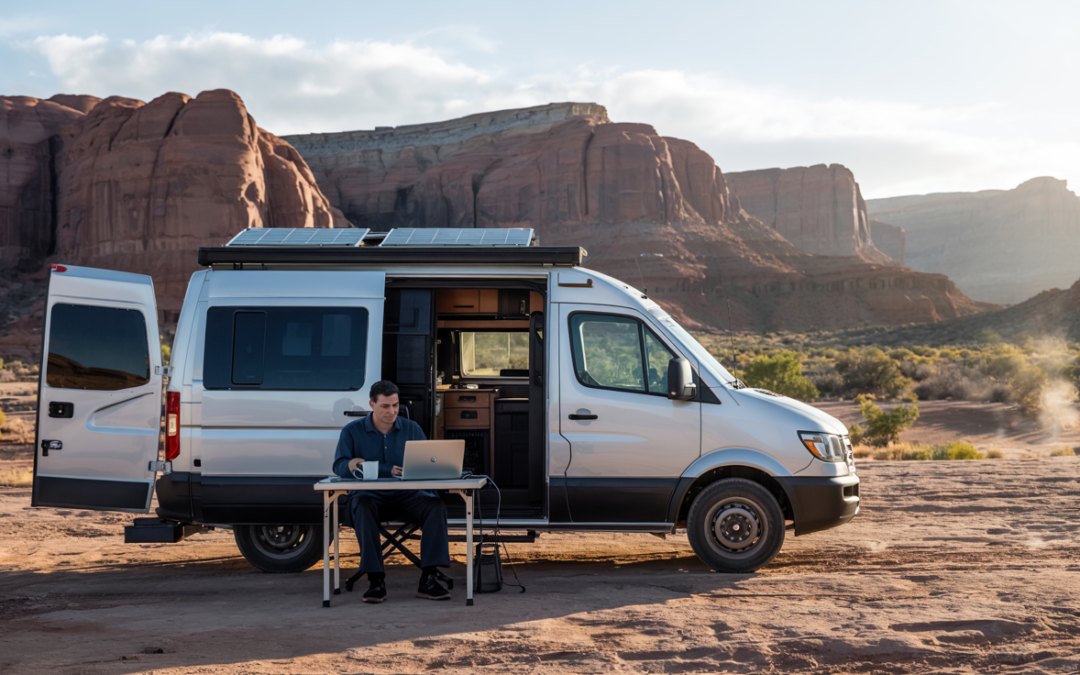
Running a reliable 8-hour remote workday from BLM land or National Forest requires three things: a 300W+ solar array with adequate lithium storage, a layered connectivity stack (satellite primary, cellular backup), and a daily schedule aligned to peak solar hours (roughly 10 a.m.–2 p.m.). Initial equipment cost runs $2,000–$3,000. Monthly connectivity depends on your selected Starlink tier and cellular backup; the worked example below uses September 2026 Starlink prices. Camping cost on eligible dispersed sites: $0–$200. Setups in the $2,500 range can offset several months of full-hookup campground fees, though actual payback depends on your camping mix, recurring service costs, and gear choices.
Affiliate disclosure: This page contains referral links to gear we run in our own rig. We earn a small commission at no cost to you. All recommendations are based on personal use across 118 boondocking locations.
Cindy and I have been taking extended RV trips for more than 35 years. When we started working remotely from the road, the standard boondocking advice failed us quickly. Most guides were written for weekend campers who needed enough power for lights and a water pump — not someone running two laptops, a monitor, and video calls from 9 to 5.
We’ve refined the setup over the past several years, utilizing 118 boondocking locations across 38 states in our 2018 Hymer Aktiv Class B. This guide covers the actual numbers, the actual gear, and the actual mistakes — so you don’t repeat ours.
Remote Work vs. Workcamping: What the Numbers Actually Show
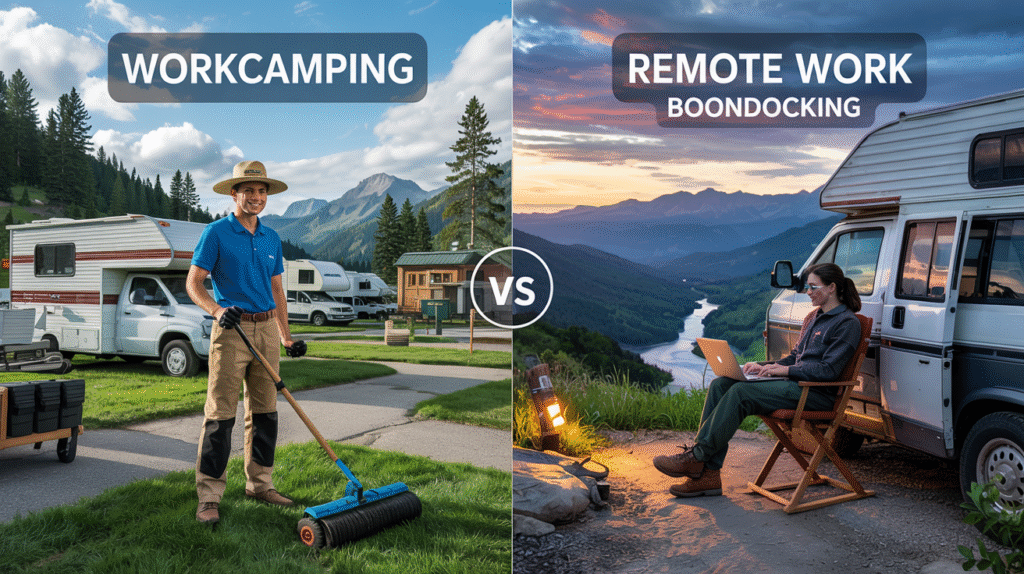
Workcampers typically receive a campsite valued at $500–$900/month in exchange for 20–25 hours of weekly labor — roughly 80–100 hours per month — producing an effective rate of about $6–$11/hour without benefits. Remote workers boondocking on eligible dispersed public land can maintain their full professional salary while paying $0–$200/month in camping costs, depending on location and any applicable permit fees. This comparison applies to US-based remote workers; workcamping compensation and campsite values vary by operator, region, and season. Sources: Workamper.com compensation analysis; campsite cost range from LatestCost RV campsite data (2025–2026).
I met Jim and Sarah at a campground outside Tucson. They were putting in 20 hours a week cleaning facilities and mowing grounds in exchange for a free site. When I mentioned we were boondocking 30 minutes away on BLM land at no cost while keeping our regular jobs, it genuinely surprised them. They hadn’t known that was a legal option on eligible public land.
Here’s the math side by side. I’m using a $700/month midpoint campsite value — well within the $500–$1,200 range for standard full-hookup parks in 2025–2026 — and the average labor commitment of 22.5 hours per week (90 hours/month):
Effective hourly rate calculation: $700/month ÷ 90 hours/month = $7.78/hr. At the low end ($500/month ÷ 80 hrs) = $6.25/hr. At the high end ($900/month ÷ 100 hrs) = $9.00/hr. Stated range: $6–$9/hr.
| Factor | Traditional Workcamping | Remote Work + Boondocking |
|---|---|---|
| Effective hourly compensation | ~$6–$9/hr equivalent, no benefits | Your professional salary |
| Monthly camping cost | $0 (offset by labor) | $0–$200 on eligible dispersed sites |
| Weekly hours committed to camp | 20–25 hrs | 0 hrs |
| Location freedom | Fixed to participating campground | Eligible dispersed sites where local rules allow |
| Career progression | Paused | Continues |
| Upfront equipment investment | Minimal | $2,000–$3,000 (offset potential varies) |
| Schedule control | Fixed by campground | Self-determined |
Hourly equivalent calculated using $700/month midpoint campsite value at 22.5 hrs/week average (90 hrs/month). Full campsite cost range for US full-hookup RV parks: $300–$1,200/month in 2025–2026, with premium resorts higher. Source: LatestCost; HookHub campground cost data; Workamper.com.
The workcamping model isn’t wrong for everyone. If you want community, structure, and a built-in social environment, it delivers those. The financial comparison is the starkest difference — and see our full boondocking cost breakdown for a more detailed look at the numbers across trip types.
On public land access: many BLM areas use a framework of up to 14 consecutive days in one location before requiring a move, but exact stay limits and distance requirements vary by field office and district. The 25-mile move requirement is commonly referenced but is not universal. Rules for National Forest dispersed camping are similar in concept but vary by forest, ranger district, and local orders. Always verify current rules for the specific area you plan to use at blm.gov or the relevant ranger district before your trip. For a full breakdown of what the rules actually say, see our BLM camping rules guide.
Power Management: Sizing Your System for an 8-Hour Workday
A 300W solar array with a properly sized lithium battery bank can sustain a dual-laptop 8-hour remote workday in most US locations from roughly April through October. In northern latitudes or winter months, plan for 40–50% reduced solar output and size up accordingly. This guidance applies to RV-mounted fixed panels under typical open-sky conditions; shading, roof angle, and geography all affect real output. Use the free NREL PVWatts calculator to model your specific location and month. For a deeper dive into solar system design, see our complete RV solar power guide.
The hardest lesson I learned cost me a client call. We were in Coconino National Forest outside Sedona and by noon my laptop battery warning was flashing and the inverter was beeping. I finished the workday from the front seat of the tow vehicle with the engine running. That afternoon I built a spreadsheet and started tracking every watt we consumed. Five years of that data shaped this section.
What a Remote Workday Actually Consumes
Before sizing a system, you need measured numbers, not estimates. After five years of daily tracking in our Hymer Aktiv, here is what our typical 8-hour workday draws:
| Device | Draw (Watts) | Hours/Day | Daily Wh | Notes |
|---|---|---|---|---|
| 2x laptops | 75W total | 8 | 600 Wh | Varies by model — measure yours |
| Portable monitor | 25W | 8 | 200 Wh | USB-C powered preferred |
| Wi-Fi router/hotspot | 15W | 8 | 120 Wh | Starlink dish draws more on startup |
| Phone charging | 8W avg | 5 | 40 Wh | |
| LED lighting (2 lights total) | 10W total | 4 | 40 Wh | 5W per light, 2 lights = 10W total |
| Coffee maker | 900W | 5 min | 75 Wh | Run during peak solar hours |
| Daily total | ~1,075 Wh | Based on our measured data, 2020–2025 |
Data from Chuck Price’s personal power consumption logs across 118 boondocking locations, 2020–2025, Boondock or Bust. Your draw will vary by equipment — measure with a kill-a-watt or battery monitor before sizing your system. Lighting row shows 10W total for 2 lights (5W each) over 4 hours = 40 Wh.
Battery Options: What We’ve Actually Used
Lead-acid: Lower upfront cost. Heavy, require maintenance, and usable to only about 50% depth of discharge without shortening lifespan. Under daily deep-cycle use, rarely last more than two seasons. More expensive in practice.
AGM: Sealed, no maintenance, slightly better cycle life than flooded lead-acid. Still limited to roughly 50% usable depth of discharge. Heavier than lithium per usable Wh. Adequate for occasional use.
Lithium (LiFePO4): We upgraded in 2020. Usable depth of discharge is 80–90% — roughly double the usable capacity of lead-acid at equivalent stated amp-hours. Lighter, faster-charging, no voltage sag under load. For daily professional use over a 5+ year horizon, lithium is the practical choice. Source: NREL — Why Lithium-Ion Batteries Are Taking Over.
Our Actual Power Setup (Field-Tested Since 2020)
Power System — 2018 Hymer Aktiv Class B
- Solar: 3 × 100W panels (300W total) — roof mounted
- Battery bank: 2 × 300Ah LiFePO4 at 12V nominal = 600Ah total / 7,200Wh nominal capacity
- Usable capacity at 80% DoD: ~5,760Wh (600Ah × 12V × 0.80)
- Inverter: 2,000W pure sine wave
- Battery monitor: Victron BMV-712 Smart — real-time amp-hour and watt tracking
Daily generation (average): 300W × 5 peak sun hours × ~80% system efficiency = approximately 1,200 Wh under average conditions. Actual output depends on latitude, season, and obstruction. Southwestern US locations typically see 5.5–7 peak sun hours; northern or winter conditions produce significantly less. Model your location at NREL PVWatts.
Real-world monitor data (Victron BMV-712 history): Average discharge of 379Ah per cycle; deepest single discharge recorded at 716Ah. At our measured daily draw of ~1,075Wh, our 5,760Wh usable bank provides roughly 5 full workdays of storage before recharge — a comfortable buffer for multi-day overcast stretches.
Why 300W instead of 200W: In Oregon one November, a week of overcast cut our output by more than half. 200W left us managing carefully. The additional 100W adds roughly $150 in panel cost and meaningfully reduces that scenario across most conditions.
Power Conservation: Stretching Every Watt
The battery monitor is the purchase I didn’t know I needed. The Victron BMV-712 shows real-time watts in from solar and watts out to devices. Before installing it, I was guessing. After, I could see exactly which device was drawing the most and when to shift loads.
- Screen brightness at 50–60% cuts laptop draw by 10–15W without meaningfully affecting productivity
- Schedule high-draw tasks — video calls, large file uploads, the coffee maker — between 10 a.m. and 2 p.m. when solar input is highest
- Kill phantom loads: inverter left on, propane detector, and multiple USB chargers with nothing plugged in combined to roughly 20–25W of constant draw in our rig. These numbers are setup-specific; yours may differ. A battery disconnect switch on non-essential circuits eliminates this when you’re away from the rig
- Lower screen resolution and disable background app refresh during sustained work blocks — measurable reduction on older hardware
Winter sizing note: In northern Arizona one December, our 300W array produced under 130W at midday due to low sun angle and shorter days. Plan for 40–50% reduced output from October through February north of roughly 35° latitude. Size your system against your worst expected working month, not your best summer conditions. Source: DOE — Solar Performance and Efficiency.
Connectivity: The Three-Layer Stack That Actually Works
No single connection source is sufficient for professional remote work in dispersed camping areas. Starlink performs well in many locations with no cellular signal, but weather, obstructions, and occasional outages make a cellular backup non-negotiable for client-facing work. Check real-world coverage reports at CoverageCritic before committing to a location — carrier maps regularly overstate rural coverage per FCC coverage data. For a deeper look at connectivity options, see our RV internet 2026 guide.
I’ve logged connectivity performance across 118 locations — carrier, signal strength, Starlink availability, obstructions, and speed test results. The consistent finding in the locations we’ve visited: signal strength varies more by terrain and amplification than by which carrier you’re on. We tried three separate carrier plans before settling on one plan with a quality booster. In many of the remote areas we tested, switching carriers didn’t materially improve service when terrain and tower distance were the real constraints. Your results may differ based on your region and the carriers available there.
Here is what remote work actually demands from a connection that casual internet use does not:
- 2–3 Mbps upload minimum for video conferencing — not download. Most people check download speed and ignore upload. Upload is what breaks calls. Source: Zoom bandwidth requirements
- Reliability during defined work hours — not just average uptime across the day
- Low latency for real-time tools, shared docs, and voice
- Sufficient data — in our usage, a 40-hour work week typically runs about 20–60GB depending on how many hours of video calls we have; light-video weeks are closer to 20GB, heavy-video weeks approach 60GB
Our Field-Tested Connectivity Stack
Connectivity Stack — 2018 Hymer Aktiv (logged across 118 locations)
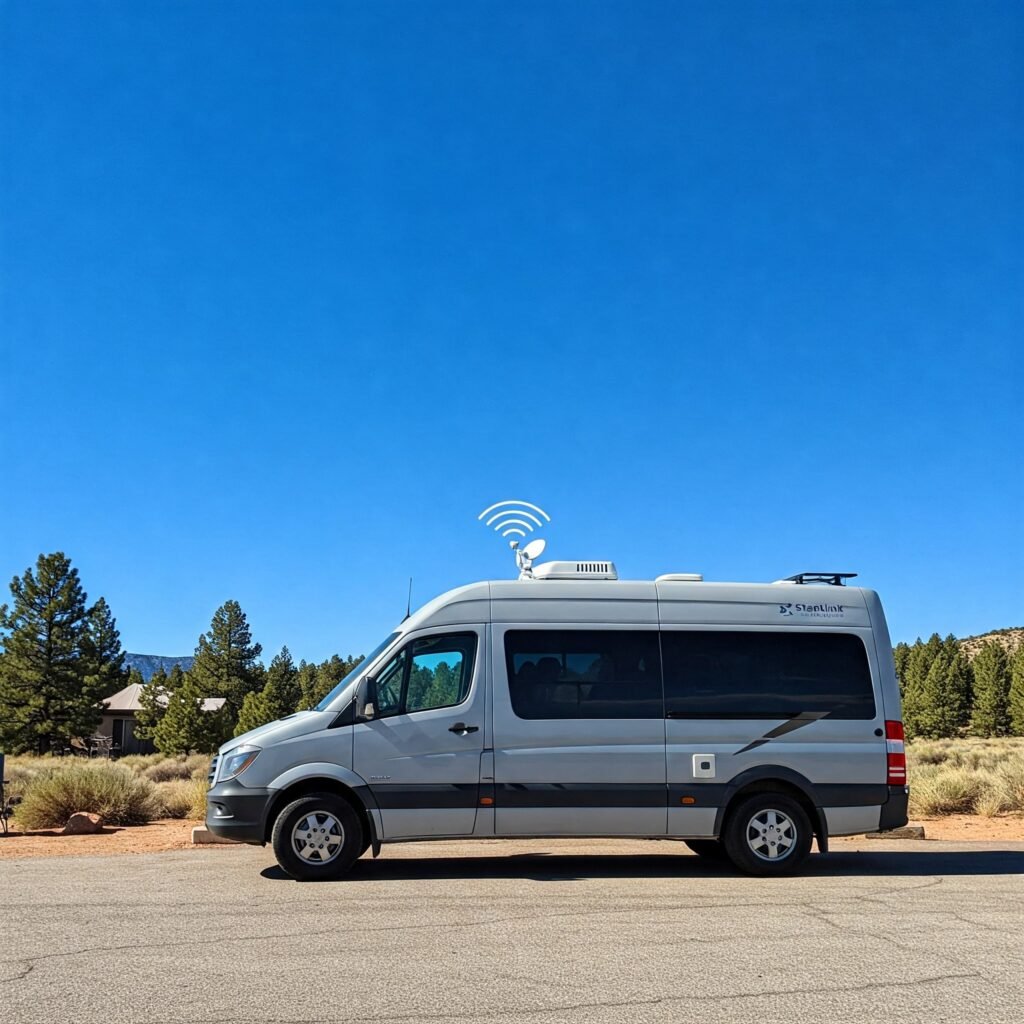
Primary: Starlink Roam
- Hardware: kit prices depend on the model and current offer. Check current Starlink kit prices and referral eligibility
- Monthly service: US Roam 100GB $55, Roam 300GB $80, or Roam Unlimited $175, checked September 29, 2026. Verify current plan prices
- Can work at many BLM and National Forest dispersed campsites where camping is allowed, the site has a clear sky view, and local rules do not restrict your setup. Canyon walls, dense tree canopy, and terrain features that block the northern sky are the main obstacles. The Starlink app includes an obstruction checker — use it before committing to a site
- In our testing in open terrain, we often saw roughly 50–200 Mbps download, 10–20 Mbps upload, and 25–60ms latency. Performance varies significantly by congestion, weather, obstruction, and location
- This changed the locations available to us. Sites that were previously unusable for work became workable
Choose Starlink only if your sites have open sky, your battery budget covers the dish, and the selected plan permits your intended use. Roam has business-use restrictions; review Starlink’s plan terms before relying on it for work. For routes with dependable cellular coverage, a hotspot may be enough.
For eligible new customers who order directly through the referral link, Starlink offers one month of service credit on the second bill. You pay the first month and must remain subscribed for at least two months. Existing or returning customers, retail purchases, and transferred kits are not eligible. Confirm the offer before ordering. Starlink referral terms, checked September 29, 2026.
Referral disclosure: Boondock or Bust may receive a reward if you make an eligible purchase through our link. We are independent publishers, not Starlink representatives.
Backup: Cellular + Signal Booster
- WeBoost Drive Reach RV — $499 as of May 2026 (verify current pricing at weboost.com). Before use, verify current carrier and FCC setup/registration requirements for your booster
- Visible unlimited plan — $40/month as of May 2026 (verify current pricing at visible.com)
- In our case, this three-layer setup has prevented missed deadlines across 118 locations so far — including three Starlink outages from weather and one damaged cable
Emergency: Public Wi-Fi Locator
- WiFi Map Pro — crowdsourced public Wi-Fi. Used once: drove about 28 miles to a library to upload a large project file when both primary and backup failed during a severe weather event
- Garmin inReach Mini 2 — satellite communicator for safety emergencies, not for work connectivity
Monthly connectivity cost:
- Recurring service example: $95–$215/month (Starlink $55–$175 + an assumed $40 cellular backup). Check current cellular pricing; taxes and optional charges are extra.
- Historical equipment-cost example: about $23/month over four years ($599 Starlink + $499 WeBoost = $1,098 ÷ 48 months). These are the example’s equipment costs, not current purchase quotes.
- Illustrative monthly equivalent: about $118–$238 for the service and historical hardware inputs above. This excludes the RV power system, taxes, accessories, and other costs.
Pre-Trip Connectivity Testing
Test your full connectivity stack locally before any trip where a failure has professional consequences. Run speed tests on both primary and backup connections during your normal work hours — not just at midnight when congestion is low. A bad test at home is an easy fix. A bad test 40 miles from the nearest town on a client call day is not.
CoverageCritic provides useful crowdsourced signal data, but treat missing data as a lack of information, not confirmation of coverage. In very remote areas, reports may be sparse. When no data exists for a specific site, call the nearest BLM field office or ranger district — they often know which carriers work in their area.
Daily Schedule: Aligning Your Workday to Solar Production
Solar panels begin generating meaningful output as the sun rises and reach peak production when irradiance approaches 800–1,000 W/m², typically between 9 a.m. and 2 p.m. depending on season and latitude. Scheduling your highest-power tasks inside this window — video calls, large uploads, compute-heavy work — maximizes solar input against load and preserves battery reserve for afternoon work. The table below shows our typical day; adjust the window 30–60 minutes earlier in summer and later in winter. Source: peak sun hours explained (SolarReviews); production modeling via NREL PVWatts.
| Time Block | Solar Status | What We Do | Why |
|---|---|---|---|
| 7:00–9:00 a.m. | Low / rising | Email, planning, light writing | Low bandwidth; battery recovering from overnight phantom loads |
| 9:00 a.m.–2:00 p.m. | Peak generation | Video calls, large uploads, high-draw tasks, coffee maker | Solar input at or near load — running on sun, not battery |
| 12:00–1:00 p.m. | Peak continues | Lunch, walk; battery charging toward full | Build afternoon reserve; break improves afternoon focus |
| 2:00–5:00 p.m. | Declining | Focused writing, reading, lower-draw tasks | Drawing from battery reserve built at midday |
| 5:00–7:00 p.m. | Minimal | Monitor battery level; wrap up; disconnect non-essentials | Battery management; align end of work with sunset |
Peak generation window shown as 9 a.m.–2 p.m. — this is our typical observed window; it shifts with latitude and season. Source: SolarReviews peak sun hours. Use NREL PVWatts to model your specific location.
The advantage of this structure is flexibility. On days when weather cuts solar production, you’re not scrambling — you’ve been banking reserve at midday all week. With 5,760Wh of usable storage and a ~1,075Wh daily draw, we have roughly five workdays of buffer before the bank runs dry without any solar input. That covers most multi-day overcast stretches we’ve encountered.

Workspace Setup: Making a Small Space Actually Work
A dedicated, ergonomically correct workspace in a Class B or C motorhome is achievable without major renovation, but it requires intentional design. The main risk is back and neck strain from makeshift surfaces — dinette tables set at the wrong height, working from a bed, or standard chairs not adjusted for RV use. These risks apply regardless of vehicle size. OSHA’s ergonomic principles are a useful reference for setting up a mobile workspace, even though formal employer obligations and enforcement apply differently than in a traditional office setting. Source: OSHA ergonomics guidance.
When we started, I worked wherever I found a flat surface. After three weeks of lower back pain I took it seriously. In the Hymer Aktiv we modified the rear lounge to create a semi-permanent desk space. The single biggest improvement was a wall-mounted articulating monitor arm that swings away when unused and takes no floor space.
Our Workspace Setup
- Monitor arm: Wall-mounted articulating arm — folds flat when not in use, brings monitor to eye level when working. Single biggest ergonomic improvement we’ve made
- Laptop stand: Roost V3 — packs flat, raises screen to eye level, enforces correct neck angle
- Keyboard and mouse: Full-size wireless. Typing on a laptop keyboard with a monitor at the wrong height causes wrist and shoulder strain within weeks
- USB fans: Instead of running A/C (900W+), USB-powered fans handle most warm weather. Position the workspace away from direct afternoon sun; orient with workspace windows north-facing where site layout and safety allow
Work-Life Separation When Your Office is 10 Feet From Your Bed
This turned out to be harder than the technical setup. When your desk and bedroom are the same room, work expands to fill all available time if you let it. APA reporting on remote work stress highlights elevated burnout and boundary-management challenges for many remote workers — it’s a structural problem, not a discipline problem. Source: APA — Remote Work and Stress (2021).
Our solution: a physical work lamp that is only on during work hours. When it goes off at 5 p.m., that’s the end of the workday — no exceptions. A visual cue tied to a physical object removes the decision. We’ve used this approach for four years and it works better than any app-based reminder we’ve tried.
-
- Hard-stop calendar blocks: Treat your end-of-day as a non-negotiable appointment. Google Calendar time blocking works well for this
- Shutdown ritual: Close all work tabs, write tomorrow’s top three tasks, move the laptop to a specific location you don’t touch after hours. The physical movement creates a boundary the monitor arm alone doesn’t provide

Common Pitfalls and How to Avoid Them
The most common failure modes in remote boondocking setups are undersized power systems, unverified connectivity, and poor site selection — all avoidable with pre-trip testing. These errors are more frequent among people who size their system against best-case conditions rather than worst-case ones. Test your full setup — power, internet, workspace — before the first trip where a failure has professional consequences. Verify access, permit requirements, and stay limits for your specific area before departure; rules vary by district and change. Sources: BLM dispersed camping; USDA Forest Service dispersed camping.
Power Pitfalls
Undersizing for winter: Our first winter boondocking in northern Arizona, 300W of solar produced under 130W at midday. The shorter days and low sun angle cut output by more than half. Size your system against your worst expected working month, not your best summer trip. Plan for 40–50% reduced output from October through February north of roughly 35° latitude. Use the NREL PVWatts calculator to model monthly output for your specific location. Source: DOE — Solar Performance and Efficiency.
Phantom loads: We came back from a 3-day hiking trip to find the battery bank well below where we expected. The culprits in our rig: an inverter left on, a propane detector, and multiple USB chargers with nothing plugged in. Combined, these drew roughly 20–25W continuously in our specific setup — your numbers will depend on your equipment. The fix: a battery disconnect switch on non-essential circuits, and a battery monitor to identify what’s drawing when you think nothing is running.
Connectivity Pitfalls
Trusting carrier coverage maps: FCC mapping data shows coverage is frequently overstated in rural areas. Coverage maps indicate where a tower exists; they don’t show whether you’ll get usable signal inside a canyon or under tree canopy. Verify with crowdsourced reports at CoverageCritic before committing to a location for a workweek, and treat sparse or absent data as unknown rather than confirmed coverage.
Running multiple carriers without a booster: In some remote areas, carriers may rely on overlapping or shared infrastructure, so switching carriers doesn’t always improve signal. In the locations we’ve visited, one carrier with a quality booster worked better than multiple plans without amplification. Test your specific area before drawing any conclusions — regional infrastructure varies significantly.
Site Selection Pitfalls
Ignoring tree canopy for Starlink: Dense forest canopy blocks Starlink’s sky view. Use the Starlink app’s obstruction checker at your prospective location before committing. Open desert, high mesa, and alpine meadow sites generally work well. Old-growth forest and canyon floors often don’t. This is the real constraint in most cases — not geographic coverage.
Site orientation: Where site layout and safety allow, orient your rig for the best practical solar exposure — often roughly south-facing in the northern hemisphere, though the best angle depends on roof layout, shading, and the specific site. Park on level ground for comfort and more reliable system operation overall. Orient the vehicle so you could leave quickly if needed.
Three Misconceptions We Hear Constantly
“You need to be a tech expert”
I was an English major. I learned solar sizing, battery chemistry basics, and signal amplification over a few months of reading and hands-on trial and error. The core concepts aren’t complicated — watts times hours equals watt-hours. A battery monitor gives you real-time feedback. Most RV solar installers will spec and install a complete system to your requirements if you’d rather not DIY. The learning curve is real but manageable for anyone comfortable operating their RV’s existing systems.
“Boondocking only works where there’s already cell service”
This was true before Starlink. For us, Starlink has made some no-cell-service locations workable when the site had a clear view of the sky. Sky obstruction — not map coverage — is now typically the binding constraint. That said, Starlink isn’t universal: it doesn’t work under heavy canopy, in deep canyons, or in any spot without a clear northern sky view. Check the best apps for finding dispersed sites to identify locations with the right sky exposure before committing.
“The upfront cost is too high”
At $2,000–$3,000 for the power and connectivity stack, that’s real money. For travelers who would otherwise pay regularly for full-hookup parks ($500–$1,200/month in most US markets), the equipment cost can offset several months of campground fees — though actual payback depends on your camping mix, how often you use hookup sites versus dispersed, and your ongoing service costs. Our only regret is not building the full system sooner. If upfront cost is the barrier, start with the Starlink hardware and a minimum 200Ah lithium bank and add solar capacity in a second phase.
Frequently Asked Questions
Your Next Steps
Get the free setup checklist
The 1-page Remote Work Boondocking Setup Sheet — power budget template, connectivity stack checklist, and our site-scouting criteria from 118 locations. Free for subscribers.
- Calculate your actual daily power draw — plug a kill-a-watt meter into each device for a full workday. Your numbers will differ from ours. Then use NREL PVWatts to size solar generation against your load for your target region and worst expected month
- Test your connectivity stack before you need it — run upload speed tests on both primary and backup during your normal work hours. Upload matters more than download for video calls
- Run a 3-day test trip somewhere close to home — full work schedule, real deadlines, actual solar production. Fix what breaks before you’re 200 miles from a parts store
- Identify your first real boondocking location — use the best free campsite apps to find eligible dispersed areas, then verify current access, stay limits, and permit requirements with the relevant field office or ranger district before departure
Questions? Drop them in the comments below — Chuck or Cindy will respond.
Safe travels and good signal.
— Chuck & Cindy
Transparency: This article contains affiliate links to gear we run in our own rig. We earn a small commission on purchases at no additional cost to you. Starlink plan pricing was checked September 29, 2026. The equipment amortization and cellular figures above are explicitly labeled example inputs, not current quotes. All prices are subject to change — verify current pricing at each manufacturer’s site before purchase. Recommendations based on personal use across 118 boondocking locations, 2020–2025.
About the Author
Chuck Price has been RVing with his wife Cindy for 35+ years and has documented 118 boondocking locations across 38 states in a 2018 Hymer Aktiv Class B. He has tracked off-grid power consumption data across five years of remote work from BLM land, National Forests, and dispersed public land. Chuck was featured on CBC Radio’s “Cost of Living” podcast discussing the economics of extended RV travel. He publishes field-tested boondocking guidance at Boondock or Bust.
References
- American Psychological Association. (2021). Remote work, technology, and stress.
- Bureau of Land Management. (2024). Dispersed camping on BLM land. Accessed May 2026. Note: stay limits and distance requirements vary by field office; verify with the specific district managing your area.
- Federal Communications Commission. (2024). Mobile coverage maps.
- FlexJobs. (2024). Remote work salary and statistics.
- Gloomba / HookHub / LatestCost. (2025–2026). Average RV campsite price and cost data. Range: $300–$1,200/month for standard full-hookup parks; $1,500+ for premium resorts.
- National Renewable Energy Laboratory. (2024). PVWatts solar production calculator.
- National Renewable Energy Laboratory. (2024). Solar resource maps and data.
- National Renewable Energy Laboratory. (2022). Why lithium-ion batteries are taking over.
- Price, C. (2020–2025). Off-grid power consumption data from 118 boondocking locations, 2018 Hymer Aktiv Class B (2×300Ah/12V LiFePO4, 300W solar, Victron BMV-712). Field records. Boondock or Bust. boondockorbust.com.
- SolarReviews. (2024). Peak sun hours explained.
- U.S. Department of Energy. (2024). Solar performance and efficiency.
- USDA Forest Service. (2024). Dispersed camping guidelines. Accessed May 2026. Rules vary by forest and ranger district; verify with the specific district managing your area.
- Victron Energy. (2024). BMV-712 Smart battery monitor.
- Workamper News. (2023). Doing the math on workcamping compensation.
- Zoom Video Communications. (2024). Zoom bandwidth requirements.
<!– ============================================================
END OF CHUNK 3 — FULL ARTICLE COMPLETE v2


