
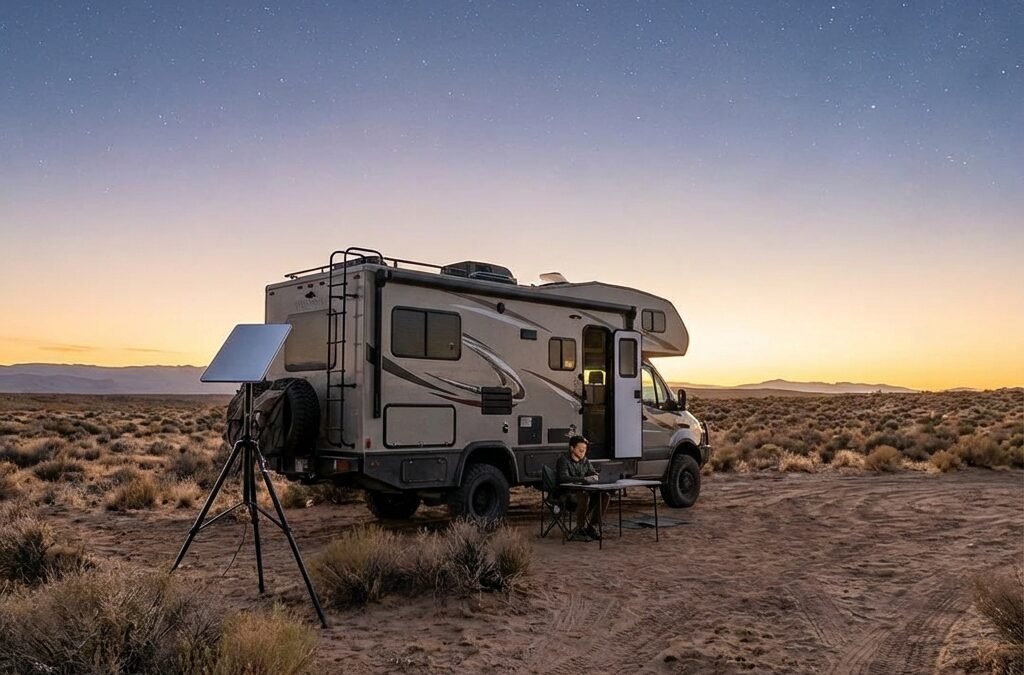
The best RV internet for remote work in 2026 is usually a pair: a 5G cellular hotspot for campgrounds and towns, plus Starlink Roam for remote public land with open sky. Starlink Roam 100GB costs $55 a month and Roam Unlimited costs $175, as of September 2026.
Last updated: September 25, 2026
Chuck Price has 35+ years of RV camping experience. He and Cindy Price publish Boondock or Bust and checked the plan prices, hotspot allowances and hardware specs in this guide against carrier, Starlink and third-party sources in September 2026.
Quick answer
- Must-know: Neither Starlink nor cellular covers every campsite. Pairing a 5G hotspot with Starlink Roam gives you a backup when one path fails.
- Trip killers: Trees and canyon walls block Starlink. No nearby tower means no cellular. Hotspot caps and Roam data caps drop you to low speeds before the month ends.
- Best for: Cellular fits campgrounds, towns and highway corridors. Starlink fits remote public land with open sky and no usable cell signal.
- Confirm before you go: Your plan terms, your carrier’s coverage map, the Starlink app’s obstruction check and your daily watt-hour budget.

| Option | Monthly cost (Sept 2026) | Power draw | Best for | Main limit |
|---|---|---|---|---|
| Starlink Roam 100GB | $55 | Mini 25-40W, Standard 75-100W | Email, browsing and occasional calls from remote sites | Low-speed data after 100GB, no rollover |
| Starlink Roam 300GB | $80 | Mini 25-40W, Standard 75-100W | Regular video calls from remote sites | Low-speed data after 300GB, no rollover |
| Starlink Roam Unlimited | $175 | Mini 25-40W, Standard 75-100W | Heavy call schedules plus streaming off-grid | Speeds not guaranteed and may be managed under heavy use |
| Phone-plan hotspot | Part of your phone plan | Varies by device | Campgrounds and towns with a carrier signal | 10GB to 250GB of high-speed hotspot on the plans listed in this guide, then slowed |
| Dedicated 5G hotspot or router | Separate carrier data plan | Varies by device | A second carrier and Wi-Fi for several devices | Needs a tower signal |
| T-Mobile AWAY | $160 with AutoPay | Varies by device | RVers who want unlimited cellular data | May run slower than other customers during congestion |
| Cell signal booster | Hardware purchase | Varies by device | A weak but usable signal at the edge of coverage | Amplifies an existing signal only, carrier registration required |
Starlink vs cellular: the best internet for RV traveling depends on where you camp
Starlink needs open sky, cellular needs a nearby tower, and neither covers every campsite. A satellite dish loses service behind trees and canyon walls. A hotspot loses service where towers thin out. This comparison covers US travel on Starlink Roam plans and the three national carriers, as of September 2026. Starlink says Roam speeds are “not guaranteed, and will be slower during times of congestion,” on its Roam plan page.
Check three prerequisites before you pick a path:
- A clear sky view. The Starlink Mini has a 110° field of view, per the Starlink Mini spec sheet. Trees or canyon walls inside that cone cause dropouts.
- Enough battery. A Mini left on for 24 hours uses 600 to 960 watt-hours (Wh) a day at its 25-40W average draw.
- A data plan bigger than your work. Your plan’s high-speed allowance must exceed your monthly call hours multiplied by the GB per hour in the Zoom data section of this guide.
Starlink is not ideal for:
- Dense forest camping, where tree canopy blocks the sky.
- Rigs with no battery bank, because the dish draws power the whole time it runs.
Power is the biggest hardware difference. The Starlink Mini averages 25-40W. The Standard kit averages 75-100W, per the Starlink Standard spec sheet. Starlink lists Roam speeds of up to 300+ Mbps and does not guarantee them. Cellular speed depends on your distance from a tower and how busy that tower is. For site selection, sky view and generator-free camping, start with our boondocking framework.
Choose cellular first when
- You camp near towns, highways and campgrounds where your carrier shows coverage.
- Your hotspot allowance covers your monthly call hours with room to spare.
- Your battery bank can’t spare 600 Wh or more a day for a dish.
Choose Starlink first when
- You camp on remote public land with no usable cell signal.
- The obstruction check in the Starlink app shows open sky at your site.
- Your power system can supply at least 600 to 960 Wh a day for a Mini.
If those conditions describe your trips: check Starlink availability and the new-customer referral offer. Choose On the Go / Roam on Starlink’s site, then confirm the plan, kit price, and eligibility for your location. Keep cellular as a backup if losing a connection would disrupt your work.
For eligible new customers who order directly through the referral link, Starlink offers one month of service credit on the second bill. You pay the first month and must remain subscribed for at least two months. Existing or returning customers, retail purchases, and transferred kits are not eligible. Confirm the offer before ordering. Starlink referral terms, checked September 29, 2026.
Referral disclosure: Boondock or Bust may receive a reward if you make an eligible purchase through our link. We are independent publishers, not Starlink representatives.
When you don’t need Starlink at all
Skip Starlink if most of your trips are weekend campground stays. Skip it if strong 5G covers your usual routes. Campground Wi-Fi can be enough for email and light browsing. A tight power budget or heavily treed sites also point toward cellular. In those cases, a phone-plan hotspot or a dedicated 5G device gives you more for less.
What changed for RV internet in 2026
Starlink Roam 100GB costs $55 a month and Roam Unlimited costs $175, as of September 2026. Starlink resized and repriced its Roam tiers this year, and the carriers rebuilt their hotspot plans. These figures apply to US customers on Roam and on US carrier plans, and they can change without notice. The Starlink Roam page lists all three tiers, including Roam 300GB at $80 a month.
- Roam 50GB became Roam 100GB. Starlink’s support article “Roam 50GB is now Roam 100GB” confirms the change. The Mobile Internet Resource Center (MIRC) dates the announcement to January 13, 2026.
- Starlink describes 100GB as about one week of typical use. That description appears on the Roam page.
- The $55 price arrived in two steps. New customers paid it from mid-May 2026 and existing customers from June 18, 2026, per MIRC’s report on the Roam and Standby price increases.
- Standby Mode costs $10 a month, per MIRC. Starlink’s own page describes it only as a small monthly fee.
- Standby Mode is not intended for in-motion use. That change took effect in March 2026, per MIRC’s in-motion policy report.
- In-motion use on Roam is limited to select areas. Starlink supports in-motion use with Roam plans in select areas. MIRC reports a 100 mph speed limit for Roam in motion since March 2026.
- Roam 100GB and 300GB work in your home country. For US customers, Starlink lists the US and Canada. Roam Unlimited allows up to 30 consecutive days abroad, per Starlink’s Service Plan Descriptions. MIRC dates both changes to July 2026 in its report on the international roaming changes.
- Roam is a personal plan. The same Service Plan Descriptions say Roam plans are “not permitted for business or enterprise uses.” The Roam section of this guide covers what that means for working from the road.
- AT&T moved to 2.0 plans. AT&T launched Unlimited Elite 2.0 in April 2026, per MIRC’s Elite 2.0 report.
- T-Mobile lists Experience More 2.0 and Experience Beyond 2.0. Both appear on the T-Mobile plans page.
Internet is one of several recurring bills on the road. See the hidden monthly costs of RV living for the rest of your budget.
Cellular hotspot plans for RVers: Verizon, AT&T and T-Mobile
Verizon Unlimited Plus includes 30GB of hotspot data, then slows hotspot speeds for the rest of the cycle. Your hotspot allowance sets how many work hours you get at full speed each month. The figures below cover the named plans on each carrier’s site, checked September 25, 2026. After 30GB, Verizon says hotspot speeds are “reduced to speeds up to 3 Mbps when on 5G Ultra Wideband and 600 Kbps when on 5G / 4G LTE,” per its Important Plan Information page.
Hotspot allowances by carrier
| Carrier and plan | High-speed hotspot | After the allowance | Price as listed | Best for |
|---|---|---|---|---|
| Verizon Simplicity | 10GB | 1 Mbps | Check Verizon | Email and occasional backup use |
| Verizon Unlimited Plus | 30GB | Up to 3 Mbps on 5G Ultra Wideband, 600 Kbps on 5G or 4G LTE | $80, 1 line | Light call schedules |
| Verizon Unlimited Ultimate | 200GB | Up to 6 Mbps | $95, 1 line | Heavy call schedules on Verizon coverage |
| AT&T Unlimited Extra 2.0 | 50GB | Max 128 kbps | $40 per line at 4 lines with AutoPay | Light call schedules |
| AT&T Unlimited Premium 2.0 | 100GB | Max 128 kbps | $50 per line at 4 lines with AutoPay | Several call hours a week |
| AT&T Unlimited Elite 2.0 | 250GB | Max 128 kbps | $70 per line at 4 lines with AutoPay | Heavy call schedules on AT&T coverage |
| T-Mobile Experience More 2.0 | 60GB | Check plan fine print | $90, 1 line | Moderate call schedules |
| T-Mobile Experience Beyond 2.0 | Listed as unlimited | Check plan fine print | $105, 1 line | Heavy use on T-Mobile coverage |
AT&T lists its hotspot allowances and the 128 kbps post-cap speed on its unlimited plans page. AT&T’s per-line prices assume four lines with AutoPay. A single Elite 2.0 line costs $110, per MIRC’s April 16, 2026 report. Verizon’s prices come from Droid Life’s September 2026 plan review, and the discount basis is not stated. Confirm them on Verizon’s plan page. T-Mobile prices are single-line figures as listed on T-Mobile’s plan page. T-Mobile lists Beyond 2.0 hotspot as unlimited. Check the plan fine print for high-speed limits.
Deprioritization and congestion
Every carrier can slow you when a tower gets busy. For its smartphone plans, Verizon’s Important Plan Information page lists the hotspot speed caps shown in the table above. The same page applies its heavy-data-user deprioritization language to its Home Internet plans, not to smartphone plans. AT&T says it may temporarily slow data speeds if the network is busy.
T-Mobile sells AWAY, a home internet plan built for RVers. AWAY costs $160 a month with AutoPay and includes unlimited data, per the T-Mobile AWAY plan page. T-Mobile says AWAY customers may see lower speeds than other customers during congestion. Speeds may drop further above 1.2TB a month.
How much data remote work uses
Zoom recommends 1.2 Mbps up and down for a one-on-one 720p call, per Zoom’s bandwidth requirements. Group 720p calls need 2.6 Mbps up and 1.8 Mbps down. A 1080p call needs 3.8 Mbps up and 3.0 Mbps down.
You can turn those rates into data per hour with one formula: (upload Mbps + download Mbps) x 3,600 seconds / 8 / 1,000 = GB per hour.
- One-on-one 720p call: about 1.1 GB per hour.
- Group 720p call: about 2.0 GB per hour.
- 1080p call: about 3.1 GB per hour.
- 80 call hours a month (20 a week) of group 720p: about 158 GB.
- 80 call hours a month of one-on-one 720p: about 86 GB.
These numbers assume Zoom’s recommended rate for the whole call. Zoom publishes recommendations, not measured usage. Your actual use varies with video settings and layout. Add email, file syncs and browsing on top.
Phone hotspot vs dedicated hotspot vs router
A phone hotspot is the cheapest start because it uses a plan you already pay for. A dedicated hotspot on a second carrier adds redundancy. When one carrier has no signal at a site, a second carrier may. That setup reduces the single-point-of-failure risk of relying on one network.
- The Inseego MiFi X PRO is a 5G hotspot with Wi-Fi 6, a 5,050 mAh battery and Gigabit Ethernet. Inseego sells carrier-certified versions.
- The Netgear Nighthawk M7 Pro (MR7400) is an AT&T 5G hotspot with Wi-Fi 7.
Starlink internet for RVers: Roam plans, limits and terms
Starlink Roam is a personal travel plan with three data tiers and a business-use restriction. Your tier decides how many work hours you get before speeds fall to low-speed data. This section covers Roam plans for US customers, as of September 2026, for personal travel use. Starlink’s Service Plan Descriptions set the terms, including data caps, rollover and network management.
Roam 100GB vs 300GB vs Unlimited
| Plan | Monthly price | High-speed data | After the cap | Who it fits |
|---|---|---|---|---|
| Roam 100GB | $55 | 100GB | Unlimited low-speed data for the rest of the cycle | About 86 GB of one-on-one 720p calls a month, with little room for anything else |
| Roam 300GB | $80 | 300GB | Unlimited low-speed data for the rest of the cycle | About 158 GB of group 720p calls a month, plus browsing and syncs |
| Roam Unlimited | $175 | Unlimited | No cap, speeds may be managed under heavy use | Heavy call schedules plus streaming |
On Roam 100GB and 300GB, you get unlimited low-speed data for the rest of your billing cycle after you pass the cap. Unused data does not roll over. Starlink says low-speed data is not suitable for streaming, video calls or gaming, per the Service Plan Descriptions. That makes the cap a hard stop for work calls. Starlink no longer sells per-GB top-ups on Roam, per MIRC’s report on the Roam 100GB change. Starlink may also reduce speeds if your use consistently exceeds that of a typical Roam user.
Use the Zoom math to pick a tier. At 86 GB of one-on-one calls, Roam 100GB is tight. At 158 GB of group calls, Roam 300GB fits. Roam Unlimited suits heavy calls plus streaming. Laptop and phone updates and cloud backups also eat into the cap, so read why Starlink Roam data runs out early. If you stream TV at camp, compare your RV streaming setup against your tier.
Roam and remote work: the business-use term
Starlink’s Service Plan Descriptions say Roam plans are “not permitted for business or enterprise uses,” per the Starlink legal document. Roam is built for personal travel. Starlink does not define, on the plan pages reviewed for this guide, whether an individual’s remote job counts as business use. Read the terms yourself before you rely on Roam for work. If the connection serves a business, compare Starlink’s business plans on the Starlink service plans page.
Standby Mode: when pausing pays
Standby Mode costs $10 a month, per MIRC. It keeps low-speed data only, and it is not intended for in-motion use. Against an active plan, Standby saves $45 a month versus Roam 100GB, $70 versus Roam 300GB and $165 versus Roam Unlimited. It fits months when the rig sits parked and you don’t need the dish.
Test your campsites with the 30-day trial
The Starlink Roam page offers a 30-day trial with a full refund, as of September 25, 2026. Use that window to test the dish at the kinds of sites you camp at most. Run the obstruction check, join a real work call and watch your data use.
Who should skip Starlink
- Travelers who stay in campgrounds with good 5G coverage.
- RVers whose routes run through forest, where the canopy blocks the sky.
- Rigs with a small battery bank and no room to add 600 Wh a day.
- Budgets that can’t absorb the Roam monthly price on top of a phone plan.
- Anyone who needs a business-grade plan, since Roam terms exclude business use.
If Roam fits your campsites, your data needs and your budget, check current plan prices and availability for your address. See current Starlink Roam options.
New Starlink customers who sign up for a Roam plan on starlink.com through a referral link get one month of free service, credited to the second month’s bill, if they stay subscribed for at least two months. Starlink sets the eligibility rules and can change them.
Referral disclosure: If you sign up for Starlink through our referral link, you may receive Starlink’s current referral benefit, and Boondock or Bust may receive a referral reward from Starlink. We are independent publishers, not Starlink representatives. Eligibility and terms are set by Starlink and can change.
RV internet hardware: Starlink Mini vs Standard, hotspots, routers and boosters
The Starlink Mini averages 25-40W and the Standard kit averages 75-100W, per Starlink’s spec sheets. Power draw and size decide which dish fits a small rig. The specs below come from Starlink’s published sheets, checked September 25, 2026. Starlink does not show kit prices without starting checkout. We run a Starlink Mini on a Roam plan in our 2018 Hymer Aktiv, a Class B van. For more on small rigs, see our Class B RV guides.
Starlink Mini vs Standard for RVs
| Spec | Starlink Mini | Starlink Standard | What it means for RVers |
|---|---|---|---|
| Average power draw | 25-40W | 75-100W | The Mini leaves more battery for everything else |
| Power input | 12-48V DC, 60W | See spec sheet | The Mini can run from a 12V system |
| Weight | 1.10 kg (2.43 lb) | 2.9 kg (6.4 lb) | The Mini is easier to carry and mount |
| Size | 298.5 x 259 x 38.5 mm | 594 x 383 x 39.7 mm | The Mini takes less storage space |
| Weather rating | IP67 | IP67 | Both are rated for dust and water exposure |
| Operating temperature | -30°C to 50°C (-22°F to 122°F) | See spec sheet | Check it against your coldest and hottest sites |
| Snow melt | No figure published | Up to 40 mm (1.5 in) per hour | Only the Standard lists a snow-melt rate |
| Field of view | 110° | See spec sheet | Plan for a clear cone of sky |
| Router | Built-in Wi-Fi 5, up to 128 devices | Separate Gen 3 router, up to 235 devices | The Mini needs one less box and one less power cable |
| Cable | 15 m (49.2 ft) | See spec sheet | Room to move the dish away from trees |
Full specs are on the Mini spec sheet and the Standard spec sheet. Kit prices run about $199 to $249 for the Mini and about $349 for the Standard, per third-party reviews in September 2026. Check the current price at checkout.
In a Class B, the Mini’s lower draw and built-in router make it the easier fit. That is our comparison of the published specs, not a Starlink recommendation. The Standard makes more sense if you camp in heavy snow and have the battery capacity for 75-100W.

Multi-WAN routers
A multi-WAN router combines two or more internet connections, such as Starlink and a cellular line. WAN stands for wide area network. If one connection drops, traffic moves to the other.
- The Peplink MAX BR1 Pro 5G has one 5G modem, Wi-Fi 6, SpeedFusion and 12V power input.
- The Peplink Balance 20X has an embedded LTE modem, a FlexModule Mini slot, a 1 GbE WAN port, QoS, failover and Wi-Fi 5.
- The GL.iNet Beryl AX (GL-MT3000) is a travel router with Wi-Fi 6, USB-C 5V/3A power, a 2.5G WAN port, repeater mode, USB tethering and WireGuard or OpenVPN support.
Router prices change often. Check each vendor’s site for current pricing.
Antennas and boosters
An external antenna or a booster can help when your signal is weak but present. The Waveform QuadPro is a directional 4×4 MIMO panel antenna covering 600-6000 MHz. It listed at $439.99 on Waveform’s site on September 25, 2026. You must aim it at a tower. The weBoost Drive Reach RV offers up to 50 dB of gain and works with all US carriers.
A booster amplifies an existing signal only. It cannot create coverage where no tower signal reaches you. Federal rules also require registration: “Prior to operation, the subscriber registers the Consumer Signal Booster with the licensee providing service to the subscriber,” per 47 CFR 20.21(a)(2). The Federal Communications Commission (FCC) explains the process on its signal booster page.
Power math for an always-on RV internet setup
A Starlink Mini left on for 24 hours uses 600 to 960 watt-hours a day. Internet runs through the workday and often overnight, so it is one of the steadiest loads in your rig. These figures use Starlink’s published average draw and assume a 12.8V lithium iron phosphate (LiFePO4) battery. They exclude hotspots and routers. For example, a Standard kit left on for 24 hours uses 1,800 to 2,400 watt-hours a day.
| Dish | Average draw | Watt-hours per day | Amp-hours per day at 12.8V | Use case |
|---|---|---|---|---|
| Starlink Mini | 25-40W | 600-960 Wh | 46.9-75.0 Ah | Small battery banks and Class B rigs |
| Starlink Standard | 75-100W | 1,800-2,400 Wh | 140.6-187.5 Ah | Larger battery banks and solar arrays |
The math is watts x 24 hours = watt-hours per day. Watt-hours / 12.8V = amp-hours per day. Hotspot and router draw vary by device. Check the label or spec sheet on each device and add it to your total. Turning the dish off overnight cuts these numbers.
Earlier versions of this guide listed the Standard kit at 45-60W. That figure was wrong. Starlink’s spec sheet lists 75-100W average. Size your battery and solar for the published range.
To build a system that covers internet and everything else, see our RV solar and lithium battery guide and our overview of RV electrical systems for off-grid power.
Three RV internet setups by travel style
The right RV internet setup depends on how far from towers you camp and how many hours you work online. A weekend camper and a remote worker on public land need different gear. These setups list components only for US travel, as of September 2026. Hardware and plan prices change, so check each source before you buy. Each setup pulls its power figures from the Starlink spec sheets and its plan figures from the Starlink Roam page and carrier pages.

Weekend campground travel
- Components: Your phone-plan hotspot, plus campground Wi-Fi for light use.
- Optional: A cell signal booster for sites at the edge of coverage.
- Power: Your phone or hotspot only. No dish load.
- Skip Starlink if: Your campgrounds have usable 5G. If you add it later, Roam 100GB at $55 a month is the entry tier.
Remote work, mixed campgrounds and boondocking
- Components: A primary carrier hotspot or dedicated 5G device, a second carrier line, a multi-WAN router and a Starlink Mini on Roam 100GB or 300GB.
- Power: 600-960 Wh a day for the Mini, plus your hotspot and router draw.
- Skip Starlink if: Your hotspot allowances cover your call hours and you rarely camp beyond coverage.
For daily routines, see our guide to working remotely while boondocking. Our boondocking budget breakdown shows where an internet plan fits in your monthly costs.
Full-time public-land boondocking
- Components: Starlink Roam Unlimited at $175 a month on a Mini or Standard, a cellular backup with a booster or directional antenna, and a multi-WAN router.
- Power: 600-960 Wh a day for a Mini or 1,800-2,400 Wh a day for a Standard, plus device draw.
- Skip Starlink if: You favor forested sites or your power system can’t carry the daily load.
Planning long-term BLM stays on Bureau of Land Management (BLM) land? Confirm sky view and cell signal at the area before you commit to a season.
Looking for a Starlink alternative for RV travel? Amazon Leo is not yet available to consumers, per MIRC’s alternatives guide updated September 15, 2026. The cellular options in this guide remain the main alternative.
Test before you depend on it
- Do a dry run at home or a nearby campsite before a work trip.
- Test failover. Unplug one connection and confirm your router switches to the other.
- Run a browser-based speed test on each connection separately to check download speed, upload speed, and latency before relying on it for work.
- Use the Starlink app’s obstruction check before you level the rig.
- Measure your own power draw with your battery monitor and compare it to the published figures.
- Read your carrier’s coverage map and your plan terms for your route.
Verify plan terms, prices and coverage with Starlink and your carrier before departure. Then book your first site where both a tower signal and open sky are likely, so each path can back up the other.
Ready to choose after those checks? Compare current Starlink options through our referral link. Select Roam for RV travel. The new-customer eligibility and reward disclosure above apply; a referral benefit is not a reason to buy a plan that does not fit your route.
Frequently asked questions
Is Starlink better than cellular for RV internet?
Neither wins everywhere. Cellular usually costs less and draws less power when you camp near towers. Starlink works on remote land with open sky and no usable signal. The Starlink Mini averages 25-40W, per Starlink’s spec sheet. Pairing both lets one path cover the other’s gaps.
Which Starlink Roam plan do I need for remote work?
As of September 2026, Roam 100GB costs $55, Roam 300GB costs $80 and Roam Unlimited costs $175 a month. Twenty hours of group Zoom calls a week at Zoom’s recommended 720p bandwidth adds up to about 158 GB a month. Read Starlink’s business-use term before you rely on Roam for work.
Can I use Starlink Roam for work?
Starlink’s Service Plan Descriptions say Roam plans are “not permitted for business or enterprise uses.” Starlink’s plan pages do not define whether an individual’s remote job counts. Read the Service Plan Descriptions yourself. If the connection serves a business, compare Starlink’s business plans on starlink.com before you commit.
Can I use Starlink while driving?
Starlink says in-motion use is supported with Roam plans in select areas. The Mobile Internet Resource Center reports a 100 mph limit on Roam since March 2026. Standby Mode is not intended for in-motion use. Follow local laws and mounting rules, and never operate devices while driving.
How much hotspot data do Verizon, AT&T and T-Mobile include?
As of September 25, 2026, Verizon Unlimited Plus includes 30GB and Unlimited Ultimate 200GB. AT&T Premium 2.0 includes 100GB and Elite 2.0 250GB. T-Mobile Experience More 2.0 includes 60GB, and Beyond 2.0 is listed as unlimited. Speeds drop after each allowance. Check each carrier’s plan page before you switch.
How much data does a Zoom call use?
At Zoom’s recommended bandwidth, a one-on-one 720p call uses about 1.1 GB per hour and a group 720p call about 2.0 GB per hour. A 1080p call uses about 3.1 GB per hour. These figures assume the recommended rate for the whole call. Actual use varies with video settings and layout.
Should I pause Starlink with Standby Mode?
Standby Mode costs $10 a month, per the Mobile Internet Resource Center, and keeps low-speed data only. It is not intended for in-motion use. Standby saves $45 a month against Roam 100GB, $70 against Roam 300GB and $165 against Roam Unlimited. It fits months when the rig sits parked.
Can I use my home internet plan in my RV?
Many fixed home internet plans are tied to a service address, so check your plan terms first. T-Mobile sells AWAY, a plan built for RVers, at $160 a month with AutoPay as of September 2026. AWAY customers may see lower speeds during congestion. Verify current terms before departure.
Do I need to register a cell signal booster?
Yes. The FCC rule at 47 CFR 20.21 requires your carrier’s consent and registration of a consumer signal booster with your carrier before use. A booster only amplifies a signal that already reaches your rig. It cannot create coverage where no tower signal exists.
What happens to RV internet in bad weather?
Heavy rain, snow or wind can slow or interrupt Starlink service. The Standard dish can melt snow at up to 40 mm (1.5 in) per hour, per Starlink’s spec sheet. Starlink publishes no snow-melt figure for the Mini. Cellular can also slow during congestion. Two paths give you a fallback when one drops.
Sources
- AT&T. Unlimited data plans. Checked September 25, 2026.
- Droid Life. Best Verizon unlimited plan 2026. September 3, 2026.
- Electronic Code of Federal Regulations. 47 CFR 20.21, Signal boosters. Checked September 25, 2026.
- Federal Communications Commission. Signal boosters.
- Mobile Internet Resource Center. Alternatives to Starlink. Updated September 15, 2026.
- Mobile Internet Resource Center. AT&T launches Elite 2.0. April 16, 2026.
- Mobile Internet Resource Center. Starlink changes in-motion use policy. March 2026.
- Mobile Internet Resource Center. Starlink Roam, Residential and Standby Mode price increases. May 16, 2026.
- Mobile Internet Resource Center. Starlink restricts international roaming rules. 2026.
- Mobile Internet Resource Center. Starlink doubles data on the $50 Roam plan, introducing Roam 100GB. January 2026.
- Starlink. Starlink Roam. Checked September 25, 2026.
- Starlink. Service Plan Descriptions. Checked September 25, 2026.
- Starlink. Starlink Mini specification sheet. Checked September 25, 2026.
- Starlink. Starlink Standard specification sheet. Checked September 25, 2026.
- Starlink. Roam 100GB support article.
- T-Mobile. AWAY plan. Checked September 25, 2026.
- T-Mobile. Cell phone plans. Checked September 25, 2026.
- Verizon. Important plan information. Dated August 27, 2026.
- Zoom. Zoom system requirements: bandwidth. Checked September 25, 2026.
Plan prices, data allowances, coverage and terms change often. Verify current details with Starlink and your carrier before departure. Cell coverage and sky view at a given campsite also change with season and site conditions. Confirm both before you commit to a work week there.


