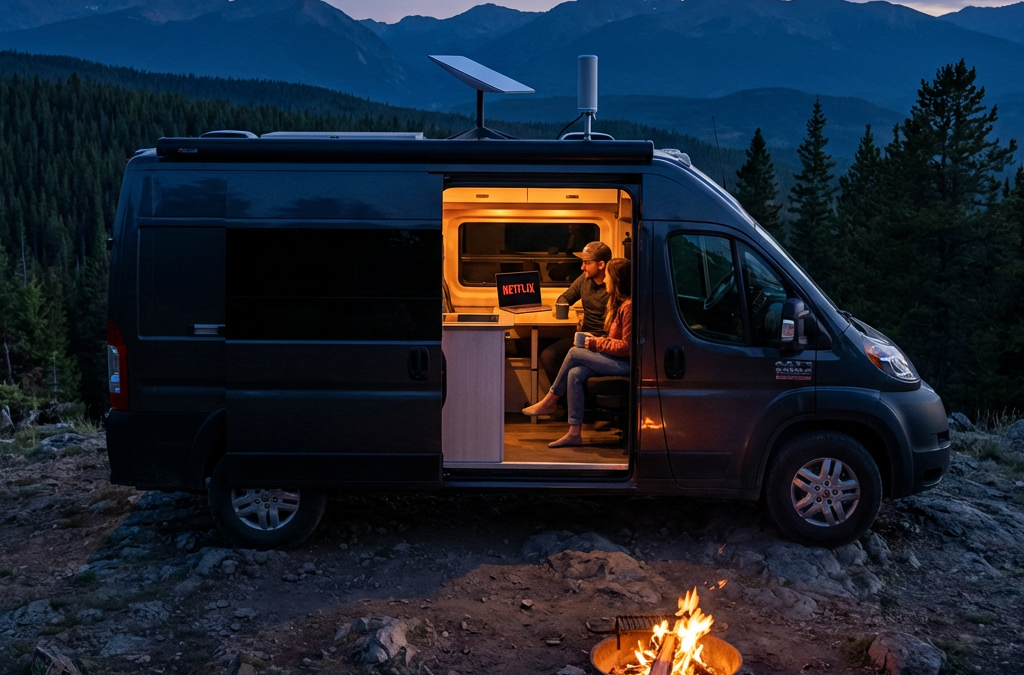
Articles by Chuck Price — Page 10

Stream Anywhere: Complete RV Internet and Entertainment Setup

Stream Anywhere: Complete RV Internet and Entertainment Setup

How to Stream TV in Your RV | Cellular vs Starlink

Stream your favorite shows and movies anywhere your travels take you

Last updated: May 16, 2026 | Reading time: 12 minutes

Quick Decision Framework

  • Top Criteria: Internet reliability trumps everything — cellular with booster or Starlink for consistent streaming
  • Deal-Breaker: No backup connectivity option means total entertainment blackout in remote areas
  • Use Case Match: Full-timers need unlimited data plans; weekend warriors can survive on campground WiFi plus downloads
  • Verification Test: Check carrier coverage maps for your planned routes before committing to a plan

Yes, you can stream shows in your RV just like at home. Cellular data with signal boosters works in most campgrounds. Starlink provides coverage in remote areas. Offline downloads eliminate connectivity dependence.

Chuck Price has 35+ years of RV camping experience and travels in a 2018 Hymer Aktiv Class B van. He built KampTrail, a camping app using the Recreation.gov RIDB API, and tests connectivity solutions across diverse camping environments.

Internet Options for RV Streaming

Reliable internet determines whether you watch or stare at buffering screens. Cellular data covers most populated camping areas. Satellite internet reaches remote locations that cellular networks miss. Campground WiFi works for light browsing but rarely handles HD streaming. Your travel style dictates which option delivers the best results.
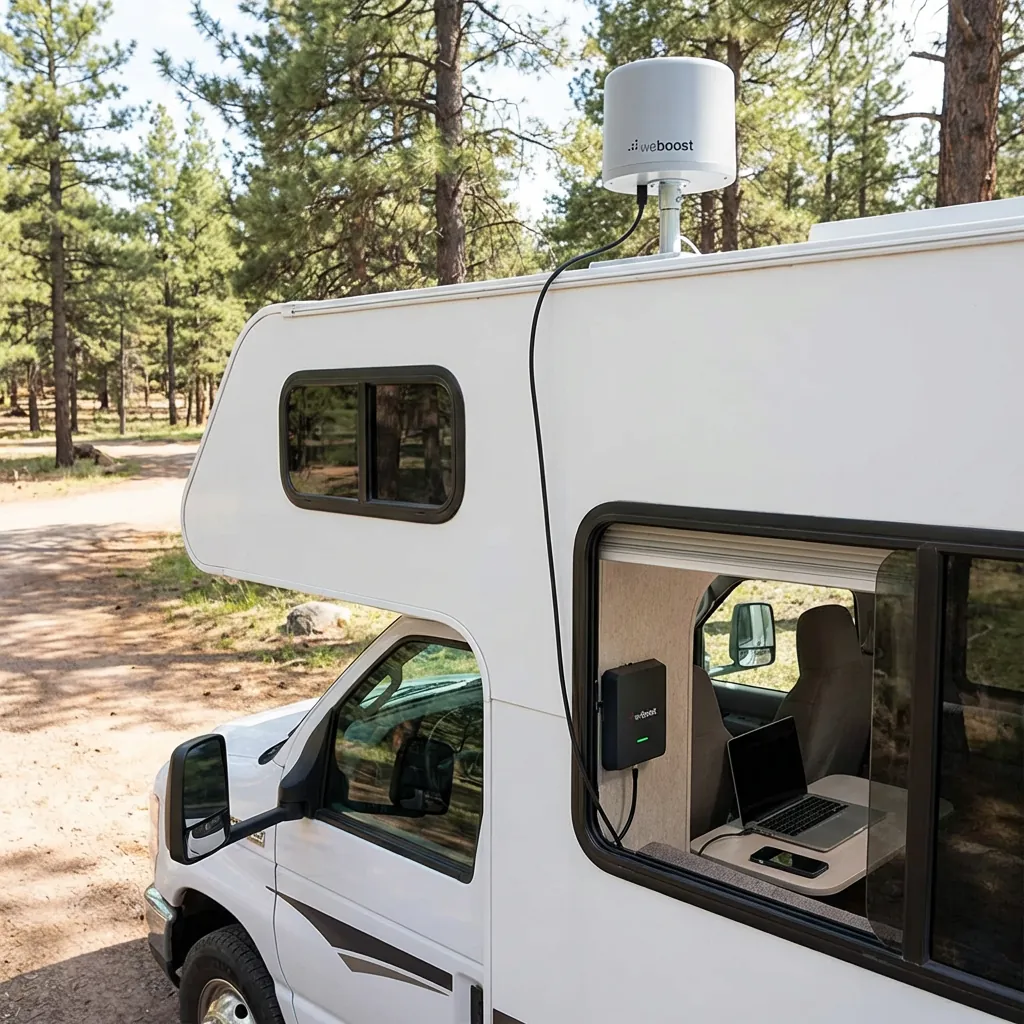
WeBoost cellular booster installation showing roof-mounted antenna and interior amplifier unit for improved RV streaming signal strength

Cellular Data (4G/5G)

Carriers like Verizon, AT&T, and T-Mobile offer plans with high data caps tailored for travelers. Verizon provides the widest rural coverage. T-Mobile offers competitive pricing with 5G expansion in metro areas. AT&T balances coverage and cost for most RV routes.

Advantages

  • High-speed 4G/5G networks support HD streaming
  • Works while driving between destinations
  • No equipment setup at each campsite
  • Covers most campgrounds and RV parks

Limitations

  • Coverage gaps in mountain valleys and remote areas
  • Data throttling after 50-100GB on most plans
  • Weak signals require booster investment
  • Multiple streaming devices consume data quickly

The WeBoost Drive X RV improves signal strength in fringe coverage areas. Installation requires mounting an external antenna on the roof and connecting it to an interior amplifier. RVers report 2-3 bar improvements in weak signal zones, making the difference between buffering and smooth streaming.

Satellite Internet

Starlink RV delivers high-speed internet in locations where cellular networks fail. The dish requires an unobstructed view of the sky. Heavy foliage, canyon walls, and severe weather can disrupt the signal. For RVers using Starlink Mini, portable Starlink Mini mounts make it easier to position the dish for a clear view of the sky without permanently modifying the RV. Setup typically takes 10–15 minutes at each new location:

  • Position the dish with a clear northern sky view using the Starlink app's obstruction viewer
  • Connect the dish cable to the router's power supply
  • Plug the power supply into AC power (RV outlet or inverter)
  • Wait 5-10 minutes for the dish to acquire a satellite signal and align itself
  • Connect your devices to the Starlink WiFi network shown on the router label

Advantages

  • Works in remote areas with no cell coverage
  • Download speeds of 50-200 Mbps in clear conditions
  • No long-term contracts required
  • Pause service via Standby Mode during months you're not traveling (check the current monthly fee in your account)

Limitations

  • Kit price varies by hardware and current offer; US Roam service lists at $55, $80, or $175 per month.
  • Requires clear sky view — trees block the signal
  • Dynamic IP creates issues with some streaming services
  • Power draw of 25-60 watts impacts boondocking

Starlink offers three Roam plans for RVers. Roam 100GB costs $55 monthly and provides 100GB of high-speed data, then unlimited low-speed data for the rest of the billing cycle. Roam 300GB costs $80 monthly and provides 300GB of high-speed data, then unlimited low-speed data — the right fit for remote workers who consistently exceed 100GB but don't need fully unlimited. Roam Unlimited costs $175 monthly with no data caps. Starlink supports in-motion use with Roam in select areas; check the current plan and installation rules. Service can be paused to Standby Mode when not traveling (check the current monthly fee in your account). Weekend warriors and light users choose the 100GB plan. Moderate remote workers with mixed boondocking may find the 300GB tier hits the sweet spot. Full-timers who stream regularly choose Unlimited. Verify current pricing at starlink.com/service-plans.

Starlink's dynamic IP assignment causes problems with YouTube TV's location verification. Some users bypass this with VPN services or static IP solutions. The RV Mobile Internet Resource Center documents workarounds for location-based streaming restrictions.

Considering Starlink for open-sky campsites? Check current Starlink Roam options and the new-customer referral offer. Select On the Go / Roam on Starlink’s site. Compare your streaming data and power budget first; cellular or downloaded shows may be enough for your trips. Our Starlink vs. 5G guide covers the trade-offs, and our Starlink data guide helps estimate usage.

For eligible new customers who order directly through the referral link, Starlink offers one month of service credit on the second bill. You pay the first month and must remain subscribed for at least two months. Existing or returning customers, retail purchases, and transferred kits are not eligible. Confirm the offer before ordering. Starlink referral terms, checked September 29, 2026.

Referral disclosure: Boondock or Bust may receive a reward if you make an eligible purchase through our link. We are independent publishers, not Starlink representatives.

Campground WiFi

Public WiFi at campgrounds and RV parks offers free or low-cost connectivity. Quality varies dramatically between properties. Premium RV resorts provide dedicated bandwidth. Budget campgrounds share limited connections across 100+ sites.

Advantages

  • Included in campground fees at most locations
  • No data caps or overage charges
  • Works for email and light browsing

Limitations

  • Too slow for HD streaming during peak hours
  • Security risks on open networks
  • Signal strength varies by site location
  • Limited or no bandwidth in budget campgrounds

ExpressVPN protects data on public networks. WiFi range extenders like those from TechnoRV improve weak signals at distant campsites. Campground WiFi works as a backup option but fails as a primary streaming solution for most full-time travelers.

Internet Option Best Use Case Monthly Cost Coverage
Cellular + Booster Frequent movers in developed areas $50-100 Most camping locations
Starlink Roam 100GB Occasional boondocking, cellular backup $55 Remote areas with clear sky view
Starlink Roam 300GB Remote workers, moderate boondocking $80 Remote areas with clear sky view
Starlink Roam Unlimited Full-time boondocking, heavy data use $175 Remote areas with clear sky view
Campground WiFi Weekend campers with low data needs $0-10 Limited to campground location

Starlink US Roam monthly prices checked September 29, 2026. Confirm kit cost, plan terms, and current pricing at starlink.com/service-plans before purchase.

Streaming Devices for RVers

Your streaming device connects entertainment apps to your TV. Smart TVs include built-in apps. Streaming sticks like Roku and Fire TV Stick add app capability to standard TVs. Game consoles stream and game. Phones and tablets work for solo viewing. Device selection depends on your RV's existing equipment and whether you travel with kids who game.
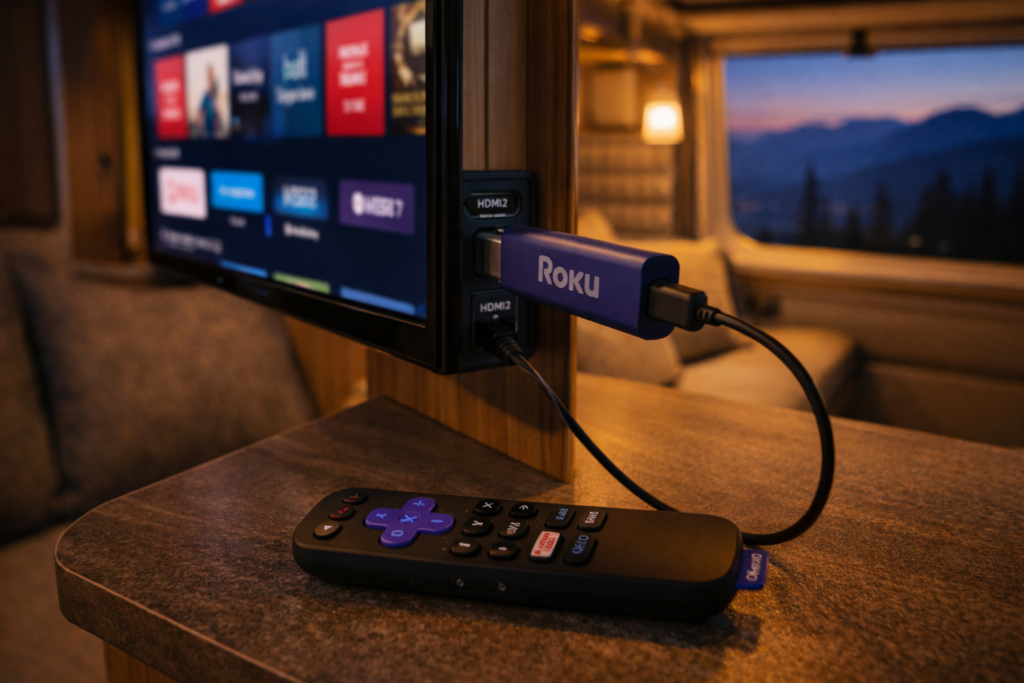
Roku Streaming Stick 4K installed in RV entertainment center showing compact size and simple HDMI connection for mobile streaming

Smart TVs

Modern RVs often include smart TVs with Netflix, Hulu, and Amazon Prime Video pre-installed. Samsung and LG models offer robust app ecosystems. Firmware updates maintain app compatibility. Connection requires only WiFi or hotspot access.

RVers recommend updating firmware regularly to prevent app compatibility issues. Older smart TV models lose support for streaming apps as services update their platforms. Check manufacturer support timelines before relying on built-in apps for long-term travel.

Streaming Sticks and Boxes

Roku devices work reliably with location changes across state lines. The Roku Streaming Stick 4K costs $50 and supports all major streaming services. Amazon Fire TV Stick offers Alexa voice control but requires more frequent location updates for local content.

Both devices connect via HDMI and draw power from USB ports. Setup takes less than 10 minutes. Remote controls include voice search on newer models. Roku receives higher ratings from RV forum users for handling frequent travel and location changes.

Game Consoles

Xbox and PlayStation consoles stream Netflix, Hulu, Amazon Prime Video, and YouTube TV alongside gaming. Storage capacity supports large game downloads. Performance exceeds streaming sticks for graphics-intensive games.

Power consumption of 100-150 watts during gaming creates problems for boondockers relying on battery banks. Bulk and fragility during travel require secure mounting or storage solutions. Game consoles make sense for families who game regularly and camp with full hookups.

Mobile Devices

Phones, tablets, and laptops stream without additional equipment. Netflix and Amazon Prime Video support offline downloads for watching without internet. Screen size limits group viewing unless you connect to a larger display.

Portable docking stations connect tablets and laptops to RV TVs via HDMI. Wireless casting through Chromecast or AirPlay eliminates cable requirements. Mobile devices provide the most flexible streaming option when traveling light or boondocking with limited power.

Top Streaming Services for RVers

Streaming service selection balances live TV access, on-demand content, offline downloads, and location flexibility. YouTube TV and Hulu + Live TV replace cable with live channels. Sling TV offers budget customization. Netflix and Amazon Prime Video provide vast on-demand libraries with download capability. Your travel frequency determines which location restrictions matter.
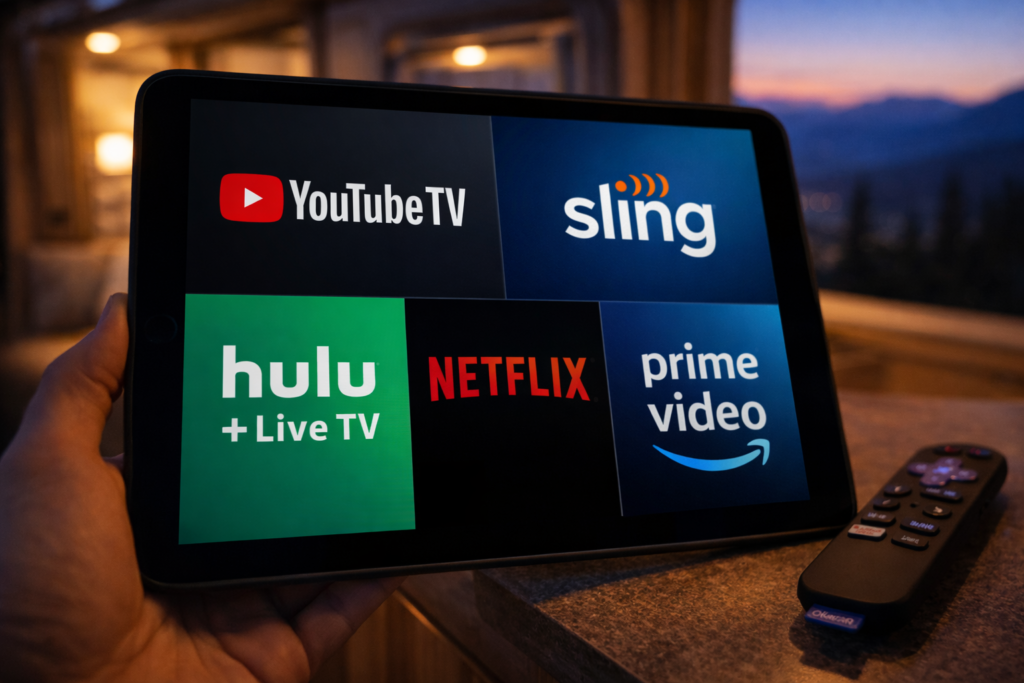
Comparison of top RV streaming services including YouTube TV Sling TV Hulu Live Netflix and Amazon Prime Video on mobile device

YouTube TV

YouTube TV provides 100+ live channels with unlimited DVR storage. The base plan costs $82.99 per month with no annual contract as of September 2026. Live sports, news, and network programming attract cord-cutters who miss traditional cable.

Location restrictions limit home address changes to two per year. The service requires login from your home area every three months. Full-time RVers struggle with these limits. Some use VPN services to maintain home location access. Others designate a friend's address as home and coordinate periodic logins.

Sling TV

Sling TV offers customizable channel packages. As of September 2026, Orange is $45.99 per month, Blue is $45.99–$50.99 depending on market, and Orange + Blue is $60.99 per month. Channel lineups and local availability vary.

Location services tie to your billing zip code. You lose local channels when traveling outside your home market. No DVR storage on the base plan. Add-on DVR costs $5 monthly for 50 hours of recordings. Budget-conscious RVers appreciate the flexibility to customize channels and pause service between trips.

Hulu + Live TV

Hulu + Live TV combines live channels with Hulu's on-demand library. As of September 2026, plans are $89.99 per month with ads or $99.99 without ads; both include Disney+ and ESPN Select. Unlimited DVR recording included. App requires enabling location services on mobile devices.

Location requirements create friction for frequent movers who change states weekly. The combination of live TV and extensive on-demand content appeals to RVers who camp with reliable internet. Offline download feature works for select on-demand content but not live TV recordings.

Amazon Prime Video

Amazon Prime membership costs $139 annually and includes Prime Video streaming. Library contains thousands of movies, TV shows, and Amazon Originals. No live local channels. Free two-day shipping benefit helps RVers receive packages at campgrounds.

Offline download capability receives high praise from remote campers. Download shows and movies in high quality during strong WiFi connections. Watch later without internet access. No location restrictions or address change limits make Prime Video ideal for full-time travelers.

Netflix

Netflix offers the largest selection of original series and licensed content. As of September 2026, plans are $8.99 with ads, $19.99 for Standard, and $26.99 for Premium 4K streaming. Netflix has no live TV channels.

Download feature allows offline viewing on all plans. Quality settings let you balance file size against video quality. Netflix imposes no location restrictions beyond country borders. Content library varies between countries but stays consistent across US states. Reliability and offline capability make Netflix the most RV-friendly streaming service.

Service Monthly Cost Live TV Offline Downloads Location Restrictions
YouTube TV $82.99 Yes Yes (DVR only) 2 address changes/year
Sling TV $45.99–$60.99 Yes No Tied to billing zip
Hulu + Live TV $89.99–$99.99 Yes Partial Location services required
Amazon Prime Video $12 (or $139/year) No Yes None
Netflix $8.99–$26.99 No Yes None

Boosting Your Signal and Connectivity

Weak signals cause buffering and playback failures. WiFi range extenders amplify distant campground signals. Cellular boosters improve weak carrier signals in fringe areas. Portable hotspots create private networks independent of campground infrastructure. Layering solutions provides redundancy when primary connections fail.

WiFi Range Extenders

WiFi extenders capture weak campground signals and rebroadcast them inside your RV. Devices mount on the roof or exterior wall for better signal reception. Interior routers distribute the connection to your streaming devices.

TechnoRV and similar vendors sell RV-specific WiFi systems. Effective range extends from 150 feet to over 300 feet depending on equipment quality. Public WiFi security risks remain even with range extenders. Use VPN protection on all open networks.

Cellular Signal Boosters

WeBoost Drive X RV and King Extend Pro strengthen cellular signals for streaming and hotspot use. External antenna mounts on the roof. Cable connects to interior amplifier. Your phone or hotspot connects to the amplifier.

Signal improvement ranges from 1-3 bars depending on starting conditions. Boosters cannot create signal where none exists. They amplify existing weak signals to usable levels. Installation requires drilling or using existing cable entry points. One-time cost of $400-700 pays off for travelers who frequently camp in fringe coverage areas.

Portable Hotspots

Portable hotspots from Verizon, AT&T, and T-Mobile create private WiFi networks using cellular data. Devices support 10-15 connected devices simultaneously. Battery life lasts 8-10 hours on most models.

Dedicated hotspots outperform phone tethering for battery life and connection stability. Separate data plans let you switch carriers for better regional coverage. RV forum users recommend keeping backup SIM cards from alternative carriers to avoid dead zones. Redundancy matters when your primary carrier fails in specific geographic regions.

Offline Downloads for Remote Camping

Offline downloads eliminate dependence on internet connectivity. Netflix, Amazon Prime Video, and Hulu allow downloading shows and movies to watch later. Download quality settings balance file size against video quality. Storage space on your device limits total downloaded content. Pre-planning prevents running out of entertainment in remote areas.
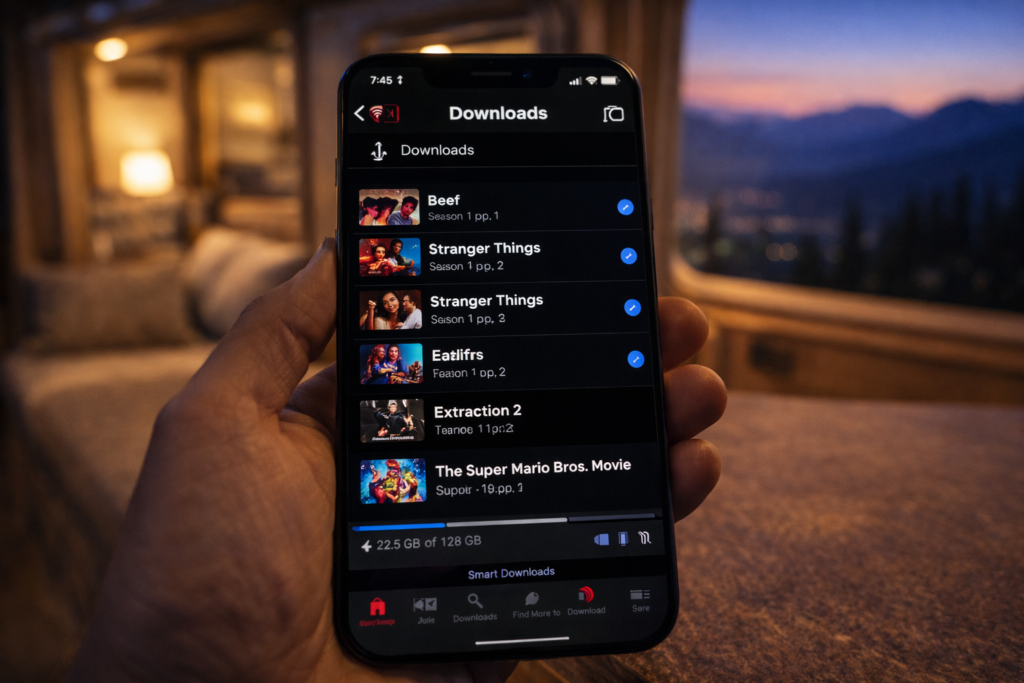
Netflix offline download interface displaying downloaded content library and available storage space for RV streaming without internet

Netflix Downloads

Netflix allows downloads on all subscription tiers. Select the download icon on compatible titles. Quality options include Standard and High. High quality consumes more storage but delivers better viewing on larger RV TV screens.

Download limits vary by title based on licensing agreements. Most shows and movies allow unlimited downloads. Some titles expire after 48 hours of first playback. Check expiration dates before heading to remote locations. Renew downloads during WiFi connections to maintain your offline library.

Amazon Prime Video Downloads

Prime Video supports downloads on the Standard and Premium plans. Mobile app provides the download feature. Download to phone, tablet, or Fire tablet for offline viewing. No download capability on desktop or TV apps.

Storage limits depend on your device capacity. Amazon restricts total downloaded titles to 25 across all devices per account. Quality settings adjust automatically based on available storage. Downloaded content expires after 30 days or 48 hours after starting playback, whichever comes first.

Download Strategy for Extended Trips

Download full seasons of shows during strong WiFi connections before departure. Prioritize high-quality downloads for RV TV viewing. Use standard quality for phone and tablet viewing to conserve storage. Delete watched content immediately to free space for new downloads.

External storage drives expand capacity for laptops. Cloud storage does not help offline viewing. Plan for 1-2GB per hour of HD video. Full season of 10 hour-long episodes requires 10-20GB of storage. Check available space before downloads to avoid incomplete transfers.

Managing Location Restrictions

Streaming services use location tracking to enforce licensing agreements and deliver local content. YouTube TV limits address changes to twice yearly. Hulu + Live TV requires location services enabled. Sling TV ties service to billing zip code. VPN services mask location. Strategic account management minimizes friction for frequent travelers.

VPN Solutions

ExpressVPN and similar services route internet traffic through servers in your chosen location. Monthly cost ranges from $8-13. Connection to a server in your home state maintains access to local channels and bypasses travel restrictions.

Some streaming services detect and block VPN traffic. Success rates vary between VPN providers and streaming platforms. RV forum users report better results with premium VPN services compared to free options. Test VPN compatibility with your streaming services before leaving on extended trips.

Device-Based Workarounds

Apple TV and Shield devices allow disabling location services. This prevents automatic location updates that trigger service disruptions. YouTube TV and Hulu may still require periodic location verification through account settings.

Forum discussions document strategies like having a trusted contact log in from your home location when verification is required. This workaround violates terms of service but reflects common practice among full-time RVers who face address change restrictions.

Service Selection Strategy

Choose services with minimal location restrictions if you travel full-time. Netflix and Amazon Prime Video impose no domestic location limits. Sling TV and YouTube TV create friction with address change caps and verification requirements.

Combine one location-flexible service for primary content with one live TV option for news and sports. Accept that live local channels will change as you travel. Or embrace streaming-only services and skip live TV entirely to eliminate location hassles.

Power Management for Boondocking

Streaming devices consume power that matters when camping off-grid. Smart TVs draw 30-100 watts. Roku and Fire Stick use 3-5 watts. Game consoles consume 100-150 watts during active gaming. Laptops use 30-60 watts. Understanding power draw helps you balance entertainment against battery capacity when boondocking.

Device Efficiency

Streaming sticks deliver the best power efficiency for TV viewing. Roku Streaming Stick uses 3 watts during active streaming. Compare to smart TVs at 50+ watts total power draw. Tablets consume 10-15 watts for solo viewing.

Power saving tips include lowering screen brightness, using sleep timers, and closing background apps. Disable auto-play features that continue streaming after you stop watching. Turn off devices completely rather than leaving them in standby mode.

Battery Capacity Planning

Calculate entertainment power budget within total battery capacity. 100Ah battery bank at 50% depth of discharge provides 600 watt-hours usable power. Streaming for 4 hours on a tablet consumes 60 watt-hours. Smart TV streaming for 4 hours uses 200-400 watt-hours.

Solar panels recharge batteries during daylight hours. 200 watts of solar generates 800-1200 watt-hours on sunny days. Streaming during peak solar hours minimizes battery drain. Cloudy weather or heavy tree cover reduces solar charging and requires prioritizing power consumption.

Generator Backup

Portable generators provide unlimited streaming power at the cost of noise and fuel. Run generators during designated quiet hours at campgrounds. Some boondocking locations prohibit generator use entirely.

Many RVers time streaming entertainment for early evening before quiet hours begin. Generator operation for 2-3 hours charges batteries while running streaming devices. Battery power handles late-night viewing after shutting down the generator.

Frequently Asked Questions

Can you stream Netflix in an RV?

Yes, Netflix streams in RVs through cellular data, satellite internet, or campground WiFi. Download shows before travel for offline viewing in areas without connectivity. All Netflix subscription tiers support downloads to phones, tablets, and computers. No location restrictions apply within the United States.

What is the best internet for RV streaming?

Cellular data with a signal booster offers the best balance of cost, coverage, and reliability for most RVers. Verizon provides the widest rural coverage among carriers. Starlink satellite delivers superior performance in remote areas. Starlink offers three Roam tiers: 100GB at $55/mo, 300GB at $80/mo, and Unlimited at $175/mo. The 300GB tier is the right fit for remote workers who consistently exceed 100GB but don't need fully unlimited data. Kit prices vary by hardware and current offer. Cellular plans cost $50-100 monthly. Campground WiFi rarely supports HD streaming during peak hours. Verify current Starlink pricing at starlink.com/service-plans.

Does Starlink work for RV streaming?

Starlink delivers 50-200 Mbps download speeds in clear conditions, supporting multiple HD streams simultaneously. The dish requires an unobstructed view of the northern sky. Trees, canyon walls, and severe weather disrupt service. Setup takes 10-15 minutes at each location. Starlink offers three Roam tiers: 100GB at $55/mo, 300GB at $80/mo, and Unlimited at $175/mo. Starlink supports in-motion use with Roam in select areas; check the current plan and installation rules. Service can be paused via Standby Mode when not traveling (check the current monthly fee in your account). Check the current kit price for your location before ordering. Verify current pricing at starlink.com/service-plans.

How do you get WiFi in an RV for streaming?

Create WiFi in your RV using cellular hotspots, Starlink satellite, or campground connections extended with range boosters. Cellular hotspots from Verizon, AT&T, or T-Mobile use phone data plans or dedicated devices. Starlink provides independent satellite connectivity. WiFi range extenders capture distant campground signals and rebroadcast them inside your RV.

Can you use Roku in an RV?

Roku devices work in RVs connected to any WiFi network or cellular hotspot. The Roku Streaming Stick 4K connects via HDMI and draws power from TV USB ports. Roku handles frequent location changes better than competitor devices according to RV forum users. Setup takes less than 10 minutes at new locations.

Do streaming services work when traveling?

Most streaming services work during travel with varying location restrictions. Netflix and Amazon Prime Video have no domestic location limits. YouTube TV allows two address changes annually and requires home-area login every three months. Hulu + Live TV requires enabled location services. Sling TV ties service to billing zip code affecting local channel access.

Essential Resources for RV Streaming

Stream Anywhere Your Travels Take You

Reliable streaming in your RV requires matching internet solutions to your travel style. Cellular data with boosters serves frequent movers in developed areas. Starlink reaches remote locations cellular networks miss. Offline downloads provide entertainment insurance when all connections fail.

Combine multiple connectivity options for redundancy. Layer cellular data, offline downloads, and campground WiFi to eliminate total blackouts. Choose streaming services that align with your location flexibility needs. Manage power consumption to balance entertainment against battery capacity during off-grid camping.

Your entertainment setup should match the freedom that drew you to RV life. With the right tools and planning, you can stream anywhere from beach campgrounds to mountain boondocking spots.

References

  1. RV Mobile Internet Resource Center. "Mobile Internet for RVers and Cruisers." Accessed May 2026. https://www.rvmobileinternet.com/
  2. Starlink. "Roam Service Plans." Accessed May 2026. https://www.starlink.com/service-plans
  3. WeBoost. "Drive X RV Cell Signal Booster." Accessed May 2026. https://www.weboost.com/us/products/drive-x-rv
  4. YouTube TV. "Terms of Service." Accessed May 2026. https://tv.youtube.com/
  5. Escapees RV Club. "RV Internet Discussion Forum." Accessed May 2026. https://www.escapees.com/
  6. TechnoRV. "RV Internet and Technology Solutions." Accessed May 2026. https://www.technorv.com/

 

Best Motorcycle Luggage for Dispersed Camping and Remote Access

Best Motorcycle Luggage for Dispersed Camping and Remote Access


Disclosure: Viking Bags provided the Axwell tail bag featured in this review at no cost for testing purposes. My opinions remain my own, based on field use during a recent boondocking trip.

If you ride to your boondocking sites — or know someone who does — luggage choice is one of the most consequential decisions you make before the trip starts. Get it wrong, and you are either dragging a rig that handles like a loaded grocery cart on loose gravel or watching your gear get soaked through a rain squall at 5,000 feet.

This is not an article for track-day riders. It is for the moto-camper or van-lifer who rolls into a BLM dispersed site after 200 miles of paved road and a sketchy last ten miles of two-track. You need luggage that works on the bike and off it — at camp, on a day hike, and on the ride back.

We recently tested the Viking Bags Axwell small motorcycle tail bag on a dispersed camping run into state forest land in the northeast. Notes from that trip are woven throughout. We also want to give you a usable breakdown of the hard case vs. soft pannier debate, because that choice shapes every packing decision you make downstream.


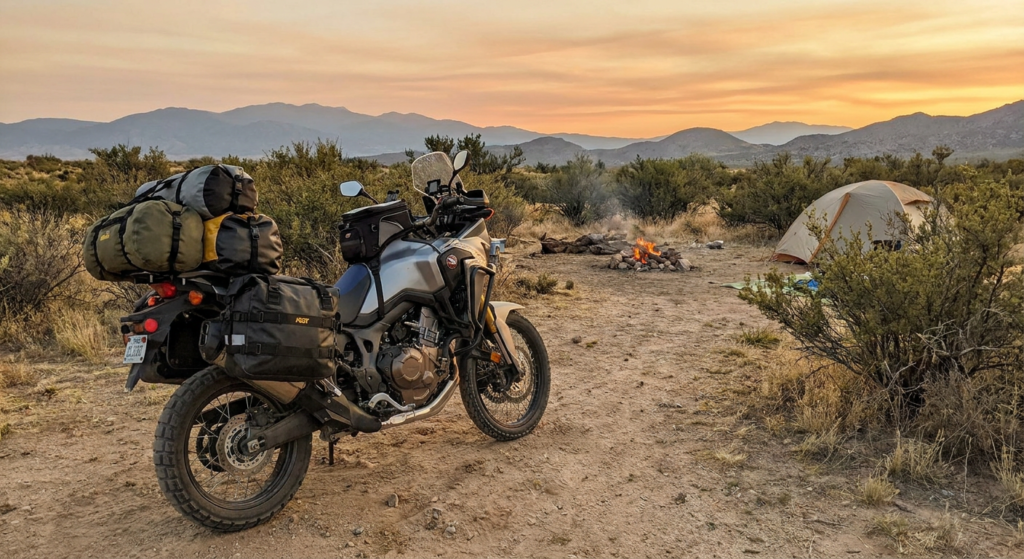
motorcycle fully loaded at a dispersed camp site (golden hour)

What Boondocking Does to Motorcycle Luggage

Boondocking on a bike is a different threat model than sport touring or a track ride. The stresses worth planning for:

  • Extended miles on an unpaved surface. BLM two-tracks, National Forest access roads, and dispersed camping areas regularly involve five to fifteen miles of rough gravel or dirt before you reach your spot. Every bolt, zipper, and mounting bracket takes that vibration.
  • Tip-overs at low speed. Loose gravel, ruts, and soft soil mean low-speed drops happen. Not to skilled riders on smooth terrain, to everyone on technical terrain.
  • Weather exposure. Remote sites do not have a covered parking bay. Your gear sits on the bike overnight in whatever the sky decides to do.
  • The “carry it to camp” requirement. At a dispersed site, you are often parking 100 to 200 yards from where you sleep. Your luggage doubles as pack-in gear. Weight and ergonomics matter off the bike, not just on it.
  • 14-day move rule logistics. If you are doing proper BLM rotation — moving camp every 14 days — you are loading and unloading repeatedly in field conditions. Quick-release and easy access earn their keep fast.

Hard Aluminum Cases: What They Do Well for the Boondocker

Hard aluminum cases have a real place in the boondocking toolkit — specifically for riders who mix long pavement stretches with moderate off-road access. Here is where they earn their weight:

  • Gear protection on tip-overs. When a loaded bike goes down on rocks, aluminum takes the hit. Your laptop, camera body, and hard drives survive. Soft bags compress and transfer force.
  • Weather sealing. Precision-welded aluminum with rubber gaskets keeps water out reliably. No dry bag liner required, no guessing about seam tape integrity after a year of use.
  • Overnight security. Key-lockable hard cases are meaningfully harder to enter than soft bags. If you are parking a loaded bike at a trailhead overnight or in a remote town, that matters.
  • Extra carry surface. Many hard case lids are flat and include tie-down points — useful for strapping rolled gear, a solar panel, or recovery equipment on top of the case.

Where Hard Cases Work Against You in the Field

  • Weight penalty is real on dirt. Aluminum cases add significant mass. On loose or technical terrain, that weight is felt in every low-speed correction. Recovery after a tip-over is harder — and less fun — with a heavy rig.
  • Width on tight access roads. Hard cases stick out. Narrow forest service roads and overgrown two-tracks clip wide loads. If your access road is genuinely tight, you will feel the width.
  • Crash damage costs more. A hard case can crack, warp, or lose its seal integrity in a hard fall. Replacement or repair cost is higher than fixing a soft bag.
  • They do not double as camp bags. You are not walking into camp with a hard aluminum pannier on your shoulder. At the site, you are unpacking into something else anyway.

Soft Panniers: The Boondocker’s Default Choice

For riders whose primary mission is reaching a dispersed site and living off the bike for several days, soft panniers solve more problems than they create. Modern ADV soft panniers — built with ballistic nylon, waterproof TPU inner liners, and proper quick-mount systems — are not the floppy throw-overs of twenty years ago.

  • Lower weight, better handling on rough terrain. Less weight means better suspension response, easier recovery from a tip-over, and less fatigue over long days on gravel.
  • Impact absorption on falls. A soft bag flexes and distributes force when the bike goes down. Contents are cushioned rather than jarred hard against a rigid shell.
  • Narrower profile on technical terrain. Soft panniers sit closer to the frame and compress slightly when pushed. They clear the same gaps a wider hard case cannot.
  • Quick removal at camp. Quality soft panniers with quick-mount systems come off the bike in seconds. Carry them into camp, unpack at the site, and rehang in the morning. This is the workflow boondocking demands.
  • MOLLE-compatible options add utility. MOLLE panels on the front face let you attach tool pouches, a first aid kit, or recovery gear directly to the bag — useful on extended remote trips.

Where Soft Panniers Fall Short

  • Security is lower. A blade defeats a soft bag faster than a locked hard case. For overnight trailhead parking in accessible areas, this is a real trade-off.
  • Long-term abrasion on rocky trails. Even ballistic nylon wears down over years of rocky terrain contact. Hard cases handle abrasion better across a long equipment life.
  • Organization requires more thought. Hard cases hold their shape and stack items neatly. Soft bags need deliberate packing to avoid the jumbled mess that makes finding your headlamp at 10 p.m. an event.

Quick Comparison: What Matters for Boondocking

Factor Hard Cases Soft Panniers
Weight on rough terrain Heavier Lighter
Trail clearance Wider profile Narrower, compresses
Tip-over protection Protects contents Absorbs impact better
Weather sealing Excellent Good with dry liner
Security at Trailhead High (key lock) Moderate
Use as a camp bag No Yes (quick-release)
Crash repair cost Higher Lower

Where the Tail Bag Fits In

Woman with Tail Baf

Panniers — hard or soft — handle volume. But volume is not always what you need quick access to. That is the tail bag’s job: the items you reach for without digging through a main load.

The Viking Bags Axwell sits on the passenger seat or rear rack and targets exactly this use case. At a compact size, it handles the items you need without adding the bulk or width of a full pannier system. On a solo boondocking run, it makes sense as a standalone bag for short trips or as the “quick-grab” layer on top of a full pannier setup.

On our forest run, the Axwell carried: a rain jacket, snacks for the access road, a first aid kit, a phone, small tool roll. Everything we wanted within five seconds of stopping — no unfastening a pannier, no digging. Fit was secure on the seat. No bounce or shift on gravel. The reflective accents are a legitimate safety feature on dark forest service roads, not just a styling choice.

For boondockers who ride in from a base camp — day rides from a dispersed site — a tail bag also works as a standalone loadout. Leave the panniers at camp, take what you need for the day, and ride light.


What to Put in Your Tail Bag for a Boondocking Run

Packing priority for a tail bag on a remote access ride:

  • Rain gear. Weather changes fast at elevation. Having it in the tail bag — not buried in a pannier — means you actually put it on before you are already soaked.
  • First aid kit. A compact IFAK (Individual First Aid Kit) belongs in the most accessible compartment on the bike. Not in the bottom of a pannier.
  • Tire plug kit and CO2 cartridges. A flat 12 miles from pavement on a remote two-track is a different problem than a flat in town. Carry the solution on your person, not in camp.
  • Navigation backup. A downloaded offline map or a paper topo. Starlink and 5G are great until you are in a canyon with no signal, and GPS is drifting. The analog backup lives in the tail bag, not the RV.
  • Snacks and a water bottle. You are stopping at the trailhead, the overlook, or the dispersed site entrance. Quick access matters.
  • Headlamp and fire starter. Rides run long. These are the items that turn a late return into a manageable situation versus a bad one.

The Bottom Line

For boondocking-focused riders, soft panniers win the primary luggage decision in most scenarios: lower weight, better handling on rough access roads, and they double as camp bags when you quick-release them off the mount. Hard cases make sense when you are doing longer mixed pavement-and-dirt routes where content protection and overnight security are the priority.

The tail bag is not a replacement for either — it is the access layer. High-priority, quick-grab items live there. Everything else goes in the panniers.

If you are building out a moto-camping rig for dispersed camping and want to start with the tail bag layer, the Viking Bags Axwell is a solid, no-nonsense starting point. Viking also builds model-specific ADV panniers for most major bikes if you want to build out the full system.

Pack smart. Leave the site cleaner than you found it. And pre-load your offline maps before you lose signal.

MRE STAR Gluten-Free Meal Review

MRE STAR Gluten-Free Meal Review


Quick Summary: The MRE STAR Gluten-Free Complete Meal (M-018H-GF) delivers approximately 1,200 calories per serving — entrée, sides, snack, crackers, jelly, dessert, drink mix, and utensils — with a 36-month shelf life at or below 80°F. Formulated without gluten-containing ingredients but not certified gluten-free; produced on shared equipment. A practical, shelf-stable option for boondockers with limited fridge space or gluten sensitivity.

I Did Not Expect to Be Impressed

I have been traveling in a Class B RV (Camper Van) for a long time. Storage space is not a luxury — it is a constraint. When MRE STAR reached out and asked me to test their gluten-free meal option, I said yes, but my expectations were not high.

Military-style rations have a reputation. Most people’s experience with MREs ends with the phrase “it was edible.” That is not exactly a ringing endorsement.

I was wrong to be skeptical. Watch the field test below, then I will walk you through what is in the kit, how the heater works, and who this product actually makes sense for.

Watch the Field Test

Runtime: 2:37. I tested the chicken and rice entrée with all included components.

What Is the MRE STAR Gluten-Free Complete Meal?

The MRE STAR Gluten-Free Complete Meal (M-018H-GF) is a civilian version of a military-specification ready-to-eat ration. Each single complete meal is nutritionally balanced and contains an average of 1,200 calories. Available as a case of 12 from Prepared Bee (sponsored link — product provided at no cost for review).

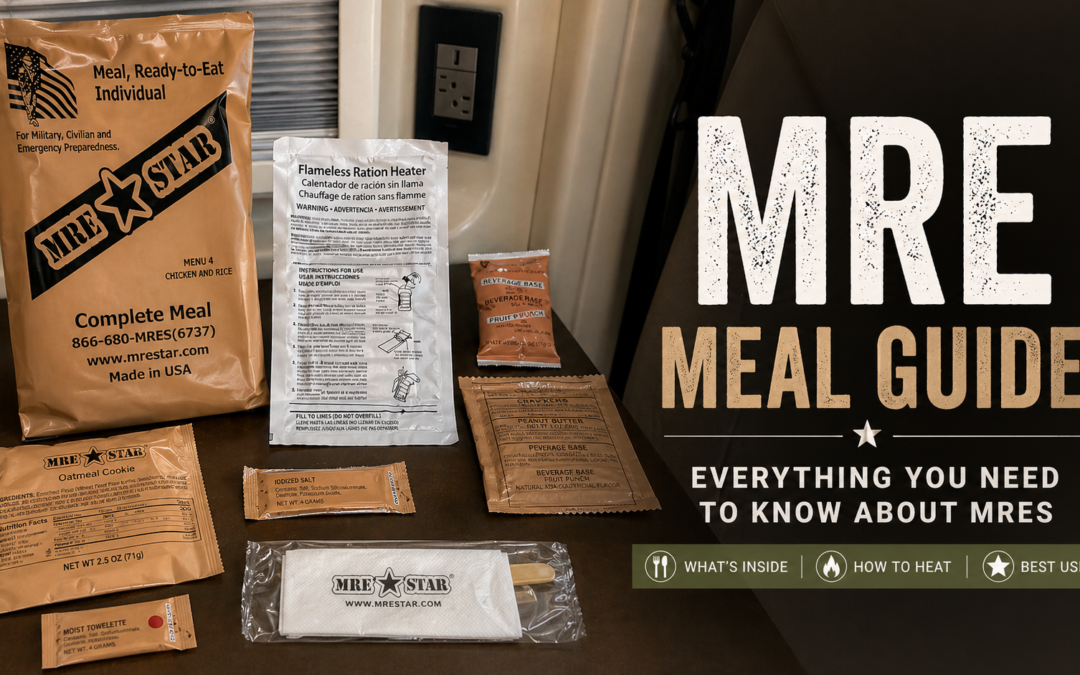
What was in the kit I tested:

  • Chicken and rice entrée
  • Toasted corn (snack)
  • Crackers and jelly
  • Oatmeal cookie (dessert)
  • Fruit punch with electrolytes (drink mix)
  • Flameless ration heater (FRH)
  • Utensils and accessory pack (spoon, napkin, coffee, creamer, sugar, seasonings, wet napkin, candy, brushpick)

⚠ Important before you buy: These meals are not certified gluten-free. MRE STAR selected components that do not contain gluten-containing ingredients, but they are produced on the same equipment as meals that do contain gluten. Machines are cleaned between runs, but cross-contamination is possible. If you have diagnosed celiac disease, consult your physician before relying on this product.

How the Flameless Ration Heater Works

The heater is the part that impressed me most — and the part most people have never seen in action.

When water is added to the heater bag, it dissolves the salt to form a salt-water electrolyte, turning each particle of magnesium and iron into a tiny battery. Because those particles are in direct contact, they become thousands of tiny short-circuited batteries that burn out rapidly, producing heat. The U.S. Army Natick Research Center developed this technology starting in 1973. (Source: Wikipedia — Flameless ration heater)

Military specs require the heater to raise the temperature of an 8-ounce entrée by 100°F in about 12 minutes with no visible flame. In the field test, the bag was visibly boiling within seconds of adding water. Tucked the entrée back in the cardboard box, pulled it out 10 minutes later. Genuinely hot.

✈ Aviation note: The FAA has documented that hydrogen gas from flameless ration heaters poses a potential hazard on passenger aircraft. Use in well-ventilated areas. Do not use inside a sealed vehicle.

What the Meal Actually Tastes Like

Straight assessment, no hype:

Component Honest Take
Chicken & rice entrée Warm, filling, better flavor than expected. Soft texture — appropriate for a pouch meal. Improved after adding toasted corn.
Crackers & jelly On par with any grocery-store cracker. Jelly tasted fresh — surprising for shelf-stable.
Oatmeal cookie Good. Consistent with the rest of the meal quality.
Fruit punch w/ electrolytes Refreshing. Electrolyte replenishment matters when you are off-grid in heat.

Shelf Life and Storage

MRE STAR meals carry a 36-month shelf life when stored at or below 80°F. Shelf life drops as storage temperature rises. Each case is marked with a 5-digit Julian date code for rotation tracking.

Van storage reality: A Class B in summer sun can hit interior temps well above 100°F. For long-term storage, keep meals in an insulated bag, a shaded locker, or a dry cooler without ice.

  • Store at or below 80°F for full 36-month shelf life
  • Avoid prolonged exposure above 100°F
  • Keep dry, away from direct sunlight and chemicals
  • Rotate stock using the Julian date code on each case

Who This Product Makes Sense For

✓ Good Fit

  • Class B/C van and RV owners with limited fridge space
  • Boondockers on extended trips with uncertain resupply
  • Gluten sensitivity (non-celiac) — see constraint note above
  • Home and vehicle emergency preparedness kits
  • Overlanders and backcountry campers who want hot food without fire or stove

✗ Not the Right Fit

  • Diagnosed celiac disease — shared equipment, cross-contamination risk (consult a physician)
  • Situations requiring certified gluten-free documentation

Final Verdict

I expected “edible.” I got good.

The MRE STAR Gluten-Free Complete Meal does what it says: a complete, shelf-stable, hot meal with no cooking equipment, no refrigeration, and no mess. The flameless heater works fast. The components are varied enough to make the meal feel complete rather than just functional.

In a small Class B like mine, this fills a real gap. You cannot always count on fridge space, propane, or a reliable way to cook. Having a case on board is practical preparedness.

A case of 12 is $159.49 with fast delivery from Prepared Bee.


Disclosure: MRE STAR / Prepared Bee provided a case of MRE STAR Gluten-Free Complete Meals at no charge for the purpose of this review. I was not paid for this post and was not required to provide a positive review. All opinions are my own based on personal field testing. This post contains a sponsored link to the product page on Prepared Bee’s website. Per FTC guidelines (16 CFR 255), I am disclosing that the product was received as a media sample.


Where to Shower While Boondocking: 7 Practical Options Compared

Where to Shower While Boondocking: 7 Practical Options Compared


🔹 Quick Answer

Boondockers shower at Pilot/Flying J truck stops ($12–$15 per shower), Planet Fitness locations ($24.99/month Black Card, multi-location access), paid campground day-use showers, state park facilities, and rec centers or YMCAs in nearby towns. If your rig has a built-in shower, a solar shower bag or RV onboard system extends your range between facility visits.

The cheapest long-term strategy for full-timers is a Planet Fitness Black Card membership. The most reliable single-use option near any major interstate is a Pilot or Flying J travel center.

There is no shower at your dispersed campsite. There is no shower block on BLM land. If you’re 40 miles out on National Forest road, the nearest hot water is a drive away — and how far depends entirely on how well you planned before you left.

This is not a complicated problem. Boondockers have been solving it for decades with a short list of reliable options. What changes is the math: how often you actually need a full shower, what you’re willing to pay per visit, and how much water your rig carries between resupply runs. Get those three numbers right and the logistics run themselves.


Where to shower while boondocking: 7 options compared

The table covers the main options ranked by typical cost and availability. None of these requires a campsite booking or overnight stay.

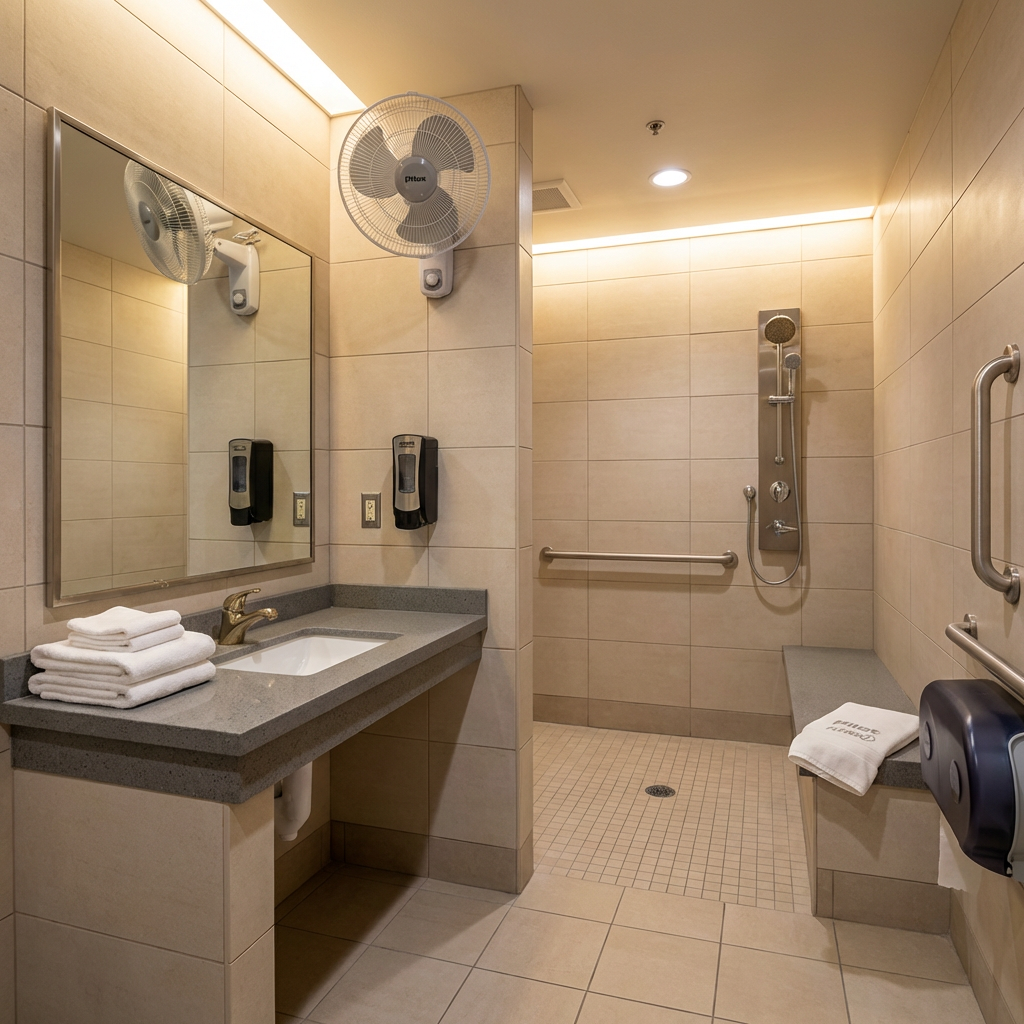
Clean private shower room at Pilot Flying J truck stop

Pilot and Flying J travel centers offer private shower rooms to all travelers — not just truckers. Cost is $12–$15 per use at most locations. Towels included at select sites.
Option Cost Availability Notes
Pilot / Flying J truck stops $12–$15 per shower 750+ locations on major interstates Private rooms. Open to all travelers, not just truckers. myRewards Plus app: credits with diesel fill-ups. Pay at the counter.
Love’s Travel Stops $12–$14 per shower 600+ locations, 42 states Similar setup to Pilot/Flying J. MyLove Rewards app for credits. Slightly less coverage but comparable quality.
Planet Fitness (Black Card) $24.99/month + $49 annual fee 2,795+ locations nationwide Best value for full-timers. Multi-location access up to 10 visits/month at non-home clubs before $5/visit surcharge kicks in. No towels provided.
Paid campground day-use showers $5–$10 day-use fee State parks, Forest Service campgrounds near dispersed areas Call ahead. Not all campgrounds allow non-guest shower use. Some charge a nominal fee; others include it in day-use parking.
YMCA / recreation centers $5–$15 day pass (varies by location) Small towns and cities along your route Each YMCA sets its own guest pricing. Best for multi-purpose stops — shower + laundry + Wi-Fi in one town run.
Natural hot springs Free (undeveloped) to $15+ (developed) Select Western states — not nationwide Viable supplement, not a system. Biodegradable soap required at undeveloped springs. Check land management rules before use.
Onboard RV shower (water-conserving) No cost per use Your rig Requires water management discipline. A navy shower (wet, off, soap, rinse) uses roughly 2–3 gallons. Fresh tank capacity determines your range between resupply stops.

Truck stop showers: what to expect and how to use them

Pilot Flying J operates more than 750 travel centers across North America and explicitly opens its shower facilities to all travelers — not just commercial drivers. (pilotflyingj.com.) Love’s Travel Stops covers 600+ locations across 42 states with comparable facilities. Travel Centers of America (TA/Petro) add further coverage on less-trafficked corridors.

The process is straightforward. Go to the counter, ask for a shower, pay $12–$15 (current 2026 range at most locations), and you receive a room code or slip. The rooms are private — full bathroom, lockable door, bench, hook, and controlled-temperature shower. Towels are included at some locations; bring your own to be safe.

Loyalty programs cut the cost significantly over time. Both Pilot Flying J’s myRewards Plus and Love’s MyLove Rewards programs award shower credits with qualifying fuel purchases. Pilot’s myRewards app issues shower credits within minutes of fueling; credits expire after 7 days. The loyalty programs are structured for diesel commercial drivers, but RVers filling large tanks can qualify. Verify eligibility at the counter.

One practical note: if you and a travel partner arrive together, most truck stop locations allow both to use one shower purchase sequentially. Confirm at the counter before paying — policies vary by location and shift.


Planet Fitness Black Card: the full-timer’s math

Planet Fitness operates 2,795+ locations in the US as of early 2026. The Black Card membership ($24.99/month + $49 annual fee, per planetfitness.com) grants access to any location nationwide. Showers are included with all membership tiers at no per-use charge.

The access limit matters: Black Card members can visit non-home-club locations up to 10 times per month before a $5 per-visit surcharge applies. For a couple who showers every 3–4 days while boondocking, that’s 7–10 visits per month — right at or under the limit for one person. Two people require two memberships.

The annual cost math: At $24.99/month plus the $49 annual fee, a Black Card runs roughly $349/year per person. At $12–$15 per truck stop shower, that’s the equivalent of 23–29 individual visits to break even. Full-timers averaging one shower every 3 days hit that number in under 3 months.

No towels provided. Planet Fitness does not supply towels. Bring your own microfiber travel towel — this is consistent across all locations.

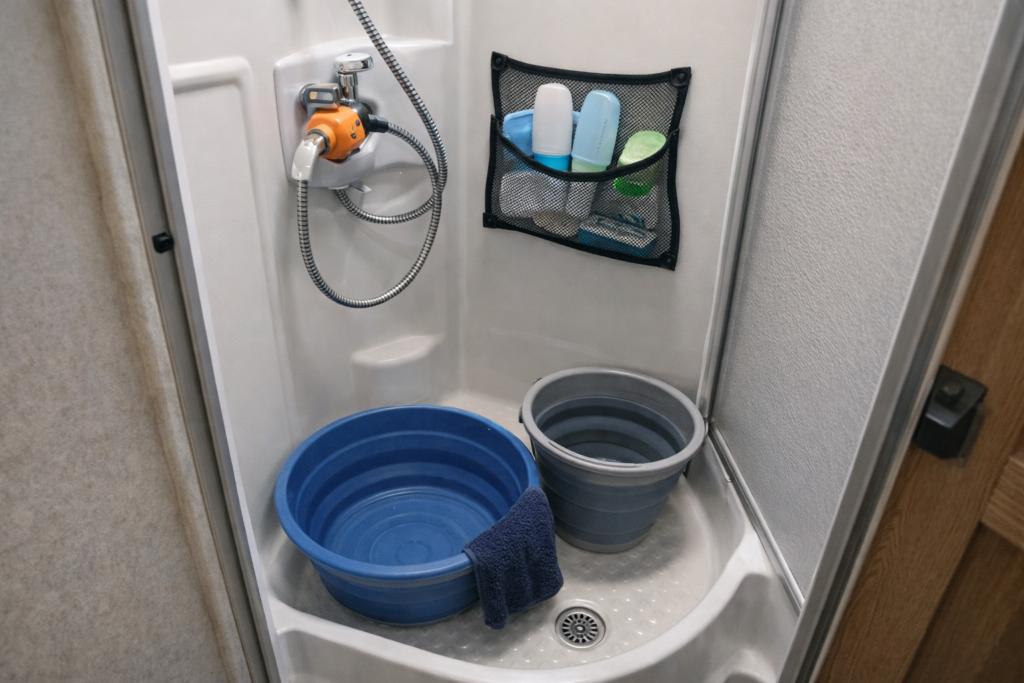
Compact RV shower stall inside a Class B motorhome showing water-conserving setup for boondocking

A navy shower in a Class B uses 2–3 gallons. On a 20-gallon fresh tank, that’s 6–10 on-rig showers before a water resupply is needed.

The core decision: Boondockers need a shower system, not a shower solution. Truck stops handle the single-use need on travel days. Planet Fitness covers the recurring need for full-timers at the lowest per-use cost. Your onboard shower extends the gap between facility visits when water management is tight. Build the system before your first extended trip.

Making your onboard shower work harder

If your rig has a shower, it is your cheapest per-use option — but only if you manage water well enough to extend your stay. The two levers are technique and tank capacity.

The navy shower method: Wet down, turn the water off, soap up, turn on to rinse. A disciplined navy shower uses 2–3 gallons of fresh water per person. On a 20-gallon fresh tank, that is 6–10 on-rig showers before a water fill is needed. On a 40-gallon tank, 13–20 showers. The technique is not uncomfortable once it becomes habit — the Hymer Aktiv’s 10-gallon tank pushed us to this approach quickly, and it’s been standard practice ever since.

Low-flow showerheads: Replacing a standard RV showerhead with a 1.0–1.5 GPM low-flow model cuts water use further without reducing pressure noticeably. This is a $20–$40 one-time modification with compounding benefit on every boondocking trip.

Gray tank is the real constraint, not fresh: On a Class B or small Class C, the gray tank often fills before the fresh tank empties. A 3-gallon shower creates 3 gallons of gray water. Time your dump station stops accordingly — don’t run out of gray capacity mid-site. For dump station planning, see our RV dump station guide.


Solar shower bags: the low-cost camp option

A solar camp shower bag costs $25–$40 and heats 5 gallons of water to a comfortable temperature in 3–4 hours of direct sun. (Current prices on Amazon.) This is not a replacement for a full shower system — it is a supplement for warm-weather boondocking when full facilities are days away.

How it works: Fill the bag from your fresh tank or a water jug in the morning. Lay it flat in direct sun on your rig’s roof or hood. By early afternoon, the water is warm enough for a comfortable outdoor rinse. Hang it from a tree or awning arm; use a pop-up privacy shelter if needed.

Where it fails: Cold weather, overcast days, and desert heat waves (water overheats past comfort level) all reduce reliability. Do not count on a solar bag as your primary shower system in fall or winter camping. It is a spring/summer supplement.

Water goes where your waste management rules allow. Gray water from a camp shower must be disposed of per BLM and Forest Service rules — not scattered near streams or water sources. The same 200-foot buffer that applies to other gray water applies here. For full waste management rules, see our boondocking waste disposal guide.


Common questions

Can you shower at a truck stop if you’re not a trucker?
Yes. Pilot Flying J explicitly states that all guests are welcome to use its shower network. Love’s and TA/Petro operate the same policy. Walk to the counter, ask for a shower, and pay. No commercial driver’s license or proof of occupation required.
Is Planet Fitness worth it just for showers while boondocking?
For full-timers, yes — if you’re within reasonable driving distance of towns with Planet Fitness locations (most mid-size towns qualify). At roughly $349/year, the Black Card breaks even at 23–29 truck stop showers at $15 each. If you boondock year-round and shower more than twice a week, the math favors Planet Fitness. If you’re on a short trip or primarily camping in rural areas far from any gym, truck stops are the better choice.
⚠ Planet Fitness Black Card: the 10-visit limit
Black Card members can visit locations other than their home club up to 10 times per month at no extra charge. After 10 visits, a $5 per-visit fee applies. For a boondocker showering every 3 days, that’s roughly 10 visits per month — right at the threshold. If you shower more frequently, budget for the overage fee or consider a second membership for a travel partner.
How do you find shower facilities along a boondocking route?
Three tools cover most cases: (1) the Pilot Flying J or Love’s apps for truck stop locations along your route; (2) the Planet Fitness app for gym locations in towns near your site; (3) Google Maps search for “recreation center” or “YMCA” in towns you’ll pass through for resupply. Map these stops during trip planning — not the morning you need a shower.
What about showering on BLM land in natural water sources?
Bathing in streams, rivers, or lakes on BLM land is generally not prohibited, but soap — including products marketed as biodegradable — should not be used in or near natural water. BLM requires all washing activity to take place at least 200 feet from any water source. (BLM, Camping on Public Lands.) A swim or rinse is viable in warm weather; it is not a substitute for a functional shower system on extended trips.

Build the system, not the workaround

The mistake most new boondockers make is treating showering as a one-off problem to solve on the fly. It isn’t. It’s a recurring logistics task that runs on the same schedule as water fills and tank dumps.

Set it up before your first extended trip: decide whether you’re a truck-stop user or a Planet Fitness member, identify three or four facility locations along your planned route, and bake the stops into your departure-day checklist. After the first trip, it becomes automatic.

If water management is still the limiting factor — you’re burning through your fresh tank faster than expected — the next thing to solve is your overall water resupply system. Our real-cost breakdown of boondocking covers water resupply costs alongside fuel, dump fees, and site logistics so you can budget the full picture.

Plan your campsite setup and cleanup

Use our campsite setup and cleanup checklist to plan arrival, your stay, and departure.

Read the campsite checklist →


References

Last reviewed: April 2026. Truck stop shower prices and gym membership rates are subject to change by location. Verify current pricing before your trip.

Chuck Price

RV Travel Writer & Boondocking Specialist | 35+ years RV experience | 26,000+ campsites explored

Chuck and his wife Cindy travel in a 2018 Hymer Aktiv Class B. BoondockOrBust.com is their field-tested resource for off-grid RV living, boondocking regulations, and no-cost camping strategy.

Where to Dump Trash While Boondocking: Legal Rules & Disposal Locations

Where to Dump Trash While Boondocking: Legal Rules & Disposal Locations


🔹 Quick Answer

When boondocking, you are legally required to pack out all trash — no disposal on public land is permitted under BLM and U.S. Forest Service rules. Your practical options are highway rest areas, county transfer stations, campground dumpsters, Pilot/Flying J truck stops, and town trash cans when purchasing fuel or supplies.

Violating BLM waste disposal rules can result in citations carrying fines up to $1,000 and up to 12 months imprisonment under 43 CFR Part 8360. Plan your disposal route before leaving camp, not after.

There is no trash pickup on BLM land. There is no dumpster on a National Forest dispersed site. If you pack it in, you pack it out — and that rule applies to every chip bag, coffee ground, and piece of toilet paper.

Most new boondockers don’t struggle with the rule. They struggle with the logistics: where, exactly, does the trash go when you’re 40 miles from the nearest town? This guide answers that with specific, verifiable options ranked by reliability and cost.


The legal baseline: pack it in, pack it out

Both BLM and the U.S. Forest Service operate under a pack-it-in, pack-it-out rule for dispersed camping. The BLM states this directly in its dispersed camping guidelines: “Take all trash and belongings with you.” (BLM, Camping on Public Lands.) The U.S. Forest Service applies the same standard across regions, with several district pages noting that leaving trash is illegal and can result in steep penalties. (USDA Forest Service, Hoosier National Forest Dispersed Camping.)

Burning trash at your site does not satisfy this requirement. BLM guidelines explicitly prohibit burning materials that produce toxic or hazardous substances, which includes most packaging and plastics. Buried trash does not satisfy the rule either — it is still considered improper disposal.

Waste violations are the highest enforcement priority on BLM land. Improper disposal of trash, sewage, and wastewater generates faster enforcement response than stay-limit violations in most districts. Federal regulation authorizes penalties up to $1,000 and/or 12 months imprisonment for violations of BLM visitor services regulations under 43 CFR Part 8360.

The rule is simple. The logistics require planning.

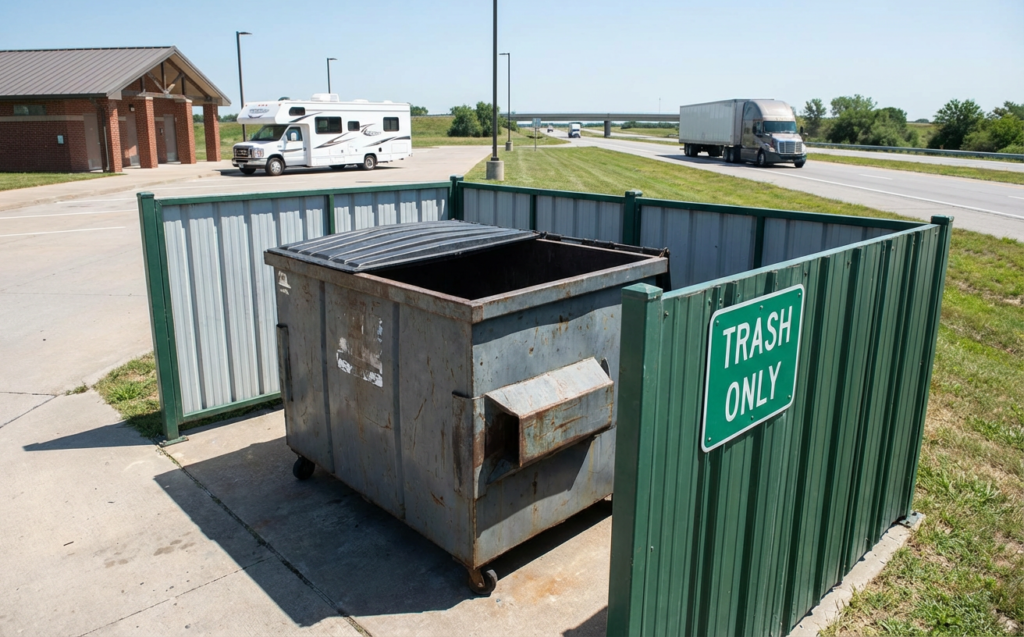
Highway rest area dumpster available for trash disposal while boondocking

Where to dump trash while boondocking: 7 options ranked

The table below covers the most reliable options, including typical cost and availability notes based on current field reporting. No single option works everywhere — use multiple as a rotation.

Option Typical Cost Availability Notes
Highway rest areas Free Widespread on interstates Most reliable free option. Large dumpsters on most. Some states (WA, AL, KS) include RV dump stations.
County transfer stations / landfills $1–$10 per load Rural counties — search Google Maps for “transfer station” Best option for large volumes. Designed for exactly this use. Call ahead for hours and fees.
Campground / RV park dumpsters Free–$5 (or as part of day-use fee) Most Forest Service and BLM campgrounds near dispersed areas Call ahead to confirm public use is allowed. Do not use if marked “campers only.”
Pilot / Flying J truck stops Free with fuel purchase (varies) Major interstates nationwide Trash cans at fuel pumps. Also offer RV dump stations at select locations ($8–$12). Combine with fuel stop.
Gas stations / convenience stores Free with purchase Town re-supply stops Pump-side cans handle small bags. Dumpsters typically locked. Don’t abuse: one or two bags, not a week’s load.
Staging area / ranger station dumpsters Free Select BLM and Forest Service trailheads Use only if marked for public use. Check with your district office at blm.gov/office.
Town public trash cans Free Parks, picnic areas, visitor centers Acceptable for small amounts. One bag per can. Do not fill a single can with your entire trip’s waste.

Reduce trash volume before you leave camp

The cheapest disposal strategy is producing less waste. Experienced boondockers compress volume before departure using a few reliable methods.

Burn what the law allows. Wood, paper, and cardboard can be burned where fires are permitted and no burn restrictions are in effect. BLM rules prohibit burning materials that produce toxic fumes — that means no plastic bags, no foam packaging, no treated wood. Check USDA Fire Restrictions before any burn.

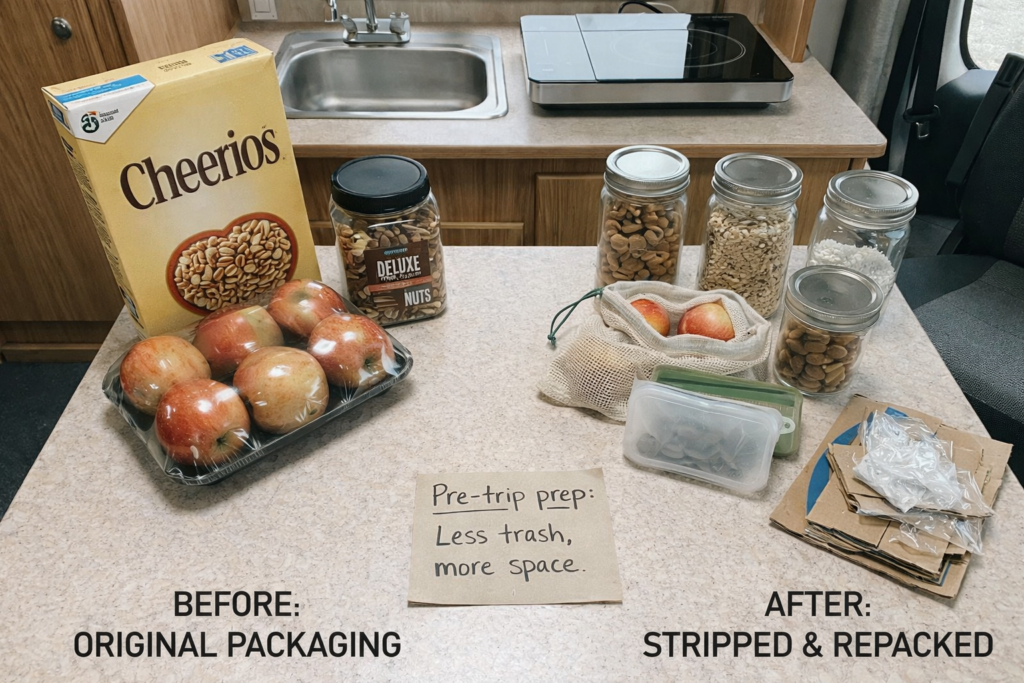
Remove packaging at home, not at camp. Strip multi-layer packaging, cardboard boxes, and plastic wrap from food, gear, and supplies before you leave. This alone can reduce trip waste by 30–40% in our experience with the Hymer Aktiv over multi-week stays.

RV camping food supplies with packaging removed to reduce trash volume while boondocking

Use sealed, hard-sided containers for external storage. If trash will be stored outside your rig — in a truck bed, exterior compartment, or trailer pass-through — it must be inside a sealed, hard-sided container. This is not optional in bear country, and it prevents wildlife-attractant problems that can generate BLM enforcement attention fast.

Compress everything. Flatten cans, collapse cardboard that can be burned on departure, and consolidate bags daily. Smaller volume = fewer disposal stops.


The core problem: Boondocking on BLM and National Forest land means zero trash service. Pack-it-out is a legal requirement, not a suggestion. Highway rest areas and county transfer stations are the two most reliable disposal points for multi-day trips. Combine disposal stops with fuel runs to eliminate extra miles.

How to find disposal locations before you go

Route your disposal stops during trip planning, not mid-trip. Four tools cover most needs:

  • Google Maps: Search “transfer station,” “landfill,” or “solid waste facility” along your route. Filter for hours to confirm they’ll be open during your exit window.
  • iOverlander / Campendium: Both include user-reported dump station and trash locations. Campendium’s dump station index at campendium.com/dump-stations covers locations beyond RV parks.
  • RVDumps.com: Focused specifically on non-campground disposal options — rest areas, truck stops, and public facilities. Searchable by state.
  • Your BLM or Forest Service district office: Call before departure. Ask specifically whether any staging areas or ranger stations near your destination have public-use dumpsters. This information is not always posted online.

For RV black and gray tank disposal specifically, see our complete guide to finding RV dump stations on the road — separate issue from trash disposal, same planning discipline.


What you cannot do — and why it matters beyond the fine

These are not gray areas. They are documented enforcement triggers on federal land.

  • Burying trash: Prohibited. Not a Leave No Trace-compliant alternative. Wildlife digs it up, and buried waste contaminates soil and water sources.
  • Leaving trash at a site “for someone to pick up”: Illegal. Abandoning property on BLM land carries the same penalty as littering.
  • Dumping trash in a campground dumpster you are not a guest of, without permission: Technically trespassing or misuse in most jurisdictions. Always ask or call first.
  • Burning plastics, foams, or packaging: Prohibited on BLM land regardless of fire restriction status. Produces toxic emissions and is a separate violation from littering.
  • Dumping gray water near streams or water sources: Prohibited. BLM requires gray water disposal at approved facilities. All water sources within 200 feet are protected under the dispersed camping rules. (BLM, Camping on Public Lands.)

Beyond the fine: improper waste disposal is the fastest way to trigger use restrictions and permit requirements on dispersed camping areas. The BLM can and does close land to camping when overuse and waste problems reach a threshold. Every campsite you leave clean extends the window before restrictions land on areas the whole community uses.

For full detail on BLM compliance requirements across your trip, see our BLM camping rules compliance guide — including stay limits, fire rules, and enforcement priorities by violation type.


Common questions

Can I leave trash at a Forest Service campground dumpster if I’m not staying there?
You need to ask first. Some campgrounds explicitly allow public trash disposal; others have signs restricting dumpsters to registered campers. Call the ranger district before your trip and confirm. Using a dumpster without permission at a fee area is a federal violation.
What about compostable waste — food scraps, peels, coffee grounds?
Pack it out. “Compostable” does not mean disposable on public land. Food scraps are wildlife attractants. Scattered on the ground, they draw bears, rodents, and ravens, which creates dangerous and expensive human-wildlife conflicts. All food waste goes in your trash bag and leaves with you.
Are there any apps specifically for finding trash disposal while boondocking?
No single app is purpose-built for trash-only disposal while boondocking. The best workarounds: use iOverlander or Campendium for community-reported locations, Google Maps for county transfer stations along your route, and the AllStays Camp & RV app for staging-area dumpsters near public lands. Call the local ranger district as a backup — they often know about public-use dumpsters not listed anywhere online.
How do full-time boondockers handle this long-term?
Three habits separate experienced full-timers from novices: (1) they remove packaging before leaving home, cutting volume by 30% or more; (2) they route supply runs through towns with transfer stations or truck stops; (3) they treat the 14-day BLM stay limit as a natural reset point — leave camp, hit a dump station and rest area, resupply, then move to the next site. The logistics are simple once they’re baked into the departure routine.

The takeaway

There is no complicated system here. Pack it out, use highway rest areas and transfer stations as your primary disposal points, and combine those stops with fuel and water runs to avoid separate trips. The hard part is the planning — do it before you leave, not when you’re 50 miles from the nearest town with a full trash bag.

If you haven’t already mapped your black and gray tank disposal for the same trip, that’s the next thing to sort. Our RV dump station guide covers location tools, cost, and how to cluster tank dumps with water fills to minimize extra stops.

Use the RV campsite setup and cleanup checklist

A practical checklist for setting up, cleaning up, and leaving your campsite responsibly.

Read the campsite checklist →


References

Last reviewed: April 2026. Regulations vary by BLM field office and Forest Service district. Verify current rules with your local office before departure.

Chuck Price

RV Travel Writer & Boondocking Specialist | 35+ years RV experience | 26,000+ campsites explored

Chuck and his wife Cindy travel in a 2018 Hymer Aktiv Class B. BoondockOrBust.com is their field-tested resource for off-grid RV living, boondocking regulations, and no-cost camping strategy.