Chuck Price has 35+ years of RV camping experience and travels in a 2018 Hymer Aktiv Class B.
This is not legal advice, so read your policy and contact your state insurance department if you have a dispute.
Each state sets its own claims rules, and both you and your insurer must follow them (NAIC, 2022). In Texas, your own insurer must accept or reject your claim within 15 business days of getting all the information it needs, or it can take 45 days if it tells you why (TDI, updated December 11, 2025). Texas denials must be in writing.
Most of the state consumer pages cited below describe auto claims, not RV claims. Your RV policy form can differ from a car policy, and the wording of your own policy controls.
Quick answers
Claim history: How often you file can affect your premium and renewal, and most insurers report auto claims to databases such as CLUE (NAIC, 2022).
Best for value disputes: If you disagree about the value of a claim, the NAIC says to check your policy for an appraisal clause.
Your policy decides what is covered and how you file. The NAIC consumer auto guide (2022) calls your policy “your guide to the types of losses that will and will not be covered and to filing claims.”
The people you deal with vary too. Adjusters may be company employees or independent contractors, according to the NAIC. Progressive’s RV claims page says its estimator can inspect your RV where you choose, such as a repair shop, campground or home. That is one insurer’s process, not a rule for every company.
Keep records from the first call.
Note the date of every conversation with your agent or adjuster, as the NAIC advises.
Keep your policy number, documents and bills together, and log every email, letter and phone call with its date and time (NAIC complaint guidance, March 10, 2026).
If the loss happens on the road, our guide to RV emergency preparedness covers the safety steps that come before any claim.
Claim deadlines insurers must meet, by state
There is no single national claim clock. Texas, New York and California each publish their own deadlines for insurers. These pages describe auto claims, and your RV policy wording controls. Each clock starts at a different event, such as notice of the loss, proof of claim or an agreed settlement.
Insurer claim deadlines on three state regulator consumer pages. Sources: Texas Department of Insurance auto guide (updated December 11, 2025), New York DFS own-policy claims page (undated, checked September 26, 2026), California Department of Insurance accident guide (revised December 2024).
Acknowledge and start investigating within 15 days of notice
Accept or deny within 40 days of proof of claim
Within 30 days of settlement
Auto accident claims covered by the CDI guide
California’s Department of Insurance (December 2024) says an insurer must accept or deny a claim “in no event later than 40 days after receiving proof of claim.” The CDI defines proof of claim as documents that support the claim and the amount of the loss, such as repair estimates or a police report indicating theft. California insurers must also respond to your messages within 15 days.
Texas adds a limit. The TDI (December 11, 2025) says its prompt payment law does not apply when another driver’s insurer is paying. That insurer must still act in good faith and try to settle quickly and fairly.
If an insurer misses a clock, your state insurance department can investigate unfair claim delays or denials for free (NAIC, March 10, 2026).
Working with the adjuster: estimates, supplements, shops and parts
You can question an adjuster’s decision and ask for it in writing. The NAIC consumer auto guide (2022) tells you not to feel rushed and says “your insurer doesn’t have the last word.” It also advises asking the adjuster for a written explanation of each decision. The state rules below come from auto consumer pages, so check how your RV policy handles each point.
When a shop finds more damage, these state rules apply to the estimate.
Texas: if damage turns out worse than the adjuster thought, you or the shop can ask to raise the estimate (TDI, December 11, 2025).
California: the shop contacts the insurer for approval of the added cost, and the insurer may re-inspect (CDI, December 2024).
Shop choice rules:
Texas: an insurer can give you a list of preferred shops but cannot require you to use one (TDI, December 11, 2025).
New York: you keep the right to choose the shop, and on request the insurer must name a nearby shop that will do the repair at its estimate, with a written guarantee backed by the insurer (DFS, undated, checked September 26, 2026).
California: an insurer cannot require a specific shop or cut reasonable repair costs to its recommended shop’s price (CDI, December 2024).
Texas: the insurer must pay for parts of like kind and quality, not necessarily original manufacturer (OEM) parts (TDI, December 11, 2025).
California: non-OEM parts must be comparable to OEM parts in kind, quality, safety, fit and performance, and the invoice must label each part type (CDI, December 2024).
Washington: if you demand new OEM parts, you may have to pay the difference (OIC, undated).
Progressive says it will work with any repair shop you like. Progressive also says you can skip repairs and take a check for the estimate minus your deductible, though if you finance the RV, your lender may require repairs.
Repairs can run long. The Washington OIC (undated) says auto repair delays have risen nationwide due to parts and staffing shortages, and that repairs may take as long as six months. To avoid storage fees, it suggests picking up the vehicle soon or letting the insurer move it. Our guide to RV maintenance and repair records covers upkeep between claims.
When the RV is totaled: how value is set
The New York and Washington regulators say a totaled car pays actual cash value (ACV). Several state regulators publish rules for how that value is figured. These rules come from auto pages in four states, and RV policies may offer other settlement options. In Texas, a totaled vehicle pays its value minus depreciation, per the TDI (December 11, 2025).
Texas: the insurer might raise its offer if you show the vehicle would sell for more, using written quotes for similar vehicles from used dealers (TDI, December 11, 2025). If you keep the vehicle, its salvage value comes off the settlement. A vehicle issued a nonrepairable title cannot be retitled or registered in Texas.
New York: the insurer pays ACV, meaning retail value plus sales tax, subject to depreciation and deductions, or replaces it with a substantially similar vehicle (DFS, undated, checked September 26, 2026).
California: settlement must include taxes, license and transfer fees and reflect a comparable vehicle of like kind and quality (CDI, December 2024). If you keep the salvage, deductions for it must be fair, measurable and discernible.
Washington: the insurer owes ACV, and if you cannot agree on the value, it must follow state total loss rules (OIC total loss page, undated, checked September 26, 2026). If it cannot find comparable vehicles where you normally park, it may widen the search 25 miles at a time until it finds two or more. With your permission, it may search beyond 150 miles. It must add taxes, license fees and transfer fees.
Ask for the valuation report. The Washington OIC says to request a “total loss valuation report,” and notes the insurer might not provide one unless you ask. The same page says gap insurance covers the difference between what you owe on a vehicle or motorhome and what it is worth.
RV policies can go beyond ACV. Progressive says it may pay for a brand-new RV if a qualified new motorhome or travel trailer is totaled in an accident, subject to policy terms and a deductible. National General lists five settlement options in its RV underwriting guide.
RV total loss settlement options in the National General Countrywide RV and Motorhome underwriting guide (dated July 15, 2026). The guide says availability and specifics vary by state. This is one insurer’s guide, not a legal rule.
The appraisal clause: for disputes over the amount
An appraisal clause is a policy process for disagreements over the amount of a loss. As the Texas and California regulators describe it, each side picks an appraiser, and an umpire resolves what they cannot agree on. It only applies if your policy contains the clause. If you disagree about the value of a claim, the NAIC (2022) says to check your policy for one.
Texas: appraisal is for disputes about the amount of your claim (TDI, December 11, 2025). The umpire’s decision binds you and the insurer. You pay your appraiser and half the umpire’s expenses. You cannot use it against another person’s insurer.
California: the CDI says most standard policies contain an appraisal provision and either side can demand it (CDI, December 2024). The CDI discusses it in the context of total loss amount disputes. Each party pays its own appraiser, and the umpire fee is shared.
Washington: the OIC lists appraisal as an option for a totaled vehicle if your policy has it (OIC, undated).
The California guide puts the result plainly: “An amount that any two agree upon is binding.” In Texas and California the result binds both sides, so read your policy’s appraisal wording before you invoke it.
Diminished value after repairs
Diminished value is the gap between a vehicle’s market value before an accident and after repair, as the Washington OIC (undated, checked September 26, 2026) defines it. Whether an insurer owes it depends on your state and on whose insurer you claim against. None of the sources below addresses RV policy forms.
Washington: you typically file a diminished value claim against the at-fault party’s insurer, not your own, and some policies do not cover it (OIC, undated). The OIC says “The insurer doesn’t automatically pay you for diminished value.” You must prove the market value dropped even after repair, and the insurer may still argue against it.
Texas: the TDI position is that an insurer is “not obligated to pay a first party claimant for diminished value when an automobile is completely repaired to its pre-damage condition” (TDI Bulletin B-0027-00, April 6, 2000). The same bulletin says an insurer may owe a third-party claimant for lost market value regardless of repair, and may owe under uninsured or underinsured motorist coverage. The bulletin addresses insurers writing private passenger auto insurance under the standard Texas policy.
If the claim is denied or stuck: the escalation path
A denied or stalled claim can go up a set ladder, from the adjuster to your state regulator. The NAIC and the Georgia OCI both describe going to the insurer first, then to the state insurance department. The details below are state-specific, and your policy terms still control.
Ask the adjuster for a written explanation of the decision, as the NAIC advises (NAIC, 2022). In Texas, a denial must state its reason in writing (TDI, December 11, 2025).
Gather your policy number, documents, bills and a log of every contact with dates and times (NAIC, March 10, 2026).
File a complaint with your state insurance department, which investigates for free (NAIC, March 10, 2026). The department forwards your complaint, the insurer must respond, and the department decides whether the insurer was fair based on your policy.
Use appraisal if the dispute is about value and your policy has the clause. You can also hire an attorney or a public adjuster, and states that allow public adjusters require them to be licensed (NAIC, 2022).
Consider court. In Texas, claims under $20,000 can go to Justice Court (TDI, December 11, 2025).
State complaint details:
Texas: complaints must be in writing, and you can use the TDI Online Complaint Portal. The TDI says it cannot decide fault or set damage amounts (TDI, December 11, 2025).
California: the CDI Consumer Hotline is 1-800-927-4357 (CDI, December 2024). If the insurer pursues subrogation, it must include your deductible unless you already recovered it.
Georgia: contact your insurer first, then file on the Office of Commissioner of Insurance and Safety Fire complaint portal or call (800) 656-2298 (Georgia OCI, undated, checked September 26, 2026).
North Carolina: unfair claim practices under G.S. 58-63-15 include trying to settle for less than a reasonable person would believe they were owed (NCDOI Bulletin 24-B-07, May 29, 2024).
Before you escalate, you can check an insurer’s record. The NAIC compiles closed, confirmed complaints from state insurance departments, searchable by state, company and insurance type for the past three years (NAIC, September 1, 2022).
Before you file a small claim
The NAIC (2022) says how often you file and the types of claims you file often affect your premium and renewal. If the repair costs little more than your deductible, the NAIC says you may want to pay it yourself. The NAIC says most insurers report auto claims to private nationwide databases such as CLUE, and that you have a right to a free copy of your CLUE report.
There is no national clock. Texas (TDI, 2025) gives your own insurer 15 days from notice to acknowledge, 15 business days from full information to decide (45 days with a stated reason) and 5 business days from agreement to pay. California (CDI, 2024) allows 15 days from notice, 40 days from proof of claim and 30 days from settlement.
Can I choose my own RV repair shop?
In Texas (TDI, 2025), New York (DFS, undated), California (CDI, 2024) and Washington (OIC, undated), the regulator says you can choose the shop. Texas and California insurers cannot require a shop on their list. Washington warns you may pay extra if you demand new OEM parts. Progressive says it works with any shop. Check your RV policy.
What is an RV appraisal clause?
An appraisal clause is a policy term for disputes over the amount of a loss. Each side picks an appraiser, and an umpire settles differences. Texas (TDI, 2025) and California (CDI, 2024) say the result binds both sides and the umpire’s cost is shared. In Texas it works only against your own insurer. Your policy must contain the clause.
Can I claim diminished value on my RV?
It depends on your state and whose insurer pays. A Texas bulletin (TDI, April 6, 2000) says insurers need not pay first-party diminished value after a complete repair, under private passenger auto policies. Washington’s OIC (undated) says it is usually claimed from the at-fault party’s insurer and needs proof. Neither addresses RV policy forms.
How is a totaled RV valued?
New York (DFS, undated) and Washington (OIC, undated) say a totaled car pays actual cash value, and Texas (TDI, 2025) says value minus depreciation. New York, California (CDI, 2024) and Washington add sales tax or taxes and fees. Progressive and National General offer RV replacement options, and National General says its options vary by state.
What can I do if my RV claim is denied?
Ask for the reason in writing, which Texas requires for denials (TDI, 2025). Escalate inside the insurer, then file a free complaint with your state insurance department (NAIC, 2026). The department forwards it and the insurer must respond. For value disputes, check for an appraisal clause. An attorney or licensed public adjuster is another route.
Winterize your RV before the first night at or below 32°F, the temperature NOAA’s National Centers for Environmental Information (NCEI) uses to define a freeze. Camping World warns that one freezing night is enough to damage RV plumbing. You can protect the system with RV antifreeze alone, or blow the lines out with compressed air and then add antifreeze to the drains. Airstream calls some combination of an air compressor blow-out and a non-toxic RV antifreeze flush essential.
Last updated: September 26, 2026
Chuck Price has 35+ years of RV camping experience and travels in a 2018 Hymer Aktiv Class B.
Where manufacturers disagree on a number, this guide gives each figure and names who publishes it. Follow your RV’s owner’s manual wherever it differs from the steps below. For year-round upkeep, see our RV maintenance and repair guide.
When to winterize your RV
Water left in RV plumbing freezes at 32°F, and one freezing night is all it takes to cause damage (Camping World). When water freezes and expands inside a fitting, the fitting often develops a hairline crack, per Camping World. NCEI describes a freeze as a time when “surface air temperature is expected to be 32°F or below over a widespread area for a climatologically significant period of time”. Your first-freeze date depends on where you store the rig, so check it for your own area.
NCEI publishes first-fall-freeze maps based on the 1991-2020 Climate Normals. The median map shows the date by which a freeze arrives in 5 of 10 years. The earliest map shows a date so early that a freeze arrives by then in only 1 of 10 years.
If you want a dealer to do the work, Camping World advises booking 3 to 4 weeks before temperatures dip into the 40s. If you plan to camp through the cold instead of storing the rig, read our tips on staying warm while boondocking in winter.
RV antifreeze: which type and how much
Use propylene glycol RV antifreeze. Never put ethylene glycol automotive antifreeze in RV plumbing. Camco’s winterization brochure, in a dealer-hosted copy, states, “Most automotive antifreezes are made from ethylene glycol, which is highly toxic.” Keystone RV says automotive antifreeze is poisonous and not suitable for potable water systems. Poison Control says it is dangerous to swallow antifreeze, even in small amounts. If someone swallows antifreeze, call Poison Control at 1-800-222-1222.
RV antifreeze is made from propylene glycol, which Camco says the U.S. government considers “GRAS (Generally Regarded As Safe)” (Camco brochure).
Federal rule 21 CFR 184.1666 lists propylene glycol as a direct food substance affirmed as GRAS, with use limits by food category (eCFR).
That GRAS listing does not make RV antifreeze something to drink. Camping World says RV antifreeze is not meant for consumption by humans or animals. Camping World says your first step should always be reading the product label.
Stores sell propylene glycol blends that contain ethanol and ethanol-free propylene glycol formulas (Camping World).
Camco says a system winterized properly with -50 RV antifreeze should show a freeze point around +10°F, which indicates burst protection to -50°F.
Plan on 2 to 6 gallons of RV antifreeze, depending on the rig. Camping World says most RVs use 2 to 4 gallons, Camco’s checklist lists 2 to 4 gallons, and Keystone RV lists 4 to 6 gallons. Bypassing the water heater saves as much as 6 to 8 gallons, per Camco. Camco also notes that RV water heaters hold 6 to 10 gallons.
RV antifreeze quantity by source (sources linked in each row)
How to winterize an RV with antifreeze, step by step
The antifreeze method drains the system, bypasses the water heater and pumps RV antifreeze through every line until it reaches each fixture. Keystone RV estimates the job at approximately two hours. Steps and valve layouts differ by model, so check each step against your owner’s manual. The sequence below draws on Winnebago, Keystone RV, Airstream, Dometic and Camco instructions.
Empty the fresh, gray and black tanks, and drain the water heater (Winnebago).
Turn the water heater off for both gas and electric modes (Keystone RV). Let the water cool before you remove the drain plug (Dometic manual).
Turn the water heater bypass valve to the bypass position (Airstream).
Bypass any in-line or undersink water filtration systems (Camco brochure). Keystone RV removes and discards the filter cartridge, drains the base and reinstalls it.
Remove the low point drain caps for the water lines and open all faucets and the outside shower, if equipped (Keystone RV). After the fresh water tank drains, reinstall the low point drain caps and close any open faucets and valves before you pump (Keystone RV).
Pump antifreeze in from inside with a water pump conversion kit or from outside with a hand pump (Camco brochure). Keystone RV installs a bypass hose on the suction side of the water pump and connects it directly to the antifreeze container.
Open the cold-water side of each faucet one at a time until antifreeze comes out, then repeat on the hot side (Keystone RV).
Flush the toilet until antifreeze flows into the bowl (Keystone RV).
Pour RV antifreeze down each drain and into the toilet bowl to protect the P-traps (Winnebago).
Leave the antifreeze in the lines until spring and do not drain it (Camco brochure).
Sources disagree on how much antifreeze each drain needs. Airstream says a cup, and Camco’s blog says about a cup. Camco’s brochure says at least 2 pints. Keystone RV says about one quart per drain, P-trap and toilet. For model-specific upkeep on a van-based rig, see our Class B RV maintenance guide.
Water heater bypass
Bypass the water heater before you add antifreeze (Winnebago). Turn the water heater off before you open the pressure-temperature relief valve to let air in (Dometic manual). Dometic says the approximately two quarts of water left in its tank after draining will not damage the tank if it freezes.
Manufacturers disagree on when to drain the heater. Winnebago, Keystone RV and Airstream drain it at the start. Camco’s brochure says “DO NOT DRAIN THE WATER HEATER until after you have filled your pipes with antifreeze” and opens the drain plug at the end. Follow the order in your owner’s manual.
Ice makers, washers and tankless heaters
If your RV has a residential refrigerator, do not add antifreeze to the ice maker water line. Drain the line along with the rest of the water lines instead (Keystone RV).
If you have an ice maker or washing machine, check its manual for specific winterization steps (Camco).
If your rig has a tankless water heater, Keystone RV refers you to the operator’s manual.
Holding tanks
Drain and flush the holding tanks thoroughly before storage. Airstream says frozen sewage in the tanks could seriously damage them. The CDC lists protective gear for workers who handle human waste or sewage. That guidance is general, not RV-specific (CDC). The list covers goggles, a face mask or splash-proof face shield, liquid-repellent coveralls, waterproof gloves and rubber boots. Wash your hands with soap and water immediately after you handle human waste or sewage (CDC).
How to blow out RV water lines with compressed air
A blow-out pushes water out of the lines with compressed air instead of filling them with antifreeze. Camco attaches a blow-out plug to the water intake fitting and applies air pressure from an oilless air compressor. Keystone RV and Winnebago both finish a blow-out by adding RV antifreeze to the drains. Winnebago says this protects the traps.
Manufacturer air pressure limits range from 30 to 50 pounds per square inch (psi). Keystone RV says to set the air pressure to “no more than 30 PSI”. Winnebago says around 40 to 50 psi max and warns that higher pressure can damage your lines. Use the figure in your owner’s manual. If you have no figure, the lowest limit here, 30 psi, is the cautious choice.
Maximum blow-out air pressure by manufacturer (sources linked in each row)
Apply 50 lb of air pressure at the city water inlet
Remove the low point drain caps and open all faucets and the outside shower, if equipped (Keystone RV).
Drain the fresh water tank. Turn the water heater off, remove its drain plug and open the pressure relief valve. Empty the holding tanks and set the water heater bypass valves to bypass (Keystone RV).
Attach the blow-out plug at the city water inlet and apply air from an oilless compressor (Camco brochure).
Hold the toilet valve open until the water clears from the toilet supply line (Keystone RV).
Run a washer fill cycle on warm to open both hot and cold valves, and let air blow through until no more water comes out (Keystone RV).
Pour RV antifreeze into each drain, P-trap and toilet. Keystone RV uses about one quart for each.
Reinstall the drain caps and plugs, and close any valves to keep critters out of the fresh water system (Keystone RV).
RV battery storage in cold weather
Charge RV batteries fully and disconnect them before winter storage. Battle Born says to bring batteries to a full charge, then disconnect them with the disconnect switch or by removing the positive main battery cable. Camco says to remove batteries for storage on a tender or turn off the RV’s battery disconnect switch. Airstream says to store removed batteries in a cool, dry place and keep them fully charged. Lead-acid and lithium batteries handle cold differently, so check which type you have.
Lead-acid batteries
A fully charged lead-acid starter battery (specific gravity 1.265) freezes at -67°F, per Battery Council International figures cited by Battery University.
A discharged lead-acid battery (specific gravity 1.15) freezes at 5°F, per the same figures (Battery University).
Battery University says flooded lead-acid batteries tend to crack the case and leak if frozen.
Battle Born warns that a discharged lead-acid battery in the cold can freeze solid and even explode.
Battery University gives a lead-acid charge window of -4°F to 122°F (-20°C to 50°C).
Rolls Battery rates flooded lead-acid capacity at 77°F. Its bank-sizing multiplier rises as temperature drops, to 1.37 at 30°F and 2.17 at 0°F (Rolls Battery).
Lithium (LiFePO4) batteries
Lithium charging limits vary by battery and by its battery management system (BMS). Battle Born says its batteries will not accept a charge when their internal temperature is below 24°F. A separate Battle Born article says charging a lithium-ion battery when its internal temperature is below 25°F can cause long-term and permanent damage. Battery University says consumer lithium-ion batteries cannot be charged below 32°F (0°C). Check your battery maker’s spec before you charge in the cold. Battle Born lists a storage range of -15°F to 140°F for its LiFePO4 batteries. Battle Born puts their self-discharge rate at 2-3% a month on average.
Propane, tires, pests and moisture
Plumbing is only part of winter storage. Propane, tires, rodents and condensation each need a step before you walk away from the rig. If you are heading out instead, our list of winter boondocking essentials covers gear for cold-weather camping.
Propane
Shut off the propane tanks, as Airstream‘s winter storage checklist directs.
Tires
Michelin’s RV tire brochure (2017, a dealer-hosted copy) gives these storage steps.
Place a barrier such as plastic, plywood, cardboard or rubber mats between the tire and the storage surface.
If the rig sits outdoors, cover the tires to block direct sunlight and ultraviolet (UV) rays.
Inflate tires to the maximum inflation pressure shown on the sidewall.
Store the rig away from electric generators or transformers.
For storage longer than 3 months, consider a monthly highway drive of about one hour.
Mice and other rodents
Mice can fit through a hole the width of a pencil, 1/4 inch or 6 millimeters across (CDC).
Fill small holes with steel wool, then hold it in place with caulk or use spray foam (CDC).
Keep food sealed in thick plastic, metal or glass containers with tight lids (CDC).
Moisture and condensation
Jayco’s owner’s manual says proper ventilation or a dehumidifier will help control condensation. Winnebago says to flip up mattresses and cushions to keep condensation from building up.
What RV winterization costs
As of September 2026, Camping World puts a dealer blow-out at $75 to $100 and a complete antifreeze package at $125 to $150. Doing it yourself runs roughly $30 to $80 the first year, per the same source. These are one retailer’s ranges, so ask your local shop for a quote.
RV winterization costs as of September 2026, per Camping World
Item
Price range
Who it applies to
Basic blow-out service
$75 to $100
Owners using a dealer or service center
Complete antifreeze package
$125 to $150
Owners using a dealer or service center
DIY, first year
$30 to $80
Owners who winterize themselves
DIY antifreeze, later years
$20 to $30
Owners who winterize themselves after the first year
RV antifreeze
$4 to $8 per gallon
Anyone buying antifreeze
Professional de-winterization
$50 to $100
Spring startup at a dealer
Camping World lists repair ranges for skipped winterization. Burst water lines run $200 to $1,500+, a water heater tank $600 to $1,200+, and extensive water damage $5,000 to $15,000+.
De-winterizing your RV in spring
Flush the antifreeze out of the fresh water system before you use it again. Camping World says to repeat the flush at least 2-3 times and let the system sit and soak between each. For refilling and tank care afterward, see our guide to managing your fresh water system.
If mice got in over the winter, follow the CDC cleanup steps.
Open all doors and windows for 30 minutes before cleaning.
Do not vacuum or sweep droppings.
Wear rubber or plastic gloves.
Mix 1.5 cups of bleach per gallon of water, a 1:9 ratio, and let it soak 5 minutes.
Frequently asked questions
How much antifreeze do I need to winterize an RV?
Camping World says most RVs use 2 to 4 gallons of RV antifreeze, and Camco’s checklist lists 2 to 4 gallons. Keystone RV lists 4 to 6 gallons. Bypassing the water heater saves as much as 6 to 8 gallons, per Camco. Plan on 2 to 6 gallons depending on your rig.
Can I use car antifreeze in my RV?
No. Automotive antifreeze is usually ethylene glycol, which Camco calls highly toxic and Keystone RV calls poisonous and unsuitable for potable water systems. Use propylene glycol RV antifreeze. If someone swallows antifreeze, call Poison Control at 1-800-222-1222.
Is RV antifreeze safe?
RV antifreeze is propylene glycol. Federal rule 21 CFR 184.1666 lists propylene glycol as generally recognized as safe (GRAS) as a direct food substance, within set limits. It is still not meant to drink. Read the product label, and flush the lines at least 2 to 3 times in spring.
What psi should I use to blow out RV water lines?
Manufacturer limits range from 30 psi (Keystone RV) to around 40 to 50 psi (Winnebago) and 50 psi (Camco). Airstream’s guide applies 50 lb of air pressure at the city water inlet. Use the figure in your owner’s manual. If you have none, the lowest limit, 30 psi, is the cautious choice.
When should I winterize my RV?
Winterize before the first night at or below 32°F. NCEI first-freeze maps show typical first-freeze dates for your area. Camping World suggests booking a service 3 to 4 weeks before temperatures dip into the 40s.
How much does RV winterization cost?
As of September 2026, Camping World lists $75 to $100 for a dealer blow-out and $125 to $150 for a complete antifreeze package. Doing it yourself costs roughly $30 to $80 the first year and about $20 to $30 in later years.
Do I still need antifreeze if I blow out the lines?
Yes, for the drains. Keystone RV and Winnebago both add RV antifreeze to the drains and P-traps after the blow-out. Keystone RV uses about one quart per drain, P-trap and toilet.
Should I disconnect my RV battery for winter?
Yes. Charge the batteries fully first. Camco says to remove them for storage on a tender or turn off the disconnect switch. Battle Born says to use the disconnect switch or remove the positive main battery cable. A discharged lead-acid battery freezes at 5°F, per Battery University.
When Starlink Roam data runs out early, the usual cause is that your phones, laptops and TVs treat Starlink Wi-Fi like unlimited home internet. Streaming on Auto, high-definition (HD) video calls and automatic updates are the usual drains. Mark your Starlink network as low-data or metered on every device, then lower streaming quality.
Last updated: November 25, 2026
As of November 2026, Roam 100GB starts at $55 a month, and Starlink describes 100GB as about one week of typical use, per Starlink’s Roam page. This guide covers where Roam data goes and which settings slow the drain. If you are still choosing a connection, start with our RV internet guide comparing Starlink and 5G.
At a glance
Must-Know: After 100GB or 300GB, Roam drops to low-speed data until your billing cycle resets.
Trip Killers: Streaming on Auto and HD video calls. Netflix HD uses up to 3 GB per hour, per Netflix Help. A group Zoom call at 720p uses about 2 GB per hour, calculated from Zoom’s bandwidth figures.
Best For: Roam 100GB and 300GB users whose phones, laptops and TVs connect through Starlink Wi-Fi.
Confirm Before You Go: Mark your Starlink Wi-Fi as Low Data Mode or metered on every device, and check current plan prices on Starlink’s Roam page.
How Starlink Roam Data Caps Work in 2027
After 100GB or 300GB, Starlink Roam drops to low-speed data until your cycle resets. The capped plans then give you unlimited low-speed data for the rest of the billing cycle, per Starlink’s Service Plan Descriptions. Starlink says Roam is designed for low-demand, land-based use such as travel and camping. These rules cover US Roam 100GB and Roam 300GB plans as of November 2026. Roam Unlimited has no data cap.
Starlink’s Service Plan Descriptions state, “Low-speed data is not suitable for bandwidth-intensive applications like streaming, video calls, gaming”.
Roam 300GB costs $80 a month, and Roam Unlimited costs $175 a month, on the same page.
Starlink describes 100GB as about one week of typical use.
Unused 100GB or 300GB data does not roll over to the next cycle, per the plan terms.
Capped plans work in your home country. Starlink’s Roam page lists the US and Canada for US customers.
Roam Unlimited users can opt in to Ocean Mode and then pay per-GB fees, per Starlink’s Service Plan Descriptions. On Roam 100GB and 300GB, service switches to low-speed unlimited data when the allowance runs out, per a Starlink support article.
In some countries outside the US, Starlink offers Roam 50GB in place of Roam 100GB, per the same support article.
Speeds on every Roam plan are not guaranteed and slow down during congestion, per Starlink. Starlink may also reduce speeds for users whose bandwidth consistently exceeds a typical Roam user, per the Service Plan Descriptions. Those terms apply to Roam Unlimited too. Check your data usage in the Starlink app to see where your cycle stands.
The 5 Data Drains Behind Most Roam Overages
Your devices treat Starlink Wi-Fi like unlimited home internet unless you tell them otherwise. Many phone and app data limits apply only to mobile data, so backups, updates and high-quality video run on Wi-Fi without a limit. Google Photos, for example, applies its backup data limits to mobile data only, per Google Photos Help. The five drains below apply to any Roam 100GB or 300GB plan, on any device connected to your Starlink Wi-Fi.
Drain 1: Streaming on Auto or high quality
Netflix’s Auto setting picks the highest quality your connection allows, per Netflix Help. High quality in HD uses up to 3 GB per hour, and Ultra HD uses up to 7 GB per hour. Netflix publishes these figures per device for web playback. YouTube offers a Data saver option but does not publish per-hour data figures.
Drain 2: Video calls
A one-on-one Zoom call at 720p uses about 1.1 GB per hour. That figure is calculated from Zoom’s published bandwidth for one device, and real use is often lower. A group Zoom call at 720p uses about 2 GB per hour by the same math. Microsoft Teams and Google Meet figures, calculated the same way, appear in the table in the streaming section.
Drain 3: System, app and console updates
iPhones, Macs, Windows PCs and game consoles can download system and app updates automatically. A PlayStation 5 (PS5) can also download updates in rest mode when “stay connected to the internet” is on in Power Saving, per PlayStation Support. Starlink says your router may use about 1 to 5 GB a month on its own for software updates and health monitoring, and that traffic counts toward your monthly data, per Starlink Support. Updates to your phones, laptops and consoles count too, because they are ordinary downloads over your connection.
Drain 4: Photo and file backup
Apple Support lists what Low Data Mode changes, including that it “Pauses updates for services such as iCloud Photos”. Google Photos has no Wi-Fi data limit setting, but you can turn backup off, per Google Photos Help. OneDrive pauses sync on its own when your PC is on a metered network, per Microsoft Support. You can also pause OneDrive by hand for 2, 8 or 24 hours.
Drain 5: Background app activity
Apps can sync and refresh content in the background while your phone sits unused. On iPhone, Low Data Mode turns off Background App Refresh, per Apple Support. No vendor publishes a verified figure for background use, so watch your totals in the Starlink app.
One more habit to watch. A speed test measures speed by moving data, so run one when troubleshooting, not as a routine.
Mark Your Starlink Wi-Fi as Low-Data or Metered on Every Device
Phones and laptops only save data on Wi-Fi when you mark that network as metered. A metered or Low Data Mode flag tells the operating system to hold back updates, backups and background activity. Each setting applies per network and per device, and menu names vary by operating system version and phone maker. According to Microsoft Support, on a metered connection “Windows Update will only download priority updates.”
Starlink also publishes a Data Usage Best Practices help article. Repeat the steps below on every phone, tablet and computer that joins your Starlink Wi-Fi.
iPhone and iPad
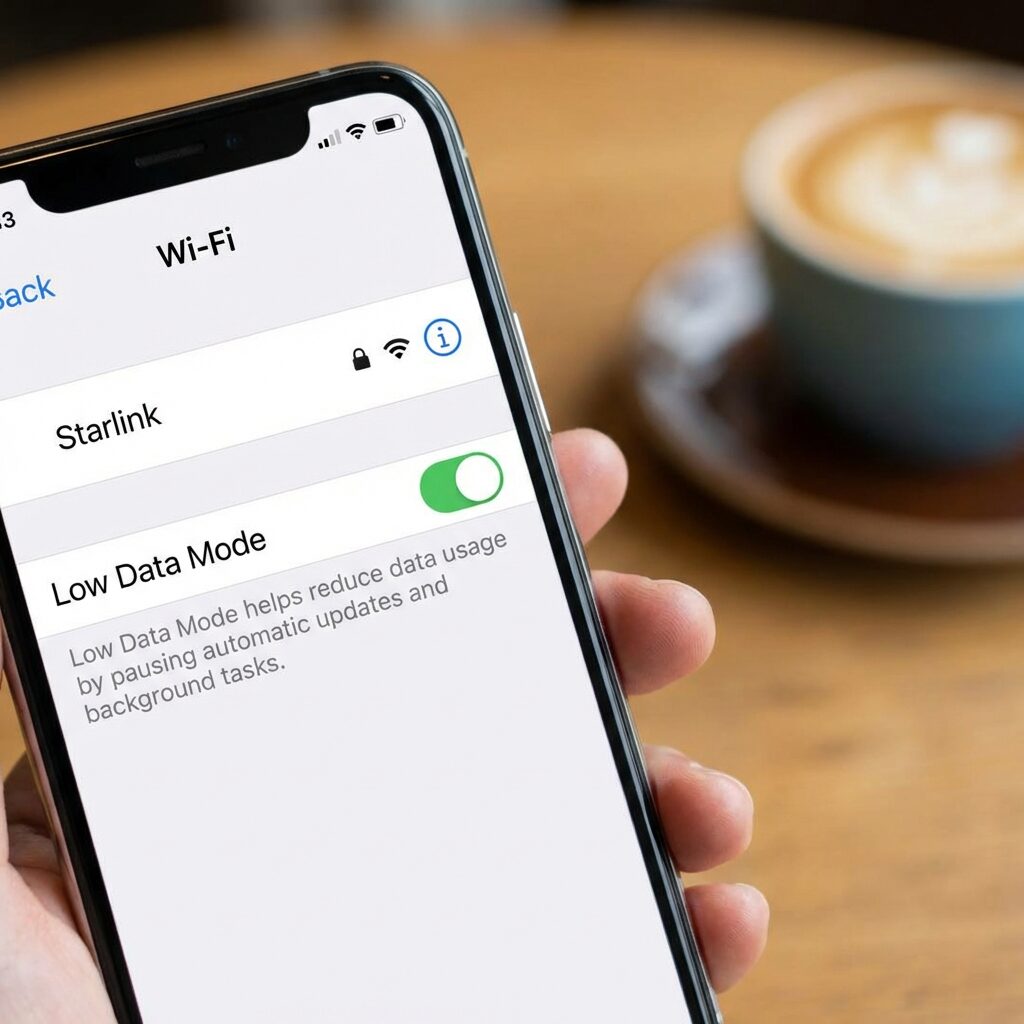
Open Settings and tap Wi-Fi.
Tap the Info button next to your Starlink network.
Turn on Low Data Mode.
The setting is saved for that network and syncs to your other Apple devices through iCloud, per Apple Support. Low Data Mode turns off automatic downloads and backups, pauses iCloud Photos updates, and turns off Background App Refresh.
Mac
Open System Settings, click Wi-Fi, click Details next to your Starlink network, and turn on Low Data Mode. Apple says the setting reduces data usage over that Wi-Fi network, per the Mac User Guide.
Windows 11
Open Settings, then Network & internet, then Wi-Fi. Select your connected Starlink network and turn on Metered connection, per Microsoft Support. The setting applies to that network only. On a metered network, Microsoft Store app downloads might pause and offline files might not sync. OneDrive also pauses sync on a metered network.
Android
Some Starlink data guides tell Android users to turn on Data Saver. That advice does not help on Starlink Wi-Fi. Google Pixel Help describes Data Saver this way: “This mode lets most apps and services get background data only via Wi-Fi.” Data Saver limits mobile data, so it leaves your Starlink Wi-Fi alone. Mark the Wi-Fi network as metered instead.
Open Settings, then Network & internet, then Internet.
Tap your connected Starlink Wi-Fi network.
Tap Network usage and choose Treat as metered.
Menu names vary by phone and Android version, per Android Help.
Streaming and Video Call Settings That Cut the Most Data
Netflix Medium quality uses up to 0.7 GB per hour, compared with up to 3 GB per hour for High quality in HD. Streaming apps on Auto pick the highest quality your connection allows, per Netflix Help, so a manual setting caps the drain. The figures below are per stream or per device. Video call rows are calculated upper bounds from vendor bandwidth specs, not measured use. This guide uses 1 GB = 1,000 MB, and Mbps means megabits per second.
Data per hour by activity and setting. Sources: Netflix Help, Zoom Support, Microsoft Learn, Google Workspace, YouTube Help, checked November 25, 2026. Calculated rows multiply vendor bandwidth (upload plus download) by one hour and are upper bounds.
Netflix, any device: Sign in on the Netflix website, go to Account, select your profile, then Playback settings, and choose Low or Medium, per Netflix Help. Netflix saves the setting per profile.
Netflix app on a phone: The Save Data option sits under App Settings, Video Playback, Cellular Data Usage, and Netflix lists it as a mobile data setting. Netflix does not say it limits streaming over Wi-Fi, so set the profile Playback setting above for Starlink Wi-Fi. Save Data runs about 6 hours per GB on cellular. Avoid Maximum Data, which can use 1 GB per 20 minutes or more.
YouTube: Video quality has separate settings for mobile networks and Wi-Fi, per YouTube Help. Set the Wi-Fi option to Data saver, which gives lower picture quality.
Zoom, Teams and Meet: Turn off your camera or join by audio when video is not needed. Meet audio uses 100 Kbps (kilobits per second) each way, per Google Workspace.
Meet also adjusts on its own. Google Workspace states, “If your network doesn’t have enough bandwidth, Meet lowers the video definition.” For choosing a streaming service on the road, see streaming options for RVers.
Stop Big Automatic Downloads Before You Boondock
Turning off automatic updates stops large downloads from landing mid-cycle on your Starlink plan. System updates for phones, computers and consoles are ordinary downloads that count toward your Roam data. The menu paths below are current for iOS, Windows 11 and PS5 as of November 2026 and can change with software versions. Apple, Microsoft and Sony each document the setting, starting with Apple Support for iPhone.
iPhone system updates: Settings, General, Software Update, Automatic Updates. Turn off Automatically Install. Automatically Download appears after that, and you can turn it off too.
iPhone app updates: Settings, Apps, App Store, then turn off App Updates, per Apple Support. On a Mac, open App Store, Settings, and turn off Automatic Updates.
Windows: A metered connection limits Windows Update to priority updates, per Microsoft Support. Use the Windows 11 steps in the device settings section above.
PS5 system software: Settings, System, System Software, System Software Update and Settings. Turn off Download Update Files Automatically and Install Update Files Automatically, per PlayStation Support.
PS5 games: Settings, Saved Data and Game/App Settings, Automatic Updates, then turn off Auto-Download.
Xbox: Check your console’s update settings before you rely on Starlink data.
Install updates on campground or home Wi-Fi before a Starlink-only stretch of boondocking (camping without hookups).
Data Budget Math: A Worked 30-Day Example
Two hours of HD Netflix a day can use up to 180 GB in a 30-day cycle. That total multiplies the up to 3 GB per hour HD figure from Netflix Help by 60 hours. This is a hypothetical worked example, not the authors’ own usage, and it covers one stream on one device. Swap in your own hours to see how your plan holds up.
Netflix High quality in HD, 2 hours a day for 30 days: up to 180 GB.
Netflix Medium, same 60 hours: up to 42 GB.
Zoom group calls at 720p, 20 hours in the cycle: about 40 GB, calculated from Zoom’s bandwidth figures. Real use is often lower.
The HD mix totals up to about 220 GB, which passes 100GB before any background use. The Medium mix totals about 82 GB, which leaves about 18 GB of a 100GB plan for everything else. Add background use you can measure in the Starlink app. The same viewing hours fit a 100GB plan at Medium quality and call for Roam 300GB or more at HD.
Is It Time to Change Plans? 100GB vs 300GB vs Unlimited
A bigger Roam plan helps only when your usage still reaches the cap after device fixes. Device settings cost nothing, and moving from Roam 100GB to Roam 300GB adds $25 a month at current prices. The prices below are US Roam prices as of November 2026, per Starlink’s Roam page, and they can change. Check your data usage in the Starlink app for a full cycle after the fixes, then decide.
Roam plan comparison. Sources: Starlink Roam page and Starlink Service Plan Descriptions, checked November 25, 2026. Confirm current details at starlink.com.
Plan
Price as of Nov. 2026
After the cap
Travel scope
Choose when
Roam 100GB
From $55/mo
Unlimited low-speed data for the rest of the cycle
Home country. US and Canada listed for US customers
The Starlink app shows you finish the cycle under 100GB after device fixes
Roam 300GB
$80/mo
Unlimited low-speed data for the rest of the cycle
Home country. US and Canada listed for US customers
You still reach 100GB before the cycle ends after device fixes
Roam Unlimited
$175/mo
No cap. Speeds not guaranteed, and network management applies
160+ countries and territories. Up to 30 consecutive days outside your registered country, per the Service Plan Descriptions
Your budget runs past 300GB, or you travel outside the US and Canada
Choose Roam 300GB when the Starlink app shows you reaching 100GB before the cycle ends, even after device fixes, and your worked budget lands under 300GB.
Choose Roam Unlimited when your worked budget runs past 300GB in a cycle, or you travel outside the US and Canada.
Choose cellular or campground Wi-Fi when you have a heavy streaming day and a usable signal. A cellular plan or campground Wi-Fi may carry the load and save Starlink data.
If you park for the off-season, Standby Mode pauses Roam for a small monthly fee, per Starlink’s Roam page. Starlink’s Service Plan Descriptions say Standby Mode includes unlimited low-speed data and is not intended for constant, in-motion or high-bandwidth use. Starlink may also require a fee or a plan change if you stay on Standby Mode for more than 12 consecutive months. Check the current Standby fee in your Starlink account before you pause.
Starlink’s Service Plan Descriptions say Roam plans are not permitted for business or enterprise use. Roam plans are for personal use per Starlink’s terms. Check the plan terms if you work on the road, and see our notes on working remotely while boondocking.
Existing customers change plans in their Starlink account. Current plan prices are on Starlink’s Roam page.
If you are not a Starlink customer yet and a capped Roam plan fits your travel after running these numbers, check current Starlink Roam availability and the referral offer. New customers who order an eligible Roam plan directly through this referral link may qualify for a Starlink reward. Check Starlink’s current offer and eligibility before ordering. Starlink sets the eligibility rules and can change them. Existing and returning Starlink customers are not eligible.
Referral disclosure: If you sign up for Starlink through our referral link, you may receive Starlink’s current referral benefit, and Boondock or Bust may receive a referral reward from Starlink. We are not affiliated with Starlink. Eligibility and terms are set by Starlink and can change.
Starlink Roam Data Usage FAQ
Why is my Starlink data going so fast?
The usual causes are streaming on Auto or high quality, high-definition video calls, automatic updates and photo backup. Your devices treat Starlink Wi-Fi like unlimited home internet unless you mark the network as metered or turn on Low Data Mode. Starlink also covers the topic in its Data Usage Best Practices help article.
What happens when I use up my Starlink Roam 100GB data?
Roam 100GB switches to unlimited low-speed data for the rest of your billing cycle, per Starlink’s Service Plan Descriptions. Starlink says low-speed data is not suitable for streaming, video calls or gaming. Unused data does not roll over. Starlink says it may send data usage alerts as a courtesy and does not guarantee them, per the same document. Check your usage in the Starlink app.
Do Starlink software updates count against my data?
Yes. Updates for your phones, laptops and consoles are ordinary downloads over your Starlink connection, so they count. Starlink also says your router may use about 1 to 5 GB a month for its own software updates and health monitoring, and that this counts toward your total, per Starlink Support. The Starlink router does not give a per-device usage breakdown. Open the Network screen in the Starlink app to look for devices you do not recognize, and check your total after a big device update.
How do I turn on Low Data Mode for Starlink on iPhone?
Open Settings, tap Wi-Fi, tap the Info button next to your Starlink network, and turn on Low Data Mode. The setting applies to that network only. Apple Support says Low Data Mode pauses iCloud Photos updates, turns off Background App Refresh, and turns off automatic downloads and backups.
Does Android Data Saver work on Starlink Wi-Fi?
No. Google Pixel Help says Data Saver lets most apps get background data only via Wi-Fi, so it limits mobile data, not your Starlink Wi-Fi. Instead, open Settings, then Network & internet, Internet, your Starlink network, Network usage, and choose Treat as metered. Menu names vary by phone maker.
How much data does a Zoom call use per hour?
A one-on-one Zoom call at 720p uses about 1.1 GB per hour, and a group call at 720p uses about 2 GB. Both figures are calculated from Zoom’s published bandwidth, so real use is often lower. An audio-only Google Meet call uses about 0.09 GB per hour by the same math.
Do speed tests use Starlink data?
A speed test works by moving data over your connection. Starlink says each speed test may use up to about 1 GB or more, depending on your speeds, and that speed test data counts toward your plan, per Starlink Support. Run tests only when you troubleshoot a problem. Watch your usage in the Starlink app instead of testing daily.
Should I switch from Roam 100GB to 300GB or Unlimited?
Switch only if the Starlink app still shows you reaching 100GB before your cycle ends after device fixes. As of November 2026, Roam 300GB costs $80 a month and Roam Unlimited costs $175, per Starlink’s Roam page. Unlimited has no cap, but speeds are not guaranteed. Change plans in your Starlink account.
Can I pause Starlink Roam when I’m not traveling?
Yes. Standby Mode pauses Roam for a small monthly fee, per Starlink’s Roam page. Standby includes unlimited low-speed data and is not intended for in-motion use, per Starlink’s Service Plan Descriptions. Starlink’s Roam page does not list the Standby fee, so confirm the current amount in your Starlink account.
About the Authors
Chuck and Cindy Price travel in a 2018 Hymer Aktiv Class B and use a Starlink Mini on the Starlink Roam plan. Chuck has more than 35 years of RV camping experience.
Starlink plans, prices and device menus change. Confirm current plan details at starlink.com and your device maker’s support site before you change settings or plans.
Full-time RV living in 2026 has no single price. Your monthly RV living expenses depend on fuel, camping style, insurance, mail, health coverage and internet. Fuel moved most this year. U.S. diesel averaged $6.529 a gallon in the EIA week of September 21, 2026.
Chuck Price runs Boondock or Bust. He and Cindy travel in a 2018 Hymer Aktiv Class B. Chuck has 35+ years of RV camping experience.
At a glance
Must-know: Fuel is the most volatile line. Diesel averaged $6.529 a gallon in the EIA week of September 21, 2026.
Trip killers: Unbudgeted health premiums and tires that age out before the tread wears down.
Best for: Readers building a line-item RV living budget before they commit.
Confirm before you go: Recheck EIA fuel prices, park fees and plan prices before you sign or sell the house.
Every price below is a list or published price checked on September 25, 2026, unless another date is shown. Prices change. Treat each figure as a starting point for your own budget.
Fuel: the line item that moved most in 2026
U.S. diesel averaged $6.529 a gallon in the EIA week of September 21, 2026. That is up $2.780 from $3.749 a year earlier, per the U.S. Energy Information Administration (EIA). Regular gasoline averaged $4.478 a gallon the same week, up $1.305 from $3.173. These are national retail averages across all U.S. stations. Regional prices differ, and the weekly average can shift from one week to the next.
Fuel math is simple once you know your rig’s real miles per gallon (mpg). The example below assumes 10 mpg. Use your own rig’s mpg.
Fuel cost per 1,000 miles at an assumed 10 mpg. Prices: EIA U.S. averages, week of September 21, 2026.
Fuel
Price per gallon
Gallons for 1,000 miles
Cost per 1,000 miles
Use it for
Diesel
$6.529
100
$652.90
Diesel motorhomes and tow vehicles
Regular gasoline
$4.478
100
$447.80
Gas Class A, B and C rigs
Many online RV budgets still quote diesel well below the current EIA figure. Check the EIA weekly page before you set your fuel line.
Campgrounds, memberships, dump and propane fees
BLM dispersed camping is free in most areas but generally capped at 14 days in 28. The Bureau of Land Management (BLM) says dispersed camping is “generally limited to 14 days within any 28-day period, though specific stay limits vary by state and field office” on its camping page. Most areas need no permit or reservation. After the limit, BLM says you must move to a new location, often at least 25 to 30 miles away. Our guide to boondocking on a budget covers how to stretch free nights.
Paid sites vary by state. Here are two official state examples as of September 2026.
Washington State Parks full-utility sites cost $46 to $56 a night in peak season (May 15 to September 15), per Washington State Parks fees. Shoulder season runs $41 to $51. Winter is $41. Standard sites run $31 to $43 in peak season.
Thirty peak nights at a Washington full-utility site cost $1,380 to $1,680.
Washington lists a trailer dump fee of $5 per use with a Discover Pass, per the same fee page. Ask at check-in whether your site fee covers the dump station.
Pennsylvania state park sites start at $16 a night for residents and $21 for nonresidents, per the Pennsylvania DCNR price list. Electric adds $7 and water and sewer add $14 per night.
A Pennsylvania nonresident full-hookup site costs $42 a weeknight. Friday, Saturday and holiday nights add $4.
Private parks cost more, and their rates rose in 2025. RoverPass reported 2025 average daily rates of $64.85 at small parks, $83.00 at medium parks and $95.00 at large parks in its 2026 industry report. Those rates rose 8.7%, 20.1% and 18.7% over 2024. The data covers RoverPass-booked parks for calendar 2025 and includes all site types, not only RV sites.
Memberships can cut nightly costs. Harvest Hosts list prices are $99 a year for Classic, $169 for Harvest Hosts plus Boondockers Welcome, and $179 for All Access, which includes an Escapees membership. We compare the clubs in Good Sam vs Harvest Hosts vs RVO. The America the Beautiful pass costs $80 for U.S. residents and $250 for nonresidents. Seniors pay $20 a year or $80 for a lifetime pass. Our America the Beautiful pass guide explains what it covers.
Propane is harder to price. The EIA residential propane average was $2.674 a gallon on March 30, 2026, per EIA heating fuel data. That is a home delivery price, not an RV cylinder refill price. EIA paused this series until October 2026.
Stay limits and fees change. Verify them with the land agency or park before you go.
RV insurance for full-timers
Progressive’s average motorhome policy cost $1,052 a year in its 2024 data. The average travel trailer policy cost $594 a year, per Progressive’s RV insurance cost page. Liability-only motorhome coverage starts at $125 a year. These averages cover Progressive customers only, and Progressive does not publish the sample size.
Full-timers may need more coverage. Progressive says that if “your RV is your permanent residence (you live in it six or more months out of the year), you may need to purchase additional coverages” such as personal liability, medical payments and loss assessment. Get quotes that match how many months you live aboard. Our guide to what RV insurance you really need walks through each layer. Zoning decides how long someone can live in a camper on your land, and the limits vary by county.
Mail forwarding and domicile
A full-timer needs a legal address. Entry personal mail plans for South Dakota, Texas and Florida domiciles cost about $160 to $250 a year before postage. Business plans cost more. Prices below are as of September 2026.
RV mail forwarding prices as of September 25, 2026. Sources: each provider’s pricing page.
The Escapees first-year minimum is $159.95, which is $49.95 membership plus $110 mail service. Add the $50 postage deposit. Escapees offers domicile in Texas, Florida or South Dakota, per its mail forwarding benefits page.
Your domicile state also sets vehicle costs. South Dakota charges a 4% motor vehicle excise tax on the purchase price and a $10 title fee, per the South Dakota Department of Revenue. Motorhome registration is priced by weight and year on its fee schedule.
Maintenance, tires and the repair reserve
Tires age out before they wear out on many RVs. The National Highway Traffic Safety Administration (NHTSA) states on its tire safety page: “Some vehicle and tire manufacturers recommend replacing tires that are six to 10 years old, regardless of treadwear.” Consumer Reports advises replacing RV tires at 10 years from manufacture, or sooner if your owner’s manual says so. Check the date code on every tire, including the spare.
For a general repair reserve, one dealer offers a rule of thumb. Sun Camper RVs suggests budgeting “1% to 3% of the vehicle’s total purchase price each year” in its maintenance budget post. The dealer cites no source for that range. As an example only, an $80,000 rig at 1% to 3% works out to $800 to $2,400 a year. That is about $67 to $200 a month. Our breakdown of Class B RV maintenance costs goes deeper for van-sized rigs.
The cost of an RV to live in also includes depreciation. Buying used shifts the steepest depreciation to the prior owner. Check J.D. Power RV values for the model you want before you buy.
Setup gear is a separate first-year cost. Common items include:
Surge protector
Water pressure regulator and fresh water hoses
Sewer kit
Tire pressure monitoring system (TPMS)
Leveling blocks
Battery bank or solar upgrade for boondocking
Internet: cellular hotspot vs Starlink cost line
Entry plans for a hotspot line and Starlink Roam sit in the same monthly range. Verizon’s prepaid 100 GB hotspot plan costs $80 a month, per Verizon’s data-only plans page. Starlink Roam 100GB starts at $55 a month, per the Starlink Roam page. Coverage and data caps decide which fits. Prices are as of September 2026.
RV internet monthly cost lines as of September 25, 2026. Sources: Verizon prepaid plans page, Starlink Roam page.
Plan
Monthly price
After the cap
Fits when
Verizon prepaid hotspot 100 GB
$80
3 Mbps on 5G Ultra Wideband, 600 Kbps on 5G/4G LTE
Your routes have Verizon coverage
Verizon prepaid hotspot 150 GB
$100
Same reduced speeds
You need more data with good coverage
Starlink Roam 100GB
From $55
Unlimited low-speed data, no rollover
Light use, about one week of typical use per Starlink
Starlink Roam 300GB
$80
Unlimited low-speed data, no rollover
Remote camping with moderate data use
Starlink Roam Unlimited
$175
No cap
Heavy use in remote areas
Both options carry limits. Weigh these before you pick one.
A hotspot line can cost less when your routes have coverage and your data fits under the cap.
Starlink needs clear sky. The Starlink Mini has a 110-degree field of view, per its specification sheet. Trees and canyon walls cause dropouts.
The Mini draws 25 to 40 watts on average, per the same sheet. That load matters when you run on batteries and solar.
Hardware is an upfront cost. Check the current kit price at checkout.
Roam 100GB and 300GB drop to low-speed data after the cap, with no rollover. Starlink’s Service Plan Descriptions say low-speed data does not suit streaming, video calls or gaming.
Starlink says speeds are not guaranteed and slow during congestion.
Roam is for personal use. Starlink’s terms do not permit business or enterprise use on Roam.
In-motion use is supported on Roam only in select areas. A Standby Mode is available for a small monthly fee.
Referral disclosure: If you sign up for Starlink through our referral link, you may receive Starlink’s current referral benefit, and Boondock or Bust may receive a referral reward from Starlink. We are not affiliated with Starlink. Eligibility and terms are set by Starlink and can change.
Health coverage before Medicare
Marketplace benchmark premiums averaged $625 a month for a 40-year-old in 2026, before subsidies. That is up from $497 in 2025, per KFF benchmark premium data. The benchmark is the second-lowest-cost silver plan, weighted by county. In the three common domicile states, 2026 benchmarks were $683 in Florida, $661 in Texas and $655 in South Dakota.
Subsidies change the net cost. The Association of State and Territorial Health Officials (ASTHO) reported that the enhanced Affordable Care Act (ACA) tax credits expired at the end of 2025, with no extension enacted as of January 20, 2026, in its legislative update. Check HealthCare.gov for current subsidy rules. Your plan network depends on your domicile state. Check whether a plan covers care outside your home area before you enroll.
Build your 2026 RV living budget
A realistic RV living budget is built line by line, not copied from someone else’s total. Use the reference figures below, then fill in your own number for each line. The table skips a grand total because your fuel, camping and health lines drive the result.
2026 RV living budget worksheet. Figures as of September 25, 2026, unless noted. Sources linked in each section above.
Cost line
2026 reference figure
Source
Your number
Fuel
Diesel $6.529/gal, regular $4.478/gal. Divide your monthly miles by your mpg.
EIA, week of Sept 21, 2026
Camping
BLM dispersed free in most areas. WA full-utility $46 to $56 peak. PA nonresident full hookup $42 weeknight. Private park 2025 averages $64.85 to $95.00.
BLM, WA State Parks, PA DCNR, RoverPass (2025 data)
Memberships
Harvest Hosts $99 to $179 a year. America the Beautiful pass $80 resident.
Harvest Hosts, NPS
Insurance
Motorhome average $1,052 a year. Travel trailer $594.
Progressive (2024 data)
Mail and domicile
About $160 to $250 a year plus postage. SD 4% excise tax on vehicle purchase.
Mail providers, SD Department of Revenue
Maintenance reserve
1% to 3% of purchase price a year (one dealer’s guideline). Tires at 6 to 10 years.
Benchmark $625 a month at age 40 before subsidies.
KFF (2026)
Propane
Residential $2.674/gal on March 30, 2026. Seasonal, not a cylinder price.
EIA
These are not your only motorhome living expenses. Add food, phone, entertainment and any RV loan payment from your own records.
One worked example, not an average
Here is one month built only from the table rows above, with the assumptions shown. A diesel rig that drives 1,000 miles at 10 mpg spends $652.90 on fuel. Thirty peak nights at a Washington full-utility site cost $1,380 to $1,680. Insurance at the Progressive 2024 motorhome average is $88 a month. Mail service runs $13 to $21 a month across the four providers. A 1% to 3% reserve on an $80,000 rig is $67 to $200. Internet is $55 to $175 on Starlink Roam. The KFF benchmark for one 40-year-old is $625. That example totals about $2,880 to $3,440 a month before food, propane, phone, campground taxes and any loan payment. Change any row and the total moves with it.
RV living tends to make financial sense when
You would otherwise pay high rent in a high-cost area.
You buy used and the rig is mechanically sound.
You plan to boondock most nights.
You hold emergency reserves for major repairs.
You price every cost line before you commit.
RV living tends to be financially risky when
You finance a new rig with a small down payment.
You expect resort-style parks at budget prices.
You lack mechanical skills or an emergency fund.
You expect the move to fix an existing budget shortfall.
Frequently asked questions
How much does full-time RV living cost per month in 2026?
No single number fits every RVer. Build your budget from line items. As of September 2026, diesel averaged $6.529 a gallon in the EIA week of September 21. The KFF 2026 marketplace benchmark was $625 a month for a 40-year-old. A Washington State Parks full-utility site ran $46 to $56 a night in peak season. Use the worksheet above.
How long can you camp for free on BLM land?
Most Bureau of Land Management dispersed camping is limited to 14 days in any 28-day period, per the BLM camping page checked in September 2026. Specific limits vary by state and field office. After the limit, you move to a new area. Verify current stay limits with the local BLM field office before you go.
How much does RV mail forwarding cost?
Entry personal plans run about $160 to $250 a year as of September 2026. Escapees charges $110 plus a $49.95 membership. Americas Mailbox starts at $169.99 plus a $25 setup fee. St. Brendan’s Isle charges $13.99 a month. Good Sam Mail Service costs $249 a year. Postage is extra with every service.
How often should RV tires be replaced?
NHTSA says some vehicle and tire manufacturers recommend replacing tires that are six to 10 years old, regardless of treadwear. Consumer Reports advises replacing RV tires at 10 years from manufacture, or sooner if the owner’s manual says so. Check the date code on each tire, including the spare, before every season.
Is Starlink cheaper than a cellular hotspot for RVers?
On monthly price alone, Starlink Roam 100GB starts at $55 and a Verizon prepaid 100 GB hotspot costs $80, as of September 2026. Starlink hardware is extra and needs clear sky. Both plans slow down after the cap. Our RV internet guide compares Starlink and 5G setups for different routes.
What does RV insurance cost for full-timers?
Progressive’s 2024 data shows an average motorhome policy of $1,052 a year and a travel trailer policy of $594. Progressive notes that full-timers who live in an RV six or more months a year may need additional coverages. Get quotes from several insurers that reflect how you actually live aboard.
Is it cheaper to live in an RV than to rent?
It depends on your camping style, travel pace and fuel costs. Frequent boondocking and slow travel keep costs down. Private parks and long drives push them up. Health coverage, insurance and repairs apply either way. Fill in the budget worksheet with your own numbers and compare the total with your current rent.
Your next step
Open the EIA weekly fuel page and your target state park fee page today. Enter those two numbers in the worksheet first, since fuel and camping swing the most. Then price health coverage on HealthCare.gov for your chosen domicile state.
Land access, permits, road conditions, and site availability change. Verify all information with the relevant land management agency before your trip.
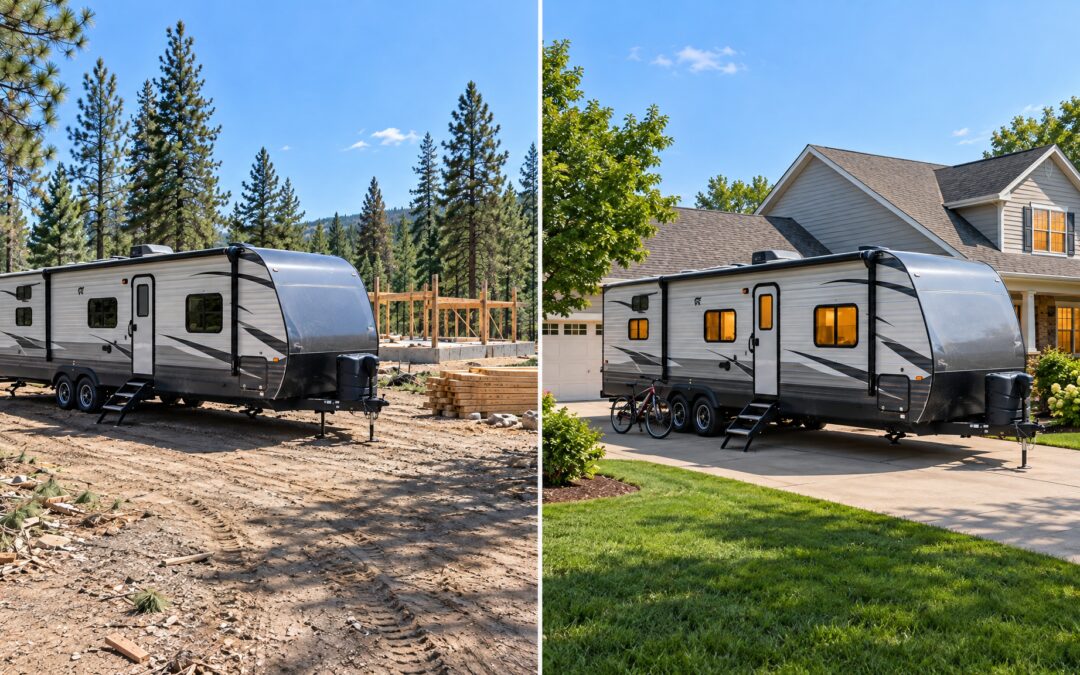
A county or city zoning code usually sets the limit, not state law. Loomis, California lets a visitor stay up to two weeks a year. Banks County, Georgia treats RV occupancy of 90 days or more as permanent and bans it. Ask your local planning office before anyone moves in.
Legal sources verified as of November 27, 2026.
Chuck Price has 35+ years of RV camping experience and travels in a 2018 Hymer Aktiv Class B. He is not an attorney, and this page is general information, not legal advice.
The short answer
Must-Know: Your county or city zoning code usually sets the limit. Oregon and Florida add narrow statewide rules.
Trip Killers: Hooking up utilities where the code bans it, collecting rent without checking tenant law, and locking someone out.
Best For: Owners hosting a short family or friend visit where the local code allows it.
Confirm Before You Go: Get the code section and any permit in writing from your county or city.
How Long Can Someone Live in a Camper on My Property?
A local zoning code sets the time limit for living in a camper on your property. Limits range from short visitor caps to outright bans. Your county or city rule controls, and the examples below are not your rule. The Town of Loomis, California lets a visitor stay in a trailer or RV for up to two weeks a year, but not long term.
Banks County, Georgia goes further. Banks County Code Section 51-31 states, “No recreational vehicle shall be permanently occupied nor connected to water or electrical power.” The county counts RV occupancy of 90 days or more as permanent. Both local rules were checked as of November 27, 2026.
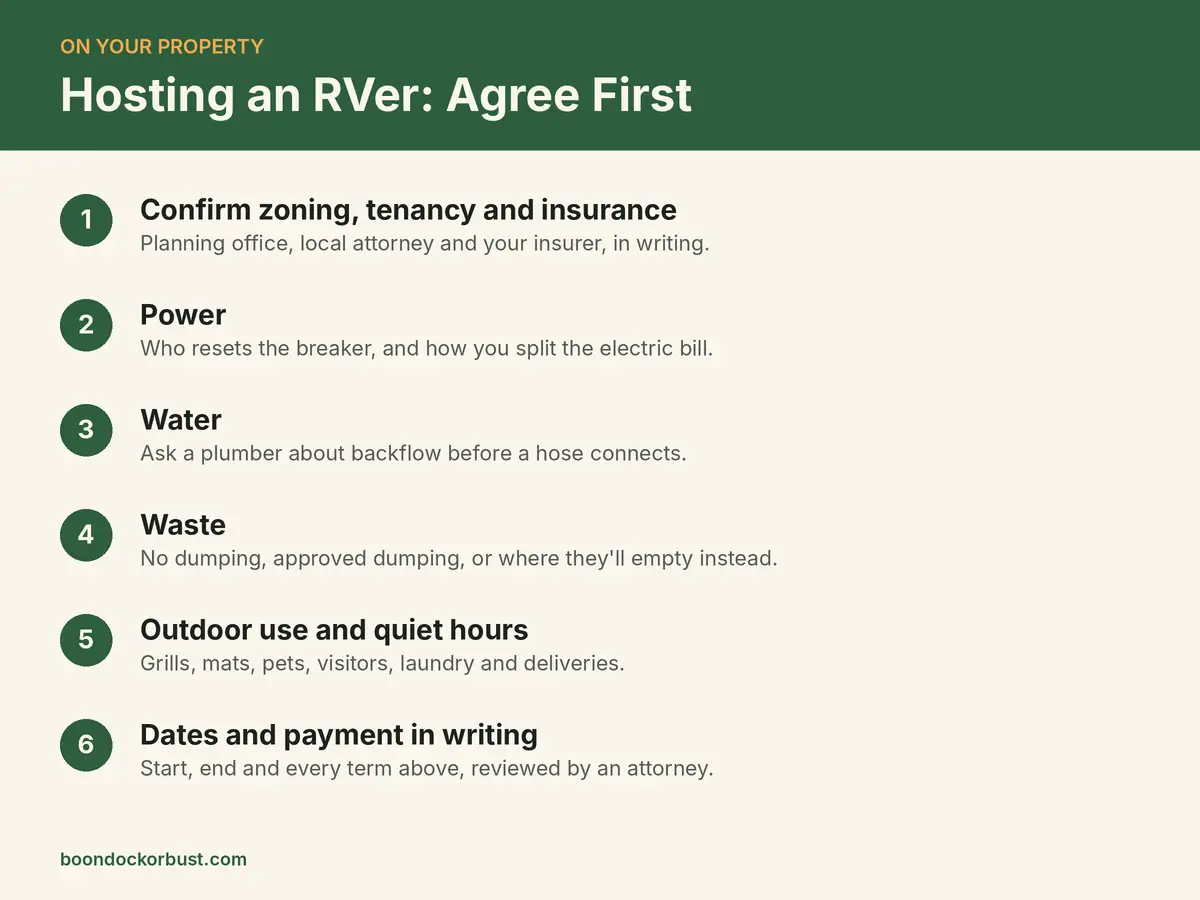
Ask your planning office these questions before a stay starts:
Which code section governs living in an RV on your parcel?
How does the code count days: consecutive, cumulative or per year?
Can a stay be renewed or extended, and on what terms?
Does connecting the RV to water or power change the answer?
For other RV topics, from power to overnight stops, browse the RV resources library.
Is It Legal to Live in a Camper on Your Own Property?
Owning the land does not make living in a camper on it legal. Local zoning decides which uses a parcel allows. Federal rules define what an RV is. The U.S. Department of Housing and Urban Development (HUD) rule at 24 CFR 3282.15(b) defines an RV as “Designed only for recreational use and not as a primary residence or for permanent occupancy” in its federal manufactured-home exemption.
HUD published that definition as a final rule in the Federal Register, and the rule took effect January 15, 2019. The rule governs federal manufactured-home regulation. It does not grant or deny permission to live in an RV on a specific lot.
Where the RV sits on the lot may not change the answer. Banks County, Georgia applies its ban on permanent occupancy to every RV “regardless of location.” Ask your planning office whether your code treats a driveway differently from a backyard.
Homeowners association (HOA) rules are a separate question. Ask about living in the RV, not only parking it. Florida’s HOA law, Fla. Stat. 720.3045, covers storing an RV out of view and says nothing about living in it, as of November 27, 2026.
Public land follows different rules. For camping on Bureau of Land Management (BLM) land, see the camping rules on BLM land.
What States Allow You to Live in an RV on Your Property?
No state we checked grants a general right to live in an RV on your own property. Oregon and Florida have narrow statewide rules, and neither is a blanket permission. Both still run through local government. Oregon counties must opt in, and Florida’s rule limits what counties and cities may ban. The rows below cover only statutes verified as of November 27, 2026. This is not a 50-state list, and silence in a state’s statutes does not mean RV living is allowed there.
The Oregon Legislature’s summary of Senate Bill 1013 says the bill “Permits counties to allow certain rural homeowners to site one recreational vehicle on their property.” It became Oregon Laws 2023, Chapter 295, codified as ORS 215.490. Under the enrolled text, an RV sited this way is not subject to the state building code. Section 2(2)(c) of the enrolled text also requires that “There are no other dwelling units on the property.” Each county must opt in. Deschutes County adopted its rules on May 7, 2025.
Hawaii’s statute is narrow. HRS 291C-112 bars living in a vehicle on public property between 6:00 p.m. and 6:00 a.m. It also bars living in a vehicle on private property without the owner’s or occupant’s authorization. The statute does not address living in an RV on your own land, so check county zoning there.
Statewide rules on living in an RV on private property. Sources: each state’s legislature website. Verified November 27, 2026. Not a 50-state list.
State
What the statewide rule does
Limits
Source
Verified
Oregon
Oregon counties may allow one RV, used as a rental residence, on certain rural lots.
Rural residential zoning. The owner lives in the house on site as a primary residence. No other dwelling units on the property, and no part of the house rented as a residential tenancy. No vacation or short-term use. The tenant owns or leases the RV. The county may require a written rental agreement. The county must opt in.
Florida counties and cities may not ban one temporary shelter, including an RV, on residential property.
Only after a Governor’s natural-emergency declaration, with the home uninhabitable and a good faith effort to rebuild. Up to 36 months or until a certificate of occupancy. Water and electric must be connected.
Florida HOAs may not bar storing an RV that cannot be seen from nearby.
Applies when the RV is not visible from the frontage, an adjacent parcel, a common area or a community golf course. Storage only, not occupancy. Yields to general law and local ordinance. Enacted 2023, amended 2024.
All other states, including Pennsylvania, Indiana and Michigan
In these states, the county or city sets the rule on living in an RV.
No statewide statute found in our check. Ask your local planning office.
None found
Nov. 27, 2026
Can a Family Member Live in a Camper on My Property?
Check your code for a family exception before a relative moves in. Neither local rule on this page names one. The Town of Loomis, California sets its two-weeks-a-year cap for “someone” who visits. North Carolina has a separate caregiver-structure law, and it does not mention RVs, as of November 27, 2026.
North Carolina’s G.S. 160D-915 covers temporary family health care structures for one impaired occupant. Each structure must meet the North Carolina State Building Code. It can have no more than 300 gross square feet. The statute text does not mention RVs.
Chuck and Cindy have moochdocked at two friends’ houses, for about a week at each. Moochdocking means staying in your RV at a friend’s or relative’s home. Run the same local check whether the host is a friend or a parent. Whether a rent-free stay creates a tenancy is a state-law question, covered in the tenancy section below.
Can a Camper Be a Permanent Residence or a Home While You Build?
Plan on a permit or a statutory exception before you use a camper as a home. The federal definition above frames an RV as recreational, not a primary residence. Local answers differ. St. Johns County, Florida says RV campers and fifth wheels “are recognized as motor vehicles and are not permitted for living purpose.” Deschutes County, Oregon allows an RV as a temporary residence while you build a home, under county code DCC 18.116.080.
The Deschutes RV must be removed within 18 months of the building permit or two months after final inspection, whichever comes first. Both county rules were checked as of November 27, 2026.
Florida has a statewide exception, but it applies only after a declared natural emergency. Under Fla. Stat. 125.023, a county may not prohibit one temporary shelter on residential property after the Governor declares a natural emergency.
Florida’s Section 166.0335 applies the same rule to cities. A temporary shelter includes an RV, a trailer or a similar structure. The protection lasts up to 36 months after the declaration, or until a certificate of occupancy issues, whichever comes first. Both statutes were verified as of November 27, 2026.
The Florida rule applies only when all of these are true:
The Governor has declared a state of emergency for a natural emergency.
The home on the property was made uninhabitable.
The resident makes a good faith effort to rebuild or renovate the damaged home.
The shelter is connected to water and electric utilities and does not threaten health and safety.
The resident lives in the shelter.
Outside that rule, ask your planning office for a temporary-use permit by name. Get its duration and renewal terms in writing before you move in.
Does Someone Living in a Camper on My Property Become a Tenant?
Our check found no general rule that a guest becomes a tenant after 30 days. Tenancy is a state-law question, so check your own state’s statute. The 30-day figure has a narrow source. New York’s Real Property Actions and Proceedings Law (RPAPL) 711 applies its tenant language to a rooming-house occupant or hotel resident “who has been in possession for thirty consecutive days or longer.” The RPAPL 711 text was verified as of November 27, 2026.
The statute does not create a national 30-day guest rule. It names rooming houses and hotels, not a friend’s camper in your yard.
Oregon’s RV law works the other way and requires a tenancy. Under ORS 215.490, the RV must be used as a residence under a residential rental agreement. The statute calls the occupant a tenant.
Treat any stay with rent or exclusive use as a possible tenancy. New York’s court-only removal rule in RPAPL 711 covers a “lawful occupant” as well as a tenant. Do not assume a rent-free guest falls outside it. Have a local attorney review the arrangement before it starts.
How Do You Remove Someone Living in a Camper on Your Property?
Use the court process to remove someone, not self-help. Do not change the locks or cut off utilities to force someone out. Procedure varies by state, and the examples here are Michigan and New York as of November 27, 2026. The Michigan courts’ landlord-tenant benchbook quotes the Michigan Court of Appeals in Deroshia v Union Terminal Piers (1986): “Instead the landlord must, on refusal of the tenant to surrender the leased premises, resort to judicial process.”
Michigan’s MCL 600.2918 treats these acts as unlawful interference with possession:
Removing, keeping or destroying the occupant’s belongings.
Changing the locks.
Cutting off essential utilities.
In New York, RPAPL 711 says a tenant or lawful occupant of a dwelling can be removed only through a court special proceeding.
Talk to a local attorney before you act.
Running a camper without a full hookup? Our RV power options guide shows how to size your daily amp-hour need and compares a lithium battery bank, a power station and a generator.
What Should You Settle Before Hosting an RVer on Your Property?
Put power, water, waste, outdoor use, insurance and the end date in writing before the RV parks. Do this after the zoning and tenancy checks above. The National Association of Insurance Commissioners (NAIC) warns, “Most homeowners or dwelling insurance policies are not designed to cover accidents arising from short-term rentals.” That guidance covers home sharing and short-term rentals, not RV hosting specifically.
Ask your insurer in writing whether a guest RV on your property is covered.
Power
Not every guest needs a plug. Chuck’s 2018 Hymer Aktiv carries two 300 amp-hour (Ah) lithium batteries and 250 watts of roof solar. It runs several days on basics between charges. If a guest asks for a hookup, decide how you will measure or split electricity use. Ask a licensed electrician before you offer a hookup.
Water
Agree on whether water is included and how much use is reasonable. Chuck’s Hymer holds about 30 gallons of fresh water, and he and Cindy usually fill it for free.
Waste
Say clearly whether you allow any dumping on your property, into a septic cleanout, or none at all. If the answer is none, ask how the guest plans to empty tanks. Guests can find a nearby dump station. Check with your local health department before you allow any RV wastewater on the ground or into a septic system.
Chuck’s Hymer has a cassette toilet. He and Cindy empty it at porta-potties and public restrooms, so they rarely pay dump fees. Check the site’s rules first, since some places do not allow cassette dumping.
Outdoor use and scope
Write down what can go outside: chairs, mats, grills, laundry, fire pits and pets. Set quiet hours and say whether guests can have visitors. Decide now whether the stay includes your bathroom, laundry or package deliveries.
Departure date and a written agreement
Put the start date, end date, payment and every term above in a written agreement. Have a local attorney review the agreement, as covered in the tenancy section above.
Location on the lot may not change the answer. Banks County, Georgia applies its ban on permanent RV occupancy “regardless of location” and treats 90 days or more as permanent, as of November 27, 2026. Ask your planning office whether your code treats a driveway differently from a backyard. Confirm with your county or city before anyone moves in.
Can I live in an RV on my parents’ property?
Check your local code for a family exception first. The Town of Loomis, California sets its two-weeks-a-year cap for “someone” who visits and names no family exception, as of November 27, 2026. Whether a rent-free stay creates a tenancy depends on your state’s law. Confirm with your county or city before anyone moves in.
How long can someone live in a camper on my property in NC?
We found no statewide North Carolina statute on living in an RV on private property, as of November 27, 2026. Your county or city sets the rule. The state’s caregiver-structure law, G.S. 160D-915, requires State Building Code compliance and does not mention RVs. Confirm with your county or city before anyone moves in.
How long can someone live in a camper on my property in Florida?
We found no general statewide time limit in Florida, as of November 27, 2026. After a Governor’s natural-emergency declaration, Fla. Stat. 125.023 bars counties from banning one temporary RV shelter for up to 36 months if the home is uninhabitable and the owner is rebuilding. HOA storage law is separate. Confirm with your county or city before anyone moves in.
Is it illegal to live in a camper on your own property?
It is usually a local zoning question, not a statewide ban. Hawaii’s statute, HRS 291C-112, covers public property and private property without the owner’s or occupant’s authorization, as of November 27, 2026. Federal rules define RVs as recreational, not primary residences. Confirm with your county or city before anyone moves in.
How do you evict someone living in a camper on your property?
Use the court process. In Michigan, MCL 600.2918 treats changing locks, removing belongings or cutting essential utilities as unlawful interference, as of November 27, 2026. New York requires a court special proceeding to remove a tenant or lawful occupant. Talk to a local attorney before you act. For future guests, confirm with your county or city before anyone moves in.
Can a camper be a permanent residence?
A federal rule defines an RV as designed for recreational use, not as a primary residence, under the HUD rule in the Federal Register. Your county or city decides whether any local exception applies. Oregon’s county option and Florida’s post-disaster rule are narrow statewide exceptions, as of November 27, 2026. Confirm with your county or city before anyone moves in.
Can you live in a camper on your property in PA?
We found no statewide Pennsylvania rule on living in a camper on private property, as of November 27, 2026. Your township, borough or county zoning code decides. That is a research finding, not a legal ruling. The state rules table lists the few statewide rules we verified. Confirm with your county or city before anyone moves in.
Next step: Call or email your county or city planning office. Ask for the code section that governs living in an RV on your parcel and any required permit, and get both in writing before anyone moves in.
Sources and verification scope
All sources accessed November 27, 2026. Each rule applies only to its stated jurisdiction.
Zoning codes, statutes and permits change. Confirm the current rule with your county or city before anyone moves in. This page is general information, not legal advice.
Last updated: | Author:Chuck Price, 35+ years of RV camping and boondocking, featured on CBC Radio’s Cost of Living.
A first-person look at the America the Beautiful Senior Pass, AARP, Good Sam, KOA Rewards, Escapees, Passport America and state park senior programs for the 2027 season. Every price was read at its source on November 26, 2026.
Quick answer
Must-know: The America the Beautiful Senior Pass costs $80 for life or $20 a year for U.S. citizens and permanent residents 62 and older. The National Park Service says it “may provide a 50 percent discount on some amenity fees” such as camping.
Biggest money losers: A membership whose campgrounds are not on your route, a discount that only applies on certain nights, and dues for a card that lists no campground discount.
Best for: Campers 62 and older who pay federal campground fees, plus one campground program matched to where they travel.
Confirm before you buy: Prices and rules change. Recheck each one at the linked source before you join, renew or book.
Why the Math Matters More Than the Marketing
A discount percentage means little until you set it against the nights you will use it. The America the Beautiful Senior Pass may take 50 percent off some federal camping fees. Passport America gives members 50% off the nightly rate at participating campgrounds. Good Sam lists 10% off at Good Sam Campgrounds. AARP lists hotel, car rental and cruise discounts but no campground program.
I have camped for more than 35 years, first in a pop-up camper, then in a Class C, and since 2022 in a Class B van. Of the memberships covered here, AARP is the only one I have held, and I carry the America the Beautiful Senior Lifetime Pass. So the pass section draws on my own use. I have used its camping discount at Seawall Campground in Acadia National Park. The National Park Service Seawall page lists $30 for drive-up tent, camper and motor home sites, read November 27, 2026. Half of that is $15 a night. I do not have the receipt from my own stay, so that is today’s listed rate, not what I paid. The membership sections report what each program publishes.
This is not a roundup of everything labeled a senior discount. It shows each program’s published price and benefit, then the arithmetic, so you can run it against your own nights.
A note on boondocking. When this guide says boondocking, it means camping without hookups, often dispersed camping on public land. A pass or membership saves nothing on a night with no fee. New to it? Start with our boondocking guide.
The America the Beautiful Senior Pass: $80 for Life, $20 a Year
U.S. citizens and permanent residents ages 62 and older can buy an annual Senior Pass for $20 or a lifetime version for $80, per the National Park Service. Applicants must provide documentation of age and residency or citizenship. NPS says the Senior Pass “may provide a 50 percent discount on some amenity fees charged for facilities and services such as camping, swimming, boat launch, and specialized interpretive services.” It “generally does NOT cover or reduce special recreation permit fees or fees charged by concessioners.”
The USGS Store says the pass covers sites managed by six federal agencies:
National Park Service (NPS)
USDA Forest Service
Bureau of Land Management (BLM)
U.S. Army Corps of Engineers (USACE)
Bureau of Reclamation
U.S. Fish and Wildlife Service
USGS adds that “at many sites the Senior Pass provides the pass owner a discount on Expanded Amenity Fees (such as camping, swimming, boat launching, and guided tours).” Many is not all, so check the fee page for the campground you plan to use.
Breakeven illustration (your fees will differ)
Lifetime pass: $80
Example fee: a $20 federal campsite where the 50 percent discount applies saves $10 a night
Breakeven: $80 divided by $10 equals 8 nights
A $30 site saves $15 a night and takes 6 nights. Use the fees at the sites you book.
For the pass-by-pass breakdown, including the military, veterans and Access passes and Corps of Engineers specifics, see our America the Beautiful pass guide.
What the Senior Pass does not cover
Special recreation permit fees and fees charged by concessioners, in general (NPS).
State parks and local city or county sites. USGS says the Senior Pass “is valid only at participating Federal recreation sites.”
A second vehicle at the entrance. USGS says, “Only the vehicle with the pass owner is covered.”
Bring photo identification with the pass. USGS says it “will be requested to verify pass ownership.”
Annual pass or lifetime pass
The annual pass costs $20 and the lifetime pass costs $80. Starting with the annual pass does not cost you more in the end if you keep your old passes. USGS says Senior Annual Passes “may be upgraded in person at any time to a Senior Lifetime Pass” at these rates:
One annual pass plus $60
Two annual passes plus $40
Three annual passes plus $20
Four annual passes plus $0
USGS says to save your passes “even if they are expired.”
Where to buy it
Buy it in person at a participating federal recreation site or office, or order it from the USGS Store (pages for the lifetime pass and the annual pass). The store adds fees totaling $12.50 to either pass, so the lifetime pass costs $92.50 and the annual pass $32.50 delivered. NPS says online orders “may take up to three weeks to be processed and delivered.”
If you mostly boondock on free land
The pass discounts fees. On a night with no fee, it saves nothing. It earns its cost on the nights you pay a federal campground fee where the discount applies. Count those nights before you buy. For how BLM land and dispersed camping work, see our BLM camping guide.
RV Membership Costs for 2027: AARP, Good Sam, KOA Rewards, Escapees, Passport America and AAA
A membership pays off only when the savings on nights you really book exceed the dues. Each price and benefit below is the provider’s own published figure, read on November 26, 2026. Canadian travelers see different park lists and should check our Canadian camping membership guide.
RV membership prices and camping benefits, checked November 26, 2026
50% off the nightly rate at participating campgrounds
3 nights ($20 a night)
Each campground sets its own rules, including how long you can stay at the discount
AAA
Sold through regional clubs. No single price to quote
No national campground discount confirmed. KOA says it does not offer AAA discounts
Not calculated
Ask the campground before counting on an AAA rate
*Illustration only. It assumes a $40 nightly rate where the discount applies in full, and it rounds up to whole nights. Fuel and other benefits are not counted. Your rate and your eligible nights will differ.
AARP: a travel card, not a camping discount
AARP membership costs $20 a year, or $15 the first year with automatic renewal (aarp.org). AARP’s travel benefits page lists car rentals, cruises, flights, hotels and rail. It lists no campground or RV park program. KOA names AARP among the programs most KOA campgrounds do not discount. AARP is the one membership in this guide that I have held, so I will say it plainly. Do not buy it for campsite discounts.
Good Sam: the fuel discount can cover the dues
Good Sam Standard costs $39 a year (goodsam.com/club). It lists 10% off the nightly rate at Good Sam Campgrounds. Standard and Elite members also get 10 cents off per gallon of gas or diesel at Pilot Flying J (Good Sam Rewards). At 10 cents a gallon, 500 gallons saves $50, which is more than the Standard dues. Skip it if you do not stay at Good Sam Campgrounds or fuel at Pilot Flying J.
KOA Rewards: for KOA stays only
KOA Rewards costs $39 a year and gives 10% off the daily registration rate at more than 500 KOA locations. KOA says most of its campgrounds do not discount for AAA, AARP or Good Sam, so this is the card that works at KOA.
Escapees RV Club: 15% to 50% at partner campgrounds
Escapees costs $49.95 a year (escapees.com). The club says members save 15% to 50% on camping fees at over 1,100 partner campgrounds. Membership also gives access to the club’s mail service. Check that service’s own cost if you need it. Find out which discount the campgrounds on your route give before you count on the high end.
Passport America: 50% with campground rules
Passport America showed a one-year membership at $49 on November 26, 2026 (join page). Members receive 50% off the nightly rate at participating campgrounds. The club’s own tips page says, “Each campground has their own set of rules.” It says some parks allow the discount for a month, some for a week, some for a few nights and some for one night. The discount does not apply to additional services. Read each campground’s listing before you plan around it.
AAA: check your own club
AAA membership is sold through regional clubs, so this page quotes no single price or campground benefit. KOA’s help page says, “KOA does not offer AAA discounts.” Ask any campground directly before you count on an AAA rate.
To keep it straight as you read on: the Senior Pass covers federal sites, one membership matched to your route covers private campgrounds, and state programs cover state parks.
State Park Senior Discounts for 2027: Seven Programs Checked
Each state sets its own senior camping discount. The federal Senior Pass does not work at state parks. The seven programs below were read on each state’s own page on November 26, 2026. Ages, residency rules and amounts differ, so open the state page before you book.
State park senior camping discounts, from each state’s page, checked November 26, 2026
$2 off per night for family camping in most state-operated parks. No pass needed
None stated
Not valid at units run by local government, private agencies or concessionaires. Not for group sites. Cannot be used with any other pass or discount
“None stated” means the state page read on November 26, 2026 lists no residency condition for the senior discount. It is not a promise. We could not confirm current senior camping terms for West Virginia, Arkansas or Pennsylvania at a state source on that date, so they are not listed.
Three of these seven discounts only apply on weekdays or in the off-season. Match the program to the nights you plan to camp, not to the headline percentage.
For long stays on BLM land instead, our LTVA camping guide covers the federal long-term visitor areas.
Combining Discounts: Ask Before You Count on It
Whether two discounts combine is the campground’s decision. Passport America says each campground has its own set of rules. California says its senior discount cannot be used with any other pass or discount. Do not build a budget on stacked discounts until the campground confirms them for your dates.
How to ask
One honest question works better than negotiating each discount:
“I’m over 62 and I’ll be staying midweek for several nights. What’s the lowest rate you can offer?”
Name any membership you hold when you ask. Ask for the weekly and monthly rate too, then compare each total with your discounted nightly total, including any separate charges.
The breakeven is annual cost divided by your savings per night at campgrounds where the discount was applied. Use the dollars you got back, not the advertised percentage.
Breakeven formula
Breakeven nights equals annual membership cost divided by average savings per night
Step 1: count your camping nights
Pull your last 12 months of card statements or reservations. Count the nights you paid for a campsite.
Step 2: record what you saved
For each stay, write down the rate before the discount and what you paid. Subtract. Average the differences. Nights where the discount did not apply count as zero.
Step 3: run the calculation
Good Sam Standard illustration (check the current price at goodsam.com/club)
Annual cost: $39
Savings: 10% of a $50 night is $5
Breakeven: $39 divided by $5 is 7.8, so 8 nights
At 30 qualifying nights a year: 30 times $5 equals $150 saved, or $111 after the dues.
Step 4: count the other benefits
Good Sam fuel discount: 2,000 gallons at 10 cents a gallon equals $200.
Escapees mail service: compare its cost with the mail service you would otherwise buy.
Roadside coverage: read the covered towing distance and any RV add-on in your own plan before you count it as savings.
Once a year, run this on every membership you pay for and ask one question. Knowing what I know now, would I buy this again today? If the answer is no, cancel it.
When a Membership Does Not Fit
A membership fails when its campgrounds are not where you travel, or when its discount does not apply on the nights you camp. Two checks catch both problems before you pay:
Geography: look up the participating campgrounds on your real route before you join.
Timing: read each campground’s rules for the days and length of stay the discount covers.
Here is the arithmetic. If 4 of your 10 nights qualify for a 50% discount at the same rate, you save 20% across the trip, before dues. Start with how you already travel, then add the program that matches it.
Your Senior RV Discount Action Plan for 2027
Five steps, in this order.
Get the America the Beautiful Senior Pass if you are 62 or older and pay federal fees. It costs $80 for life or $20 a year. Buying in person avoids the $12.50 in USGS Store fees.
Pick one campground program that matches your route. KOA Rewards ($39 a year) fits KOA stays. Good Sam Standard ($39 a year) fits Good Sam Campgrounds and Pilot Flying J fuel. Passport America ($49) or Escapees ($49.95) fit when their participating campgrounds are on your route. AARP ($20 a year) lists no campground discount.
Check the state program for every state where you will camp in state parks. Look at the age, the residency rule and the days the discount applies.
Ask each campground for its lowest rate for your dates. Name your age and any membership you hold.
Run the self-audit once a year. Keep what clears breakeven. Cancel what does not.
Frequently Asked Questions About Senior RV Camping Discounts
At what age do senior discounts start for RV camping?
The federal Senior Pass starts at 62. Of the seven state programs checked for this guide, six start at 62 and Florida starts at 65. Private campgrounds set their own ages, so ask when you book.
Can I combine senior discounts with memberships like Good Sam or AARP?
That is up to each campground. Passport America says each campground has its own set of rules, and California says its senior discount cannot be used with any other pass or discount. Ask the campground for its lowest rate for your dates and name the membership you hold.
Does the America the Beautiful Senior Pass work at state parks?
No. The USGS Store says the Senior Pass is valid only at participating Federal recreation sites. State parks run their own senior programs with their own rules.
How much can I save each year with senior RV discounts?
It depends on how many nights you pay for and what discount applies on each one. Multiply your savings per night by your qualifying nights, then subtract the dues. As an illustration, 30 nights at $5 saved per night is $150, or $111 after a $39 membership.
Are senior RV discount memberships worth the cost?
They are worth it when the savings on nights you book exceed the dues. Good Sam Standard at $39 takes 8 nights at $5 saved per night. AARP lists no campground discount, so it has no camping breakeven to run.
Do I need to show ID to get senior camping discounts?
Plan on it. The USGS Store says photo identification will be requested to verify Senior Pass ownership. Maryland requires the original Golden Age Pass at check-in. California asks for a valid state-issued driver license or other suitable photo identification.
Is the America the Beautiful Senior Pass still $80 for a lifetime pass?
Yes. On November 26, 2026, the National Park Service and the USGS Store both listed the lifetime Senior Pass at $80 and the annual pass at $20. A USGS Store order adds fees totaling $12.50. Buying in person at a federal recreation site avoids those fees.
California State Parks. Senior citizen discounts and passes. Read November 26, 2026. parks.ca.gov/?page_id=23800
Prices and terms change. Recheck each one at its source before you join, renew or book.
About the author.Chuck Price has 35+ years of RV camping experience and travels in a 2018 Hymer Aktiv Class B. He has been featured on CBC Radio’s Cost of Living. He runs Boondock or Bust and travels with his wife, Cindy.
To provide the best experiences, we use technologies like cookies to store and/or access device information. Consenting to these technologies will allow us to process data such as browsing behavior or unique IDs on this site. Not consenting or withdrawing consent, may adversely affect certain features and functions.
Functional
Always active
The technical storage or access is strictly necessary for the legitimate purpose of enabling the use of a specific service explicitly requested by the subscriber or user, or for the sole purpose of carrying out the transmission of a communication over an electronic communications network.
Preferences
The technical storage or access is necessary for the legitimate purpose of storing preferences that are not requested by the subscriber or user.
Statistics
The technical storage or access that is used exclusively for statistical purposes.The technical storage or access that is used exclusively for anonymous statistical purposes. Without a subpoena, voluntary compliance on the part of your Internet Service Provider, or additional records from a third party, information stored or retrieved for this purpose alone cannot usually be used to identify you.
Marketing
The technical storage or access is required to create user profiles to send advertising, or to track the user on a website or across several websites for similar marketing purposes.