Good Sam vs Harvest Hosts vs RV Overnights: Which Membership Actually Saves Money in 2026?
The math behind Good Sam, Harvest Hosts, and RV Overnights. No fluff. Just current pricing, break-even logic, and where each option actually fits.
Estimated read time: 10 minutes | Updated: March 12, 2026 | Data verified: March 12, 2026
Quick Reference
Best for repeat paid campgrounds: Good Sam Standard
Best for unique one-night stops: Harvest Hosts Classic
Cheapest host-style membership: RV Overnights
Hardest to value cleanly: Good Sam Elite, because public Overnight Stays network size remains unclear
Best money-saving default for some travelers: No membership at all
2026 Membership Snapshot
Program
Public Price
What It Does Best
Transparency Notes
Good Sam Standard
$39/year
10% discount at participating Good Sam campgrounds
Simple value case. Easy to model.
Good Sam Elite
$149/year
Bundled perks plus Overnight Stays
Public Overnight Stays network size is still unclear.
Harvest Hosts Classic
$99/year
Unique one-night host experiences
Strongest experiential brand. Member spending varies by host.
Harvest Hosts All Access
$179/year
Largest combined Harvest Hosts ecosystem
Official page totals vary slightly, but total inventory is clearly above 9,000.
RV Overnights
$49.99/year regular
$34.99 first year promo at time of verification
Budget-friendly host-style overnight stops
Smaller network, but very clear pricing and support expectations.
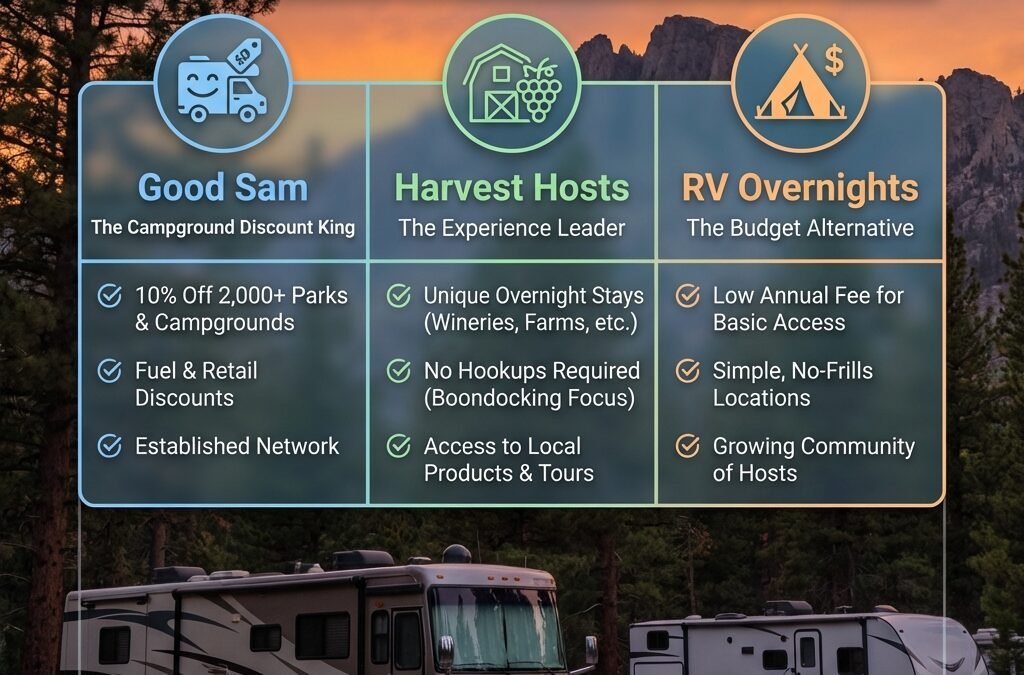
The core mistake most RVers make is buying the wrong membership for the wrong job. Good Sam, Harvest Hosts, and RV Overnights are not interchangeable. They overlap more than they used to, but they still solve different problems.
If you want to reduce the cost of regular paid campground stays, Good Sam Standard is usually the cleanest answer. If you want memorable one-night stops at wineries, farms, breweries, and similar places, Harvest Hosts still owns that lane. If you want the lowest-cost host-style membership, RV Overnights is the budget play. If you want everything in one Good Sam bundle, Elite now costs enough that the value case needs much more scrutiny than it did before.
The Simple Math: Break-Even by Use Case
Before comparing features, force the decision through a math filter.
Assumptions Used in the Examples Below
Good Sam Standard example uses a $60/night participating campground.
Host-program comparisons use an $80/night commercial campground as the benchmark alternative.
Harvest Hosts examples assume you buy something from the host, but the amount varies by traveler and host.
RV Overnights examples use the platform’s public expectation that members should plan to spend a minimum of $30 per host location.
Membership
Annual Fee
Useful Math
Practical Takeaway
Good Sam Standard
$39
10% off a $60 site saves $6 per night. $39 divided by $6 = 6.5 nights.
If you use participating campgrounds 7 or more nights a year, this can be an easy win.
Good Sam Elite
$149
Elite costs $110 more than Standard. Public Overnight Stays network size is not clearly disclosed.
You are paying a large premium for a bundle whose host-network value is still hard to model cleanly.
Harvest Hosts Classic
$99
If your alternative is an $80 campground and you spend $30 supporting the host, your implied savings is about $50 per stop. $99 divided by $50 = about 2 stays.
Works best when you value the stop itself, not just the cheapest possible overnight.
Harvest Hosts All Access
$179
Using the same $50 implied savings, $179 divided by $50 = about 4 stays.
Better for heavier users who want the broadest combined network.
RV Overnights
$49.99 regular
If your alternative is an $80 campground and you plan on the platform’s public $30 minimum support purchase, implied savings is about $50 per stop. $49.99 divided by $50 = about 1 stay.
Fastest payback on paper, but only if the smaller network actually fits your routes.
What Each Membership Is Actually Good At
Job #1: Lower the cost of multi-night paid campground stays
Best choice: Good Sam Standard
This is the cleanest fit. It is cheap, easy to understand, and built around a straightforward campground discount. If that is the job, you do not need a more complex host-style membership.
Job #2: Find interesting one-night stops on a road trip
Best choice: Harvest Hosts Classic or RV Overnights
Choose Harvest Hosts if you want the broadest unique-host ecosystem. Choose RV Overnights if you want the cheaper host-style membership and can live with a smaller network.
Job #3: Get the broadest host-based inventory
Best choice: Harvest Hosts All Access
This is the wide-net option. It is not the cheapest, but it is the most comprehensive host-style package in the current comparison.
Job #4: Minimize all accommodation costs
Best choice: Often no membership at all
If you already rely on cheaper public camping, state parks, or highly selective pay-as-you-go booking, forcing yourself into a membership can actually increase cost and reduce flexibility.
The Good Sam Elite Problem
Good Sam Elite is no longer a casual add-on. At $149, it is a real spending decision.
The issue is not that Elite lacks perks. It clearly adds perks. The issue is that the public value case for Overnight Stays is still much less transparent than the value case for Good Sam Standard, Harvest Hosts, or RV Overnights. Public Good Sam pages say Elite members get Overnight Stays, unlimited single-night bookings at unique destinations, and access to wineries, distilleries, farms, and other attractions. But the public member-facing pages do not clearly disclose a public total network count, which makes apples-to-apples comparison harder than it should be.
Reality check: The old Elite math is outdated. The relevant premium is no longer $60 over Standard. It is now $110 over Standard.
The Harvest Hosts Trade-off
Harvest Hosts is still the strongest choice if the goal is not just sleep, but a good stop. That is the product’s real advantage. The host ecosystem is larger, more mature, and more experience-driven than the smaller alternatives.
But it only wins cleanly when you are honest about the job. If your goal is pure cheapest overnight, Harvest Hosts is not always the answer. If your goal is experience plus overnight parking, it often is.
The other trade-off is structure. Many Harvest Hosts stays are still designed around short stays. That is a feature for transit travelers and a constraint for destination travelers.
The RV Overnights Trade-off
RV Overnights is easier to model than Good Sam Elite because the pricing is clearer and the platform publicly states that members should expect to spend a minimum of $30 per host location to support hosts. That makes the true-cost conversation more honest.
The catch is density. A smaller host network can still be a smart buy, but only if it lines up with where you actually travel. If it does not, a low annual fee does not save you anything.
Best use case for RV Overnights: budget-conscious travelers who want host-style stops, can plan ahead, and do not need the broadest national coverage.
When Stacking Memberships Makes Sense
Stacking can work when the memberships do different jobs.
Stack That Makes Sense
Good Sam Standard + RV Overnights
This pairing works because one membership handles paid campground savings and the other handles lower-cost host-style transit stops. At regular pricing, the combined annual cost is still below the old mental model many people had for a single premium bundle.
Stack That Only Makes Sense for Heavy Users
Good Sam Standard + Harvest Hosts
This works if you actively want both destination campground discounts and the Harvest Hosts experience. It does not work if you are just collecting overlapping memberships out of fear of missing out.
The Decision Framework
Define the job. Are you trying to save money on campgrounds, find one-night stops, or buy experiences?
Run the break-even math. If you cannot realistically hit the usage threshold, stop there.
Check route fit. Big national numbers mean little if the locations do not match your routes.
Price the restrictions. One-night limits, booking friction, and host support expectations all have a cost.
Compare against no membership. Always compare your paid option against doing nothing.
Decision rule: If you cannot explain exactly how a membership saves you money or improves your trip quality, you probably should not buy it.
Frequently Asked Questions
Is Good Sam membership worth it in 2026?
Good Sam Standard often is. If you use participating campgrounds regularly, the $39 fee is not hard to recover. Good Sam Elite is harder to justify on math alone because it now costs much more and the public Overnight Stays value case is less transparent.
Is Harvest Hosts worth the annual fee?
It can be, but mostly for travelers who value the experience and would otherwise pay commercial campground prices. It is not automatically the cheapest option for strict budget travelers.
What is the difference between Good Sam Standard and Elite?
Standard is the simpler campground-discount membership. Elite is the more expensive bundle that adds Overnight Stays and other perks. The decision comes down to whether you want a focused discount tool or a broader bundle.
How much do you typically spend at Harvest Hosts?
Harvest Hosts expects members to support the host by purchasing something during the stay. The exact amount varies. That makes your actual nightly cost partly a behavior question, not just a membership-fee question.
How does Good Sam Overnight Stays work?
It is an Elite-only feature that gives access to single-night bookings at unique destinations. Public pages describe the feature clearly, but still do not make network-size comparison easy.
Which RV membership saves the most money?
For repeat paid campground users, Good Sam Standard is usually the best value. For host-style memberships, RV Overnights has the lowest upfront fee. For broad experiential inventory, Harvest Hosts wins. For some travelers, the true cheapest answer is no membership.
Bottom Line
Good Sam Standard is still the easiest membership to justify on plain math. Harvest Hosts is still the strongest experience-driven choice. RV Overnights is still the cheapest host-style entry point. Good Sam Elite is now the hardest to defend cleanly because the price jumped while the public host-network transparency still lags.
That does not make Elite bad. It makes it harder to model. And once a membership gets harder to model, the burden shifts back to your actual travel pattern.
If you want the shortest answer: buy Good Sam Standard for campground savings, Harvest Hosts for experiences, RV Overnights for cheaper host-style stops, and nothing at all if your current system is already working.
By Chuck Price | Published March 12, 2026 | Last Updated March 12, 2026<! –>
Quick Answer: Facebook Gurus say your RV can “pay for itself.” Some even suggest you could earn $20,000 or more per year. Here’s what they leave out: platform fees take 20%, your personal insurance probably won’t cover rental use, renters have no idea how to handle your lithium batteries or composting toilet, and the accelerated depreciation often eats the income. For owners of custom boondocking rigs, renting out rarely makes financial sense. If you must try it, delivery-only is the least-bad option.
Every RV Facebook group runs the same cycle. Someone posts about renting their rig on Outdoorsy or RVshare. The comments fill with “I made $2,500 last month!” and “It pays for itself!” Then three months later, the same owner is posting about a denied insurance claim or a renter who cooked the lithium batteries.
We’ve spent 35+ years and 150,000+ miles living this lifestyle. We run a custom-built boondocking rig with rooftop solar, lithium batteries, a composting toilet, and 4×4 MIMO antennas. Everything we teach in our boondocking guide is built around self-reliance and protecting these systems. The idea of handing the keys to a stranger who doesn’t know the difference between a charge controller and a light switch makes us physically uncomfortable. But this isn’t about feelings. It’s about math.
So we ran the numbers. What follows is the financial reality of renting out an RV, with specific attention to why boondocking rigs carry risks that the rental platforms never mention.
The Real Math: What RV Rental Income Actually Looks Like
Peer-to-peer platforms like Outdoorsy and RVshare take approximately 20% of each booking as a service fee. That means a $200/night listing puts $160 in your pocket before any other costs.
Platforms like Outdoorsy and RVshare suggest owners can earn anywhere from a few thousand to $30,000 or more per year. Third-party sites push the range even higher, up to $50,000 for driveable motorhomes. Those numbers assume occupancy rates of 40 to 50%, which industry benchmarks treat as a rough target, not a guarantee. Your location, season, rig type, and pricing all affect real-world bookings.
Here’s a worked example for a Class B motorhome listed at $175/night:
That $14,000 headline number becomes $1,800 after real costs. And we haven’t accounted for accelerated depreciation from rental mileage, your time managing bookings, or the one bad rental that puts your rig in a body shop for three weeks.
This does not mean nobody earns money renting RVs. Owners of newer Class A or Class C rigs in high-demand tourist markets can do better. But the math changes dramatically for custom, off-grid-equipped rigs where replacement costs for specialty systems are high and renter inexperience creates unique risk.
Constraint: These numbers are estimates based on published platform fee structures and reported owner experiences. Your actual results depend on location, rig type, occupancy, and operating costs. Do not treat this table as a guarantee of income or loss.
Depreciation and Maintenance: The Costs Nobody Advertises
RVs depreciate fast. According to Progressive Insurance, most lose 15 to 20% of their value in the first year alone, with an additional 5 to 10% per year over the next four years. After five years, the curve flattens, but by then a $100,000 rig may be worth $50,000 to $60,000 regardless of how carefully you’ve maintained it.
Rental use accelerates both depreciation and maintenance in ways that compound:
Mileage accumulation. A renter on a week-long trip can put 1,000+ miles on your rig. At 80 rental nights, that’s easily 5,000 to 8,000 additional miles per year. Used RV buyers shop for low mileage. Every rental mile moves you further from the “lightly used” category that holds resale value.
Wear pattern differences. Renters use your rig differently than you do. They run the generator harder, cycle the slides more frequently, stress the awning in wind, and treat the drivetrain like a rental car. Components that would last 10 years under your care may need replacement in 5.
Warranty risk. RV manufacturers have taken the position that commercial use, including peer-to-peer rental, can void the factory warranty. If your rig is still under warranty, rental use could eliminate that coverage entirely. Extended warranties carry similar exclusions.
The core problem: the income from 80 rental nights might net $1,800, but the accelerated depreciation from those 80 nights could reduce your resale value by $2,000 to $5,000. You can end up losing money on a venture that looks profitable on the surface. This is one of the hidden costs of RV living that rarely shows up in the rental pitch.
Constraint: Depreciation rates vary by RV type, brand, condition, and market. Class B motorhomes from brands like Winnebago and Airstream tend to hold value better than average. These figures represent general industry patterns, not a prediction for any specific rig.
Insurance and Liability Gaps That Could Sink You
Most personal RV insurance policies contain a commercial exclusion clause. Once you accept money for rental use, even one weekend per year, your personal policy may no longer cover your rig. Insurers have denied claims and canceled policies after discovering undisclosed rental activity.
The platforms offer their own coverage. According to Roamly’s owner insurance guide, Outdoorsy provides up to $1 million in liability and up to $300,000 in comprehensive and collision protection during the rental period. RVshare offers similar coverage through their insurance partner Crum and Forster. That sounds comprehensive until you read the details.
Here’s what falls through the gaps:
Between-rental coverage. Platform insurance only applies during active bookings. Between rentals, you need a personal policy that explicitly allows rental use. Most standard insurers don’t offer this. Specialty insurers like Roamly do, but the premiums are higher. One insurance professional quoted by Insurance.com estimated the difference between personal and commercial RV coverage at roughly 800%, meaning a $500/year personal policy could jump to $4,000 or more for commercial use. Even if the actual increase is smaller, it cuts directly into rental margins.
Claims processing reality. One RV owner documented a $1,700 body damage claim on Winnebago’s blog. He described the process as tedious at best, involving multiple phone calls and emails over weeks. The final payout came minus the $750 security deposit, which he had to claim separately. During that time, he had to send out the rig for another rental in less-than-perfect condition because he couldn’t afford the downtime.
Deductible gaps. Platform coverage often has deductibles of $500 to $1,500. For minor damage, a renter’s deposit and the deductible may not cover the full repair. You eat the difference.
Loan and financing conflicts. If you’re financing your RV, your loan agreement likely specifies personal use. Commercial rental use may breach that agreement. As one legal analysis from the law firm Hudson Cook noted, RV manufacturers and lenders may view peer-to-peer rental as a breach of the retail installment sales contract.
The core question this article answers: Should you rent out your RV if it’s equipped for boondocking? The math shows that platform fees, insurance gaps, accelerated depreciation, and off-grid system damage risk combine to make rental income far less attractive than the headline numbers suggest. For owners of custom rigs with solar, lithium, composting, or other off-grid systems, the risk-adjusted return is often negative. The decision framework comes down to three variables: your rig’s replacement cost, your personal risk tolerance, and whether you can realistically use the rig more days per year yourself.
Why Renters Destroy Off-Grid Systems
A weekend RV renter and a boondocker operate in fundamentally different contexts. The renter expects the rig to work like a hotel room on wheels. The boondocker understands it’s a self-contained power and water system that requires active management. This mismatch is where expensive damage happens.
Lithium battery mismanagement. Lithium iron phosphate (LiFePO4) batteries are the standard for serious boondocking rigs. They require charge controllers programmed to the correct battery chemistry. A renter who doesn’t understand the system might plug into shore power with incompatible settings, run the batteries below their low-voltage disconnect threshold, or leave high-draw appliances running overnight. One experienced RV solar installer documented a case where incorrect charge controller settings were actively damaging lead acid batteries, causing them to bubble hydrogen gas and corrode. Lithium systems are more forgiving but not renter-proof.
Solar panel damage. Rooftop solar panels require periodic cleaning and awareness of shade management. A renter who parks under trees for the shade won’t realize they’re cutting solar production by 40% or more and over-discharging batteries. Worse, renters who climb on the roof to “check the panels” risk cracking cells or damaging mounting hardware. Dirty panels alone lose 15 to 25% efficiency, and a renter won’t know to clean them.
Composting toilet misuse. If your rig runs a composting toilet like a Nature’s Head or Airhead, you already know the learning curve. A renter who treats it like a flush toilet will destroy the composting medium, create odor problems, and potentially damage the agitator mechanism. Most rental platforms have no process for training renters on composting toilets, and most renters have never seen one. If you want to learn more about managing waste systems effectively, see our waste disposal and management guide.
Water system overuse. Boondocking rigs are designed for water conservation. A 30-gallon fresh tank might last a boondocker 5 to 7 days. A renter will empty it in 2. They’ll leave the water pump running, take long showers if the rig has one, and overfill the gray tank. If your rig has a water management system tuned for off-grid use, rental use will stress every component.
4×4 MIMO and connectivity equipment. External antenna systems for Starlink and cellular boosters involve roof-mounted hardware, cable routing, and configuration. A renter who doesn’t understand the system won’t use it properly and may try to “fix” things by unplugging cables or adjusting mounts. The replacement cost for a damaged Starlink dish or a weBoost antenna system can easily exceed $500.
Constraint: Not every rental results in system damage. But for rigs with off-grid systems totaling $5,000 to $15,000 in upgrades, a single bad rental can wipe out a full season of income. Platform insurance typically covers collision and liability, not improper use of specialty equipment.
Why Delivery-Only Is the Least-Bad Option
If you’ve read this far and still want to try renting, delivery-only is the approach that minimizes the most destructive risks.
Delivery-only means you drive or tow the rig to a campground or event, set it up for the renter, and retrieve it when they’re done. The renter never drives your vehicle. They use it as a stationary accommodation.
This eliminates several of the worst problems:
No driving damage. The number one source of major RV rental damage is driving incidents. Renters clip awnings on gas station overhangs, sideswipe trees on narrow campground roads, and misjudge clearance heights. If the renter never drives, these risks disappear.
Reduced mileage impact. You control the miles. A delivery within 50 miles of home adds minimal depreciation compared to a renter taking your rig on a 500-mile road trip.
Lower insurance complexity. Some delivery-only platforms like RVPlusYou charge as little as 3% of rental fees to the owner, compared to 20% at the major peer-to-peer platforms. The insurance model is also simpler because the rig is stationary during the rental.
You can control setup. You set up the solar, configure the power system, demonstrate the toilet, fill the water tank, and explain the systems. This dramatically reduces the chance of renter misuse.
The trade-off: delivery-only requires more of your time per rental and limits your market to your local area. You’re earning less per booking but protecting more of your investment.
Constraint: Delivery-only is not risk-free. Renters can still damage interiors, misuse water systems, and break appliances. It simply removes the driving risk and gives you more control. Platform coverage terms still apply and should be reviewed carefully before listing.
Who Should Not Rent Out Their RV
Based on the evidence, the following owners should not rent out their rigs:
Owners of custom boondocking rigs. If you’ve invested $5,000 to $15,000 in solar, lithium batteries, composting toilets, water filtration, or connectivity equipment, the replacement risk from renter misuse exceeds the likely rental income. These systems require operator knowledge that a typical renter doesn’t have.
Owners still under warranty. RV manufacturers can void factory warranties for commercial use, including peer-to-peer rental. Extended warranties carry similar exclusions. The real cost of Class B maintenance without warranty coverage adds significant financial exposure.
Owners who finance their RV. Loan agreements typically restrict use to personal, family, or household purposes. Rental use may constitute a breach. If your lender discovers rental activity, they may have grounds to declare default, depending on the contract terms.
Owners with standard personal insurance. If your insurer doesn’t know you’re renting, you have a coverage gap that could cost you everything in a serious incident. Switching to rental-friendly insurance adds cost that erodes already thin margins.
Full-time RVers. If your RV is your home, renting it out means you have nowhere to live during the rental period. The logistics rarely work, and the insurance complexity of a full-time policy that also allows rental is significant.
Who might make it work: Owners of newer, stock Class A or Class C rigs in high-demand tourist markets who don’t use the rig more than a few weeks per year, who carry rental-friendly insurance, and who treat rental income as a partial offset to storage and depreciation costs rather than a profit center. That’s a narrow audience.
The Better Math: Using Your Rig More Strategically
The best way to improve your RV’s economic return isn’t renting it to strangers. It’s using it more yourself and reducing your cost per night of ownership.
Here’s the math that actually matters for boondocking rig owners:
If you own a rig that costs $800/month in loan, insurance, and maintenance, and you use it 30 nights per year, your cost per night is about $320. Use it 100 nights per year, and that drops to $96/night. Use it 150 nights and you’re at $64/night.
Compare that to the rental math: after all costs, you might net about $22.50 per rental night ($1,800 across 80 nights) while accepting depreciation, insurance, and damage risk. Or you can use the rig yourself, pay nothing per additional night of use, and keep your systems intact.
If your rig sits unused 300+ days per year and you’re paying for storage, the calculus shifts slightly. But the solution isn’t necessarily renting. It might be:
Selling the rig and buying when you need it. If you use your RV fewer than 30 nights per year, the depreciation alone may exceed what you’d spend on renting someone else’s rig for those trips.
Extending your boondocking season. Longer trips to free or low-cost public land reduce your per-night cost without adding any rental risk.
Reducing fixed costs. Dropping comprehensive coverage to liability-only on older rigs, eliminating storage by boondocking more often, and doing your own maintenance all lower the denominator in the cost-per-night equation.
The boondocking lifestyle is fundamentally about cost control, not income generation. The best RV financial strategy for most of our readers is the same as our core thesis: spend less by camping smarter, not by turning your home into a side hustle.
Frequently Asked Questions
Answers to the most common questions about renting out an RV, insurance risks, and alternatives for boondocking rig owners.
How much can you realistically make renting out an RV?
After platform fees (20%), cleaning, insurance, maintenance, and minor damage, most owners of custom or off-grid rigs net far less than the platforms suggest. A realistic worked example for a Class B listed at $175/night with 80 rental nights shows roughly $1,800 in net income before taxes and depreciation.
Does renting out your RV void the warranty?
It can. RV manufacturers have stated that commercial use, including peer-to-peer rental, may void factory and extended warranties. Check your specific warranty terms before listing. The legal analysis firm Hudson Cook has identified warranty voiding as a known issue in peer-to-peer RV rental.
Will my insurance cover my RV if I rent it out?
Most standard personal RV insurance policies exclude commercial use. Renting your RV without disclosing it to your insurer can result in denied claims and policy cancellation. You need either a rental-friendly personal policy from a specialty insurer or separate commercial coverage. Platform-provided insurance only covers the active rental period.
What is delivery-only RV rental?
Delivery-only means you transport the RV to a campground or event, set it up, and the renter uses it as stationary accommodation. The renter never drives the vehicle. This eliminates driving damage risk, reduces mileage impact, and gives you control over system setup. Platforms like RVPlusYou specialize in this model and charge lower commission rates than peer-to-peer driving platforms.
Is renting out a boondocking rig different from renting a standard RV?
Yes. Boondocking rigs typically have solar panels, lithium batteries, composting toilets, external antennas, and water conservation systems that require operator knowledge. A typical renter lacks this knowledge and can damage systems that cost thousands to replace. Platform insurance generally covers collision and liability, not improper use of specialty equipment.
How to Stream TV in Your RV | Cellular vs Starlink
Stream your favorite shows and movies anywhere your travels take you
Last updated: March 8, 2026 | Reading time: 12 minutes
Quick Decision Framework
Top Criteria: Internet reliability trumps everything—cellular with booster or Starlink for consistent streaming
Deal-Breaker: No backup connectivity option means total entertainment blackout in remote areas
Use Case Match: Full-timers need unlimited data plans; weekend warriors can survive on campground WiFi plus downloads
Verification Test: Check carrier coverage maps for your planned routes before committing to a plan
Yes, you can stream shows in your RV just like at home. Cellular data with signal boosters works in most campgrounds. Starlink provides coverage in remote areas. Offline downloads eliminate connectivity dependence entirely.
Chuck Price has traveled to 47 states in RVs over 35 years, currently full-timing in a 2018 Hymer Aktiv Class B van. He built KampTrail, a camping app using the Recreation.gov RIDB API, and tests connectivity solutions across diverse camping environments.
Internet Options for RV Streaming
Reliable internet determines whether you watch or stare at buffering screens. Cellular data covers most populated camping areas. Satellite internet reaches remote locations cellular networks miss. Campground WiFi works for light browsing but rarely handles HD streaming. Your travel style dictates which option delivers the best results.
Cellular Data (4G/5G)
Carriers like Verizon, AT&T, and T-Mobile offer plans with high data caps tailored for travelers. Verizon provides the widest rural coverage. T-Mobile offers competitive pricing with 5G expansion in metro areas. AT&T balances coverage and cost for most RV routes.
Advantages
High-speed 4G/5G networks support HD streaming
Works while driving between destinations
No equipment setup at each campsite
Covers most campgrounds and RV parks
Limitations
Coverage gaps in mountain valleys and remote areas
Data throttling after 50-100GB on most plans
Weak signals require booster investment
Multiple streaming devices consume data quickly
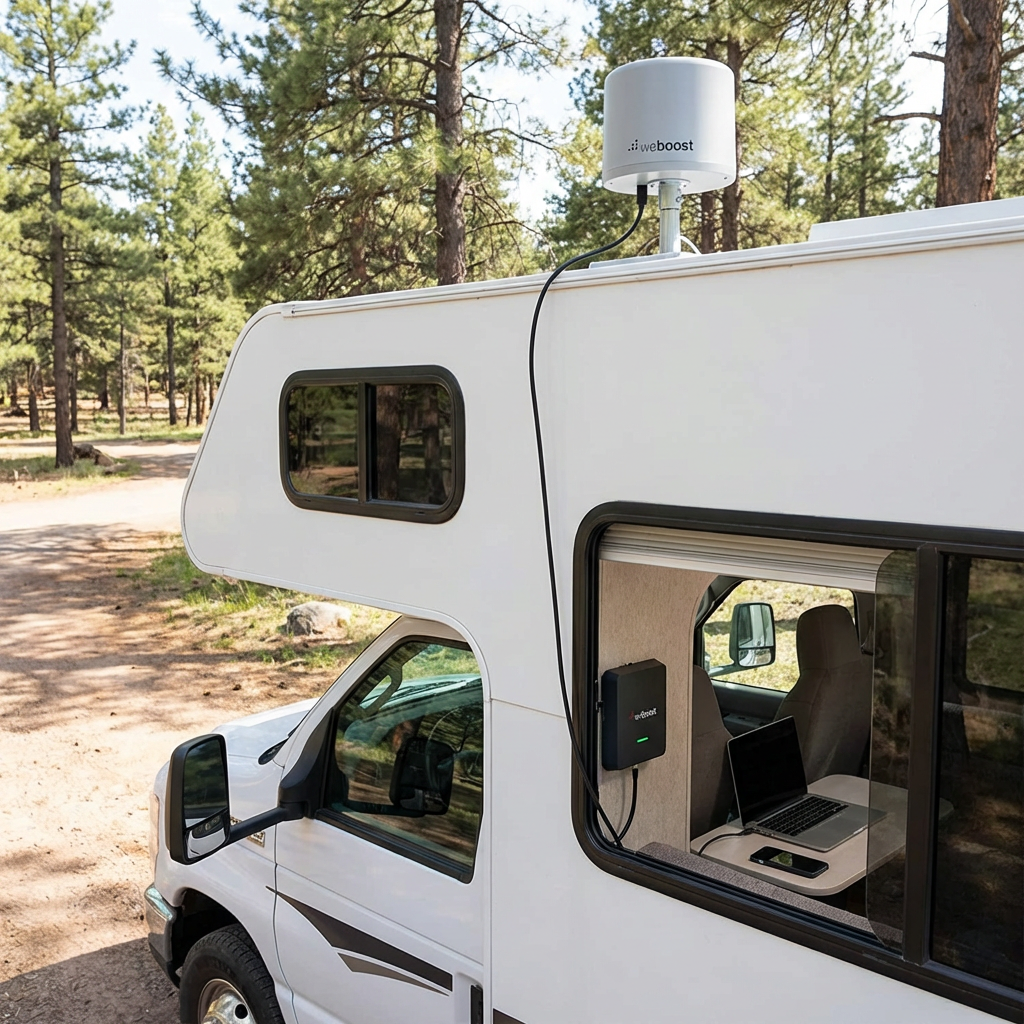
The WeBoost Drive X RV improves signal strength in fringe coverage areas. Installation requires mounting an external antenna on the roof and connecting it to an interior amplifier. RVers report 2-3 bar improvements in weak signal zones, making the difference between buffering and smooth streaming.
Satellite Internet
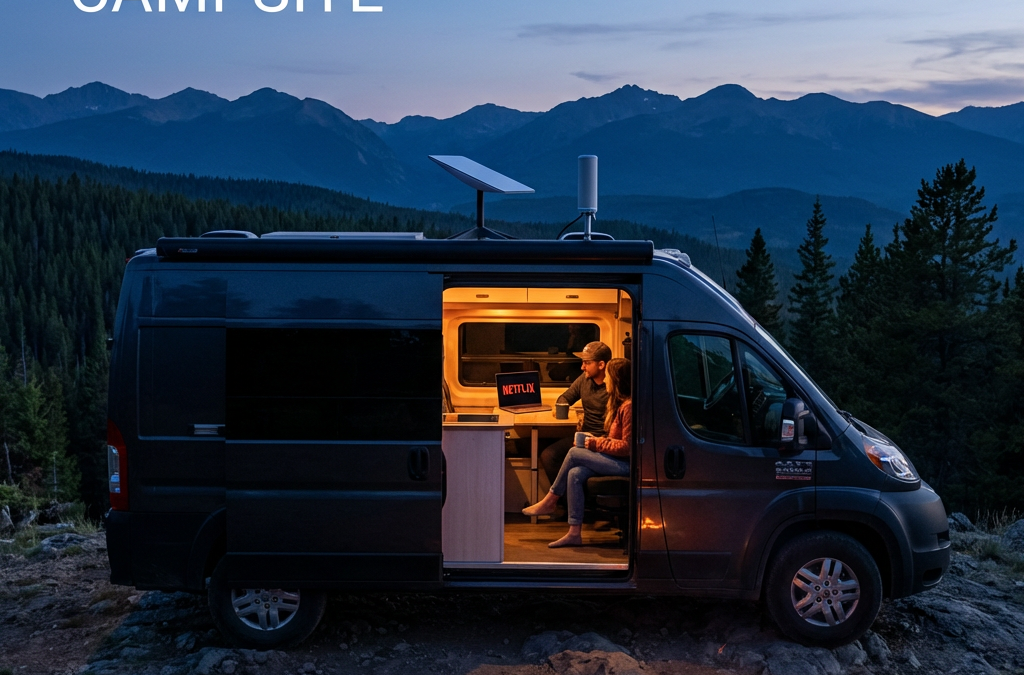
Starlink RV delivers high-speed internet in locations where cellular networks fail. The dish requires a clear view of the northern sky. Heavy foliage, canyon walls, and severe weather disrupt the signal. Setup takes 10-15 minutes at each new location following these steps:
Position the dish with clear northern sky view using the Starlink app’s obstruction viewer
Connect the dish cable to the router power supply
Plug the power supply into AC power (RV outlet or inverter)
Wait 5-10 minutes for the dish to acquire satellite signal and align itself
Connect your devices to the Starlink WiFi network shown on the router label
Advantages
Works in remote areas with no cell coverage
Download speeds of 50-200 Mbps in clear conditions
No long-term contracts required
Pause service during months you’re not traveling
Limitations
$249-349 equipment cost plus $50-165 monthly fee
Requires clear sky view—trees block signal
Dynamic IP creates issues with some streaming services
Power draw of 30-75 watts impacts boondocking
Starlink offers two Roam plans for RVers. Roam 100GB costs $50 monthly and provides 100GB of high-speed data, then unlimited low-speed data for the rest of the billing cycle. Roam Unlimited costs $165 monthly with no data caps. Both plans include in-motion use up to 100 mph and international roaming. Weekend warriors and light users choose the 100GB plan. Full-timers who stream regularly choose Unlimited.
Starlink’s dynamic IP assignment causes problems with YouTube TV’s location verification. Some users bypass this with VPN services or static IP solutions. The RV Mobile Internet Resource Center documents workarounds for location-based streaming restrictions.
Campground WiFi
Public WiFi at campgrounds and RV parks offers free or low-cost connectivity. Quality varies dramatically between properties. Premium RV resorts provide dedicated bandwidth. Budget campgrounds share limited connections across 100+ sites.
Advantages
Included in campground fees at most locations
No data caps or overage charges
Works for email and light browsing
Limitations
Too slow for HD streaming during peak hours
Security risks on open networks
Signal strength varies by site location
Limited or no bandwidth in budget campgrounds
ExpressVPN protects data on public networks. WiFi range extenders like those from TechnoRV improve weak signals at distant campsites. Campground WiFi works as a backup option but fails as a primary streaming solution for most full-time travelers.
Internet Option
Best Use Case
Monthly Cost
Coverage
Cellular + Booster
Frequent movers in developed areas
$50-100
Most camping locations
Starlink RV
Remote boondocking and off-grid camping
$50-165
98% with clear sky view
Campground WiFi
Weekend campers with low data needs
$0-10
Limited to campground location
Streaming Devices for RVers
Your streaming device connects entertainment apps to your TV. Smart TVs include built-in apps. Streaming sticks like Roku and Fire TV Stick add app capability to standard TVs. Game consoles stream and game. Phones and tablets work for solo viewing. Device selection depends on your RV’s existing equipment and whether you travel with kids who game.
Smart TVs
Modern RVs often include smart TVs with Netflix, Hulu, and Amazon Prime Video pre-installed. Samsung and LG models offer robust app ecosystems. Firmware updates maintain app compatibility. Connection requires only WiFi or hotspot access.
RVers recommend updating firmware regularly to prevent app compatibility issues. Older smart TV models lose support for streaming apps as services update their platforms. Check manufacturer support timelines before relying on built-in apps for long-term travel.
Streaming Sticks and Boxes
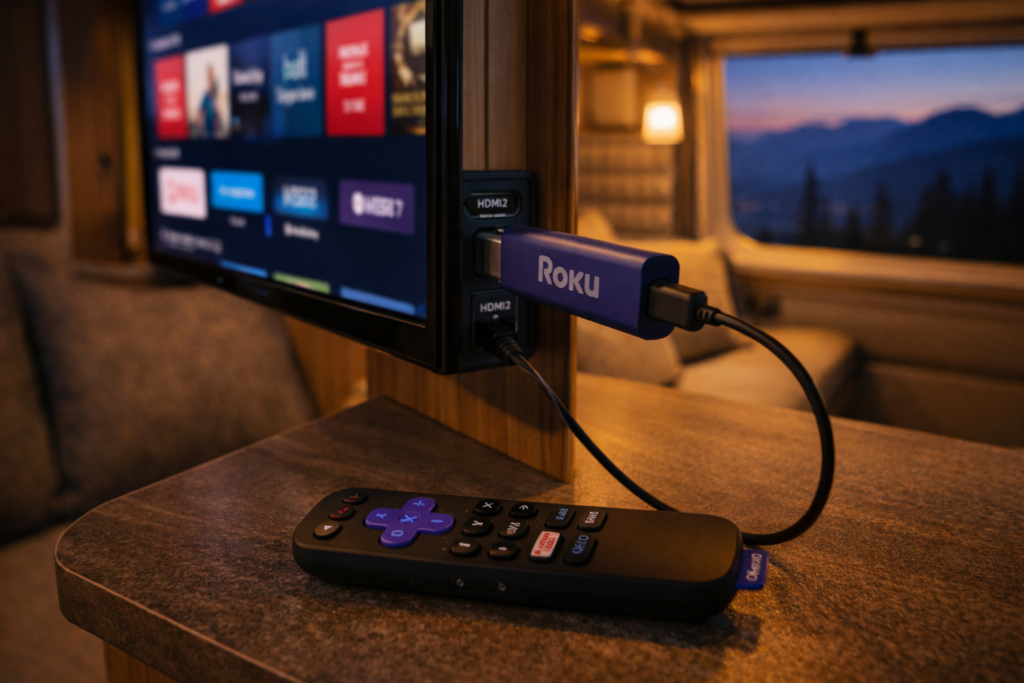
Roku devices work reliably with location changes across state lines. The Roku Streaming Stick 4K costs $50 and supports all major streaming services. Amazon Fire TV Stick offers Alexa voice control but requires more frequent location updates for local content.
Both devices connect via HDMI and draw power from USB ports. Setup takes less than 10 minutes. Remote controls include voice search on newer models. Roku receives higher ratings from RV forum users for handling frequent travel and location changes.
Game Consoles
Xbox and PlayStation consoles stream Netflix, Hulu, Amazon Prime Video, and YouTube TV alongside gaming. Storage capacity supports large game downloads. Performance exceeds streaming sticks for graphics-intensive games.
Power consumption of 100-150 watts during gaming creates problems for boondockers relying on battery banks. Bulk and fragility during travel require secure mounting or storage solutions. Game consoles make sense for families who game regularly and camp with full hookups.
Mobile Devices
Phones, tablets, and laptops stream without additional equipment. Netflix and Amazon Prime Video support offline downloads for watching without internet. Screen size limits group viewing unless you connect to a larger display.
Portable docking stations connect tablets and laptops to RV TVs via HDMI. Wireless casting through Chromecast or AirPlay eliminates cable requirements. Mobile devices provide the most flexible streaming option when traveling light or boondocking with limited power.
Top Streaming Services for RVers
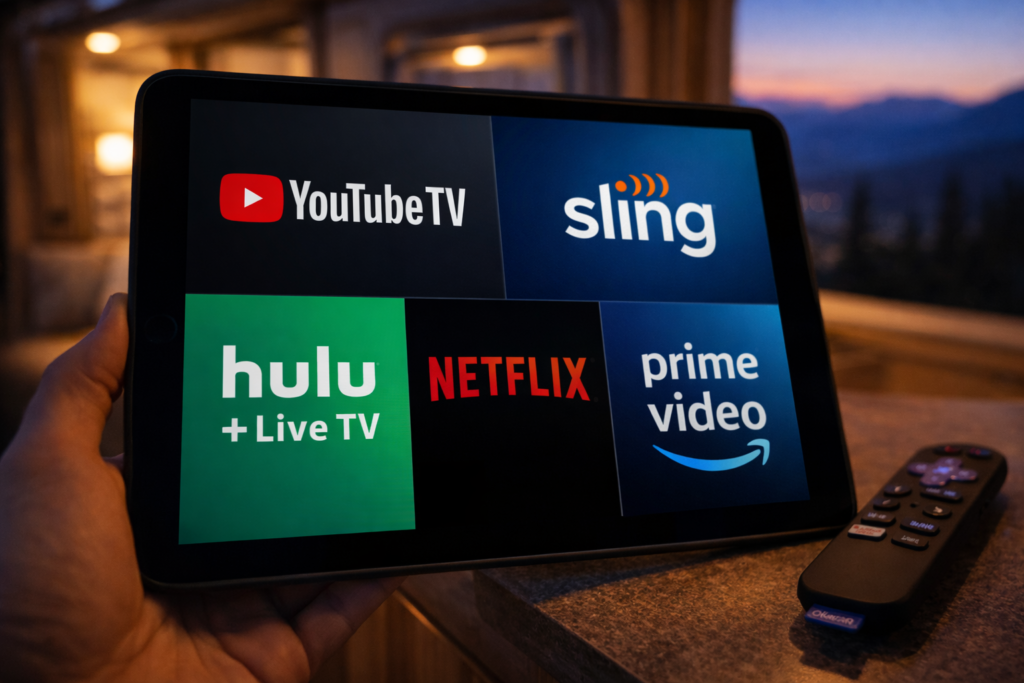
Streaming service selection balances live TV access, on-demand content, offline downloads, and location flexibility. YouTube TV and Hulu + Live TV replace cable with live channels. Sling TV offers budget customization. Netflix and Amazon Prime Video provide vast on-demand libraries with download capability. Your travel frequency determines which location restrictions matter.
YouTube TV
YouTube TV provides 100+ live channels with unlimited DVR storage. The service costs $73 per month with no annual contract. Live sports, news, and network programming attract cord-cutters who miss traditional cable.
Location restrictions limit home address changes to two per year. The service requires login from your home area every three months. Full-time RVers struggle with these limits. Some use VPN services to maintain home location access. Others designate a friend’s address as home and coordinate periodic logins.
Sling TV
Sling TV offers customizable channel packages starting at $40 per month. Orange package includes ESPN for sports fans. Blue package adds more channels and multiple simultaneous streams. Combined Orange + Blue costs $55 monthly.
Location services tie to your billing zip code. You lose local channels when traveling outside your home market. No DVR storage on the base plan. Add-on DVR costs $5 monthly for 50 hours of recordings. Budget-conscious RVers appreciate the flexibility to customize channels and pause service between trips.
Hulu + Live TV
Hulu + Live TV combines 85+ live channels with Hulu’s on-demand library for $77 per month. Disney+ and ESPN+ bundle for $7 more. Unlimited DVR recording included. App requires enabling location services on mobile devices.
Location requirements create friction for frequent movers who change states weekly. The combination of live TV and extensive on-demand content appeals to RVers who camp with reliable internet. Offline download feature works for select on-demand content but not live TV recordings.
Amazon Prime Video
Amazon Prime membership costs $139 annually and includes Prime Video streaming. Library contains thousands of movies, TV shows, and Amazon Originals. No live local channels. Free two-day shipping benefit helps RVers receive packages at campgrounds.
Offline download capability receives high praise from remote campers. Download shows and movies in high quality during strong WiFi connections. Watch later without internet access. No location restrictions or address change limits make Prime Video ideal for full-time travelers.
Netflix
Netflix offers the largest selection of original series and licensed content. Plans range from $7 for ad-supported to $23 for premium 4K streaming. No live TV channels. Mobile plan at $7 restricts viewing to phones and tablets.
Download feature allows offline viewing on all plans. Quality settings let you balance file size against video quality. Netflix imposes no location restrictions beyond country borders. Content library varies between countries but stays consistent across US states. Reliability and offline capability make Netflix the most RV-friendly streaming service.
Service
Monthly Cost
Live TV
Offline Downloads
Location Restrictions
YouTube TV
$73
Yes
Yes (DVR only)
2 address changes/year
Sling TV
$40-55
Yes
No
Tied to billing zip
Hulu + Live TV
$77
Yes
Partial
Location services required
Amazon Prime Video
$12 (or $139/year)
No
Yes
None
Netflix
$7-23
No
Yes
None
Boosting Your Signal and Connectivity
Weak signals cause buffering and playback failures. WiFi range extenders amplify distant campground signals. Cellular boosters improve weak carrier signals in fringe areas. Portable hotspots create private networks independent of campground infrastructure. Layering solutions provides redundancy when primary connections fail.
WiFi Range Extenders
WiFi extenders capture weak campground signals and rebroadcast them inside your RV. Devices mount on the roof or exterior wall for better signal reception. Interior routers distribute the connection to your streaming devices.
TechnoRV and similar vendors sell RV-specific WiFi systems. Effective range extends from 150 feet to over 300 feet depending on equipment quality. Public WiFi security risks remain even with range extenders. Use VPN protection on all open networks.
Cellular Signal Boosters
WeBoost Drive X RV and King Extend Pro strengthen cellular signals for streaming and hotspot use. External antenna mounts on the roof. Cable connects to interior amplifier. Your phone or hotspot connects to the amplifier.
Signal improvement ranges from 1-3 bars depending on starting conditions. Boosters cannot create signal where none exists. They amplify existing weak signals to usable levels. Installation requires drilling or using existing cable entry points. One-time cost of $400-700 pays off for travelers who frequently camp in fringe coverage areas.
Portable Hotspots
Portable hotspots from Verizon, AT&T, and T-Mobile create private WiFi networks using cellular data. Devices support 10-15 connected devices simultaneously. Battery life lasts 8-10 hours on most models.
Dedicated hotspots outperform phone tethering for battery life and connection stability. Separate data plans let you switch carriers for better regional coverage. RV forum users recommend keeping backup SIM cards from alternative carriers to avoid dead zones. Redundancy matters when your primary carrier fails in specific geographic regions.
Offline Downloads for Remote Camping
Offline downloads eliminate dependence on internet connectivity. Netflix, Amazon Prime Video, and Hulu allow downloading shows and movies to watch later. Download quality settings balance file size against video quality. Storage space on your device limits total downloaded content. Pre-planning prevents running out of entertainment in remote areas.
Netflix Downloads
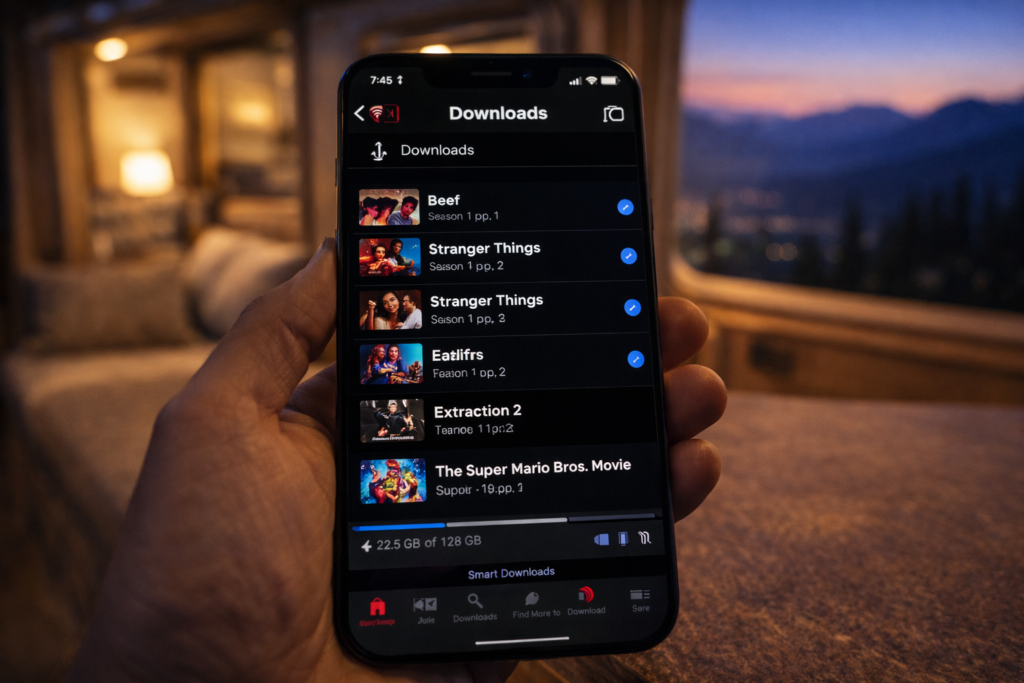
Netflix allows downloads on all subscription tiers. Select the download icon on compatible titles. Quality options include Standard and High. High quality consumes more storage but delivers better viewing on larger RV TV screens.
Download limits vary by title based on licensing agreements. Most shows and movies allow unlimited downloads. Some titles expire after 48 hours of first playback. Check expiration dates before heading to remote locations. Renew downloads during WiFi connections to maintain your offline library.
Amazon Prime Video Downloads
Prime Video supports downloads on the Standard and Premium plans. Mobile app provides the download feature. Download to phone, tablet, or Fire tablet for offline viewing. No download capability on desktop or TV apps.
Storage limits depend on your device capacity. Amazon restricts total downloaded titles to 25 across all devices per account. Quality settings adjust automatically based on available storage. Downloaded content expires after 30 days or 48 hours after starting playback, whichever comes first.
Download Strategy for Extended Trips
Download full seasons of shows during strong WiFi connections before departure. Prioritize high-quality downloads for RV TV viewing. Use standard quality for phone and tablet viewing to conserve storage. Delete watched content immediately to free space for new downloads.
External storage drives expand capacity for laptops. Cloud storage does not help offline viewing. Plan for 1-2GB per hour of HD video. Full season of 10 hour-long episodes requires 10-20GB of storage. Check available space before downloads to avoid incomplete transfers.
Managing Location Restrictions
Streaming services use location tracking to enforce licensing agreements and deliver local content. YouTube TV limits address changes to twice yearly. Hulu + Live TV requires location services enabled. Sling TV ties service to billing zip code. VPN services mask location. Strategic account management minimizes friction for frequent travelers.
VPN Solutions
ExpressVPN and similar services route internet traffic through servers in your chosen location. Monthly cost ranges from $8-13. Connection to a server in your home state maintains access to local channels and bypasses travel restrictions.
Some streaming services detect and block VPN traffic. Success rates vary between VPN providers and streaming platforms. RV forum users report better results with premium VPN services compared to free options. Test VPN compatibility with your streaming services before leaving on extended trips.
Device-Based Workarounds
Apple TV and Shield devices allow disabling location services. This prevents automatic location updates that trigger service disruptions. YouTube TV and Hulu may still require periodic location verification through account settings.
Forum discussions document strategies like having a trusted contact log in from your home location when verification is required. This workaround violates terms of service but reflects common practice among full-time RVers who face address change restrictions.
Service Selection Strategy
Choose services with minimal location restrictions if you travel full-time. Netflix and Amazon Prime Video impose no domestic location limits. Sling TV and YouTube TV create friction with address change caps and verification requirements.
Combine one location-flexible service for primary content with one live TV option for news and sports. Accept that live local channels will change as you travel. Or embrace streaming-only services and skip live TV entirely to eliminate location hassles.
Power Management for Boondocking
Streaming devices consume power that matters when camping off-grid. Smart TVs draw 30-100 watts. Roku and Fire Stick use 3-5 watts. Game consoles consume 100-150 watts during active gaming. Laptops use 30-60 watts. Understanding power draw helps you balance entertainment against battery capacity when boondocking.
Device Efficiency
Streaming sticks deliver the best power efficiency for TV viewing. Roku Streaming Stick uses 3 watts during active streaming. Compare to smart TVs at 50+ watts total power draw. Tablets consume 10-15 watts for solo viewing.
Power saving tips include lowering screen brightness, using sleep timers, and closing background apps. Disable auto-play features that continue streaming after you stop watching. Turn off devices completely rather than leaving them in standby mode.
Battery Capacity Planning
Calculate entertainment power budget within total battery capacity. 100Ah battery bank at 50% depth of discharge provides 600 watt-hours usable power. Streaming for 4 hours on a tablet consumes 60 watt-hours. Smart TV streaming for 4 hours uses 200-400 watt-hours.
Solar panels recharge batteries during daylight hours. 200 watts of solar generates 800-1200 watt-hours on sunny days. Streaming during peak solar hours minimizes battery drain. Cloudy weather or heavy tree cover reduces solar charging and requires prioritizing power consumption.
Generator Backup
Portable generators provide unlimited streaming power at the cost of noise and fuel. Run generators during designated quiet hours at campgrounds. Some boondocking locations prohibit generator use entirely.
Many RVers time streaming entertainment for early evening before quiet hours begin. Generator operation for 2-3 hours charges batteries while running streaming devices. Battery power handles late-night viewing after shutting down the generator.
Frequently Asked Questions
Can you stream Netflix in an RV?
Yes, Netflix streams in RVs through cellular data, satellite internet, or campground WiFi. Download shows before travel for offline viewing in areas without connectivity. All Netflix subscription tiers support downloads to phones, tablets, and computers. No location restrictions apply within the United States.
What is the best internet for RV streaming?
Cellular data with a signal booster offers the best balance of cost, coverage, and reliability for most RVers. Verizon provides the widest rural coverage among carriers. Starlink satellite delivers superior performance in remote areas and higher total coverage. Starlink offers Roam 100GB for $50 monthly (100GB high-speed then unlimited low-speed) or Roam Unlimited for $165 monthly. Equipment costs $249-349. Cellular plans cost $50-100 monthly. Campground WiFi rarely supports HD streaming during peak hours.
Does Starlink work for RV streaming?
Starlink delivers 50-200 Mbps download speeds in clear conditions, supporting multiple HD streams simultaneously. The dish requires an unobstructed view of the northern sky. Trees, canyon walls, and severe weather disrupt service. Setup takes 10-15 minutes at each location. Roam plans cost $50 monthly for 100GB (then unlimited low-speed) or $165 monthly for unlimited high-speed data. Equipment costs $249 for Mini or $349 for standard dish.
How do you get WiFi in an RV for streaming?
Create WiFi in your RV using cellular hotspots, Starlink satellite, or campground connections extended with range boosters. Cellular hotspots from Verizon, AT&T, or T-Mobile use phone data plans or dedicated devices. Starlink provides independent satellite connectivity. WiFi range extenders capture distant campground signals and rebroadcast them inside your RV.
Can you use Roku in an RV?
Roku devices work in RVs connected to any WiFi network or cellular hotspot. The Roku Streaming Stick 4K connects via HDMI and draws power from TV USB ports. Roku handles frequent location changes better than competitor devices according to RV forum users. Setup takes less than 10 minutes at new locations.
Do streaming services work when traveling?
Most streaming services work during travel with varying location restrictions. Netflix and Amazon Prime Video have no domestic location limits. YouTube TV allows two address changes annually and requires home-area login every three months. Hulu + Live TV requires enabled location services. Sling TV ties service to billing zip code affecting local channel access.
TechnoRV – RV technology products including internet boosters and portable hotspots
Escapees RV Club – Community forum with connectivity tips from full-time RVers
WeBoost Drive X RV – Cellular signal booster specifications and installation guides
Starlink RV – Satellite internet service details and coverage maps
Stream Anywhere Your Travels Take You
Reliable streaming in your RV requires matching internet solutions to your travel style. Cellular data with boosters serves frequent movers in developed areas. Starlink reaches remote locations cellular networks miss. Offline downloads provide entertainment insurance when all connections fail.
Combine multiple connectivity options for redundancy. Layer cellular data, offline downloads, and campground WiFi to eliminate total blackouts. Choose streaming services that align with your location flexibility needs. Manage power consumption to balance entertainment against battery capacity during off-grid camping.
Your entertainment setup should match the freedom that drew you to RV life. With the right tools and planning, you can stream anywhere from beach campgrounds to mountain boondocking spots.
References
RV Mobile Internet Resource Center. “Mobile Internet for RVers and Cruisers.” Accessed March 8, 2026. https://www.rvmobileinternet.com/
Starlink. “Starlink for RVs.” Accessed March 8, 2026. https://www.starlink.com/rv
WeBoost. “Drive X RV Cell Signal Booster.” Accessed March 8, 2026. https://www.weboost.com/us/products/drive-x-rv
YouTube TV. “Terms of Service.” Accessed March 8, 2026. https://tv.youtube.com/
Escapees RV Club. “RV Internet Discussion Forum.” Accessed March 8, 2026. https://www.escapees.com/
TechnoRV. “RV Internet and Technology Solutions.” Accessed March 8, 2026. https://www.technorv.com/
Quick Answer: Is Allstays Worth It for Boondockers?
Database depth: 60,000+ location pins covering BLM land, dispersed sites, free overnights, dump stations, and commercial parks — one of the largest available in a single app.
Key 2025 update: Android access restored after a 3-year gap — confirmed via AllStays LLC App Store changelog and independently reported by TheRVGeeks (November 2025). Significant filter and map redesign rolled out under AllStays LLC.
Pricing shift: No longer a one-time purchase. Subscription tiers as of March 2026: $9.99/month, $19.99/3 months, or $34.99/year (3-day free trial, cancel anytime). Verify current price at allstays.com.
Boondocking verdict: Strong for finding free overnight spots, filtering by hookup type and RV size, and scouting Walmart/rest area overnights. Not a substitute for BLM Motor Vehicle Use Maps (MVUMs) on rough terrain.
Allstays Camp & RV sits on more phones than nearly any other RV app — but the version most people are running is out of date. The app sold to new ownership in 2022, shifted to a subscription model, lost Android support for several years, and rolled out a significant platform overhaul in October 2025. If you haven’t reviewed what changed, this is the update you need before your next trip.
Last updated: March 2026 by Chuck Price. Price has documented 300+ boondocking trips in a 2018 Hymer Aktiv Class B. This review reflects field use and publicly available app-store data. Verify current pricing directly with AllStays LLC before subscribing.
What Changed Since Allstays Sold in 2022
Allstays Camp & RV was created in 2000 by RVer Adam Longfellow and sold to AllStays LLC in 2022. The ownership change triggered a series of significant shifts that caught longtime users off guard. Understanding what changed helps you set the right expectations before you open the app on your next trip.
The most disruptive change: the pricing model moved from a one-time purchase to a recurring subscription. Users who had paid $9.99 for the app years earlier found themselves hit with a subscription prompt after an app update. AllStays LLC grandfathered in many previous paid users, but that process required contacting support directly at apps@allstays.com and reinstalling the app in some cases.
The second major shift: Android users lost access entirely for several years while AllStays LLC rebuilt the platform — a gap documented by TheRVGeeks in their October 2025 platform review. That gap ended in October 2025 (confirmed via AllStays LLC platform notes and App Store changelog) when a rebuilt app launched for Android alongside significant updates to filtering and map infrastructure. If you’re an Android user who gave up on Allstays, it’s worth re-evaluating.
Allstays: Before vs. After 2022 Ownership Change
Feature
Pre-2022 (Adam Longfellow)
2025–2026 (AllStays LLC)
Pricing
One-time purchase (~$9.99)
Subscription: $9.99/mo, $19.99/3 mo, or $34.99/yr — verify at allstays.com
Android Support
Available
Restored October 2025 after multi-year gap
Database Size
~40,000 pins
60,000+ pins
Filters
50+ standard filters
50+ standard + expanded advanced filters, Favorite Filters, Top Picks
Maps
Standard / Hybrid / Satellite
Redesigned map layer, improved performance
Offline Mode
Available (map download required)
Available — GPS still requires cell signal
User Community
Active
1,000,000+ users contributing reviews and updates
Sources: AllStays.com; TheRVgeeks.com (November 2025 update); Google Play Store user reviews (February 2026). Pricing — verify directly at allstays.com before subscribing.
What Allstays Actually Does for Boondockers
Allstays earns its place in the toolkit because of what it covers that most camping apps don’t. The Public Lands filter is the most relevant feature for dispersed campers — it surfaces BLM and National Forest sites that don’t appear on Google Maps or standard campground directories. For a Class B van or truck camper scouting free stays in the Southwest, that filter alone covers most use cases.
Beyond dispersed sites, Allstays maps free overnight parking options at Walmarts, Cracker Barrels, Cabela’s, Bass Pro Shops, casinos, Elk and Moose lodges, and interstate rest areas. Each location includes user-submitted reports — so you’ll see notes like “this Walmart revoked overnight parking” or “road noise at this rest area is brutal.” That crowd-sourced layer is more current than any static database.
For RV-specific safety, the bridge height and road grade filters are underrated. Open the app and your current location automatically shows overhead clearance for nearby bridges. For a 10-foot Class B like the Hymer Aktiv, this is a quick pre-drive sanity check on unfamiliar routes.
Where Allstays Falls Short for Remote Boondocking
Allstays is a locator and aggregator — it is not a navigation tool for rough BLM roads. A few real-world limitations to keep in mind:
No Motor Vehicle Use Map (MVUM) data. BLM and Forest Service roads that require motorized vehicle authorization are not systematically flagged in Allstays. Always cross-reference the official BLM MVUM for your destination.
GPS requires cell service. Offline mode downloads the base map layer, but live location tracking needs a signal. In true dead zones, Allstays is a reference tool, not a GPS navigator. Supplement with GAIA GPS or downloaded USGS topos.
Accuracy gaps persist. Fees, hours, and overnight-parking policies change faster than any volunteer-maintained database can track. Free overnight spots at retail chains are disappearing faster than the app can reflect. Treat in-app data as a starting point, not a final answer. Verify current conditions with the relevant land manager before committing to a remote campsite.
Subscription friction for lapsed users. Android users and anyone who stepped away from the app during the ownership transition may face account and access issues. Contact [email protected] before subscribing to sort out grandfathering status.
The October 2025 platform update added and refined several features beyond the Android re-launch. Here’s what matters for practical trip planning:
Filtering: 50+ Standard, Unlimited Combinations
Allstays has always led on filters. The 2025 update added Favorite Filters (save your most-used filter combinations) and Top Picks (curated location sets). For boondockers, the most useful filters are: Public Lands (dispersed), Free Camping, RV Size restrictions, Hookup type (30A/50A/water/sewer/none), and Pet Friendly. Advanced filters access amenity-level detail — firewood, boat launch, age restrictions, club discounts.
Community Reviews: 1,000,000+ Users Contributing
The crowd-sourced reporting layer is Allstays’ most defensible competitive advantage. App users update overnight-parking status at commercial locations in near-real-time. When a Walmart revokes overnight parking, someone in the app community typically reports it within days. This is more reliable than any static list — including the lists on this site. Read the most recent comments on any location before you rely on it. For a critical look at how commercial overnight parking networks compare, see our RV Overnights review.
Offline Mode: Download Before You Lose Signal
Allstays requires an internet connection to load fresh map data. The offline download option lets you cache the map layer for a defined area before leaving cell range. This is especially relevant for Southwest desert and mountain Forest Service routes. Download your region the night before you head out — not in the parking lot where you still have signal.
RV-Specific Safety Data
Bridge height clearances, road grade warnings, and tunnel data are built into the standard map view — no filter needed. Your current location auto-displays nearby clearances. For a high-roofed Class A or a slide-out-equipped rig, this is worth the subscription price on its own.
Allstays Pricing in 2026: What You Need to Know
The one-time-purchase model that made Allstays a community favorite is gone. AllStays LLC moved to a subscription model after the 2022 acquisition. As of March 2026, in-app pricing shows three tiers:
Plan
Price
Per Week
Label
1 Month
$9.99
$2.50
—
3 Months
$19.99
$1.67
Most Popular
1 Year
$34.99
$0.67
Best Value
Pricing confirmed via in-app subscription screen, March 2026. Includes 3-day free trial, cancel anytime. Verify before subscribing — AllStays LLC adjusts pricing without broad announcement.
Verify before you buy: Subscription pricing and trial terms can change without notice. Check current pricing at allstays.com or directly in the App Store or Google Play listing before subscribing.
If you previously purchased a paid version of the app, you may be grandfathered in for free access. The process is not automatic for all users — some need to delete and reinstall the app, others need to contact AllStays support directly. Before subscribing, send an email to apps@allstays.com with your original purchase details.
Is $34.99/year worth it? For full-time RVers and frequent boondockers who use the free overnight database, public lands filters, and road clearance data regularly: yes — no close single-app alternative matches the database depth. For weekend campers who primarily book reservations in advance: probably not — freecampsites.net covers the free-camping slice at no cost. The 3-month plan at $19.99 makes sense for seasonal campers who are active spring through fall but not paying year-round.
How to Use Allstays to Plan a Boondocking Trip
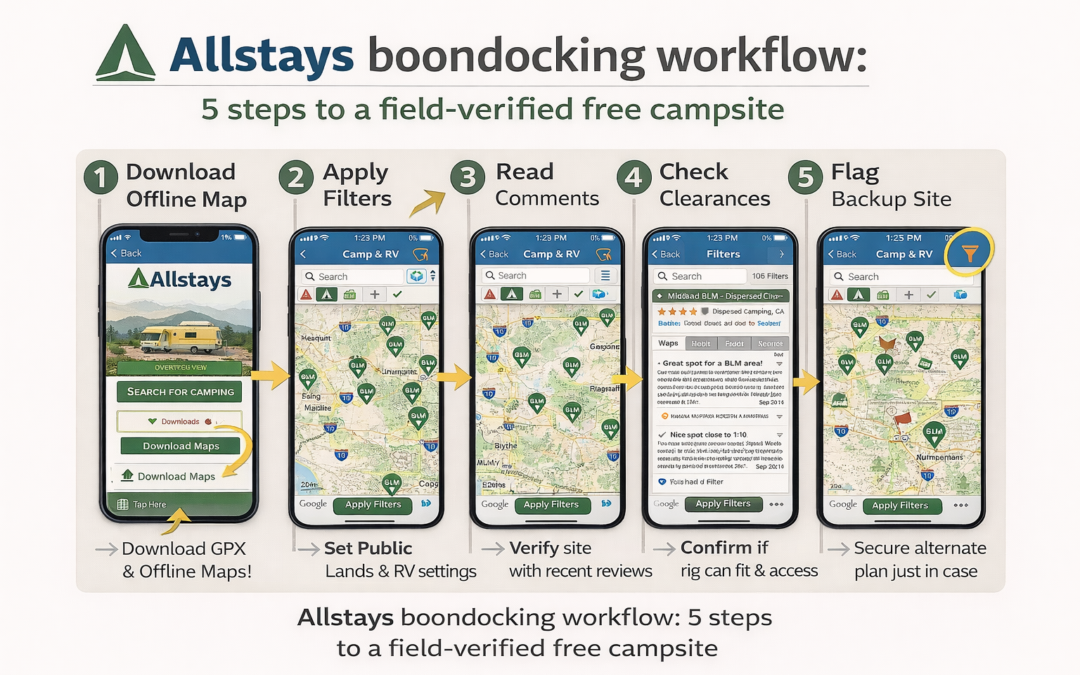
Most users open Allstays and start tapping pins without using the filter system. That’s the wrong approach for boondocking. Here’s a more useful workflow:
Set your target region before leaving cell range. Open the app while connected and navigate to your intended travel area. Download the offline map for that region. This caches the base layer — you won’t be able to refresh pin data offline, but you’ll have the map.
Apply Public Lands + Free Camping filters simultaneously. This narrows pins to dispersed and free sites. Cross-reference any promising site with the official BLM map for your state to confirm road access and the 14-day stay limit rules.
Read the user comments — not just the pin data. The static campground record may be years old. The user comments section often has entries from the past few weeks. Look for notes on road conditions, fee changes, and whether overnight parking is still permitted.
Use the bridge and road grade filter on your route. Before committing to a road you haven’t driven, check clearances along the route. Useful for National Forest roads with low-clearance bridges.
Flag a backup site before you commit to the primary. Remote sites fill or close without notice. Identify a backup within 20–30 miles before you leave pavement. Allstays makes this fast — mark your primary, then scan surrounding pins for alternates.
Allstays vs. Other Camping Apps: Honest Comparison
No single app covers everything. Allstays is strongest on breadth — commercial parks, free overnights, RV services, and public lands all in one map. Here’s how it compares for specific boondocking needs:
Camping App Comparison: Key Boondocking Features
App
Free Sites Focus
BLM / Dispersed
Commercial Parks
RV-Specific Safety
Cost
Allstays Camp & RV
Strong
Good (filter required)
Excellent (60,000+ pins)
Best-in-class (clearances, grades)
$9.99/mo · $19.99/3mo · $34.99/yr
Freecampsites.net
Excellent
Strong
Limited
None
Free
The Dyrt
Good
Good
Good
Limited
Free tier + Pro subscription
iOverlander
Strong
Good (overlanding focus)
Minimal
None
Free
Campendium
Good
Good
Good
None
Free
Feature ratings are based on publicly documented capabilities as of March 2026. Verify current pricing and features before subscribing to any app. See our full dispersed camping app comparison for a deeper breakdown.
The honest takeaway: for boondockers who also mix in commercial RV parks, rest areas, and free overnight stops at retail chains, Allstays is the most efficient single-app solution. If you camp exclusively on BLM and Forest Service land and want the best free-site database, freecampsites.net plus the BLM’s own map portal gives you equivalent coverage at no cost.
Frequently Asked Questions
Is the Allstays Camp & RV app free?
Allstays Camp & RV is free to download on iOS and Android with a 3-day free trial. Full access requires a paid subscription. As of March 2026, tiers are: $9.99/month, $19.99 per 3 months, or $34.99/year. The annual plan works out to $0.67/week. Users who purchased a paid version before the 2022 ownership change may be grandfathered in — contact apps@allstays.com to check. Verify current pricing at allstays.com before subscribing.
Is Allstays Camp & RV available on Android in 2026?
Yes. As of October 2025, Allstays Camp & RV is available for both iOS and Android. The app was iOS-only for several years following the 2022 ownership change. The Android re-launch was part of a broader October 2025 platform overhaul under AllStays LLC.
Does Allstays show BLM dispersed camping and boondocking sites?
Yes. The Public Lands filter displays dispersed camping options on BLM and National Forest land. It does not replace official BLM Motor Vehicle Use Maps (MVUMs) for road-access verification. Use Allstays alongside the BLM national map portal and freecampsites.net for full dispersed-site coverage.
How accurate is the Allstays database?
Allstays combines staff updates with reports from 1,000,000+ app users. Accuracy varies by location. Campground fees, hours, and overnight-parking policies change frequently. Always verify current conditions directly with the campground or land manager — especially before heading to a remote BLM or National Forest site where a wrong turn costs you hours.
What is the best alternative to Allstays for boondockers?
For free and dispersed camping specifically, freecampsites.net and iOverlander are commonly used alongside Allstays. For deeper user reviews, The Dyrt and Campendium are worth bookmarking. For authoritative land access data, the BLM’s Recreation.gov and MVUM maps are the primary source. See our dispersed camping app guide for a full side-by-side breakdown.
Does Allstays work offline?
Allstays offers offline map downloads, but GPS tracking requires cell service. Download the map for your travel region before leaving cell range — not in the parking lot at the trailhead. For true off-grid navigation, pair Allstays with GAIA GPS or downloaded USGS topos as a backup.
Last Updated: Reading Time: ~28 min | Author: Chuck Price, Boondock or Bust
Quick Answer: How long can you boondock on a 90-gallon tank?
Two adults using standard practices get 9 days. Basic conservation (navy showers, basin washing) stretches it to 18–20 days. The Closed Loop Method — recycling grey water for toilet flushing — pushes 30+ days. Real measured data from 6 years of desert Southwest boondocking.
The Shurflo 4008 pump died on day three. Not a slow leak — a high-pitched whine, then silence. We were camped deep on Willow Springs Trail north of Moab, forty minutes of washboard from the highway, eleven days from our planned departure. Most RVers pack up. We stayed five more days, comfortable and confident. Water management isn’t luck. It’s systems.
After six years of full-time boondocking across the desert Southwest — Arizona, Utah, New Mexico — we’ve learned that water is the single factor determining how long you can stay off-grid. Get it right and a 90-gallon fresh tank stretches from nine days to over thirty. This guide covers the exact system we use, including real consumption data tracked across hundreds of camp nights, the Closed Loop grey water method, and the backup protocol that saved our Moab trip.
The system: Three tanks — fresh, grey, and black — operate as one interdependent system, not three separate buckets. Your grey tank determines how long you stay, not your fresh tank. Why it matters: Ignoring grey water capacity is why most RVers leave after a week. Boundary: Tank ratios vary significantly by rig class — Class B vans average 25/12/10 gallons; Class A coaches can run 100/80/40. Verify your rig specs. Example: Our 90/60/40 setup requires grey water management as the primary constraint.
RV water management revolves around three interconnected tanks: fresh water (your clean supply), grey water (sinks and showers), and black water (toilet waste). Most boondocking guides treat these as separate buckets. They’re not. Your fresh tank capacity means nothing if your grey tank fills first and forces an early dump run. Our rig carries 90 gallons fresh, 60 gallons grey, and 40 gallons black. These aren’t arbitrary numbers — they dictate our entire water strategy.
Six years of data produced one non-obvious finding: tank capacity doesn’t determine boondocking duration. Consumption rate does. We’ve watched RVers with 120-gallon fresh tanks run dry in five days while we stretch 90 gallons for three weeks. The difference isn’t tank size — it’s understanding that your limiting factor is whichever tank forces you to leave first. That’s usually grey water for most boondockers, rarely fresh water if you plan correctly.
The standard consumption claim of 10–15 gallons per person daily comes from residential water use data — not off-grid RVing. Our real-world tracked averages for two adults and a dog: standard operation runs 9–10 gallons per day, basic conservation drops it to 4–5, and our Closed Loop Method brings it to 2.5–3 gallons. These are measured figures from hundreds of boondocking nights in Arizona and Utah using the SeeLevel II tank monitoring system.
Most guides also ignore the grey water advantage. Your grey tank typically holds the most capacity. Slow its fill rate through conservation and reuse and you automatically extend your stay. Black tanks fill slowest for most people — one gallon per flush adds up slowly compared to a five-gallon shower. Fresh water runs out last if you manage the system correctly. This inverted thinking — optimize grey water first, black second, fresh third — separates comfortable month-long stays from week-long trips.
Temperature changes the math more than most guides admit. Desert heat above 95°F adds 1–2 gallons daily for cooling rinses and wet towels. Winter creates a different problem: frozen pipes and ice buildup in external tanks can effectively reduce your fresh tank capacity by 8–10% once you account for the unusable frozen layer at the bottom. Plan for seasons, not just capacity.
Real water consumption benchmarks from 6 years off-grid
The baseline: Two adults and one dog in a 90-gallon system average 2.5–3 gallons per day using the full Closed Loop protocol. Why the industry is wrong: Published estimates of 8–10 gallons per person daily reflect full-hookup RV park behavior, not boondocking reality. Boundary: These figures apply to moderate desert temperatures (60–80°F) in a Class B or Class C rig. Larger rigs, families, or extreme heat require adjusting upward. Source: Tracked consumption logs from Quartzsite, Arizona and southern Utah over 6+ seasons.
Our tested consumption breaks into three tiers. Standard usage — no conscious conservation — runs 9–10 gallons daily for two people. This includes normal 5-minute showers, running water while washing dishes, and no behavior changes. It’s comfortable but burns a 90-gallon tank in nine days. Basic conservation — navy showers, turning off taps, basin dish washing — drops it to 4–5 gallons per day, extending the same tank to 18–20 days. Full optimization using the Closed Loop Method hits 2.5–3 gallons, pushing 30+ days.
Daily water consumption by activity — 2 adults, tracked averages (Quartzsite AZ / southern Utah)
Activity
Gallons/Day
Notes
Drinking & cooking
1.5
0.5 gal drinking each + 0.5 gal cooking
Hygiene (navy showers)
1.5
0.75 gal per person per shower
Dishes (basin method)
0.5
Basin + spray bottle rinse
Hand washing & teeth
0.3
Taps off between uses
Dog water (60 lbs)
0.2
Moderate temperatures
Subtotal (before recycling)
4.0
Basic conservation baseline
Closed Loop grey water offset
-1.5
Recycled for toilet flushing
Net fresh water consumption
2.5
Full Closed Loop Method
The disconnect from industry averages comes from conflating comfort with necessity. You don’t need a five-minute shower to get clean. A 45-second navy shower — wet, soap, rinse — uses 0.75 gallons and leaves you just as clean as a 15-gallon residential shower. The difference between 10 gallons daily and 3 gallons daily isn’t suffering. It’s eliminating waste you never needed.
Temperature swings add meaningful load. Our 2.5–3 gallon baseline covers moderate desert conditions. Summer above 95°F pushes us to 3.5–4 gallons daily — more drinking, cooling rinses, wet towels for evaporative cooling. Winter below freezing actually reduces it slightly to 2–3 gallons since we’re not sweating. Track everything for two weeks. Abstract conservation advice doesn’t change behavior. Concrete numbers showing exactly what each action costs creates immediate habit change.
15 water conservation techniques ranked by impact
The ranking: These 15 techniques are ordered by actual water savings from six years of field testing, not estimates. The top three deliver 75% of total possible savings. Why this order matters: Most guides treat all conservation tips as equal. They’re not. Implement #1–#3 first — everything else is marginal by comparison. Boundary: Savings figures are based on two-adult occupancy; single occupants should halve all figures. Source: Measured daily consumption logs across 600+ boondocking nights.
1. Navy showers (Save: 4–14 gallons per shower)
Turn water on for 10 seconds to wet down. Turn off. Soap everything. Turn on for 30–40 seconds to rinse. A navy shower uses 0.5–0.75 gallons versus 5–15 gallons for a standard RV shower. This single technique is the difference between a nine-day tank and a 25-day tank. We shower every other day in moderate weather. You stay clean. Your tank stays full.
2. Basin dish washing (Save: 3–5 gallons per day)
Fill a small collapsible basin with 0.5 gallons of hot soapy water. Wash all dishes. Use a spray bottle with clean water for rinsing — 10–15 sprays per dish, about 0.2 gallons total. Running water over dishes wastes 3–5 gallons daily. A basin system cuts it to 0.7 gallons total. Buy a $5 collapsible basin. Use it every meal.
3. Grey water capture for toilet flushing (Save: 1–2 gallons per day)
Place a bucket in your shower to catch water while it heats up and during your navy shower. Use this grey water to flush your toilet instead of fresh water. RV toilets use 0.5–1 gallon per flush. Capturing and reusing 1–2 gallons daily means your black tank fills slower and you preserve fresh water. This is the gateway to the full Closed Loop Method described below.
4. Turn off taps between uses (Save: 1–2 gallons per day)
Don’t let water run while soaping hands, brushing teeth, or pre-rinsing dishes. Watch yourself for one full day — you’ll be surprised how often water runs for no reason. We’ve measured 1–2 gallons daily saved from this alone. Install a foot pump faucet or simply train the habit.
5. Paper plates for messy meals (Save: 0.5–1 gallon per meal)
Chili, spaghetti, anything greasy — paper plates eliminate the hot water needed for scrubbing. Save your dish water budget for cookware you can’t avoid washing. One package of plates extends our tank by 2–3 days over a month. Not elegant. Effective.
6. Hand pump backup system (Save: behavior change, not gallons)
A $35 hand pump installed in your galley lets you use water when your electric pump fails or you’re conserving power. The psychological shift matters — you’ll use less water when you manually pump each gallon. Electric pumps encourage waste because water flows effortlessly.
7. Spray bottles for rinsing (Save: 2–3 gallons per day)
Label three spray bottles: dishes, counters, hands. Ten sprays equals roughly 0.05 gallons. Turning on a faucet for three seconds uses 0.2 gallons. Spray bottles give you control over every ounce.
8. Drinking water from a dedicated jug (Save: 0.5–1 gallon per day)
Fill one jug in the morning. Pour from it instead of running the tap every time someone wants water. This prevents the habit of running water until it gets cold — which wastes 0.2–0.3 gallons each time. It also lets you track drinking water consumption separately from cooking and hygiene.
9. Wet wipes between showers (Save: 0.5–0.75 gallons per day)
Baby wipes or hiking wipes for pits, face, and feet between shower days. We shower every 2–3 days instead of daily. A $4 pack of wipes saves 5–7 gallons over a week. Your skin stays healthier without daily soaping.
10. Collect AC condensation (Save: 0.5–1 gallon per day in summer)
If you run AC, your condenser drips water. Route it into a bucket instead of onto the ground. This grey water is suitable for flushing toilets or washing gear. We’ve collected up to one gallon daily during Arizona summers. Free water you were already generating.
11. One-pot meals (Save: 1–2 gallons per meal)
Fewer dishes means less water. A one-pot chili uses a single pot and bowls. A multi-course meal uses multiple pans, cutting boards, and utensils. Cast iron skillets that clean without soap become essential gear.
12. Strategic water heating (Save: 0.3–0.5 gallons per day)
Heat water once, use it for multiple tasks. Morning routine: heat water for coffee, then use the same hot water for dish washing. Don’t run your tap multiple times waiting for hot water. That wait time wastes 0.1–0.2 gallons per occurrence.
13. Low-flow faucet aerators (Save: 1–2 gallons per day)
Swap standard RV faucet aerators (2.2 GPM) for 0.5 GPM low-flow versions. You’ll barely notice the difference in pressure for hand washing or dish rinsing. You cut water flow by 75%. A $12 investment. We installed them on all faucets after month one.
14. Scrape before washing (Save: 0.5 gallons per day)
Use a silicone spatula to remove all food residue before washing. Your basin wash water stays cleaner longer and you need less rinse water. Adds up when washing dishes 2–3 times daily for weeks.
15. Strategic laundry management (Save: 20–30 gallons per load avoided)
A single in-rig laundry load uses 20–30 gallons. Extend clothing wear through spot cleaning. Plan laundromat trips for when you’re already driving to town for a water refill or dump run. We do laundry every 10–14 days at town facilities, never from our tanks.
Managing your grey tank and planning dump station stops efficiently is a companion skill to water conservation. See our guide to finding RV dump stations on the road for location strategies that extend your off-grid stays.
The Closed Loop Water Method
What it does: The Closed Loop Method intercepts shower and sink grey water, filters it through a 5-micron sediment filter, and reuses it for toilet flushing and gear washing — cutting fresh water consumption by roughly 40%. Result: A 90-gallon tank that lasts 18 days on basic conservation extends to 30+ days. Boundary: Grey water only — never black water. Best suited for extended stays of 14+ days. Not worth the setup effort for 3–5 day trips. Cost: Under $75 in parts, 2–3 hours installation.
The system works in three steps. Grey water exits your shower and sinks through your drain line. Before it reaches the grey tank, a diverter valve intercepts it. Captured water flows into a 5-gallon bucket with a 5-micron string-wound sediment filter, which removes hair, soap residue, and particles. The filtered water goes into labeled 1-gallon jugs marked “NON-POTABLE — TOILET/CLEANING ONLY” in permanent marker. When the toilet needs flushing, you pour grey water directly into the bowl instead of using the flush pedal that draws from your fresh tank.
Closed Loop Method equipment list — complete build under $75
Item
Est. Cost
Notes
Grey water diverter valve
$15
Search “RV grey water diverter valve” on Amazon
5-micron filter housing + cartridges
$37
$25 housing + $12 for 3-pack cartridges
Food-grade 1-gallon jugs (6)
$18
Must be food-grade; label all NON-POTABLE
5-gallon bucket with lid
$5
Hardware store, any brand
Total
~$75
2–3 hours installation if comfortable with basic plumbing
The math on toilet flushing: RV toilets use 0.5–1 gallon per flush. Two adults average 6–8 flushes daily. That’s 3–6 gallons of fresh water per day going directly to black tank. Over two weeks, that’s 42–84 gallons — nearly an entire 90-gallon tank. Recycling grey water for this purpose is the single highest-leverage move after navy showers.
⚠️ Safety Requirements
Grey water reuse is safe for toilet flushing and gear cleaning only. Never use for drinking, cooking, or face washing. Always label containers “NON-POTABLE” to prevent accidental consumption. Change sediment filters every 30–50 gallons processed (roughly monthly). Smell-test stored grey water before use — if it smells off despite filtering, dump it and start fresh. Use only biodegradable soaps (Dr. Bronner’s or Campsuds) — harsh chemicals harm black tank bacteria.
When NOT to use this method: 3–5 day trips where setup effort outweighs benefit; when unlimited water sources are nearby; when using bleach or antibacterial cleaning products. This system is built for extended desert stays of 14+ days where every gallon matters.
One advanced variation to skip: adding a 12V pump to move filtered grey water into a dedicated non-potable holding tank plumbed to the toilet. We tried it. It’s over-engineered. The manual pour method works perfectly, draws zero power, has no pump to fail, and costs 80% less. Simple wins.
Water management is one component of the broader off-grid living equation. For a complete framework covering solar, connectivity, and desert boondocking protocol, see the complete boondocking guide at Boondock or Bust.
Crisis management: when your water system fails
The protocol: A three-part backup system — emergency water jugs, Closed Loop grey water stockpile, and crisis consumption discipline — turns pump failure from a trip-ender into a manageable delay. Why it matters: The Shurflo 4008 pump failed on day three of an eleven-day Moab trip, forty minutes from highway. We stayed eleven more days. Boundary: Backup system provides 5–7 days of strict-conservation water access for two adults. Beyond that, a town trip is required. Equipment: Two 7-gallon Aqua-Tainer jugs + hand pump, never used for daily consumption.
Day three on Willow Springs Trail. Coffee brewing. Morning routine. A high-pitched mechanical whine from under the sink, then silence. The Shurflo 4008 water pump, installed new eighteen months prior, had seized. We were forty minutes of rough washboard dirt from Moab, eleven days from our planned departure. Most RVers calculate “pump failed, must leave immediately.” We calculated “pump failed, we have six days to solve this.”
Line 1: Emergency water jugs. Two 7-gallon Aqua-Tainer jugs represent 14 gallons of potable water — 4–5 days for two people at strict conservation rates. We installed the hand pump on one jug immediately. Pumped water into our pot for coffee. Pumped into our basin for hygiene. The hand pump delivers roughly 0.5 gallons per minute manually. Not fast. Sufficient.
Line 2: Closed Loop grey water stockpile. We already had 4 gallons of filtered grey water in storage jugs. That handled all toilet flushing for three days with zero fresh water required. Without that stockpile, we would’ve burned through emergency jugs 50% faster just keeping the toilet functional. The system built for extending normal stays became critical infrastructure during a crisis.
Line 3: Crisis consumption discipline. No showers for five days — wet wipes only. Spray bottle rinsing only. Two ounces of water for toothbrushing. Every ounce counted because we didn’t know if replacement pump parts existed in Moab or needed to be ordered.
Day six: drove to Moab. Local RV parts shop didn’t stock Shurflo 4008 motors. Amazon could deliver to the Moab post office in three days. We ordered it, returned to camp, stayed comfortable on backup systems. Day nine the part arrived. Thirty-minute installation. Pump worked. We stayed another five days. Total trip: fourteen days instead of three.
💡 Pro Tip: Test your backup monthly
Shut off your main pump deliberately once a month and operate on emergency jugs for one day. This surfaces problems when they’re inconvenient instead of critical. We discovered our first hand pump didn’t fit our jugs during a practice run — fixed it before it mattered.
Finding and evaluating water sources in the desert Southwest
The rule:BLM and National Forest land provides no water infrastructure. Zero. BLM manages land, not amenities. Why this shocks people: New boondockers assume public land means public facilities. The scattered pit toilets you’ll find offer no water access. Boundary: Water source availability shifts dramatically by season — summer spigots may close; winter outdoor taps freeze. Verify current status before every trip. Example: The free municipal water spigot in Quartzsite, AZ that flows freely January–March gets restricted to limited hours in summer and may close entirely. Never plan on a source without same-season confirmation.
Quartzsite, Arizona — our winter basecamp — has free potable water at the town park on Main Street, but the line stretches thirty RVs deep between January and March when snowbirds pack the area. We fill at 6:30 AM on weekdays when there’s zero wait, not at 10 AM weekends when you’ll burn two hours in line. Southern Utah dispersed camping near Moab offers no free water sources. The nearest reliable fill is Slickrock RV Park on north Main Street at $10 per tank fill regardless of size, or City Market grocery on south Main with a posted “RV filling allowed” outdoor spigot — closed November through March due to freezing.
Confirmed water fill locations — desert Southwest (verify current status before use)
Location
Cost
Season
Notes
Quartzsite, AZ — Town Park, Main St.
Free
Jan–Mar unrestricted; summer limited hours
Arrive 6:30 AM weekdays; 30-RV line by 10 AM weekends
No water provided. Pit toilets only at scattered locations.
Natural water sources demand extreme caution in the desert. The Colorado River looks abundant. It’s also contaminated with agricultural runoff and carries Giardia and Cryptosporidium. We’ve used river water exactly twice in six years — filtered through a Sawyer 0.1-micron filter followed by UV purification with a SteriPEN, and only for grey water tasks like dish washing. The effort and risk don’t justify it when municipal water costs $10 for 90 gallons.
Springs and seeps on USGS topo maps frequently run dry. Drought and groundwater depletion have killed sources marked on maps for decades. Never plan around a map-marked spring without confirming current flow through a trip report dated within 30 days. We use the FreeRoam app for user-submitted water source reports and cross-reference with iOverlander, Campendium, and AllStays Camp & RV. One app’s data is unreliable. Four showing consensus gives confidence.
We carry TDS (Total Dissolved Solids) test strips to measure mineral content in PPM (parts per million). Acceptable drinking water tests under 500 PPM. Desert well water often tests 800–1,200 PPM — technically safe but tastes awful and leaves mineral deposits in tanks and pumps. Fill from high-quality municipal sources (typically 150–300 PPM) and extend that water through conservation rather than refilling frequently from questionable sources.
One rule that never fails: top off every town trip, regardless of current tank level. If we’re at 60% capacity on a Moab supply run, we still refill to 100%. Water is cheap or free. The marginal cost of topping off is zero compared to the risk of running low because we skipped a convenient fill opportunity. Never leave town with anything less than a full tank.
How to use this table: Find your fresh tank size in the left column. Read across to your conservation level. The number shown is estimated days off-grid for two adults. Adjustments: Add a dog: subtract 10%. Hot weather above 90°F: subtract 25%. Cold weather below 40°F: add 10%. Grey tank under 70% of fresh tank capacity: subtract 20% from your result. These figures are field-measured averages from desert Southwest boondocking — not estimates from manufacturer specs.
Estimated days off-grid by tank size and conservation level — 2 adults, moderate temperatures
Fresh Tank Size
Standard 5 gal/person/day
Basic Conservation 2.5 gal/person/day
Closed Loop Method 1.5 gal/person/day
30 gallons
3 days
6 days
10 days
40 gallons
4 days
8 days
13 days
50 gallons
5 days
10 days
16 days
60 gallons
6 days
12 days
20 days
75 gallons
7 days
15 days
25 days
90 gallons (our rig)
9 days
18 days
30 days
100 gallons
10 days
20 days
33 days
120 gallons
12 days
24 days
40 days
150 gallons
15 days
30 days
50 days
Quick adjustment guide
Add 1 dog (40-80 lbs)
Subtract 10% from your result
Hot weather — above 90°F
Subtract 25% from your result
Cold weather — below 40°F
Add 10% to your result
Grey tank under 70% of fresh tank size
Subtract 20% — grey fills first
3+ adults
Divide result by people, multiply by your actual count
Hydration for off-RV excursions: hiking and exploring
The baseline: Desert day hikes require 1–1.5 liters per hour of hiking in moderate temperatures, double that above 95°F. A four-hour summer hike means carrying a minimum of 8 liters (2 gallons) of water. Why desert is different: Low humidity (often below 20%) causes rapid evaporative cooling — you sweat heavily but don’t notice it, creating invisible dehydration that mountain hikers rarely encounter. Boundary: These figures apply to adult hikers in the desert Southwest. Kids dehydrate faster; dogs cool only through panting and can dehydrate faster than humans. Rule: Always keep 1 liter untouched as “get home” reserve.
Our pack setup for day hikes: a CamelBak 3-liter reservoir as primary hydration — hands-free sipping encourages consistent intake — plus two 1-liter Nalgene bottles as backup. Total capacity: 5 liters for most moderate hikes. On a 5-liter carry for a four-hour hike, we budget 3 liters for the hike itself, 1 liter as safety buffer, and 1 liter as absolute reserve that stays full unless we’re in genuine crisis. That reserve has saved us twice.
Pre-hydration matters more than most hikers realize. We drink 0.5 liters thirty minutes before leaving camp, another 0.5 liters while gearing up. Starting a desert hike already hydrated means your body has reserves before you begin sweating. Starting thirsty means chasing deficit from step one. This came from a miserable Arches hike where we started dehydrated and never caught up despite drinking constantly.
Electrolyte replacement becomes critical after two hours of activity. Sweating depletes sodium, potassium, and magnesium. Drinking plain water without replacement can cause hyponatremia — dangerously low blood sodium. We carry single-serve electrolyte packets (LMNT or similar) and add one packet per liter after the first hour of hiking. Signs you need electrolytes: muscle cramps, headache despite drinking water, nausea, confusion.
Heat management reduces water needs significantly. We hike early morning — leaving camp by 6 AM and back by 11 AM. Hiking 8 AM to noon in summer uses 50% more water than hiking 6–10 AM. That four-hour time difference in start time has an outsized effect on hydration demands. Evening hikes starting around 4 PM also work — temperatures drop and water needs drop with them.
Natural water sources on trails: assume contamination always. We’ve filtered water from desert springs using our Sawyer Mini filter, but only when we had no other option. Giardia and Cryptosporidium live in pristine-looking desert springs. Cattle graze in many BLM areas, meaning livestock contamination in any surface water. Filter everything. Treat everything. We carry both mechanical filter (Sawyer) and chemical backup (Aquatabs) specifically for emergency trail water.
Planning a hiking-heavy boondocking trip? Our guide to BLM camping rules and compliance covers the regulations that apply to dispersed camping on public land, including LNT practices and access requirements.
Frequently asked questions
Q: How long can I boondock with a 40-gallon fresh tank?
A 40-gallon tank supports 4–8 days for two people depending on conservation level. Standard consumption at 5 gallons per person daily gives you 4 days. Basic conservation at 2.5 gallons per person daily extends it to 8 days. Advanced Closed Loop recycling at 1.5 gallons per person pushes 13 days, but grey tank capacity will limit you before fresh water unless you dump mid-stay.
Q: Is grey water reuse safe, or am I risking illness?
Grey water reuse for toilet flushing and gear cleaning is safe when done correctly. Grey water contains soap residue and skin cells — not human waste pathogens. A 5-micron sediment filter removes particles. Use biodegradable soaps only. Never use grey water for drinking, cooking, or face washing. Label all storage containers “NON-POTABLE.” We’ve run this system for six years with zero illness. The risk comes from improper handling, not from grey water itself.
Q: What’s the best backup if my water pump fails in the middle of nowhere?
Carry two 7-gallon potable water jugs as emergency reserve — never used for daily consumption — plus a $19 hand pump that fits standard jug openings. This gives you 14 gallons manually accessible even with a dead pump, providing 4–5 days at strict conservation rates. Know your pump model and research parts availability before entering remote areas. The Shurflo 4008 is widely stocked; some off-brand pumps aren’t.
Q: How do I find reliable water sources in the desert Southwest?
Cross-reference four apps for consensus: FreeRoam (user-submitted reports under 30 days old), iOverlander, Campendium, and AllStays Camp & RV. Quartzsite, AZ offers free municipal water at the town park on Main Street — arrive by 6:30 AM weekdays to avoid lines. Moab, UT charges $10 at Slickrock RV Park or free at City Market (April–October only). Never assume a map-marked spring flows without recent confirmation.
Q: Can I safely drink from natural water sources while boondocking?
Natural desert water sources require treatment every time. The Colorado River and desert springs carry Giardia, Cryptosporidium, and agricultural runoff. Filter through a 0.1-micron filter (Sawyer or equivalent), then UV-treat with a SteriPEN or use chemical treatment (Aquatabs). Test with TDS strips — above 800 PPM tastes terrible despite being technically safe. Natural water is emergency backup only. Municipal fills at $10 per tank are far cheaper than the time and risk of treating questionable sources.
Q: What single conservation technique has the biggest impact?
Navy showers by a large margin — they save 4–14 gallons per shower versus standard RV showers. For two people showering every other day over two weeks, navy showers use 7–10.5 gallons total; standard showers consume 70–210 gallons. That single technique determines whether a 90-gallon tank lasts 9 days or 25 days. Master it first. Basin dish washing ranks second (saves 3–5 gallons daily) and grey water toilet flushing ranks third (saves 3–6 gallons daily).
Q: How does the grey tank limit my boondocking if my fresh tank is still full?
Your grey tank fills with shower and sink water while your black tank fills slowly from toilet use. When grey capacity is less than 70% of fresh tank capacity, grey fills first — forcing a dump run before your fresh water runs out. A grey tank dump mid-stay is a viable workaround: dump grey at day 10, continue for another 10 days on remaining fresh water. Some dispersed camping areas allow grey water dumping in designated spots; check local BLM guidance.
Conclusion
Water management separates short boondocking trips from month-long desert adventures. After six years and hundreds of tracked camp nights, the data is consistent: a 90-gallon fresh tank stretches from nine days to 30+ days through systematic conservation and grey water recycling. The difference isn’t luck or expensive equipment — it’s knowing your consumption rate, implementing navy showers and basin dish washing, building backup systems before you need them, and treating water as the finite resource it is in remote locations.
Start with measurement. Track your consumption for three days. Run your numbers through the calculator. Implement the top three techniques: navy showers, basin dish washing, and grey water toilet flushing. These three cut consumption by 60–70%. Add the Closed Loop system for extended stays. Build your backup protocol and test it during a normal operations day before you need it under pressure.
The freedom to stay 30 days in a Utah canyon or Arizona desert wash comes from treating every gallon as precious. The Moab pump failure could’ve ended our trip on day three. Instead, it was a three-day parts wait. Systems, not luck.
Want field-tested systems like this delivered direct?
35 years of boondocking data. No campfire stories. Just what works.