
Disclosure: Starware sent me this case free to review, with no return required. The sample is the only compensation, and Starware did not see this post before it went live. The FTC’s Endorsement Guides say a connection like this “must be disclosed clearly and conspicuously” (16 CFR 255.5). The Starware link below is tagged as sponsored. I earn nothing if you buy one. See the Boondock or Bust affiliate disclosure.
Quick answer: The Starware M101S is a hard case that stores a Starlink Mini kit and powers the dish through an outside DC port. This is a first look from a November 19, 2026 driveway setup in my Hymer Aktiv, so it covers fit, contents and setup, and it does not cover connection speeds, heat or rain. Starware lists the case at $119.90 and 2.1 kg (4.6 lb). My Mini fit the lid straps, and my kickstand, cable and power supply fit the foam.
Last updated: November 23, 2026
I use a Starlink Mini when we travel in our 2018 Hymer Aktiv Class B. A 19-foot van has no spare shelf for a loose dish, a kickstand and a 15 m (49.2 ft) power cable. Starware offered a sample of its M101S case, and I unboxed it on November 19, 2026. The Hymer is winterized until spring 2027, so everything below comes from that driveway session plus published specs. If you are still choosing a connection, start with my comparison of Starlink Roam and 5G hotspots for RV internet. More gear write-ups live in the Boondock or Bust resources library.
What is the Starware M101S case for Starlink Mini?
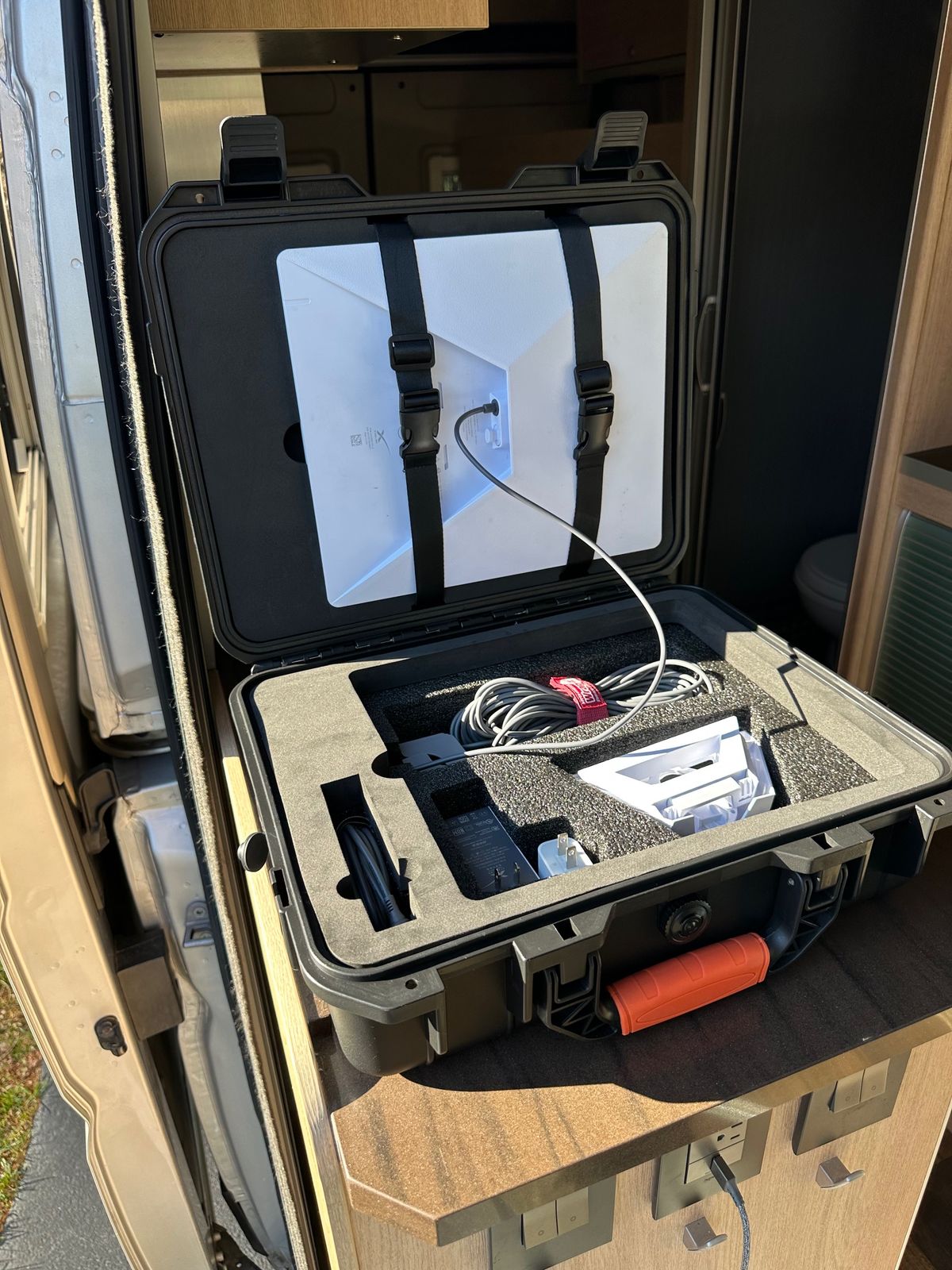
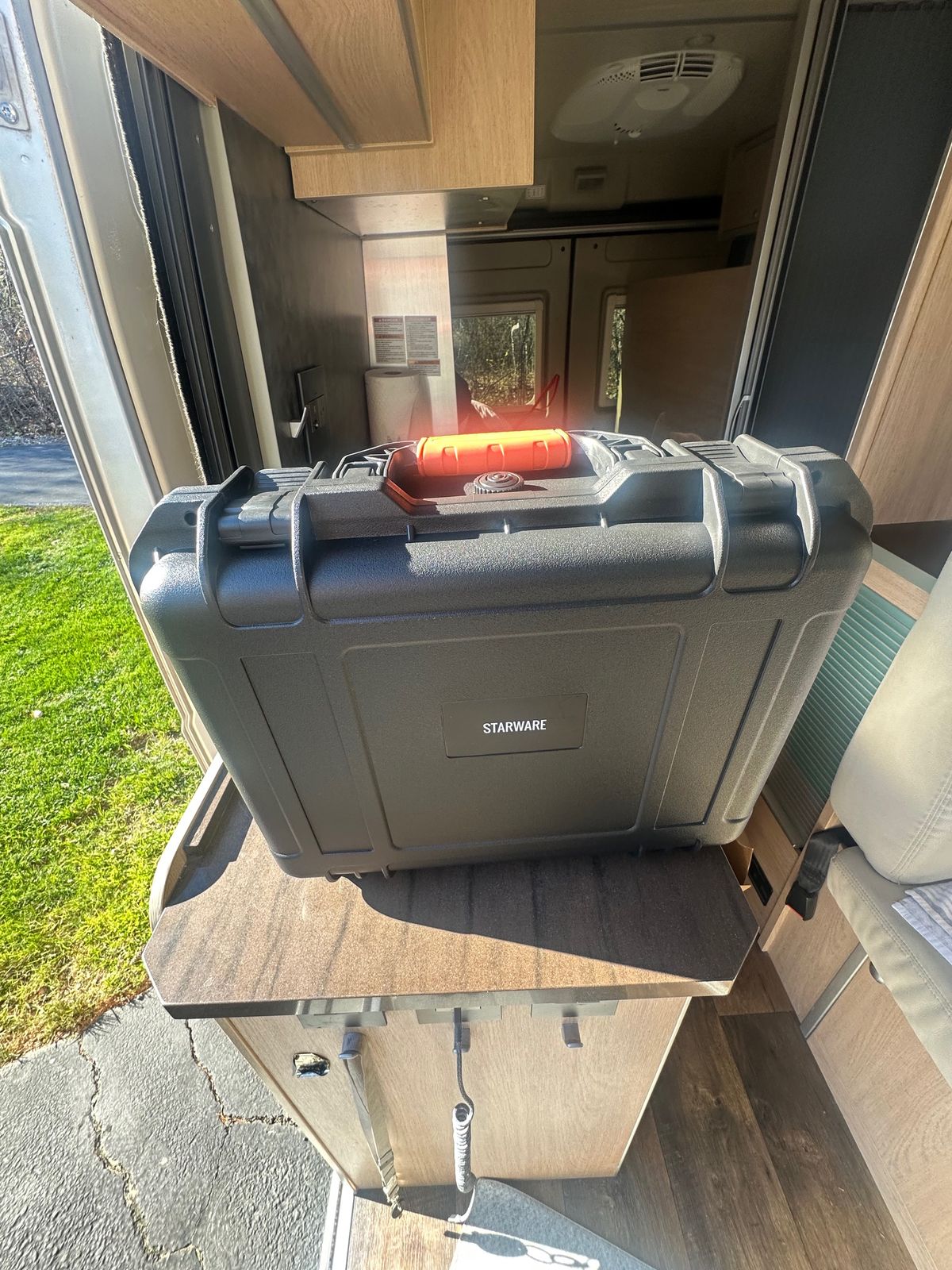
The Starware M101S is a polypropylene hard case with cut foam, lid straps for the dish and a waterproof DC port on the outside. Starware sells it as the Field Protective Case for Starlink Mini. The carton and the quick-start card call it the Hard Case for Starlink Mini. Both carry model number M101S.
| Spec | Starware M101S | Where it comes from |
|---|---|---|
| Model | M101S | Carton label and Starware product page |
| Price | $119.90 on starwaresat.com, checked November 23, 2026 | Starware product page |
| Case weight | 2.1 kg (4.6 lb) | Starware product page |
| Shell | High-density polypropylene | Starware product page |
| Interior | Dual-layer EVA and EPE foam | Starware product page |
| Weather rating claimed | IP67 with a rubber gasket | Starware product page |
| Power input | Waterproof DC port on an aluminum panel | Starware product page |
| Fits | Starlink Mini only | Starware product page |
| Outside dimensions | Not published | Starware product page, checked November 23, 2026 |
The case fits the Starlink Mini only. It does not fit the Starlink Standard dish. This first look does not include my own weights or measurements.
Starlink lists the Mini at 298.5 x 259 x 38.5 mm (11.75 x 10.2 x 1.45 in) and 1.10 kg (2.43 lb), per the Starlink Mini specification sheet. Case plus dish comes to 3.2 kg (about 7.1 lb) before the kickstand, cables and power supply. That total is my addition of the two published weights, not a scale reading.
What comes in the box?
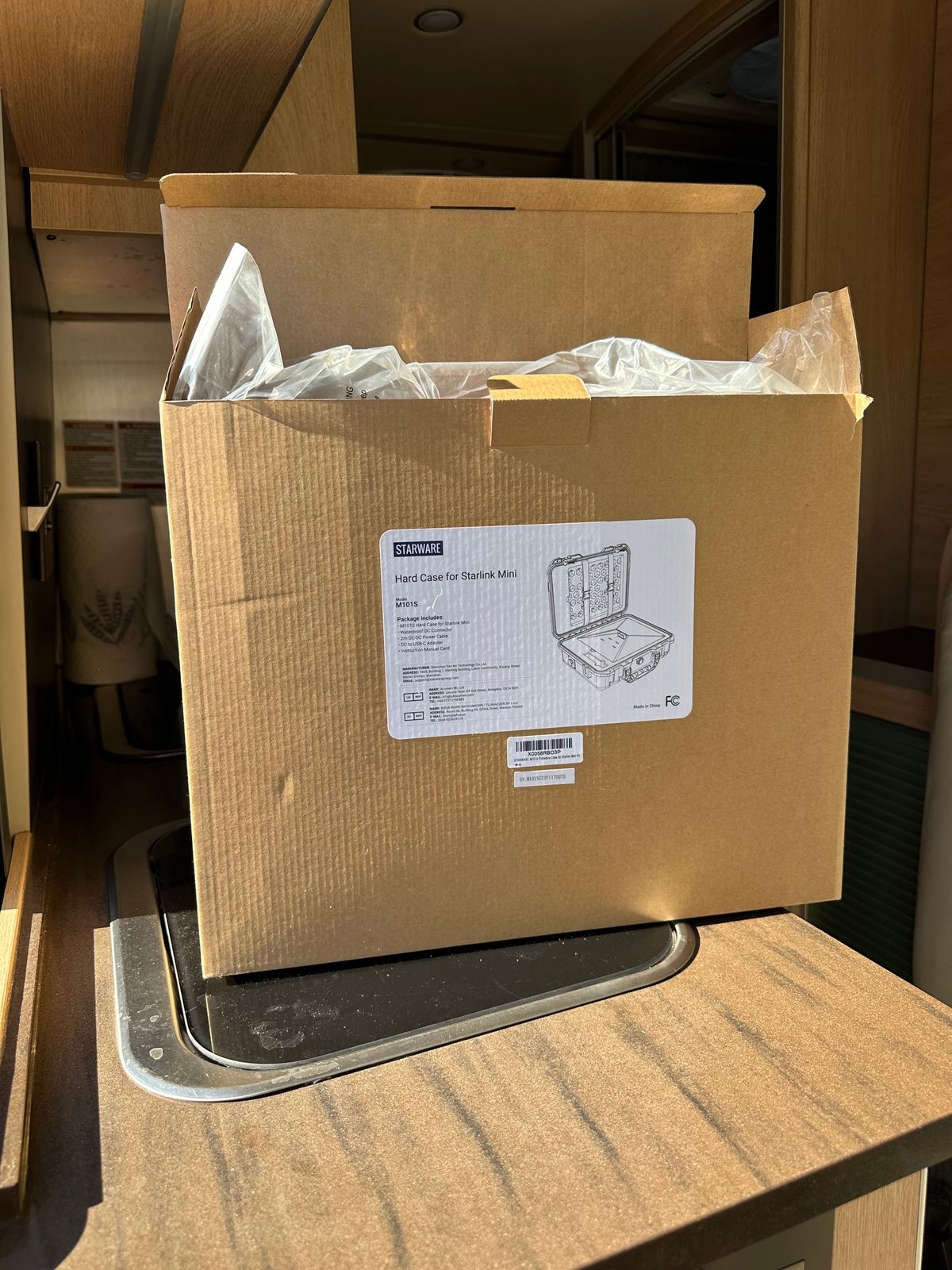
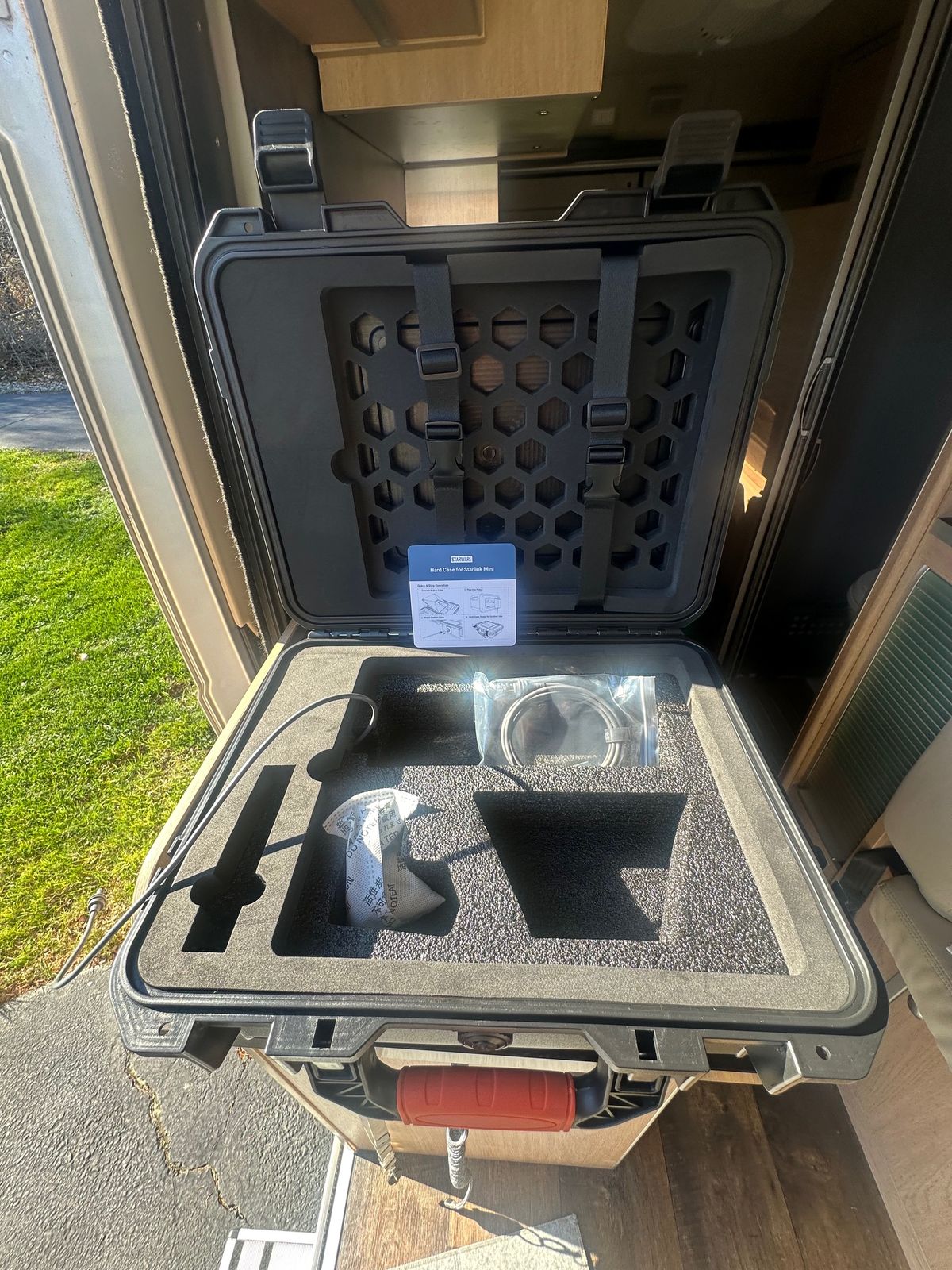
The carton label lists five items: the case, a waterproof DC connector, a 2 m DC cable, a USB-C adapter and an instruction card.
- M101S hard case for Starlink Mini
- Waterproof DC connector, installed in the side of the case
- 2 m (6.6 ft) DC to DC power cable
- DC to USB-C adapter
- Instruction card with four setup steps
A short cable on the inside of the DC connector plugs into the dish. No Starlink hardware is included. You supply the Mini, its kickstand, its cables and its power supply. The label lists no shoulder strap.
The USB-C adapter only works with a strong enough source. Starlink’s spec sheet sets the USB PD (Power Delivery) requirement for its own USB-C cable at “100W, 20V/5A Minimum” (Starlink Mini specification sheet). Starware’s product page names Type-C power banks of 100 W and up.
How does the Starlink Mini fit in the case?
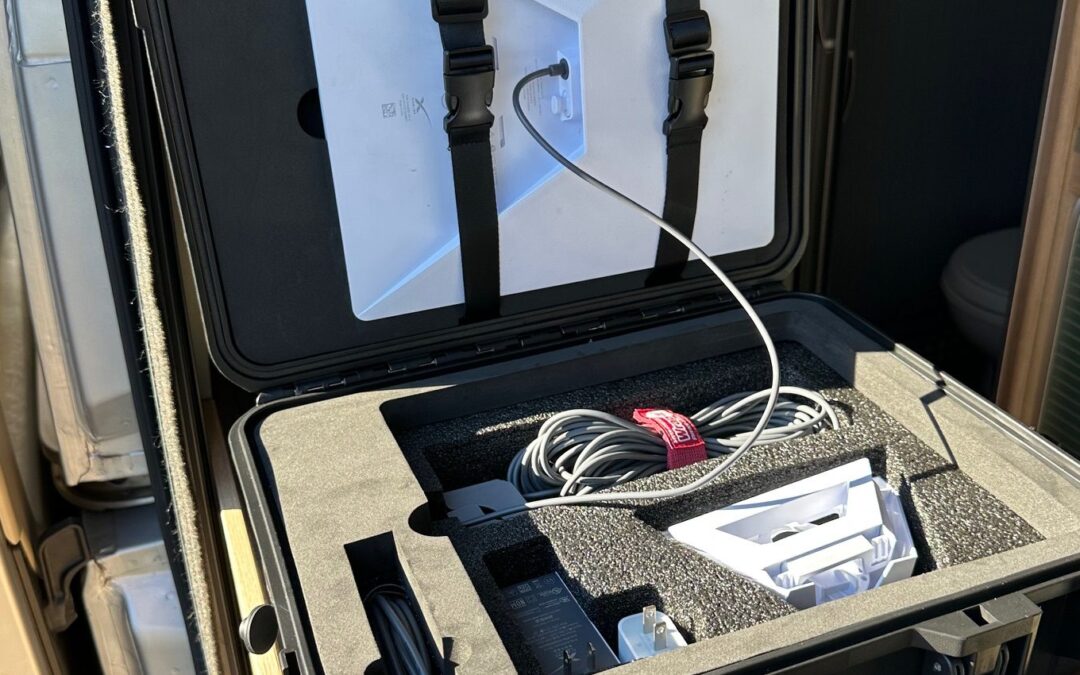
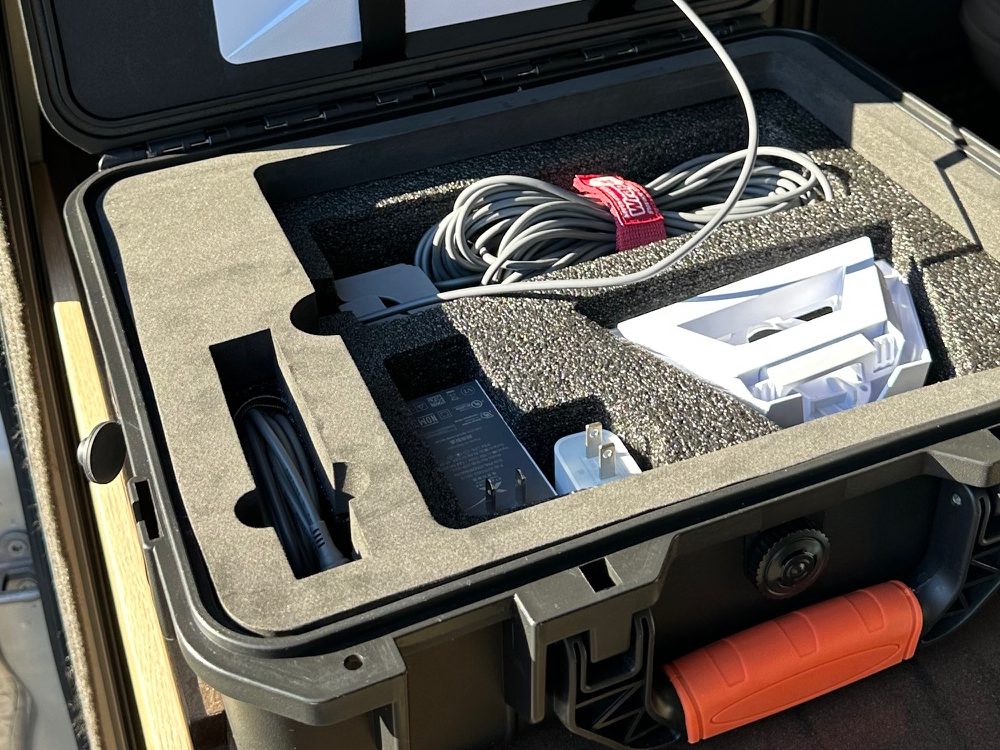
The dish straps into the lid under two buckle straps, and the foam base holds the kickstand, cables and power supply. Here is where my kit went on November 19, 2026:
- Lid: the Mini, back side facing in, under both buckle straps
- Top foam pocket: my coiled Starlink power cable
- Right foam pocket: the kickstand, which I took off the dish
- Lower left pocket: the Starlink power supply and wall plug
- Left slot: a spare cable
The lid panel behind the dish is a honeycomb grid. With the case shut and lying flat, the face of the dish points up through the lid. The straps hold the dish parallel to the lid, so the dish points wherever the lid points.
How do you power the Starlink Mini with the lid closed?
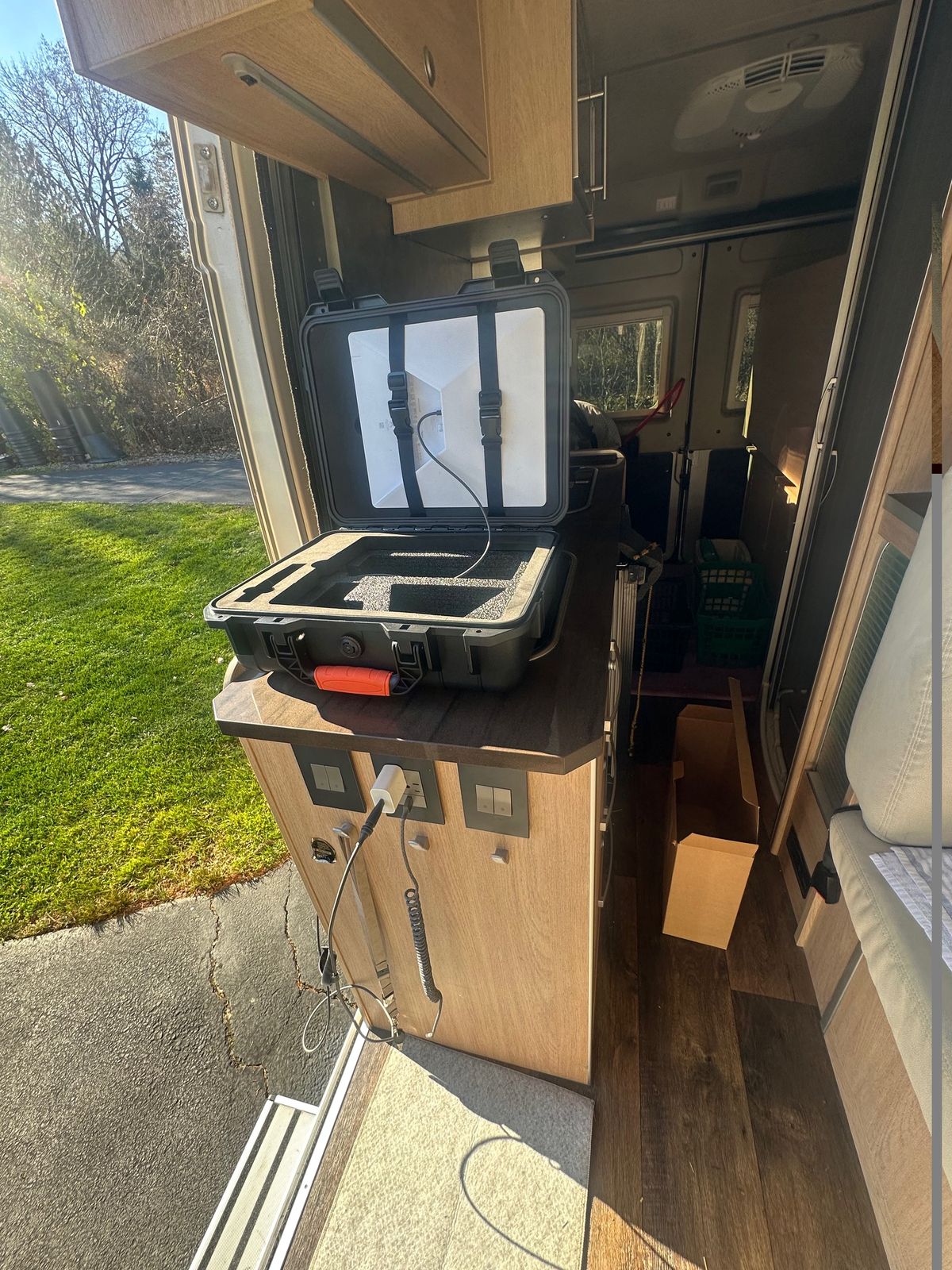
You plug the case’s inside cable into the dish, close the lid and feed power to the DC port on the outside. The instruction card shows four steps:
- Plug the built-in cable into the dish.
- Connect the Starware cable to your power source.
- Attach the cable to the port on the outside of the case.
- Latch the case.
In my driveway setup, I ran the 2 m Starware cable from the side port to the USB-C adapter and a wall charger in the Hymer’s galley outlet. The case has no battery. It passes power through to the dish.
Starlink rates the Mini’s input at 12 to 48 V and 60 W, with an average draw of 25 to 40 W, per the Starlink Mini specification sheet. Worked example: 40 W for 8 hours is 320 Wh. At 25 W, the same 8 hours is 200 Wh. Those figures use Starlink’s published average, not a reading from my battery monitor.
Common mistake: any USB-C charger will run the dish.
Why it persists: phone and tablet chargers use the same plug.
The correction: Starlink’s own USB-C cable needs a USB PD source rated at least 100 W at 20 V and 5 A, per the Starlink Mini specification sheet checked November 23, 2026.
What to do: read the wattage printed on your charger or power bank before you count on it.
For batteries, solar and generators that can carry that load, see my guide to RV power options for boondocking.
To recap the decision so far: the Starware M101S case does two jobs for a Starlink Mini, storage and closed-lid power. My fit check covers the storage job. The closed-lid job depends on heat, sky view and your power source, which the next sections cover.
Will a Starlink Mini overheat inside a closed case?
I have no heat data yet, and Starware publishes no temperature limit for running the dish inside the case.
Starlink rates the Mini for -30°C to 50°C (-22°F to 122°F), per the specification sheet. A dish that hits its high temperature threshold first throttles performance, then stops service until it cools, according to Starlink’s alert definitions. The Mini draws 25 to 40 W on average, and a closed, gasketed case gives that heat less room to escape. That last point is my reasoning, not a measurement.
Starware says the honeycomb panel under the dish “creates airflow channels that minimize heat buildup during summer camping” on its M101S product page. The page gives no test temperatures. I found no published temperature test for this case.
My plan until numbers exist:
- Keep the closed case out of direct summer sun when you can.
- Watch the Starlink app for thermal alerts.
- Open the lid if an alert appears.
A closed case still needs open sky above the lid. Starlink lists a 110 degree field of view for the Mini on the same specification sheet. If your income depends on the connection, keep a backup. My guide to working remotely while boondocking covers that.
What does the IP67 rating cover?
IP67 means dust-tight and protected against temporary immersion, and here it is Starware’s claim for the closed case.
The IP code comes from IEC 60529, a standard of the International Electrotechnical Commission. The 6 means dust-tight. The 7 covers temporary immersion at 1 m for 30 minutes. Starware credits a rubber gasket for the rating. Its product page names no test lab and no certificate number.
The dish carries its own rating. Starlink rates the Mini IP67 Type 4 only with the DC power cable and Starlink plug or cable installed, per the Starlink Mini specification sheet. An open lid protects nothing, so the case rating applies only when the case is latched. This first look includes no rain or immersion test.
Who should buy the Starware case, and who should skip it?
At $119.90, the M101S makes sense if you want one box that stores the Mini kit and runs it from outside power.
Consider it if:
- You move the Mini in and out of a small rig and want every part in one place.
- You want to try running the dish with the lid shut.
- You already own a 12 to 48 V DC source or a 100 W USB-C PD source.
Skip it if:
- Your Mini lives on a roof mount.
- You only need storage. Plenty of hard cases store a Mini kit without a power port.
- You camp in desert heat and need proven closed-lid performance today.
- You own the Starlink Standard dish.
My early read: the storage side works for my kit. I am holding a full recommendation until the road test. A case does nothing for your data plan, so if Roam data runs short, read where Starlink Roam data goes and how to slow the drain. For other small-rig gear, see my list of must-have RV gadgets.
What have I not tested yet?
Four things are still open: closed-lid speeds, heat in summer sun, rain, and a season of road vibration.
The Hymer is winterized and off the road until spring 2027. When it rolls, I plan to run the dish lid-open and lid-closed at the same campsite and log speeds, obstructions and any thermal alerts from the Starlink app. I will update this page with the results and the date.
Starware Starlink Mini case FAQ
Does the Starware M101S case include a Starlink Mini?
No. The carton holds the case, a waterproof DC connector, a 2 m DC cable, a DC to USB-C adapter and an instruction card. You supply the Starlink Mini and its accessories.
Can the Starlink Mini run with the Starware case closed?
Starware says yes on its product page. The dish straps into the lid and takes power through the outside DC port. This first look does not confirm speeds or heat behavior with the lid closed.
What power source does the Starware case need?
The case passes power to the dish and has no battery. Starlink rates the Mini’s input at 12 to 48 V and 60 W. For USB-C, Starlink requires a USB PD source of at least 100 W at 20 V and 5 A with its own cable.
Does the Starware M101S fit the Starlink Standard dish?
No. Starware lists the M101S for the Starlink Mini only.
Is the Starware Starlink Mini case waterproof?
Starware claims IP67 for the closed case and credits a rubber gasket. Its product page names no test lab. This first look includes no rain or immersion test.
Sources
- Electronic Code of Federal Regulations. (n.d.). 16 CFR 255.5: Disclosure of material connections. Retrieved November 23, 2026, from https://www.ecfr.gov/current/title-16/chapter-I/subchapter-B/part-255/section-255.5
- International Electrotechnical Commission. (n.d.). IP ratings. Retrieved November 23, 2026, from https://www.iec.ch/ip-ratings
- Starlink. (n.d.). Starlink Mini specifications. Retrieved November 23, 2026, from https://starlink.com/public-files/specification_sheet_mini.pdf
- Starlink. (n.d.). [Support article listing Starlink alert definitions]. Retrieved November 23, 2026, from https://starlink.com/support/article/413011a8-34c9-5b33-bf97-03f7ca7273ea
- Starware. (n.d.). STARWARE Field Protective Case for Starlink Mini. Retrieved November 23, 2026, from https://starwaresat.com/product/starware-field-protective-case-for-starlink-mini/
About the author: Chuck Price has 35+ years of RV camping experience and travels in a 2018 Hymer Aktiv Class B. More about Chuck and Boondock or Bust.


