
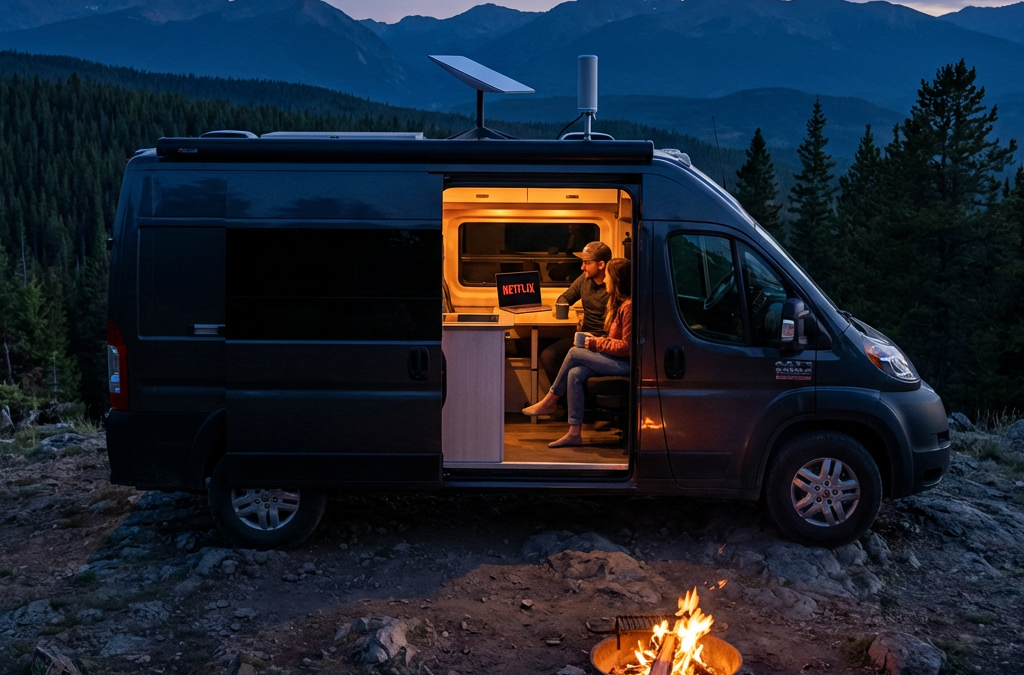
How to Stream TV in Your RV | Cellular vs Starlink
Stream your favorite shows and movies anywhere your travels take you
Quick Decision Framework
- Top Criteria: Internet reliability trumps everything — cellular with booster or Starlink for consistent streaming
- Deal-Breaker: No backup connectivity option means total entertainment blackout in remote areas
- Use Case Match: Full-timers need unlimited data plans; weekend warriors can survive on campground WiFi plus downloads
- Verification Test: Check carrier coverage maps for your planned routes before committing to a plan
Yes, you can stream shows in your RV just like at home. Cellular data with signal boosters works in most campgrounds. Starlink provides coverage in remote areas. Offline downloads eliminate connectivity dependence.
Internet Options for RV Streaming
Reliable internet determines whether you watch or stare at buffering screens. Cellular data covers most populated camping areas. Satellite internet reaches remote locations that cellular networks miss. Campground WiFi works for light browsing but rarely handles HD streaming. Your travel style dictates which option delivers the best results.
Cellular Data (4G/5G)
Carriers like Verizon, AT&T, and T-Mobile offer plans with high data caps tailored for travelers. Verizon provides the widest rural coverage. T-Mobile offers competitive pricing with 5G expansion in metro areas. AT&T balances coverage and cost for most RV routes.
Advantages
- High-speed 4G/5G networks support HD streaming
- Works while driving between destinations
- No equipment setup at each campsite
- Covers most campgrounds and RV parks
Limitations
- Coverage gaps in mountain valleys and remote areas
- Data throttling after 50-100GB on most plans
- Weak signals require booster investment
- Multiple streaming devices consume data quickly
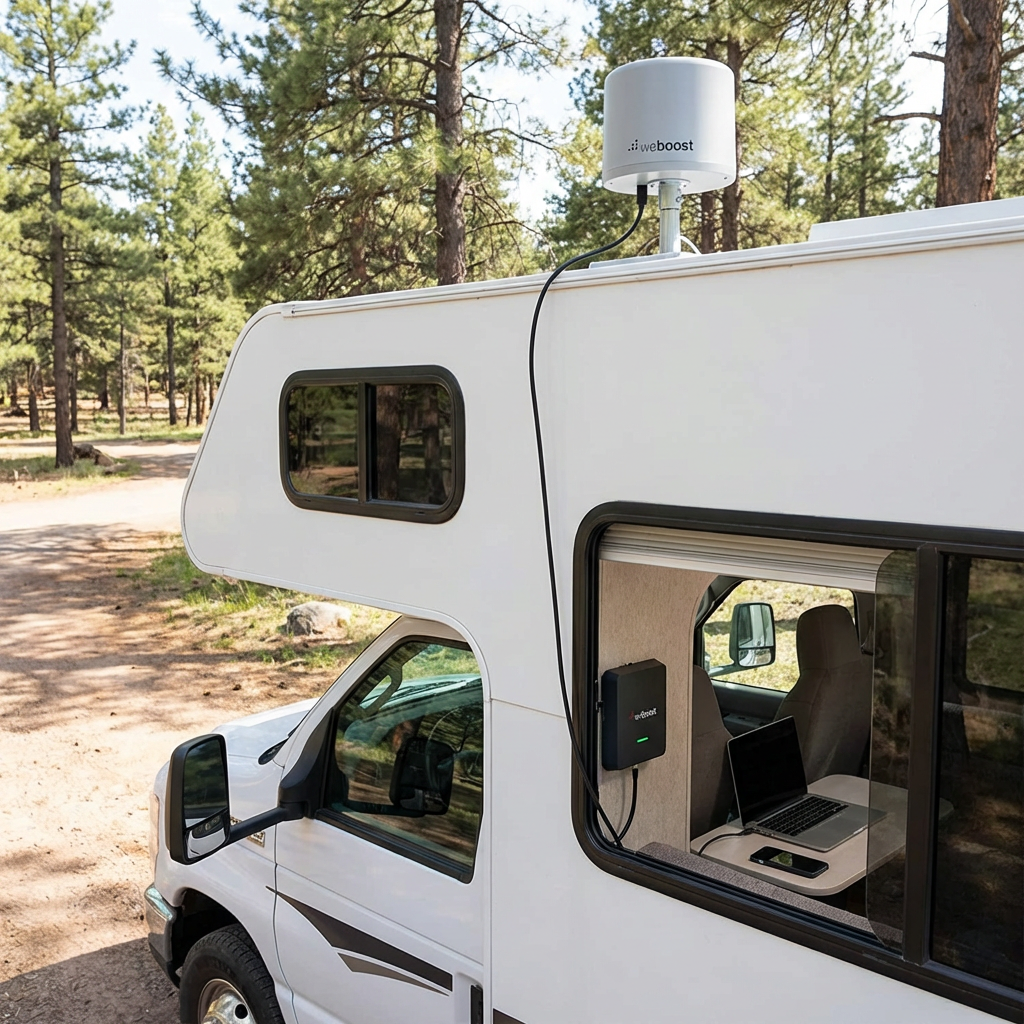
The WeBoost Drive X RV improves signal strength in fringe coverage areas. Installation requires mounting an external antenna on the roof and connecting it to an interior amplifier. RVers report 2-3 bar improvements in weak signal zones, making the difference between buffering and smooth streaming.
Satellite Internet
Starlink RV delivers high-speed internet in locations where cellular networks fail. The dish requires an unobstructed view of the sky. Heavy foliage, canyon walls, and severe weather can disrupt the signal. For RVers using Starlink Mini, portable Starlink Mini mounts make it easier to position the dish for a clear view of the sky without permanently modifying the RV. Setup typically takes 10–15 minutes at each new location:
- Position the dish with a clear northern sky view using the Starlink app's obstruction viewer
- Connect the dish cable to the router's power supply
- Plug the power supply into AC power (RV outlet or inverter)
- Wait 5-10 minutes for the dish to acquire a satellite signal and align itself
- Connect your devices to the Starlink WiFi network shown on the router label
Advantages
- Works in remote areas with no cell coverage
- Download speeds of 50-200 Mbps in clear conditions
- No long-term contracts required
- Pause service via Standby Mode during months you're not traveling ($5/mo now; $10/mo after June 18, 2026)
Limitations
- $249-349 equipment cost plus $55-175 monthly service fee
- Requires clear sky view — trees block the signal
- Dynamic IP creates issues with some streaming services
- Power draw of 25-60 watts impacts boondocking
Starlink offers three Roam plans for RVers. Roam 100GB costs $55 monthly and provides 100GB of high-speed data, then unlimited low-speed data for the rest of the billing cycle. Roam 300GB costs $80 monthly and provides 300GB of high-speed data, then unlimited low-speed data — the right fit for remote workers who consistently exceed 100GB but don't need fully unlimited. Roam Unlimited costs $175 monthly with no data caps. All three plans include in-motion use up to 100 mph. Service can be paused to Standby Mode when not traveling ($5/mo currently; increasing to $10/mo on or after June 18, 2026 per Starlink announcement). Weekend warriors and light users choose the 100GB plan. Moderate remote workers with mixed boondocking may find the 300GB tier hits the sweet spot. Full-timers who stream regularly choose Unlimited. Verify current pricing at starlink.com/service-plans.
Starlink's dynamic IP assignment causes problems with YouTube TV's location verification. Some users bypass this with VPN services or static IP solutions. The RV Mobile Internet Resource Center documents workarounds for location-based streaming restrictions.
Campground WiFi
Public WiFi at campgrounds and RV parks offers free or low-cost connectivity. Quality varies dramatically between properties. Premium RV resorts provide dedicated bandwidth. Budget campgrounds share limited connections across 100+ sites.
Advantages
- Included in campground fees at most locations
- No data caps or overage charges
- Works for email and light browsing
Limitations
- Too slow for HD streaming during peak hours
- Security risks on open networks
- Signal strength varies by site location
- Limited or no bandwidth in budget campgrounds
ExpressVPN protects data on public networks. WiFi range extenders like those from TechnoRV improve weak signals at distant campsites. Campground WiFi works as a backup option but fails as a primary streaming solution for most full-time travelers.
| Internet Option | Best Use Case | Monthly Cost | Coverage |
|---|---|---|---|
| Cellular + Booster | Frequent movers in developed areas | $50-100 | Most camping locations |
| Starlink Roam 100GB | Occasional boondocking, cellular backup | $55 | Remote areas with clear sky view |
| Starlink Roam 300GB | Remote workers, moderate boondocking | $80 | Remote areas with clear sky view |
| Starlink Roam Unlimited | Full-time boondocking, heavy data use | $175 | Remote areas with clear sky view |
| Campground WiFi | Weekend campers with low data needs | $0-10 | Limited to campground location |
Starlink pricing current as of May 2026. Verify at starlink.com/service-plans before purchase.
Streaming Devices for RVers
Your streaming device connects entertainment apps to your TV. Smart TVs include built-in apps. Streaming sticks like Roku and Fire TV Stick add app capability to standard TVs. Game consoles stream and game. Phones and tablets work for solo viewing. Device selection depends on your RV's existing equipment and whether you travel with kids who game.
Smart TVs
Modern RVs often include smart TVs with Netflix, Hulu, and Amazon Prime Video pre-installed. Samsung and LG models offer robust app ecosystems. Firmware updates maintain app compatibility. Connection requires only WiFi or hotspot access.
RVers recommend updating firmware regularly to prevent app compatibility issues. Older smart TV models lose support for streaming apps as services update their platforms. Check manufacturer support timelines before relying on built-in apps for long-term travel.
Streaming Sticks and Boxes
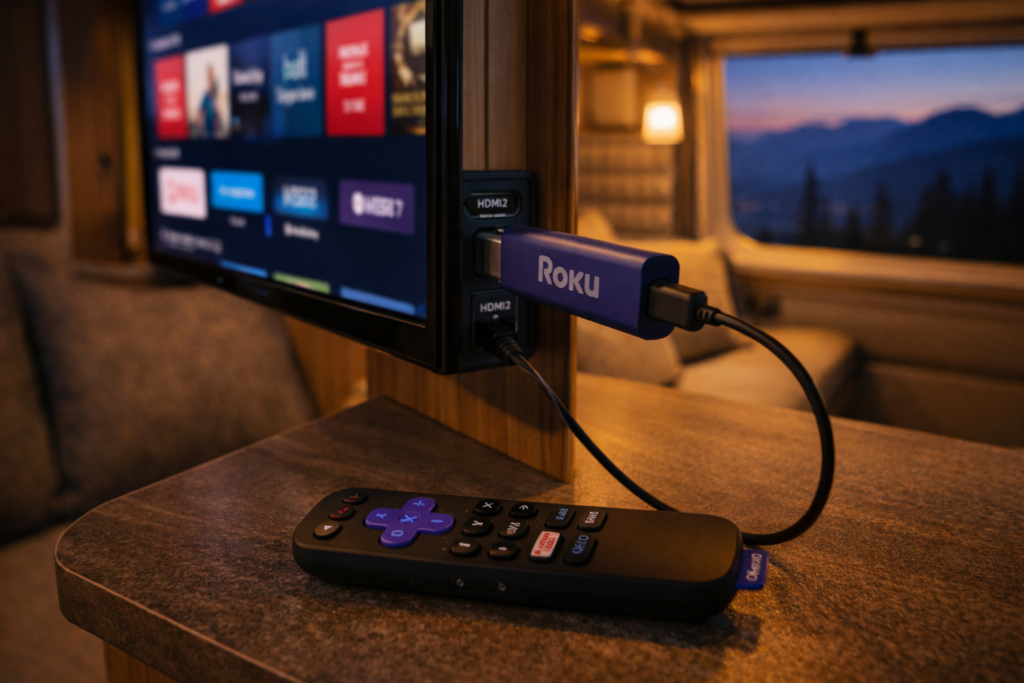
Roku devices work reliably with location changes across state lines. The Roku Streaming Stick 4K costs $50 and supports all major streaming services. Amazon Fire TV Stick offers Alexa voice control but requires more frequent location updates for local content.
Both devices connect via HDMI and draw power from USB ports. Setup takes less than 10 minutes. Remote controls include voice search on newer models. Roku receives higher ratings from RV forum users for handling frequent travel and location changes.
Game Consoles
Xbox and PlayStation consoles stream Netflix, Hulu, Amazon Prime Video, and YouTube TV alongside gaming. Storage capacity supports large game downloads. Performance exceeds streaming sticks for graphics-intensive games.
Power consumption of 100-150 watts during gaming creates problems for boondockers relying on battery banks. Bulk and fragility during travel require secure mounting or storage solutions. Game consoles make sense for families who game regularly and camp with full hookups.
Mobile Devices
Phones, tablets, and laptops stream without additional equipment. Netflix and Amazon Prime Video support offline downloads for watching without internet. Screen size limits group viewing unless you connect to a larger display.
Portable docking stations connect tablets and laptops to RV TVs via HDMI. Wireless casting through Chromecast or AirPlay eliminates cable requirements. Mobile devices provide the most flexible streaming option when traveling light or boondocking with limited power.
Top Streaming Services for RVers
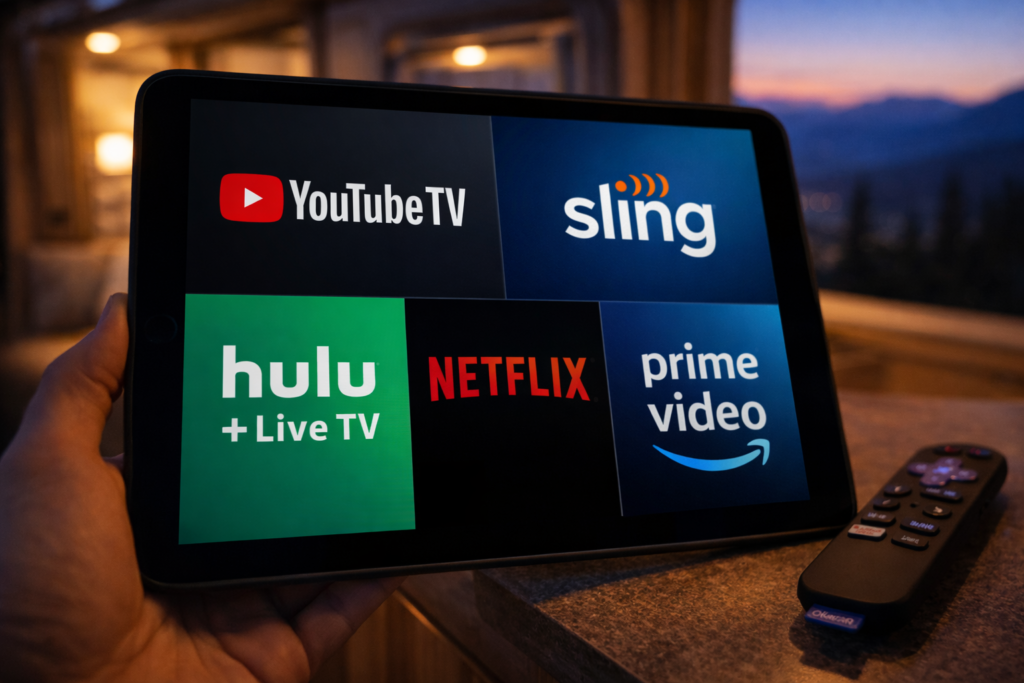
Streaming service selection balances live TV access, on-demand content, offline downloads, and location flexibility. YouTube TV and Hulu + Live TV replace cable with live channels. Sling TV offers budget customization. Netflix and Amazon Prime Video provide vast on-demand libraries with download capability. Your travel frequency determines which location restrictions matter.
YouTube TV
YouTube TV provides 100+ live channels with unlimited DVR storage. The service costs $73 per month with no annual contract. Live sports, news, and network programming attract cord-cutters who miss traditional cable.
Location restrictions limit home address changes to two per year. The service requires login from your home area every three months. Full-time RVers struggle with these limits. Some use VPN services to maintain home location access. Others designate a friend's address as home and coordinate periodic logins.
Sling TV
Sling TV offers customizable channel packages starting at $40 per month. Orange package includes ESPN for sports fans. Blue package adds more channels and multiple simultaneous streams. Combined Orange + Blue costs $55 monthly.
Location services tie to your billing zip code. You lose local channels when traveling outside your home market. No DVR storage on the base plan. Add-on DVR costs $5 monthly for 50 hours of recordings. Budget-conscious RVers appreciate the flexibility to customize channels and pause service between trips.
Hulu + Live TV
Hulu + Live TV combines 85+ live channels with Hulu's on-demand library for $77 per month. Disney+ and ESPN+ bundle for $7 more. Unlimited DVR recording included. App requires enabling location services on mobile devices.
Location requirements create friction for frequent movers who change states weekly. The combination of live TV and extensive on-demand content appeals to RVers who camp with reliable internet. Offline download feature works for select on-demand content but not live TV recordings.
Amazon Prime Video
Amazon Prime membership costs $139 annually and includes Prime Video streaming. Library contains thousands of movies, TV shows, and Amazon Originals. No live local channels. Free two-day shipping benefit helps RVers receive packages at campgrounds.
Offline download capability receives high praise from remote campers. Download shows and movies in high quality during strong WiFi connections. Watch later without internet access. No location restrictions or address change limits make Prime Video ideal for full-time travelers.
Netflix
Netflix offers the largest selection of original series and licensed content. Plans range from $7 for ad-supported to $23 for premium 4K streaming. No live TV channels. Mobile plan at $7 restricts viewing to phones and tablets.
Download feature allows offline viewing on all plans. Quality settings let you balance file size against video quality. Netflix imposes no location restrictions beyond country borders. Content library varies between countries but stays consistent across US states. Reliability and offline capability make Netflix the most RV-friendly streaming service.
| Service | Monthly Cost | Live TV | Offline Downloads | Location Restrictions |
|---|---|---|---|---|
| YouTube TV | $73 | Yes | Yes (DVR only) | 2 address changes/year |
| Sling TV | $40-55 | Yes | No | Tied to billing zip |
| Hulu + Live TV | $77 | Yes | Partial | Location services required |
| Amazon Prime Video | $12 (or $139/year) | No | Yes | None |
| Netflix | $7-23 | No | Yes | None |
Boosting Your Signal and Connectivity
Weak signals cause buffering and playback failures. WiFi range extenders amplify distant campground signals. Cellular boosters improve weak carrier signals in fringe areas. Portable hotspots create private networks independent of campground infrastructure. Layering solutions provides redundancy when primary connections fail.
WiFi Range Extenders
WiFi extenders capture weak campground signals and rebroadcast them inside your RV. Devices mount on the roof or exterior wall for better signal reception. Interior routers distribute the connection to your streaming devices.
TechnoRV and similar vendors sell RV-specific WiFi systems. Effective range extends from 150 feet to over 300 feet depending on equipment quality. Public WiFi security risks remain even with range extenders. Use VPN protection on all open networks.
Cellular Signal Boosters
WeBoost Drive X RV and King Extend Pro strengthen cellular signals for streaming and hotspot use. External antenna mounts on the roof. Cable connects to interior amplifier. Your phone or hotspot connects to the amplifier.
Signal improvement ranges from 1-3 bars depending on starting conditions. Boosters cannot create signal where none exists. They amplify existing weak signals to usable levels. Installation requires drilling or using existing cable entry points. One-time cost of $400-700 pays off for travelers who frequently camp in fringe coverage areas.
Portable Hotspots
Portable hotspots from Verizon, AT&T, and T-Mobile create private WiFi networks using cellular data. Devices support 10-15 connected devices simultaneously. Battery life lasts 8-10 hours on most models.
Dedicated hotspots outperform phone tethering for battery life and connection stability. Separate data plans let you switch carriers for better regional coverage. RV forum users recommend keeping backup SIM cards from alternative carriers to avoid dead zones. Redundancy matters when your primary carrier fails in specific geographic regions.
Offline Downloads for Remote Camping
Offline downloads eliminate dependence on internet connectivity. Netflix, Amazon Prime Video, and Hulu allow downloading shows and movies to watch later. Download quality settings balance file size against video quality. Storage space on your device limits total downloaded content. Pre-planning prevents running out of entertainment in remote areas.
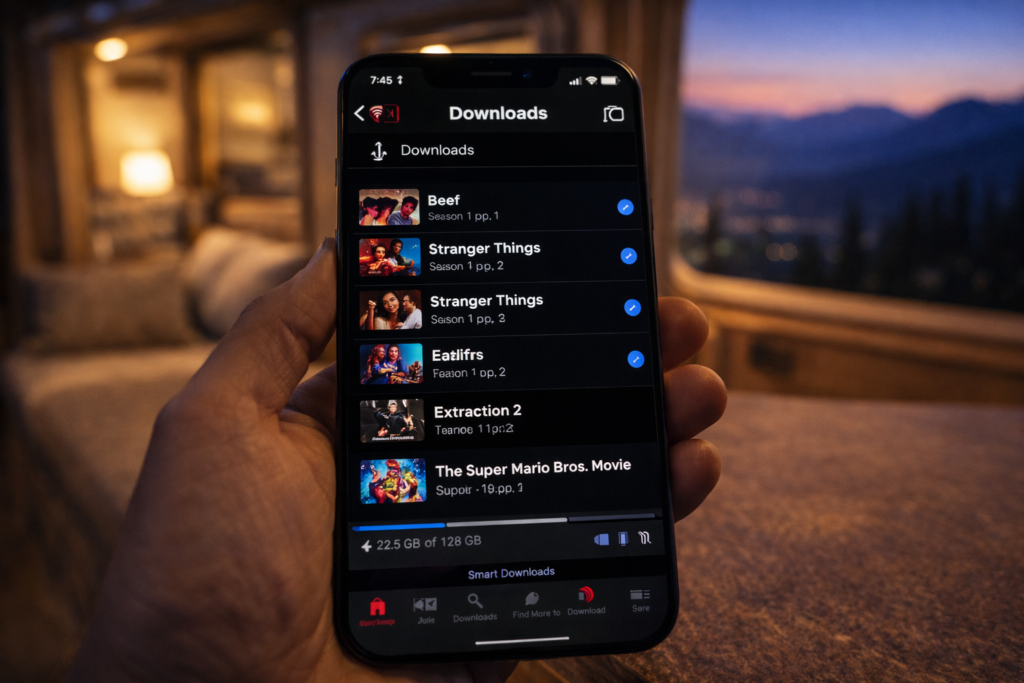
Netflix Downloads
Netflix allows downloads on all subscription tiers. Select the download icon on compatible titles. Quality options include Standard and High. High quality consumes more storage but delivers better viewing on larger RV TV screens.
Download limits vary by title based on licensing agreements. Most shows and movies allow unlimited downloads. Some titles expire after 48 hours of first playback. Check expiration dates before heading to remote locations. Renew downloads during WiFi connections to maintain your offline library.
Amazon Prime Video Downloads
Prime Video supports downloads on the Standard and Premium plans. Mobile app provides the download feature. Download to phone, tablet, or Fire tablet for offline viewing. No download capability on desktop or TV apps.
Storage limits depend on your device capacity. Amazon restricts total downloaded titles to 25 across all devices per account. Quality settings adjust automatically based on available storage. Downloaded content expires after 30 days or 48 hours after starting playback, whichever comes first.
Download Strategy for Extended Trips
Download full seasons of shows during strong WiFi connections before departure. Prioritize high-quality downloads for RV TV viewing. Use standard quality for phone and tablet viewing to conserve storage. Delete watched content immediately to free space for new downloads.
External storage drives expand capacity for laptops. Cloud storage does not help offline viewing. Plan for 1-2GB per hour of HD video. Full season of 10 hour-long episodes requires 10-20GB of storage. Check available space before downloads to avoid incomplete transfers.
Managing Location Restrictions
Streaming services use location tracking to enforce licensing agreements and deliver local content. YouTube TV limits address changes to twice yearly. Hulu + Live TV requires location services enabled. Sling TV ties service to billing zip code. VPN services mask location. Strategic account management minimizes friction for frequent travelers.
VPN Solutions
ExpressVPN and similar services route internet traffic through servers in your chosen location. Monthly cost ranges from $8-13. Connection to a server in your home state maintains access to local channels and bypasses travel restrictions.
Some streaming services detect and block VPN traffic. Success rates vary between VPN providers and streaming platforms. RV forum users report better results with premium VPN services compared to free options. Test VPN compatibility with your streaming services before leaving on extended trips.
Device-Based Workarounds
Apple TV and Shield devices allow disabling location services. This prevents automatic location updates that trigger service disruptions. YouTube TV and Hulu may still require periodic location verification through account settings.
Forum discussions document strategies like having a trusted contact log in from your home location when verification is required. This workaround violates terms of service but reflects common practice among full-time RVers who face address change restrictions.
Service Selection Strategy
Choose services with minimal location restrictions if you travel full-time. Netflix and Amazon Prime Video impose no domestic location limits. Sling TV and YouTube TV create friction with address change caps and verification requirements.
Combine one location-flexible service for primary content with one live TV option for news and sports. Accept that live local channels will change as you travel. Or embrace streaming-only services and skip live TV entirely to eliminate location hassles.
Power Management for Boondocking
Streaming devices consume power that matters when camping off-grid. Smart TVs draw 30-100 watts. Roku and Fire Stick use 3-5 watts. Game consoles consume 100-150 watts during active gaming. Laptops use 30-60 watts. Understanding power draw helps you balance entertainment against battery capacity when boondocking.
Device Efficiency
Streaming sticks deliver the best power efficiency for TV viewing. Roku Streaming Stick uses 3 watts during active streaming. Compare to smart TVs at 50+ watts total power draw. Tablets consume 10-15 watts for solo viewing.
Power saving tips include lowering screen brightness, using sleep timers, and closing background apps. Disable auto-play features that continue streaming after you stop watching. Turn off devices completely rather than leaving them in standby mode.
Battery Capacity Planning
Calculate entertainment power budget within total battery capacity. 100Ah battery bank at 50% depth of discharge provides 600 watt-hours usable power. Streaming for 4 hours on a tablet consumes 60 watt-hours. Smart TV streaming for 4 hours uses 200-400 watt-hours.
Solar panels recharge batteries during daylight hours. 200 watts of solar generates 800-1200 watt-hours on sunny days. Streaming during peak solar hours minimizes battery drain. Cloudy weather or heavy tree cover reduces solar charging and requires prioritizing power consumption.
Generator Backup
Portable generators provide unlimited streaming power at the cost of noise and fuel. Run generators during designated quiet hours at campgrounds. Some boondocking locations prohibit generator use entirely.
Many RVers time streaming entertainment for early evening before quiet hours begin. Generator operation for 2-3 hours charges batteries while running streaming devices. Battery power handles late-night viewing after shutting down the generator.
Frequently Asked Questions
Can you stream Netflix in an RV?
Yes, Netflix streams in RVs through cellular data, satellite internet, or campground WiFi. Download shows before travel for offline viewing in areas without connectivity. All Netflix subscription tiers support downloads to phones, tablets, and computers. No location restrictions apply within the United States.
What is the best internet for RV streaming?
Cellular data with a signal booster offers the best balance of cost, coverage, and reliability for most RVers. Verizon provides the widest rural coverage among carriers. Starlink satellite delivers superior performance in remote areas. Starlink offers three Roam tiers: 100GB at $55/mo, 300GB at $80/mo, and Unlimited at $175/mo. The 300GB tier is the right fit for remote workers who consistently exceed 100GB but don't need fully unlimited data. Equipment costs $249-349. Cellular plans cost $50-100 monthly. Campground WiFi rarely supports HD streaming during peak hours. Verify current Starlink pricing at starlink.com/service-plans.
Does Starlink work for RV streaming?
Starlink delivers 50-200 Mbps download speeds in clear conditions, supporting multiple HD streams simultaneously. The dish requires an unobstructed view of the northern sky. Trees, canyon walls, and severe weather disrupt service. Setup takes 10-15 minutes at each location. Starlink offers three Roam tiers: 100GB at $55/mo, 300GB at $80/mo, and Unlimited at $175/mo. All active Roam plans include in-motion use up to 100 mph. Service can be paused via Standby Mode when not traveling ($5/mo now; $10/mo after June 18, 2026). Equipment costs $249 for Mini or $349 for standard dish. Verify current pricing at starlink.com/service-plans.
How do you get WiFi in an RV for streaming?
Create WiFi in your RV using cellular hotspots, Starlink satellite, or campground connections extended with range boosters. Cellular hotspots from Verizon, AT&T, or T-Mobile use phone data plans or dedicated devices. Starlink provides independent satellite connectivity. WiFi range extenders capture distant campground signals and rebroadcast them inside your RV.
Can you use Roku in an RV?
Roku devices work in RVs connected to any WiFi network or cellular hotspot. The Roku Streaming Stick 4K connects via HDMI and draws power from TV USB ports. Roku handles frequent location changes better than competitor devices according to RV forum users. Setup takes less than 10 minutes at new locations.
Do streaming services work when traveling?
Most streaming services work during travel with varying location restrictions. Netflix and Amazon Prime Video have no domestic location limits. YouTube TV allows two address changes annually and requires home-area login every three months. Hulu + Live TV requires enabled location services. Sling TV ties service to billing zip code affecting local channel access.
Essential Resources for RV Streaming
- RV Mobile Internet Resource Center — Expert guides on cellular, satellite, and WiFi solutions
- TechnoRV — RV technology products including internet boosters and portable hotspots
- Escapees RV Club — Community forum with connectivity tips from full-time RVers
- WeBoost Drive X RV — Cellular signal booster specifications and installation guides
- Starlink Roam Plans — Current service plan details, pricing, and coverage maps
Stream Anywhere Your Travels Take You
Reliable streaming in your RV requires matching internet solutions to your travel style. Cellular data with boosters serves frequent movers in developed areas. Starlink reaches remote locations cellular networks miss. Offline downloads provide entertainment insurance when all connections fail.
Combine multiple connectivity options for redundancy. Layer cellular data, offline downloads, and campground WiFi to eliminate total blackouts. Choose streaming services that align with your location flexibility needs. Manage power consumption to balance entertainment against battery capacity during off-grid camping.
Your entertainment setup should match the freedom that drew you to RV life. With the right tools and planning, you can stream anywhere from beach campgrounds to mountain boondocking spots.
References
- RV Mobile Internet Resource Center. "Mobile Internet for RVers and Cruisers." Accessed May 2026. https://www.rvmobileinternet.com/
- Starlink. "Roam Service Plans." Accessed May 2026. https://www.starlink.com/service-plans
- WeBoost. "Drive X RV Cell Signal Booster." Accessed May 2026. https://www.weboost.com/us/products/drive-x-rv
- YouTube TV. "Terms of Service." Accessed May 2026. https://tv.youtube.com/
- Escapees RV Club. "RV Internet Discussion Forum." Accessed May 2026. https://www.escapees.com/
- TechnoRV. "RV Internet and Technology Solutions." Accessed May 2026. https://www.technorv.com/


