
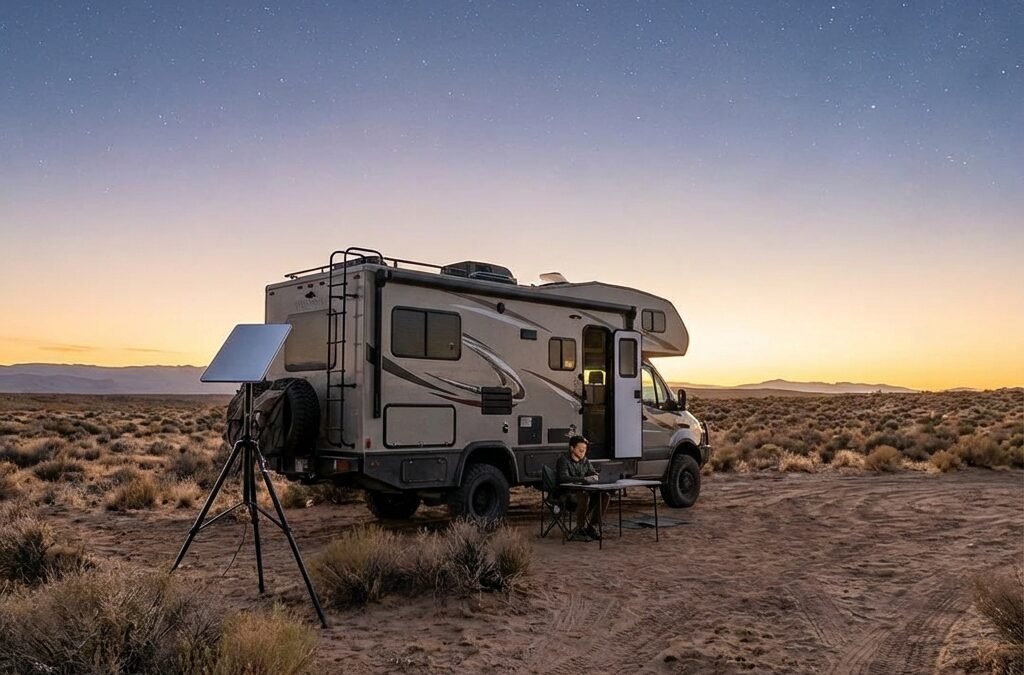
By Boondock or Bust Editorial Team • Updated Febuary 2026 • 9-minute read
Starlink vs 5G (Tested Setup Guide)
⚠️ PRICING VERIFICATION REQUIRED
All prices in this guide are examples based on recent market observation. Carrier plans, Starlink tiers, and hardware costs change frequently. Verify current pricing at provider websites before making purchase decisions. Links to official pricing pages appear throughout this guide.
Quick Answer
For remote work reliability in 2026, a dual-path setup delivers the best results: Starlink Roam (two tiers available: 100GB and Unlimited) plus a 5G carrier hotspot from Verizon, AT&T, or T-Mobile for urban areas and power efficiency. Based on 35 years of combined RV travel and testing across federal lands, this combination eliminates the single-point-of-failure risk that can result in lost remote work income. Budget 30-60GB of high-speed hotspot data minimum for regular video calls.
Note: Verify current Starlink tier pricing and carrier plan terms at provider links in this guide.
Pick Your Path: Best RV Internet by Travel Style
Choose your scenario for the fastest path to the right setup:
Weekend Warriors (2-4 trips monthly)
Phone hotspot plus budget router. Add Starlink 100GB tier only if you hit coverage gaps. Typical budget range for monthly service.
Remote Workers (regular video calls, mixed camping)
5G hotspot plus Starlink backup. Start with 100GB tier, upgrade to Unlimited only if throttling disrupts work. Verify current tier pricing before selecting.
Full-Time Boondockers (weeks on public lands)
Starlink Unlimited primary, dual cellular backup. Requires 800W+ solar, 400Ah+ lithium. Verify current service costs plus power system upgrades.
Budget-Conscious Travelers
Stick to campgrounds with cell coverage. Single carrier hotspot plus basic router. Skip Starlink until remote locations become regular.
2026 RV Internet Options: Quick Comparison
| Option | Typical Monthly Cost Range | Power Draw | Best For | Limitation |
|---|---|---|---|---|
| Starlink Roam 100GB | ~$50 (verify current) | 25-60W | Occasional remote locations, cellular backup | 100GB cap, then slow speeds |
| Starlink Roam Unlimited | ~$165 (verify current) | 25-60W | Extended boondocking, heavy data use | Requires clear sky view, weather sensitive |
| 5G Carrier Hotspot | $40-95 (varies by carrier/plan) | 10-15W | Campgrounds, highways, towns | Coverage gaps in remote areas, hotspot caps vary |
| Phone Plan Hotspot | Included in plan | 5-10W | Light use, weekend trips | Hotspot caps vary by plan (typically 30-60GB), thermal throttling |
| Cellular Booster | $0 (hardware: ~$500-600) | 5-10W | Weak but present cell signal | Cannot create signal where none exists |
Pricing examples based on recent market observation. Verify current terms at provider websites before purchase.
In This Guide
- 🔹 Starlink vs Cellular: Which Wins
- 🔹 What Changed for 2026: New hardware & plan limits
- 🔹 5G Hotspot Reality: Verizon, AT&T, & T-Mobile hotspot pools
- 🔹 Starlink Deep Dive: Roam tiers, Standard vs. Mini power draw
- 🔹 Hardware Essentials: Routers, antennas, boosters, and power math
- 🔹 3 Proven Setups: From budget to premium configurations
- 🔹 FAQ: What to buy, what to skip, and how to pick a Roam tier
2026 Connectivity Quick-Facts
Starlink Mini Draw
25-40 Watts (typical)
Zoom Data Use
0.5-1.5 GB / Hour (estimate)
Best 2026 Strategy
Dual-Path (Cell + Satellite)
Remote Work Baseline
30-60GB hotspot minimum
Starlink vs Cellular for RV: Which Wins
Neither technology wins across all scenarios. Starlink dominates in remote locations where cellular networks do not reach, delivering 50-200 Mbps download speeds on BLM land, National Forest dispersed sites, and other areas beyond tower coverage. Cellular wins in developed areas for lower typical cost, better power efficiency (10-15W vs. 25-60W), and zero setup requirements. The dual-path approach uses cellular as primary for its economy and power draw, with Starlink backup for off-grid periods. Most remote workers find cellular handles 70% of connectivity needs, making Starlink 100GB tier adequate for backup use. Verify current pricing for both options before selecting your configuration.
What Actually Changed in RV Internet for 2026
The mobile connectivity landscape shifted between 2025 and 2026 in ways that matter for RV travelers. The big change is that plan limits, priority rules, and data pools now drive outcomes more than hardware specs. Equipment quality still matters, but carrier throttling and deprioritization can affect performance even with a premium router.
Starlink expanded Roam options with a lower-cost 100GB tier and a higher-cost Unlimited tier. That gives seasonal travelers more control, especially if you can pause service between trips. The downside remains the same: obstructions can turn “great on paper” into “dead on arrival.”

Carrier Hotspots: The 2026 Performance Reality
Cellular remains the backbone of RV connectivity for its availability and power efficiency. Verizon, AT&T, and T-Mobile all offer smartphone plans with defined high-speed hotspot pools. After you hit the hotspot pool, carriers reduce speeds for the rest of the billing cycle. Exact terms change often. Confirm current thresholds on the carrier pages linked below.
The persistent challenge with phone hotspots is thermal throttling and battery drain. For regular video calls, most remote workers do better with a dedicated 5G hotspot device. A practical redundancy move is using a hotspot from a different carrier than your phone plan.
2026 Carrier Hotspot Pools for RVers (Examples – Plans Vary)
| Provider | Example Consumer Tier | Example High-Speed Pool | What Happens After |
|---|---|---|---|
| Verizon | Unlimited Plus (example tier) | ~30GB/month (varies by plan) | Hotspot speeds reduced for remainder of billing cycle |
| AT&T | Unlimited Premium PL (example tier) | ~60GB/month (varies by plan) | Hotspot speeds reduced per plan terms |
| T-Mobile | Experience plans (example tier) | ~60GB/month (varies by plan) | Hotspot speeds reduced for remainder of billing cycle |
Compare current plans:
Verizon unlimited options |
AT&T unlimited plans |
T-Mobile plan comparison
The data cap math determines whether cellular works for your use case. A single hour-long Zoom call often consumes roughly 0.5-1.5GB depending on video settings. For a remote worker with 20 hours of weekly video calls, expect roughly 40-120GB monthly just for meetings (20 hours x 4 weeks x 0.5-1.5GB), before adding streaming or uploads.
Starlink for RVers: When It Works, When It Doesn’t
Starlink has become a default solution for connectivity in truly remote locations, but its reliability depends on conditions marketing materials often minimize. The Roam plans support mobile use and can be paused monthly, offering flexibility for seasonal travelers. Performance is excellent when you have a clear sky view, latency is low enough for video calls, and speeds are sufficient for streaming. The constraint that ends this ideal scenario is obstructions. Trees, canyon walls, or even overhead power lines will degrade performance or eliminate connectivity.
The Starlink Mini, introduced in 2025, addresses power consumption concerns that matter for battery-dependent rigs. Starlink hardware draws approximately 45-60W continuously, while the Mini consumes roughly 25-40W. For an RV running on 400Ah of lithium batteries and 800W of solar, the difference between 60W and 40W determines whether you can run Starlink all day without generator support. The Mini’s built-in Wi-Fi eliminates the need for a separate router in simple setups, reducing complexity.
Rain fade represents a real but often overstated concern. Heavy thunderstorms will reduce Starlink speeds or cause brief outages, but extended testing has shown connectivity maintained during light-to-moderate rain. Snow accumulation on the dish causes more disruption than rain, but the built-in heating element melts snow within 10-20 minutes. Expect some weather-related downtime in frequently stormy regions.
The critical failure mode is the absolute requirement for a clear sky view. The Starlink app includes an obstruction checker, but many RVers skip this step and discover their campsite is unusable after setup. In forested campgrounds, you may need to move 50-100 feet to find a clear spot, which is not always possible after you have leveled your rig. A field-tested practice is to use the app while driving slowly through the campground before committing to a site.
Starlink Roam Plans for RVers
Choosing Your Roam Tier
Starlink offers two distinct Roam plans. Select based on actual usage patterns, not theoretical maximums. Verify current pricing at starlink.com/service-plans.
| Plan Tier | Typical Monthly Cost | Data Allocation | Best For |
|---|---|---|---|
| Roam 100GB | ~$50 (verify current) | 100GB high-speed, then unlimited low-speed | Weekend warriors, occasional boondockers, cellular backup users |
| Roam Unlimited | ~$165 (verify current) | Unlimited high-speed data | Full-time remote workers, heavy streaming, extended off-grid stays |
Usage Threshold Calculation
The 100GB tier works when cellular handles 70%+ of your data needs. Calculate your off-grid usage:
- Light use: 2-3 days weekly boondocking, 10-15 hours video calls monthly = 5-25GB Starlink usage → 100GB tier sufficient
- Moderate use: 50% time off-grid, 20+ hours video calls monthly = 60-100GB Starlink usage → 100GB tier marginal
- Heavy use: Extended public lands camping, full-time remote work, streaming = 150+GB monthly → Unlimited tier required
Hardware Options
Starlink Standard (Roam) – Best for Class A/C motorhomes and travel trailers |
Check availability and current pricing
- Works with both 100GB and Unlimited plans
- In-motion use available on Unlimited tier (confirm limits in plan details)
- Pause/unpause monthly for seasonal travelers
- Low latency (20-40ms typical), ideal for video calls
- Speeds: 50-200 Mbps download in clear conditions
- 45-60W power draw (requires robust solar/battery system)
- Requires clear view of sky, challenging in forests
Starlink Mini – Best for van/Class B conversions |
Order Mini and check plan options
- 25-40W power consumption (solar-friendly for smaller rigs)
- Built-in Wi-Fi, ultra-compact footprint
- Easier to stow when driving, lighter weight
- Slightly reduced speeds vs. standard dish (30-100 Mbps typical)
- Same sky-view requirements as standard dish
Tier Selection Strategy
Start with 100GB tier if you meet these criteria:
- Cellular available 50%+ of camping time
- Work video calls under 15 hours monthly
- Willing to manage streaming/downloads
- Can pause Starlink during urban camping weeks
Upgrade to Unlimited tier when:
- Boondocking 60%+ of time
- Remote work exceeds 20 hours weekly
- Household streaming is non-negotiable
- 100GB tier throttling disrupts critical work
Pro tip: Use the Starlink app’s obstruction checker before committing to a campsite. Walking 20 feet can mean the difference between full connectivity and zero signal. Verify current plan pricing and features at starlink.com/service-plans as tiers and pricing change periodically.

Essential Equipment That Actually Matters
Building a reliable system requires specific hardware beyond just a service plan. A multi-WAN router with Quality of Service (QoS) allows you to fail over between Starlink and cellular and prioritize critical traffic like work calls. Without QoS, a large file download can monopolize bandwidth and cause video call stuttering. An external, roof-mounted antenna often outperforms indoor hotspots in fringe areas, translating to usable service where an indoor device shows none.
Cellular boosters can amplify weak signals but are widely misunderstood. A booster cannot create a signal where none exists. It amplifies an existing signal. The money spent on a booster may deliver better ROI invested in Starlink service, a better antenna, or a second carrier path. Boosters must be registered with your carrier per FCC regulations.
Correct Power Math: Starlink Watts to Daily Watt-Hours and Amp-Hours
Why this matters: Your internet stack can become one of your biggest continuous power draws off-grid. The numbers below assume 24-hour operation and a 12.8V lithium system (common for LiFePO4 banks).
- Starlink Standard (45-60W): 45W x 24h = 1,080Wh and 60W x 24h = 1,440Wh. At 12.8V: 84-113Ah/day (1,080-1,440Wh ÷ 12.8V).
- Starlink Mini (25-40W): 25W x 24h = 600Wh and 40W x 24h = 960Wh. At 12.8V: 47-75Ah/day (600-960Wh ÷ 12.8V).
Add your router and hotspot draw on top of this. A typical “always-on” stack can easily land in the 40-85W range depending on Mini vs. Standard and router class.
Power management determines system viability for boondockers. If you run Starlink Standard continuously (45-60W), it requires roughly 1,080-1,440Wh per day. Add a 5G hotspot (typically 10-15W) and a router (typically 5-10W), and you can land around 60-85W continuous. That equals roughly 1,440-2,040Wh per day, or about 113-159Ah per day at 12.8V. For additional context on supporting systems, see our guide on RV solar and lithium battery systems.
Field-Tested Equipment Recommendations
| Category | Recommended Model | Key Benefits | Limitations | Typical Price Range |
|---|---|---|---|---|
| 5G Hotspot | Netgear Nighthawk M6 Pro | Strong 5G chipset; Wi-Fi 6E; supports many devices; external antenna ports | Higher cost; carrier-locked in some versions | ~$400-500 |
| Multi-WAN Router | Peplink Balance 20X | Advanced QoS; failover; enterprise stability | More complex setup; higher cost | ~$500-700 |
| Budget Router | GL.iNet Beryl AX | Compact; VPN support; low power draw; simple device management | Limited QoS compared to pro routers; no advanced bonding | ~$90-120 |
| External Antenna | Waveform 4×4 MIMO Panel Kit | 4×4 MIMO; strong gain; weatherproof; works across carriers | Requires mounting and cable routing | ~$300-400 |
| Signal Booster | weBoost Drive Reach RV | Strong gain; works across carriers; can help in fringe areas | Requires existing signal; installation complexity; carrier registration | ~$500-600 |
| Power Station (optional) | EcoFlow DELTA Pro | Large capacity; supports high loads; portable backup | Heavy and expensive; unnecessary if you already have lithium + inverter | ~$3,000-4,000 |
Hardware prices change with promotions, model revisions, and market conditions. Use these ranges for budgeting, then verify current pricing at manufacturer and retailer sites.
Router selection determines system capability. Budget routers can handle basic failover, but premium routers provide stronger QoS controls that protect video call stability when other devices are online. For weekend travelers, budget routers can be enough. For full-time remote workers, QoS is often the difference between “good enough” and “dropped meetings.”
Three Proven Setups by Budget and Travel Style
Rather than prescribing a universal solution, we have documented three configurations that match distinct travel patterns and budgets. Each represents field-tested setups from experienced RVers, not theoretical combinations. Verify current pricing for all components before purchasing.
Weekend Warrior Setup (~$150-400 hardware)
Travel Pattern: 2-4 weekend trips monthly, mostly campgrounds with decent cell coverage, occasional light work email
Configuration:
- Primary: Phone plan hotspot (30-60GB tier from existing carrier, verify current plan caps)
- Router: GL.iNet Beryl AX (~$100) for device management and VPN
- Backup: Secondary carrier prepaid hotspot (different provider, verify current pricing)
- Optional: Basic external antenna (~$100-150) if frequently camping in marginal areas
- Starlink Option: Roam 100GB (pause when not needed) if occasional remote location access required
Typical Monthly Service Range: Carrier plans vary; verify current pricing
Power Draw: 15-20W total (phone hotspot 10W + router 5-10W) | +25-40W if running Starlink Mini
Best For: Occasional travelers, campground stays near civilization, light browsing and streaming, minimal work requirements
Reality check: This setup covers most casual RV internet needs. Add Starlink only after you hit coverage gaps that actually disrupted your plans. The pause feature lets you activate only for remote trips.
Remote Worker Setup (~$1,400-2,100 hardware)
Travel Pattern: Mix of campgrounds and boondocking, 30-40 hours weekly remote work with regular video calls, need high uptime
Configuration:
- Primary: Netgear Nighthawk M6 Pro (~$450) with a major-carrier unlimited plan (verify current plan terms)
- Backup: Starlink Roam (tier depends on off-grid usage patterns)
- Router: Peplink Balance 20X (~$600) with automatic failover and QoS
- Enhancement: Waveform 4×4 MIMO antenna (~$350) for cellular
Starlink Tier Choice:
- 100GB tier: If cellular covers 70%+ of time, video calls under 15 hours monthly
- Unlimited tier: If boondocking 50%+ of time, video calls exceed 20 hours monthly, or throttling is a deal-breaker
Upfront Hardware Cost: Approximately $1,400-2,100 (verify current pricing for hotspot, router, antenna, and Starlink hardware)
Monthly Service Cost: Carrier plan + Starlink tier (verify current pricing)
Power Draw (continuous):
- With Starlink Mini: 50-65W total (cellular 10-15W + router ~10W + Mini 25-40W)
- With Starlink Standard: 70-85W total (cellular 10-15W + router ~10W + Standard 45-60W)
Best For: Remote workers who cannot afford connectivity failures, frequent video calls, mixed campground + boondocking travel
This is the never-miss-a-meeting configuration. Correct power expectation: if you run Standard 24/7, budget roughly 84-113Ah/day at 12.8V for Starlink alone, plus your router and hotspot. Start with cellular + Starlink 100GB and upgrade only if throttling disrupts critical work.
Off-Grid Boondocker Setup (~$2,300-3,600 hardware)
Travel Pattern: Full-time travel, 2-4 weeks on BLM/National Forest land between town visits, heavy data use, content creation
Configuration:
- Primary: Starlink Roam Unlimited – Standard dish for Class A/C, Mini for Class B/vans (verify current pricing)
- Backup: Dual hotspots from different carriers (verify current plan terms) with Waveform antenna (~$350)
- Router: Peplink MAX BR2 Pro 5G (~$900-1,200) with advanced modem for carrier aggregation
- Boost: weBoost Drive Reach RV (~$550) for extreme fringe areas
- Power: Minimum 800W solar + 400Ah lithium batteries (budget additional ~$3,000-5,000 if upgrading)
Upfront Hardware Cost: Starlink hardware (verify current) + ~$900-1,200 (router) + ~$350 (antenna) + ~$550 (booster)
Monthly Service Cost: Verify current pricing for Starlink Unlimited + primary cellular plan + backup cellular plan
Power Draw (continuous):
- With Starlink Mini: 75-95W total (Mini 25-40W + router 15-20W + dual hotspots ~20W + booster ~5W)
- With Starlink Standard: 95-115W total (Standard 45-60W + router 15-20W + dual hotspots ~20W + booster ~5W)
Best For: Full-time travelers spending weeks on public lands, serious power users, content creators, anyone requiring maximum redundancy
The maximum redundancy option. Power system upgrades are often the largest hidden cost. Plan for continuous draw and verify your daily watt-hour budget before you commit to long off-grid stretches.

Setup Comparison Summary Table
| Setup Tier | Upfront Hardware Cost | Monthly Service Cost | Power Draw | Best For |
|---|---|---|---|---|
| Weekend Warrior | ~$150-400 | Varies by carrier plans | 15-60W | Occasional travel, campgrounds, light work |
| Remote Worker | ~$1,400-2,100 | Carrier + Starlink (verify) | 50-85W | Frequent video calls, higher uptime needs |
| Off-Grid Boondocker | ~$2,300-3,600 | Multiple services (verify) | 75-115W | Extended public lands, heavy data, max redundancy |
Frequently Asked Questions
Is Starlink better than cellular for RV internet?
Neither is universally better. Each wins in different scenarios. Starlink dominates in remote locations where cellular does not reach, particularly on BLM and National Forest lands. Cellular is more cost-effective and power-efficient in areas with 5G or strong 4G LTE coverage, including campgrounds, highways, and towns. The most resilient approach uses cellular as the primary connection for its lower cost and power draw, with Starlink as backup for off-grid periods. This dual-path strategy eliminates single-point-of-failure risk. Start with the 100GB tier if cellular covers 70%+ of your camping locations. Verify current pricing for both options before selecting your configuration.
How do I know which Starlink Roam tier I need?
Choose based on measured off-grid data consumption, not theoretical maximums. The 100GB tier works when cellular handles the majority of your data needs, typically weekend warriors, occasional boondockers spending 2-3 days weekly off-grid, or remote workers with under 15 hours monthly of video calls who can manage streaming. Calculate your Starlink-only usage: 10 hours of Zoom weekly equals approximately 20-60GB monthly (10 hours times 4 weeks times 0.5-1.5GB per hour), leaving 40-80GB for email and light browsing. The Unlimited tier becomes necessary when you boondock 60%+ of the time, conduct 20+ hours weekly of video calls, or household streaming is non-negotiable. Start with 100GB and upgrade only if you experience throttling during critical work periods. The pause feature lets you test both approaches across different camping patterns. Verify current tier pricing at starlink.com/service-plans.
Can I use my home internet plan in my RV?
No. This can violate the terms for fixed wireless home internet plans. Fixed 5G home internet plans often include location restrictions in their service agreements. Mobile-specific plans like carrier smartphone plans with hotspot features, Starlink Roam, or business mobile plans are designed for travel. Verify the current terms in your provider agreement before relying on a home plan while traveling.
How can I improve a weak cell signal in my RV?
The most effective improvement usually comes from a roof-mounted external antenna connected to your mobile router or hotspot. A carrier-approved signal booster can amplify an existing weak signal but cannot create a signal where none exists. If you have zero service, a booster provides zero benefit. For many RVers, a quality external antenna plus a Starlink backup path delivers better real-world coverage than relying on boosters alone.
What is the minimum data allowance for remote work?
For regular video conferencing, budget at least 30-60GB of high-speed hotspot data monthly as a baseline. A single hour-long Zoom call can consume roughly 0.5-1.5GB depending on video settings. A remote worker with 20 hours of weekly video calls can land around 40-120GB monthly for meetings alone, before adding streaming or uploads.
Should I buy or rent internet equipment?
For full-time RVers or frequent travelers, purchasing equipment typically provides better long-term value and performance. The break-even point for premium routers and antennas often occurs at 12-18 months of use. Starlink requires hardware purchase with no rental option. Hardware pricing varies by promotion and market. Verify current pricing at starlink.com. If you are on the road more than 90 days yearly, equipment ownership often justifies the investment through better performance and lower total cost of ownership.
Do I need a VPN for RV internet security?
A VPN is recommended for security on public Wi-Fi networks (campground Wi-Fi, coffee shops). On cellular or Starlink, a VPN can add privacy but may reduce speeds due to encryption overhead. Some employers require VPN use. If you regularly use public Wi-Fi, choose a VPN with nearby servers to reduce latency.
What happens to my internet during bad weather?
Starlink can degrade during heavy rain and may briefly drop during severe thunderstorms. Snow accumulation can cause more disruption, but dish heating can reduce buildup over time. Cellular connections can remain usable in rain but may slow during major events due to congestion. The dual-path approach helps: when one path degrades, the other often stays usable.
Conclusion: Build Your System for Your Reality
The most resilient RV internet strategy for 2026 is built on redundancy, matching your configuration to actual travel patterns rather than theoretical worst-case scenarios. Weekend warriors camping near towns often thrive with a single carrier hotspot and a budget router. Remote workers mixing boondocking with meetings benefit from the dual-path approach: cellular for power efficiency and urban coverage, Starlink for off-grid backup. Full-timers spending weeks on public lands may find that Starlink-first plus cellular backup is the most stable default.
Starlink tier selection determines system economics. The 100GB tier works when cellular handles 70%+ of your connectivity needs. Measure your actual off-grid data consumption before selecting a tier. For remote workers with 15-20 hours weekly of video calls, the 100GB tier often suffices when supplemented with cellular for urban work sessions. Content creators, heavy streamers, or those conducting 30+ hours weekly of video calls may require Unlimited tier to avoid throttling disruptions. Verify current tier pricing before deciding.
The key is testing your setup before depending on it for critical work deadlines. Do a dry run, confirm failover behavior, and measure actual power consumption. If you boondock three weeks a month, keep Starlink active. If you boondock three days a month, pause Starlink except when needed. For additional guidance on supporting systems, see our guide on power management for remote work.
Transparency note: This guide includes affiliate links to products. If you purchase through these links, we may earn a small commission at no extra cost to you. We recommend equipment we would install in our own rigs. Learn more on our About page.
References
- AT&T. (2026). Unlimited data plans and hotspot data allowances. Retrieved February 2026.
- Federal Communications Commission. (2021). Signal boosters. Retrieved February 2026.
- SpaceX / Starlink. (2026). Starlink Roam service plans and pricing. Retrieved February 2026.
- T-Mobile. (2026). Unlimited phone plans and hotspot data details. Retrieved February 2026.
- Verizon. (2026). Important plan information including hotspot thresholds. Retrieved February 2026.


